
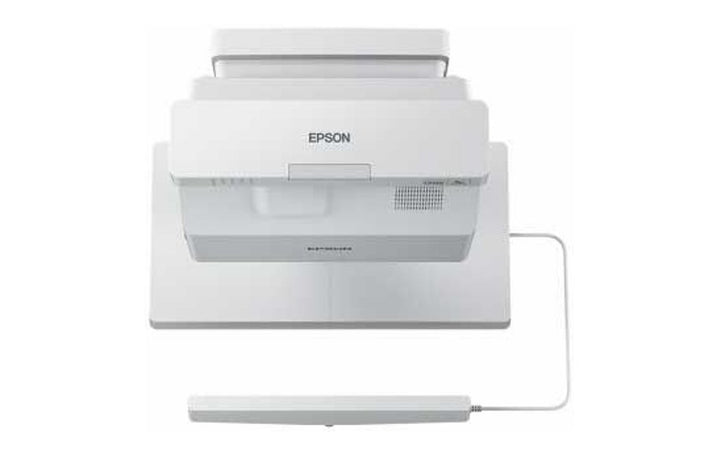
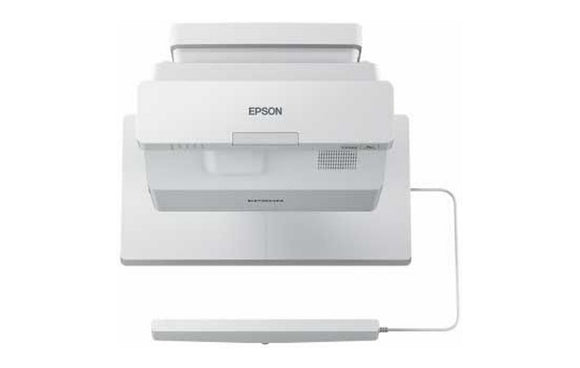


Epson EB-725Wi Projector
Currently out of stock. Request a quote and
our team will confirm the latest price, availability and lead time.
PRODUCT DESCRIPTION
Epson EB-725Wi WXGA 3LCD Interactive Laser Projector (V11H997052) - 3 Years Singapore Local Warranty
Turns Any Classroom Wall or Whiteboard Into a 100-Inch Interactive Surface
The EB-725Wi is an ultra-short throw interactive display built for Singapore classrooms, training rooms and tuition centres that need collaboration without the cost of a large flat panel. Epson's infrared interactive system works with the supplied Easy Interactive Pens, so a teacher can annotate, highlight and save work directly on the projected image at sizes from 65 to 100 inches diagonal. Automatic image alignment and automatic pen calibration keep setup short, and the projector will also work with existing touch modules from the EB-595Wi and EB-695Wi generations, which protects an earlier investment when rooms are refreshed.
4,000 Lumens and a Laser Light Source for Rooms With the Lights On
Epson rates the EB-725Wi at 4,000 lumens of both white and colour brightness, with a dynamic contrast ratio of over 2,500,000:1. Because 3LCD delivers equal white and colour light output, charts, worked examples and photographs stay saturated under fluorescent lighting rather than washing out. The laser diode light source is rated for 20,000 hours in Normal and Quiet modes and up to 30,000 hours in Extended mode, so there is no lamp to buy or change across a typical school refresh cycle. The unit starts in under eight seconds and powers down instantly.
Ultra-Short Throw Geometry That Removes Shadows and Glare
With a throw ratio of 0.28 to 0.37, the EB-725Wi sits within roughly 38.5 to 60.1 cm of the wall for a 65 to 100 inch 16:10 image. A presenter standing at the board casts almost no shadow and never looks into the beam, which matters in small tutorial rooms and meeting rooms where the teacher works at the surface for long stretches. Focus is manual and there is a 1.0 to 1.35 digital zoom for fine sizing. The electrostatic air filter runs to a 12,000 hour maintenance cycle, and fan noise drops to 26 dB in Eco mode.
Three HDMI Inputs, Wired Networking and a 16 W Speaker in One Box
Connectivity is generous for a room that has to accept a document camera, a visualiser, a room PC and a visiting laptop. There are three HDCP 2.3 HDMI inputs, two D-Sub 15-pin computer inputs, a composite input, a monitor-out, three stereo mini audio inputs, an audio output and a microphone input for voice reinforcement through the 16 W monaural speaker. Wired LAN over RJ45 supports centralised monitoring and control, RS-232C is available for control systems, and Screen Mirroring is built in for cable-free casting from compatible devices.
Epson EB-725Wi Datasheet — Technical Specifications
General
| Product | Epson EB-725Wi WXGA 3LCD Interactive Laser Projector |
| Part Number (SKU) | V11H997052 |
| GTIN | 8715946692031 |
| Projector Type | Ultra-short throw interactive laser projector |
| Projection Technology | 3LCD, RGB liquid crystal shutter projection system |
| Interactivity | Infrared; Easy Interactive Pen A & B supplied; finger touch (up to 6 fingers) with optional Touch Unit |
| Local Warranty (Singapore) | Supplied by SourceIT with GST invoice |
Projection & Optics
| Native Resolution | WXGA (1280 x 800) |
| Aspect Ratio | 16:10 |
| LCD Size | 0.59" (C2Fine) |
| Brightness (White, Normal / Eco) | 4,000 lm / 2,800 lm |
| Colour Light Output (Normal / Eco) | 4,000 lm / 2,800 lm |
| Contrast Ratio | Over 2,500,000:1 |
| Screen Size (Projection Distance) | 65" – 100" [38.5 – 60.1 cm] @ 16:10; 64" – 100" [36.9 – 69.2 cm] @ 16:9 |
| Throw Ratio | 0.28 – 0.37 (wide to tele) |
| Lens | Manual focus, no optical zoom; digital zoom 1.0 – 1.35 |
| F-Number / Focal Length | 1.60 / 3.7 mm |
Light Source
| Type | Laser diode |
| Light Source Life (Normal / Quiet / Extended) | 20,000 / 20,000 / 30,000 hours |
| Start-Up Period | Less than 8 seconds; warm-up period 30 seconds |
| Cool Down Period | Instant Off |
Connectivity
| Digital Input | HDMI x 3 (HDCP 2.3) |
| Analogue Input | D-Sub 15-pin x 2; Composite RCA x 1 |
| Output Terminal | D-Sub 15-pin x 1 |
| Audio Input / Output | Stereo mini jack x 3 in; stereo mini jack x 1 out |
| Microphone Input | Stereo mini x 1 |
| Control I/O | RS-232C (D-Sub 9-pin) x 1; Interactive Sync In x 1, Out x 1; Touch Unit Control (Mini DIN 8-pin) x 1 |
| USB | Type A x 2; Type B x 2 |
| Wired Network | RJ45 x 1 (100 Mbps) |
| Wireless | Screen Mirroring built in; wireless LAN via optional ELPAP11 module |
Audio & Features
| Internal Speaker | 16 W monaural |
| Interactive Input Devices | Easy Interactive Pen A & B (digital pen); finger touch up to 6 fingers with optional Touch Unit |
| Interactive Connection to Computer | USB, network |
| Pen Calibration | Automatic / manual (25 points) |
| Interactive Functions | Hover, right click |
Physical & Environmental
| Dimensions Excluding Feet (W x H x D) | 356 x 133 x 395 mm |
| Air Filter | Electrostatic filter; 12,000 hour maintenance cycle |
| Fan Noise (Normal / Eco) | 36 dB / 26 dB |
| Operating Temperature | 0 – 2,286 m: 0 °C – 40 °C, 20% – 80% humidity, no condensation |
| Operating Altitude | Up to 3,048 m with High Altitude Mode |
Power
| Power Supply Voltage | 100 – 240 V AC ±10%, 50/60 Hz |
Specifications are taken from Epson's published product data for this model. Where Epson does not publish a figure for this exact model it has been left out rather than estimated.
Compatibility & Installation
Mounting and placement
The EB-725Wi is designed for wall mounting directly above the projection surface using an Epson ultra-short throw wall mount, and can also be table mounted for temporary use. Because the throw ratio is 0.28 to 0.37, plan for roughly 38.5 to 60.1 cm between the lens and the wall for a 65 to 100 inch 16:10 image. Allow clearance for the electrostatic air filter and leave the interactive surface flat and matte — a gloss whiteboard will show hot-spotting under an ultra-short throw lens.
What it connects to
Three HDCP 2.3 HDMI inputs cover a room PC, a visiting laptop and a document camera or media player at the same time. Two D-Sub 15-pin computer inputs and a composite input keep older visualisers and DVD sources usable, and the D-Sub output feeds a confidence monitor. Three stereo mini audio inputs, an audio output and a dedicated microphone input let the projector act as the room's sound system through its 16 W speaker.
Interactivity and touch
Pen interactivity is built in and the Easy Interactive Pens A and B are supplied. Finger touch for up to six simultaneous points is available by adding a Touch Unit to the Touch Unit Control port (Mini DIN 8-pin); Epson notes the EB-725Wi also works with touch modules from the EB-595Wi and EB-695Wi generations. The interactive function connects to a computer over USB or over the network, and pen calibration can be automatic or manual across 25 points.
Network, wireless and management
Wired LAN over RJ45 at 100 Mbps supports centralised monitoring, scheduling and firmware management across a fleet. Screen Mirroring is built in for casting from compatible devices; a wireless LAN connection uses the optional Epson ELPAP11 module. RS-232C over D-Sub 9-pin is available where the room is driven by a control system. Free Epson iProjection software allows staff and students to present from Windows, Mac, Chromebook, iOS and Android devices over the network.
Related models on our store
The non-interactive equivalent in this family is the Epson EB-725W. The Full HD sibling is the Epson EB-735F. The previous-generation interactive ultra-short throw model is the Epson EB-695Wi.
Package Contents & Epson Ultra-Short Throw Range
In the box
- Epson EB-725Wi ultra-short throw interactive laser projector
- Easy Interactive Pen A and Easy Interactive Pen B
- Power cable
- Remote control with batteries
- Printed documentation
Package contents follow Epson's product data for this model; items not listed by Epson are not claimed here. The Touch Unit for finger touch and the ELPAP11 wireless LAN module are optional accessories and are not included.
Epson 7xx and 8xx ultra-short throw laser range
| Model | Resolution, brightness and interactivity |
| EB-725W | WXGA, 4,000 lm — not interactive |
| EB-725Wi (this listing) | WXGA, 4,000 lm — pen interactive, finger touch optional |
| EB-735F | Full HD, 3,600 lm — not interactive |
| EB-760W | WXGA, 4,100 lm — not interactive |
| EB-760Wi | WXGA, 4,100 lm — interactive, Finger Touch Unit supported |
| EB-770F | Full HD, 4,100 lm — not interactive |
| EB-770Fi | Full HD, 4,100 lm — interactive, Finger Touch Unit supported |
| EB-800F | Full HD, 5,000 lm — not interactive, HDBaseT |
| EB-805F | Full HD, 5,000 lm — not interactive, HDBaseT |
| EB-810E | Full HD with 4K Enhancement, 5,000 lm — extreme short throw |
| EB-815E | Full HD with 4K Enhancement, 5,000 lm — extreme short throw |
Datasheet & Downloads
- Epson Singapore — EB-725Wi support, drivers and manuals
- Epson — EB-725Wi WXGA 3LCD Interactive Laser Projector product page and full specifications
Epson Singapore no longer hosts a full marketing page for this model, so the specifications above are drawn from Epson's own regional product page and support listing for the EB-725Wi. SourceIT can email the current data sheet revision on request together with a quotation.
Frequently Asked Questions — Epson EB-725Wi
What does the "i" in EB-725Wi mean, and how is it different from the EB-725W?
The "i" marks the interactive model. The EB-725Wi ships with Easy Interactive Pens and carries the Interactive Sync and Touch Unit Control ports, so you can write and annotate directly on the projected image. The EB-725W is the same WXGA 4,000 lumen ultra-short throw laser engine without any interactive function. If you need writing on the wall, you need the EB-725Wi; if you only need a large bright image, the EB-725W is the right buy.
Is finger touch included, or do I need to add something?
Pen interactivity is included. Finger touch for up to six simultaneous points requires an Epson Touch Unit connected to the Touch Unit Control port; it is an optional accessory and is not supplied with the projector. Epson notes the EB-725Wi also works with touch modules from the EB-595Wi and EB-695Wi generations, so an existing unit can often be carried over. Tell us how the room will be used and we will quote the correct touch module with the projector.
What resolution is it — is this a Full HD projector?
No. The EB-725Wi is a native WXGA projector at 1280 x 800 in a 16:10 aspect ratio, which suits classroom documents and presentations well. If you need native Full HD 1920 x 1080 in the same ultra-short throw form factor, look at the EB-735F, the EB-770F or the interactive EB-770Fi.
How large an image can it project, and how far from the wall does it sit?
Epson specifies 65 to 100 inches diagonal in 16:10, with the lens roughly 38.5 to 60.1 cm from the surface. That is a genuine ultra-short throw geometry, so a presenter standing at the board casts almost no shadow and is not looking into the beam. If you need a larger image than 100 inches, the EB-760W and EB-770F reach up to 150 inches.
Is there a lamp to replace?
No. The EB-725Wi uses a laser diode light source rated by Epson for 20,000 hours in Normal and Quiet modes and up to 30,000 hours in Extended mode. There are no lamp consumables across a normal school or corporate refresh cycle. The electrostatic air filter has a 12,000 hour maintenance cycle and is the only routine service item.
Does it have built-in Wi-Fi?
Screen Mirroring is built in for casting from compatible devices. For a wireless LAN network connection, Epson's specification for this model lists the wireless LAN as optional using the ELPAP11 module. Wired networking over RJ45 at 100 Mbps is built in and is what most schools and offices use for monitoring and control. We can supply the ELPAP11 alongside the projector if wireless network access is required.
Can it be used as the room's audio system?
Yes, within reason. There is a 16 W monaural speaker, three stereo mini audio inputs, an audio output and a dedicated microphone input, so a presenter's handheld or lapel microphone can be reinforced through the projector without a separate amplifier. For larger halls or where music playback matters, feed the audio output to a proper room PA instead.
What warranty and paperwork comes with it?
Every unit sold by SourceIT carries local Singapore warranty and is invoiced with a GST invoice. We supply and support the projector locally, so warranty claims are handled here rather than through an overseas grey-market channel.
We Also Recommend


Epson EB-FH54 Full HD Wireless 3LCD Projector


Epson EB-E01 Home/Office Projector


Epson EB-E12 XGA 3LCD Projector


Epson EB-L260F Full HD Standard-Throw Laser Projector

Epson EB-2165W Projector