
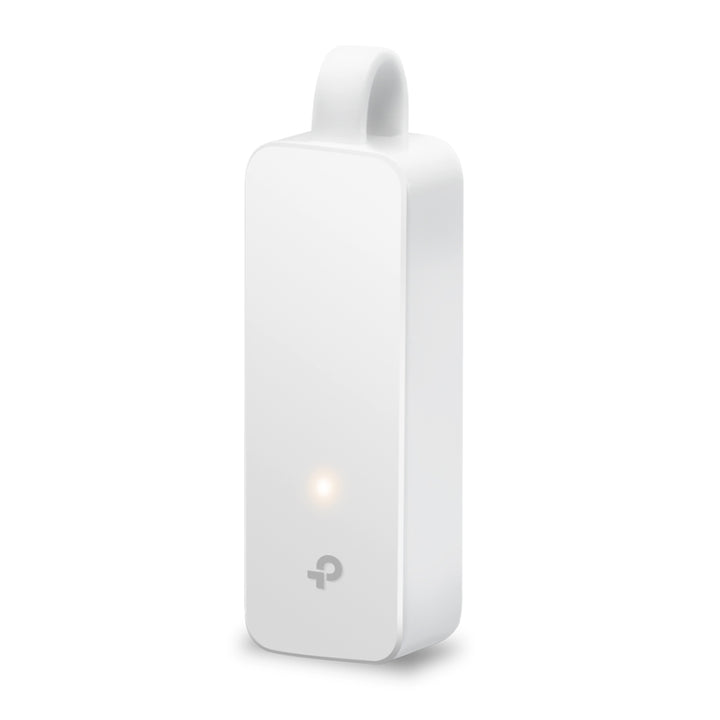


TP-Link UE300C USB Type-C to RJ45 Gigabit Ethernet Network Adapter
Email sales@sourceit.com.sg or use Request for Quotation below and our team will confirm the latest price, availability and lead time.
PRODUCT DESCRIPTION
TP-Link USB Type-C to RJ45 Gigabit Ethernet Network Adapter (UE300C) - 3 Years Local Warranty
The UE300C puts a Gigabit Ethernet port on any laptop or tablet that has only USB Type-C. It is a 20-gram foldable adapter built around the Realtek RTL8153 chipset, and it is the standard answer for a thin notebook that needs a wired drop for a meeting room, a site survey, a firmware update or a network that will not carry Wi-Fi.
Full Gigabit Over a Single Type-C Port
The output side is one 10/100/1000 Mbps RJ45 Ethernet port, so the adapter runs at full Gigabit rather than the 100 Mbps that cheaper USB 2.0 adapters are limited to. The input side is a USB 3.0 connection in Type-C form. Because USB 3.0 has bandwidth well beyond a Gigabit link, the port itself is the limit rather than the bus, which is what makes a wired connection through this adapter behave like a built-in Ethernet port.
Built on the Realtek RTL8153
TP-Link publishes the chipset, which matters more on an adapter than on most products: the RTL8153 is broadly supported, so operating systems generally recognise it without a vendor driver. TP-Link lists support for Windows 11, 10, 8.1, 8 and 7, macOS, Chrome OS and Linux (Ubuntu), and notes that Windows 7, 8 and 8.1 and macOS 10.6 to 10.8 do need a driver downloaded from the TP-Link site. On current Windows, macOS, ChromeOS and Linux it is plug and play.
Foldable, 20 Grams, and It Lives in the Laptop Bag
The adapter measures 71 x 26 x 16.2 mm and weighs 20 g, with a foldable connector so it packs flat. That is the practical case for it: one per laptop bag, or a small stock in the IT cupboard for hot-desking staff and visiting contractors. No external power is required - the adapter draws what it needs from the host port.
Where a Wired Link Is the Only Option
Plenty of Singapore offices still have devices, VLANs or provisioning networks that are wired only, and plenty of meeting rooms have a floor box rather than reliable Wi-Fi. A Type-C Ethernet adapter also gets a laptop onto a switch management VLAN during a site visit, and gives a consistent link for large file transfers where Wi-Fi contention would otherwise dominate.
Ideal For
Singapore businesses issuing thin notebooks and tablets, IT teams that need a reliable wired fallback for onboarding and troubleshooting, engineers commissioning switches and access points on site, and anyone whose laptop has dropped its Ethernet port. Supplied by SourceIT with local Singapore warranty, GST invoice and volume pricing on request.
UE300C Datasheet — Technical Specifications
General
| Model | UE300C |
| Official Product Name | USB Type-C to RJ45 Gigabit Ethernet Network Adapter |
| Brand | TP-Link |
| Warranty | 3 Years Local Warranty (Singapore) |
Specifications
| Output Interface | 1x 10/100/1000 Mbps RJ45 Ethernet Port |
| Input Interface | 1x USB 3.0 Port (USB Type-C connector) |
| Chipset | RTL8153 |
| Supported Systems | Windows 11/10/8.1/8/7, macOS, Chrome OS, Linux (Ubuntu) |
| Driver Required | Windows 7/8/8.1 and macOS 10.6 to 10.8 require a driver downloaded from the TP-Link website |
| Dimensions (W x D x H) | 2.8 x 1.0 x 0.6 in (71 x 26 x 16.2 mm) |
| Weight | 20 g (0.71 oz) |
| Package Contents | USB Type-C to Gigabit Ethernet Network Adapter, User Guide |
TP-Link publishes no certification, LED, cable-length, operating-environment or EAN row for this model on its Singapore product page, so none is claimed here. The input interface is published as a USB 3.0 port and the connector is Type-C, as the product name states; both are reproduced as published.
Compatibility & Software Support
The UE300C is a passive network adapter with no configuration interface of its own. The host operating system owns the network connection, and the adapter appears as an ordinary Ethernet interface once recognised.
| Windows | Windows 11 and 10 - plug and play. Windows 8.1, 8 and 7 - driver required from the TP-Link website |
| macOS | Supported. macOS 10.6 to 10.8 require a driver from the TP-Link website |
| Chrome OS | Supported |
| Linux | Supported (Ubuntu) |
| Host Power | Bus powered from the Type-C port. No external supply required |
| Management Software | None. The adapter has no firmware interface, licence or controller of its own |
Package Contents & Ordering Information
What's in the Box
| Package Contents | USB Type-C to Gigabit Ethernet Network Adapter, User Guide |
Ordering Information
| Model | UE300C |
| SKU | UE300C |
| Warranty | 3 Years Local Warranty (Singapore) |
Datasheet & Downloads
Frequently Asked Questions — UE300C
Do I need to install a driver?
On Windows 11 and 10, current macOS, ChromeOS and Ubuntu, no. TP-Link publishes a driver requirement only for Windows 7, 8 and 8.1 and for macOS 10.6 to 10.8, and those drivers are on the TP-Link download page linked above.
What is the difference between the UE300C and the UE306?
Both give a laptop a Gigabit Ethernet port. The UE300C connects over USB Type-C and uses the RTL8153 chipset; the UE306 connects over USB 3.0 Type-A and uses the AX88179. Choose by the port your machine has.
What warranty does SourceIT provide?
Three years local Singapore warranty. Every UE300C sold by SourceIT comes with a GST invoice.
Can SourceIT supply these in volume?
Yes. Adapters like this are usually bought by the box for a laptop refresh or a new office fit-out. Send us the quantity and we will quote, with local warranty and support.


