
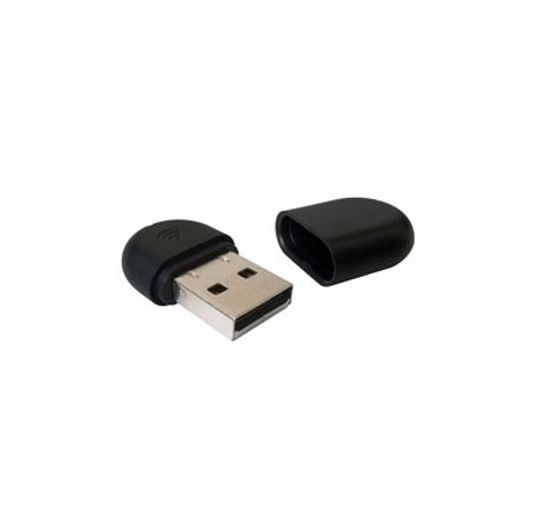

Yealink WF40 Wi-Fi USB Dongle
Currently out of stock. Request a quote and
our team will confirm the latest price, availability and lead time.
PRODUCT DESCRIPTION
Yealink WF40 Wi-Fi USB Dongle (WF40 / 1300060) - 2 Years Local Warranty
Wi-Fi USB Dongle for Yealink SIP Desk Phones
The Yealink WF40 is a compact Wi-Fi USB dongle that connects supported Yealink SIP phones to your wireless network — no Ethernet drop required. Plug it into the phone's USB 2.0 port and the phone joins your office Wi-Fi, giving Singapore businesses the freedom to place desk phones in reception areas, retrofitted shophouse offices, hot desks and meeting corners where cabling is impractical. SourceIT holds local stock and issues a GST invoice with every order.
802.11n Wi-Fi at up to 150 Mbps
Compliant with the IEEE 802.11b/g/n standards on the 2.4 GHz band, the WF40 delivers a transmission rate of up to 150 Mbps — far more than ample headroom for crystal-clear VoIP calls.
Business-Grade Wireless Security
The WF40 supports 64/128/152-bit WEP encryption plus WPA-PSK and WPA2-PSK, so phones join your secured office WLAN with the same protection as your other business devices.
Broad Compatibility Across Yealink T2, T4 and T5 Series
Per Yealink's official product page, the WF40 supports the SIP-T27G, T29G, T46G, T48G, T41S, T42S, T46S, T48S, T42U, T43U, T44U, T46U, T48U, T52S, T54S and T53 — covering popular current models like the SIP-T43U, SIP-T46U and SIP-T48U.
Compact Plug-and-Play Deployment
At just 26.9 x 18 x 8 mm, the WF40 disappears behind the phone. There are no drivers to install — insert the dongle, select your SSID from the phone menu, and the desk is live. It is the fastest way to deploy Yealink phones across a Singapore office without pulling new cable.
Yealink WF40 Datasheet — Technical Specifications
General
| Model | Yealink WF40 Wi-Fi USB Dongle |
| Part Number | WF40 / 1300060 |
| Type | Wi-Fi USB dongle for Yealink IP phones |
| Warranty | 2 Years Local Warranty (Singapore) |
Wireless
| Network Standard | IEEE 802.11b/g/n |
| Frequency Range | 2.4 GHz |
| Transmission Rate | Up to 150 Mbps |
| Security | 64/128/152-bit WEP encryption, WPA-PSK, WPA2-PSK |
Connectivity
| Interface | USB 2.0 |
Physical & Environment
| Dimensions (L x W x H) | 26.9 mm x 18 mm x 8 mm |
| Working Temperature | 0°C ~ +50°C (32°F ~ 122°F) |
| Storage Temperature | -40°C ~ +85°C (-40°F ~ 185°F) |
| Certification | IC: 10741A-WIFI40 |
Compatibility & Software Support
Yealink's official WF40 product page lists support for the following SIP phones (specific firmware versions apply per model — see Yealink support for the firmware matrix):
| T2 Series | SIP-T27G, SIP-T29G |
| T4 Series (G/S) | SIP-T46G, SIP-T48G, SIP-T41S, SIP-T42S, SIP-T46S, SIP-T48S |
| T4 Series (U) | SIP-T42U, SIP-T43U, SIP-T44U, SIP-T46U, SIP-T48U |
| T5 Series | SIP-T52S, SIP-T54S, SIP-T53 |
Configuration is done directly from the phone's Wi-Fi menu — no separate software is needed. Yealink's W-suffix T5 phones (e.g. SIP-T53W/T54W/T57W) already include built-in dual-band Wi-Fi and do not need this dongle.
Package Contents & Yealink Dongle Ordering Information
- 1 x Yealink WF40 Wi-Fi USB Dongle
Yealink USB Dongle Family at SourceIT
| Yealink WF40 (this product) | WF40 / 1300060 — 2.4 GHz 802.11n Wi-Fi USB dongle, up to 150 Mbps |
| Yealink WF50 | WF50 / 1300061 — Dual-band 2.4 GHz / 5 GHz 802.11ac Wi-Fi USB dongle, up to 433 Mbps |
| Yealink BT41 | BT41 / 1300001 — Bluetooth 4.1 USB dongle for Yealink T2/T4 series desk phones and SIP-T53 |
| Yealink BT50 | BT50 / 1300003 — Bluetooth 5.0 USB dongle for Yealink CP700/CP900 speakerphones (PC connection) |
Compatible Yealink Phones in Stock at SourceIT
| Yealink SIP-T43U | Wi-Fi via WF40/WF50 per official Yealink specifications |
| Yealink SIP-T46U | Wi-Fi via WF40/WF50 per official Yealink specifications |
| Yealink SIP-T48U | Wi-Fi via WF40/WF50 per official Yealink specifications |
Datasheet & Downloads
Frequently Asked Questions — Yealink WF40
Which Yealink phones work with the WF40?
Yealink's official product page lists the SIP-T27G, T29G, T46G, T48G, T41S, T42S, T46S, T48S, T42U, T43U, T44U, T46U, T48U, T52S, T54S and T53. Specific firmware versions apply per model, so update the phone firmware if the dongle is not detected.
WF40 vs WF50 — what is the difference?
The WF40 is single-band: 2.4 GHz 802.11b/g/n at up to 150 Mbps. The WF50 is dual-band 2.4 GHz / 5 GHz with 802.11ac support at up to 433 Mbps on 5 GHz, plus WPA2-Enterprise security. If your office WLAN runs a congested 2.4 GHz band or you want 5 GHz, choose the WF50.
Does the WF40 support 5 GHz Wi-Fi?
No. The WF40 operates on the 2.4 GHz band only (IEEE 802.11b/g/n). For 5 GHz support, use the WF50 dual-band dongle.
Do the Yealink T53W, T54W or T57W need a WF40?
No. The SIP-T53W, SIP-T54W and SIP-T57W have built-in dual-band 2.4G/5G Wi-Fi (802.11a/b/g/n/ac) and built-in Bluetooth, so no dongle is required.
Do Yealink W-series DECT phones use the WF40?
No. W-series DECT bases are not in the WF40's supported model list — the dongle is designed for the listed SIP desk phones only.
Does the WF40 come with a local warranty?
Yes. Every WF40 sold by SourceIT comes with 2 years local Singapore warranty and a GST invoice.
We Also Recommend


Yealink CM50 Dante Beamforming Ceiling Microphone


Yealink AP08 Dante Digital Signal Processor


Yealink CM20 AI-Powered Beamforming Ceiling Microphone


Yealink CP935W-Base Wireless IP Conference Phone


Yealink VP59 Zoom Video Phone