
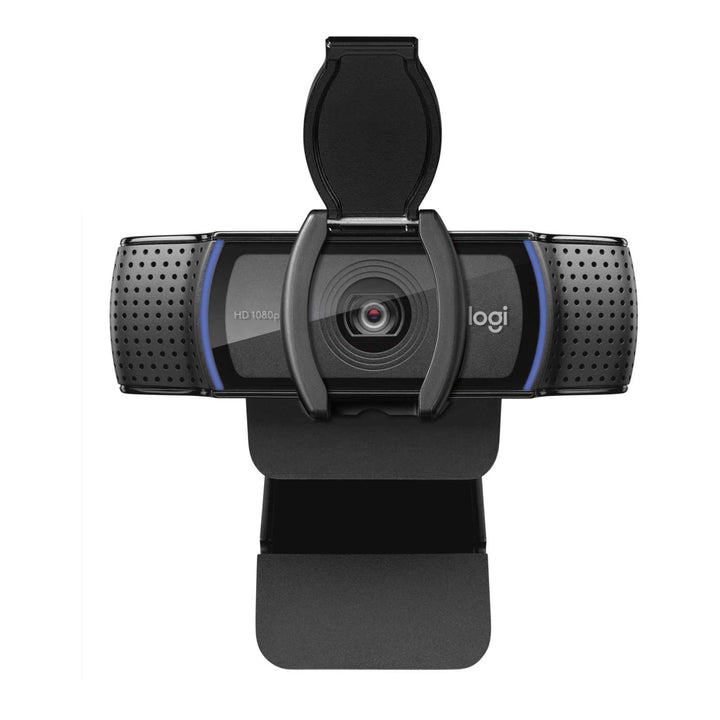


Logitech C920E Full HD Business Webcam
PRODUCT DESCRIPTION
Logitech C920e Full HD Business Webcam — 960-001360 - 2 Years Local Warranty
Certified Full HD Business Webcam for Microsoft Teams and Zoom
The Logitech C920e is the business-deployment version of Logitech's best-known webcam, and the one to quote when procurement asks for a certified device. Logitech's own C920e datasheet states the camera is certified for Microsoft Teams and Zoom, and Logitech's Singapore product page additionally lists Google Meet. It captures Full HD 1080p at 30 fps through a glass autofocus lens over plug-and-play USB-A.
Privacy Shutter Included and Microphones Disabled by Default
Two design decisions make the C920e a corporate-IT camera rather than a consumer one. It ships with an attachable privacy shutter that physically covers the lens, and its built-in microphones are deactivated by default — a deliberate privacy posture for organisations that standardise on headsets. If you do want to use the built-in mics, enable them in Logi Tune under Settings → Enable Built-in-Mic. Knowing this before rollout saves a wave of "my camera has no sound" helpdesk tickets.
Managed Centrally Through Logitech Sync
The C920e is a Logitech Sync managed device. IT teams can see every deployed camera in one console, check device health, push firmware and confirm configuration without visiting desks — the practical reason large Singapore deployments choose the C920e over the retail C920, which has no Sync support at all.
78° Field of View with RightLight 2 Light Correction
A fixed 78° diagonal field of view frames one person at a desk with a little space either side. RightLight 2 automatically compensates for backlit windows and the uneven lighting of an open-plan office, and the built-in HD autofocus keeps the image sharp as you move. Logi Tune gives users control over brightness, colour and image settings.
Logitech C920e Datasheet — Technical Specifications
Specifications below come from Logitech's official C920e datasheet, Logitech spec hub and the logitech.com Singapore product page.
General
| Product name | Logitech C920e Business Webcam |
| Part number | 960-001360 |
| Regulatory model number | V-U0028 |
| Category | Full HD 1080p business webcam |
| Warranty | 2 Years Local Warranty (Singapore) |
Camera
| Maximum resolution | Full HD 1080p (1920 x 1080) at 30 fps |
| Additional mode | HD 720p at 30 fps |
| Capture modes | 360p, 480p, 720p, 1080p |
| Camera / optical resolution | 3 MP, true 3 MP optical |
| Still capture | 2.0 / 3 / 6 / 15 MP |
| Lens | Glass |
| Focus type | Built-in HD autofocus |
| Focal length | 3.67 mm |
| Field of view (diagonal) | 78°, fixed |
| Field of view (horizontal / vertical) | 70.42° / 43.3° |
| Digital zoom | 1x (Full HD) |
| Light correction | RightLight 2 |
| Privacy shutter | Yes — attachable clip-on privacy shutter, included in the box |
Audio
| Microphones | 2 built-in omni-directional microphones |
| Default state | Deactivated by default. Enable in Logi Tune → Settings → Enable Built-in-Mic |
| Pickup range | Up to 1 m |
Connectivity
| Connection | USB-A, plug-and-play |
| USB version | USB 2.0 |
| Cable length | 1.5 m (5 ft) |
| Standards | UVC compliant; Microsoft DirectShow compatible |
Design & Power
| Dimensions (with clip) | 43.3 mm (H) x 94 mm (W) x 71 mm (D) |
| Weight | 162 g |
| Mounting | Universal clip for laptops, LCD displays and monitors; 1/4"-20 standard tripod thread |
| Power | USB bus-powered |
Compatibility & Software Support
Operating system support
- Windows 8 or later / Windows 10 or later
- macOS 10.10 or later
- ChromeOS
- Android 5.0 or later
- Xbox One
- Microsoft DirectShow compatible
Platform certifications
Logitech's official C920e datasheet states the camera is certified for Microsoft Teams and Zoom. Logitech's Singapore product page additionally lists Google Meet certification. As a UVC device it also works with Cisco Webex, Skype, GoTo Meeting and any other UVC-compliant application.
Logitech software
- Logi Tune — required to activate the built-in microphones, plus image controls and firmware updates.
- Logitech Sync — supported. The C920e is a Sync-managed device, so IT can monitor and manage it centrally across a fleet.
Package Contents & Logitech C-Series Ordering Information
In the box
- Logitech C920e webcam with attached 1.5 m USB-A cable
- Attachable privacy shutter
- User documentation
Sibling TAA-compliant part numbers exist for other markets (960-001384 with the microphone disabled and 960-001401 with it enabled). The Singapore part number for this listing is 960-001360.
Logitech C-Series ordering information
| Model / Variant | Part Number |
| Logitech C505e HD Business Webcam — 720p, 60° FOV | 960-001372 |
| Logitech C920 HD Pro Webcam — 1080p retail | 960-000770 |
| Logitech C920e Business Webcam — 1080p, Sync-managed (this listing) | 960-001360 |
| Logitech C922 Pro Stream Webcam — 1080p30 / 720p60 | 960-001090 |
| Logitech C925e Business Webcam — integrated privacy shutter | 960-001075 |
| Logitech C930e Business Webcam — 90° FOV, 4x zoom | 960-000976 |
All six C-Series models above connect over USB-A. None of the C-Series is USB-C.
Stepping up from the C-Series
| Model / Variant | Part Number |
| Logitech Brio 305 Full HD Business Webcam | 960-001472 |
| Logitech Brio 505 Full HD 1080p HDR Business Webcam | 960-001461 |
| Logitech Brio 4K Ultra HD Webcam with HDR (APAC pack) | 960-001723 |
| Logitech MX Brio 705 for Business | 960-001531 |
Ask the SourceIT sales team for current pricing, stock and volume quotations on any model listed here.
Datasheet & Downloads
All documents below are hosted by Logitech. Links open in a new tab.
- Logitech C920e Datasheet (PDF) — official Logitech datasheet, includes certification statement
- Logitech Webcams Portfolio Comparison (PDF) — side-by-side comparison of the full Logitech webcam range
- C920e Specifications — Logitech Spec Hub
- How to Activate the Microphones on Your C920e — Logitech Spec Hub — read this before deployment
- Logitech C920e Product Page (Singapore)
Frequently Asked Questions — Logitech C920e
Why is there no sound from the C920e microphone?
Because Logitech ships the C920e with its built-in microphones deactivated by default. This is intentional, not a fault. Install the free Logi Tune app and go to Settings → Enable Built-in-Mic to switch them on. We flag this on every C920e order because it is the single most common support question on this model.
What is the difference between the C920e and the retail C920?
The C920 is the retail camera: same 1080p30, same 78° field of view, same glass autofocus lens, but no privacy shutter, no platform certification and no Logitech Sync management. The C920e adds the shutter, Teams and Zoom certification, and Sync manageability — and disables the mics by default. Corporate fleets should buy the C920e.
Is the C920e certified for Microsoft Teams?
Yes. Logitech's own C920e datasheet states the camera is certified for Microsoft Teams and Zoom, and Logitech's Singapore product page additionally lists Google Meet. Note that this is peripheral certification for the desktop applications — it is a personal webcam, not a certified meeting-room system.
Which desk or room size does it suit?
One person at a desk. The 78° diagonal field of view leaves a little room either side, so two people can share it at a pinch. For two to four people in a huddle corner, the C930e with its 90° field of view is the better fit. For a proper meeting room, use an all-in-one video bar.
Can IT manage the C920e centrally?
Yes. The C920e is a Logitech Sync managed device, so you can monitor deployed cameras, check health and push firmware from a single console. The C505e, C920 and C922 are not Sync-manageable.
Do I need a room PC, licence or dock?
No. The C920e is a USB-A peripheral for an existing Windows, macOS or ChromeOS computer. No licence, no compute appliance. Logi Tune and Logitech Sync are both free Logitech applications.
Does the Logitech C920e come with a Singapore warranty and GST invoice?
Yes. Every Logitech C920e sold by SourceIT comes with 2 years local Singapore warranty and a GST invoice.


