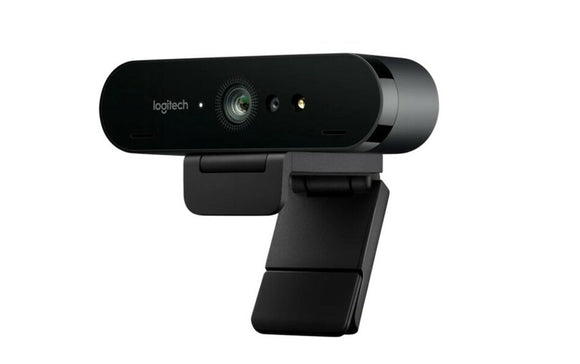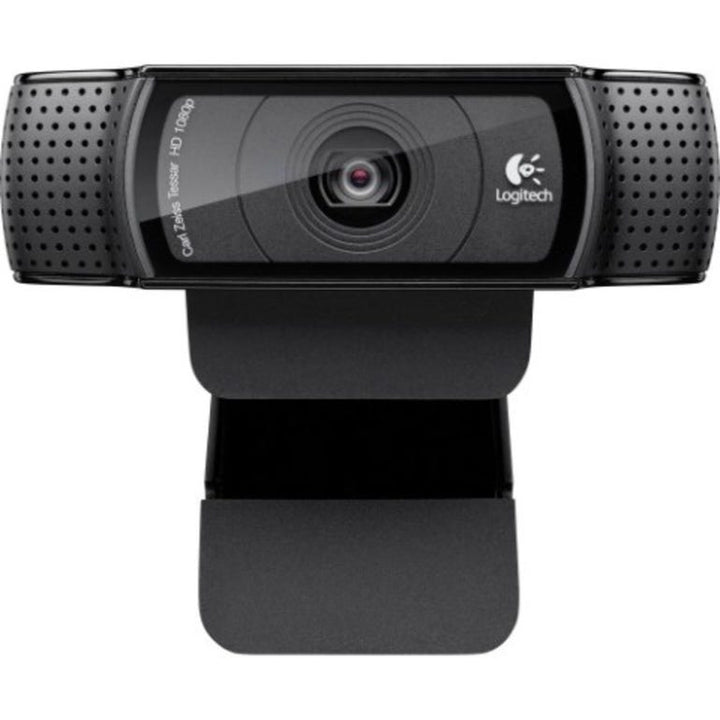


Logitech C920 Full HD Webcam
PRODUCT DESCRIPTION
Logitech C920 HD Pro Webcam — 960-000770 - 2 Years Local Warranty
The Full HD 1080p Webcam That Became the Standard
The Logitech C920 HD Pro Webcam is the model most people picture when they think of a webcam, and it is still one of the most widely deployed cameras in Singapore offices and home-office setups. It records and streams Full HD 1080p at 30 fps through a five-element glass lens with autofocus, over a simple USB-A connection that needs no drivers on Windows, macOS or ChromeOS.
Glass Lens, Autofocus and Automatic Light Correction
Where budget webcams use plastic optics and fixed focus, the C920 uses a true glass five-element lens and autofocus, so it stays sharp whether you lean into the screen or sit back. RightLight 2 automatic light correction adjusts for the dim, mixed lighting of a typical office or a backlit window seat, keeping your face properly exposed instead of losing it to shadow.
Dual Stereo Microphones for Calls and Recording
Two microphones, one on each side of the camera, capture natural stereo sound, which makes the C920 a reasonable single-device solution for calls, webinars and screen recordings when a headset is not practical. A 78° diagonal field of view frames one person comfortably with a little room to spare.
Clips to a Monitor or Mounts on a Tripod
The universal clip grips a laptop lid, a monitor bezel or sits flat on a desk, and the camera also takes a standard tripod mount, which is why the C920 turns up so often in training rooms, product photography setups and streaming rigs as well as on desks. Logi Tune lets you adjust image settings and update firmware.
Logitech C920 Datasheet — Technical Specifications
Specifications below come from Logitech's official C920 technical specification and support pages.
General
| Product name | Logitech C920 HD Pro Webcam |
| Part number | 960-000770 |
| Category | Full HD 1080p retail webcam |
| Warranty | 2 Years Local Warranty (Singapore) |
Camera
| Maximum resolution | Full HD 1080p at 30 fps |
| Additional mode | HD 720p at 30 fps |
| Capture modes (16:9) | 360p, 480p, 720p, 1080p |
| Optical resolution | True 3 MP (software-enhanced up to 15 MP for stills) |
| Lens | Glass, five-element |
| Focus type | Autofocus |
| Focal length | 3.67 mm |
| Field of view (diagonal) | 78° |
| Field of view (horizontal / vertical) | 70.42° / 43.3° |
| Light correction | RightLight 2 — HD automatic light correction |
| Privacy shutter | Not included on this model |
| Indicator LED | Yes |
Audio
| Microphones | 2 built-in microphones, stereo — one on each side of the camera |
Connectivity
| Connection | USB-A, plug-and-play |
| USB version | USB 2.0 |
| Cable length | 5 ft |
| Standards | UVC compliant |
Design & Power
| Dimensions | 94 mm (L) x 24 mm (D) x 29 mm (H) |
| Weight | 162 g |
| Mounting | Universal clip for monitors, laptops and desks; tripod mount supported |
| Power | USB bus-powered |
Compatibility & Software Support
Operating system support
- Windows (Windows XP through Windows 10 and later)
- macOS 10.6 or later
- ChromeOS
- Android 5.0 or later
- Xbox One
Platform compatibility
The C920 is a UVC camera and is recognised without drivers by Microsoft Teams, Zoom, Google Meet, Cisco Webex, Skype and any other UVC-compliant application. Logitech does not publish a Teams, Zoom or Google Meet certification for the retail C920, so we do not claim one. Where a certified device is required by procurement policy, quote the C920e instead.
Logitech software
- Logi Tune — the C920 (listed as HD Pro Webcam C920) is on Logitech's supported-device list for image adjustment and firmware updates.
- Logitech G HUB — supported for streaming and gaming setups.
- Logitech Sync — not supported. The retail C920 cannot be centrally monitored or managed.
Package Contents & Logitech C-Series Ordering Information
In the box
- Logitech C920 HD Pro webcam
- User documentation
Logitech C-Series ordering information
| Model / Variant | Part Number |
| Logitech C505e HD Business Webcam — 720p, 60° FOV | 960-001372 |
| Logitech C920 HD Pro Webcam — 1080p retail (this listing) | 960-000770 |
| Logitech C920e Business Webcam — 1080p, Sync-managed | 960-001360 |
| Logitech C922 Pro Stream Webcam — 1080p30 / 720p60 | 960-001090 |
| Logitech C925e Business Webcam — integrated privacy shutter | 960-001075 |
| Logitech C930e Business Webcam — 90° FOV, 4x zoom | 960-000976 |
All six C-Series models above connect over USB-A. None of the C-Series is USB-C.
Stepping up from the C-Series
| Model / Variant | Part Number |
| Logitech Brio 305 Full HD Business Webcam | 960-001472 |
| Logitech Brio 505 Full HD 1080p HDR Business Webcam | 960-001461 |
| Logitech Brio 4K Ultra HD Webcam with HDR (APAC pack) | 960-001723 |
| Logitech MX Brio 705 for Business | 960-001531 |
Ask the SourceIT sales team for current pricing, stock and volume quotations on any model listed here.
Datasheet & Downloads
All documents below are hosted by Logitech. Links open in a new tab.
- C920 Technical Specifications — Logitech Support — full official specification table
- HD Pro Webcam C920 — Logitech Support & Downloads — software, firmware and manuals
- Logitech Webcams Portfolio Comparison (PDF) — side-by-side comparison of the full Logitech webcam range
Frequently Asked Questions — Logitech C920
What is the difference between the C920 and the C920e?
The C920 is the retail model and the C920e is the business version. Both shoot 1080p30 with a 78° field of view and autofocus. The C920e adds an attachable privacy shutter, Microsoft Teams and Zoom certification, and central management through Logitech Sync — but its microphones ship disabled and must be switched on in Logi Tune. For a managed corporate fleet, buy the C920e. For an individual desk or a home office, the C920 is the simpler choice.
Does the C920 have a privacy shutter?
No. Logitech's specification table lists Privacy Shade as No for the C920. The C925e has an integrated sliding cover and the C930e includes an attachable one.
Can it do 1080p at 60 fps?
No. The C920 tops out at 1080p30. If you need a higher frame rate, the C922 Pro Stream adds a 720p60 mode, and the MX Brio does 1080p at 60 fps as well as 4K at 30 fps.
What desk or room size does it suit?
It is a personal webcam. The 78° diagonal field of view frames one person at a desk with a little room either side — two people can squeeze in if they sit close. It is not a meeting-room camera; for a room with a table and a display you want an all-in-one video bar.
Do I need any software, licence or dock?
No. Plug it into a USB-A port on an existing computer and it works. Logi Tune is optional and free if you want to adjust image settings or update firmware. There is no licence and no compute appliance involved.
Can I mount it on a tripod?
Yes. The C920 supports standard tripod mounting in addition to the universal monitor and laptop clip, which is why it is a common choice for training rooms, demo setups and overhead product shots.
Does the Logitech C920 come with a Singapore warranty and GST invoice?
Yes. Every Logitech C920 sold by SourceIT comes with 2 years local Singapore warranty and a GST invoice.