
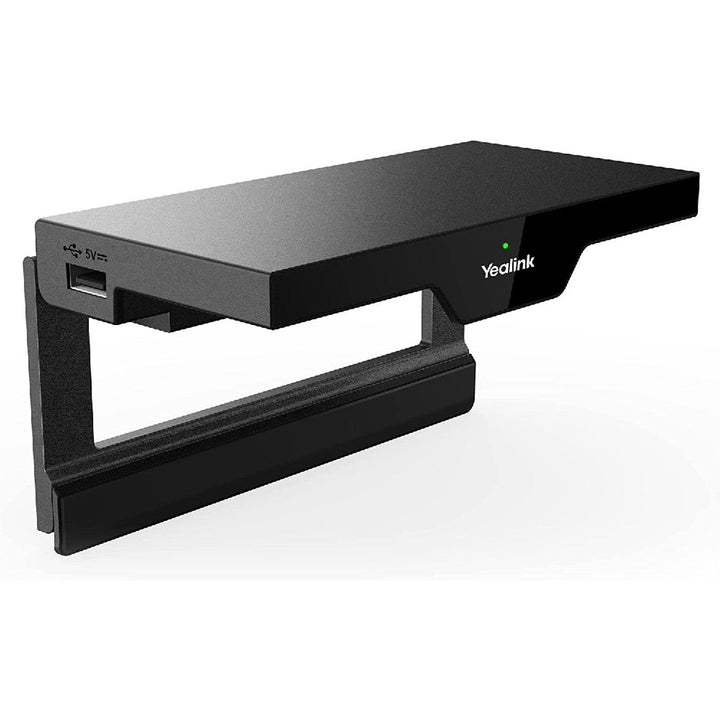


Yealink RoomCast Wireless Presentation and Collaboration System
PRODUCT DESCRIPTION
Yealink RoomCast Wireless Presentation and Collaboration System (1303108) - 2 Years Local Warranty
Wireless Presentation System for Any HDMI Display
The Yealink RoomCast turns any HDMI display into a wireless collaboration screen. Participants cast from their own devices — via a Yealink Wireless Presentation Pod, Miracast, AirPlay or Google Cast — with 4K/60fps video resolution on the room display. It is a fast retrofit for meeting rooms, classrooms and huddle corners in Singapore offices where nobody wants to hunt for the right cable.
Four Simultaneous Screen Casts, First-In First-Out
Up to 4 participants can share their screens simultaneously in a split view for side-by-side comparison, with a first-in, first-out principle as additional presenters join. Windows, Mac, iOS and Android devices are all supported, so guests present as easily as staff.
Whiteboard, Annotation and Remote Control
Beyond casting, RoomCast provides whiteboard, annotation and intuitive remote control features, turning a presentation into a working session on compatible touch displays. PIN authentication for Miracast and AirPlay plus WPA2-PSK and 128-bit AES encryption keep shared content secure.
One-Cable PoE Deployment and Cloud Management
With a Gigabit Ethernet port supporting PoE (IEEE 802.3af), RoomCast can be deployed with a single cable, or powered by the 12V adapter. IT teams manage fleets centrally through the Yealink Device Management Platform or Yealink Management Cloud Service, and a digital signage function streams customised content to idle screens through cloud management.
Why Buy RoomCast from SourceIT Singapore
SourceIT supplies the Yealink RoomCast with 2 years local Singapore warranty and a GST invoice. Note that Yealink has announced end-of-sale for the original RoomCast (28 February 2025) — while stock lasts, it remains a value pick, and the newer RoomCast E2 is the recommended successor.
Yealink RoomCast Datasheet — Technical Specifications
General
| Model | Yealink RoomCast Wireless Presentation System |
| Part Number | 1303108 (SourceIT SKU: RoomCast) |
| Product Type | Wireless presentation and collaboration system (HDMI receiver) |
| Warranty | 2 Years Local Warranty (Singapore) |
Casting & Video
| Casting Protocols | Yealink Wireless Presentation Pod, Miracast, AirPlay, Google Cast |
| Video Resolution | 4K/60fps |
| Simultaneous Casts | Up to 4 screens in split view (first-in, first-out) |
| Collaboration | Whiteboard, annotation, intuitive remote control |
| Digital Signage | Customised content / streaming media to the screen via cloud management |
Connectivity
| Wi-Fi | 802.11ac, 2x2 MIMO; STA/AP/P2P Wi-Fi modes |
| Bluetooth | Bluetooth 5.0 |
| Other | Ultrasonic communication |
| Ports | 1 x HDMI-out; 1 x Gigabit Ethernet (PoE supported); 2 x USB Type-A |
Security & Management
| Encryption | WPA2-PSK for Wi-Fi; 128-bit AES for data protection |
| Authentication | PIN authentication for Miracast and AirPlay |
| Management | Yealink Device Management Platform; Yealink Management Cloud Service |
Power & Physical
| Power | PoE (IEEE 802.3af) or 12V power adapter |
| Dimensions | 145 x 72.5 x 23.5 mm |
| Weight | 0.192 kg |
Compatibility & Software Support
RoomCast accepts wireless casting from Windows, Mac, iOS, Android and other operating systems using the protocols each platform already supports — Miracast (Windows/Android), AirPlay (macOS/iOS), Google Cast, or a plug-in Yealink Wireless Presentation Pod such as the WPP30 for one-press sharing with no network configuration.
| Client Platforms | Windows, macOS, iOS, Android (native casting, no app required via Miracast/AirPlay/Google Cast) |
| Presentation Pods | Yealink Wireless Presentation Pod (incl. WPP30) |
| Display | Any display with HDMI input; interactive features with compatible touch displays |
| Management | Yealink Device Management Platform / Yealink Management Cloud Service for central provisioning, monitoring and firmware |
Package Contents & RoomCast Ordering Information
- 1 x Yealink RoomCast wireless presentation system
Powering is via PoE (IEEE 802.3af) on the Ethernet port or a 12V power adapter. Contact SourceIT to confirm the accessories bundled with the current regional packaging.
| Yealink RoomCast | 1303108 — 4K60, Wi-Fi 5 (802.11ac), 2 x USB-A (this model; end-of-sale announced by Yealink) |
| Yealink RoomCast E2 | 1303214 — new generation: Wi-Fi 6 dual-Wi-Fi architecture, WPA3, 3 x USB-A, 4K60 output |
| Yealink WPP30 | 1303112 — 4K USB-C wireless presentation pod companion |
| Yealink MShare | 1306032 — wired HDMI/USB content-sharing alternative for Yealink MVC rooms |
Datasheet & Downloads
Frequently Asked Questions — Yealink RoomCast
What is the difference between RoomCast and RoomCast E2?
The RoomCast E2 is the newer generation: it moves from Wi-Fi 5 (802.11ac) to Wi-Fi 6 with a dual-Wi-Fi-chip architecture, adds WPA3 encryption and a third USB-A port. Both support 4-way split-screen casting and 4K60 on the display. The original RoomCast additionally lists Google Cast support in its datasheet.
Do presenters need to install an app?
No app is required for most devices: Windows and Android cast via Miracast, Apple devices via AirPlay, and Google Cast is supported. For one-press sharing without joining the network, add a Yealink WPP30 pod.
How many screens can be shared at once?
Up to 4 screens simultaneously in a split view, operating first-in, first-out as more presenters join.
Can RoomCast run on PoE alone?
Yes. The Gigabit Ethernet port supports IEEE 802.3af PoE for one-cable deployment; a 12V power adapter option is also supported.
Is RoomCast secure enough for corporate use?
Yes — Wi-Fi traffic is protected with WPA2-PSK, data with 128-bit AES encryption, and Miracast/AirPlay casting can require PIN authentication. Devices are centrally managed via the Yealink Device Management Platform.
Does the RoomCast come with a local warranty in Singapore?
Yes. Every RoomCast sold by SourceIT comes with 2 years local Singapore warranty and a GST invoice.


