
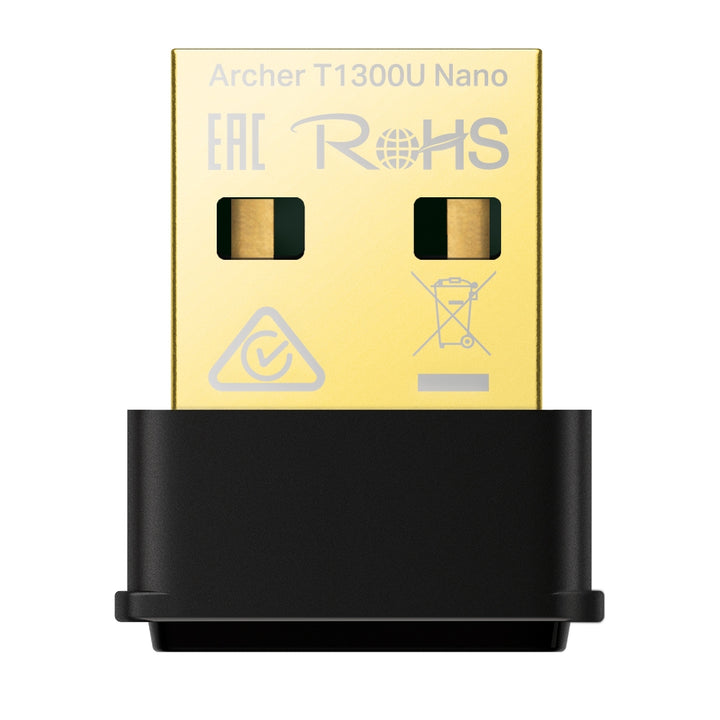


TP-Link Archer T1300U Nano AC1300 Nano Wireless MU-MIMO USB Adapter
PRODUCT DESCRIPTION
TP-Link AC1300 Nano Wireless MU-MIMO USB Adapter (Archer T1300U Nano) - 3 Years Local Warranty
The Archer T1300U Nano is TP-Link's smallest AC1300 adapter at 19.85 x 15.7 x 7.39 mm, sitting almost flush in a USB port. TP-Link rates it at up to 1300 Mbps — 400 Mbps on 2.4 GHz and 867 Mbps on 5 GHz — and publishes WPA3 and WPA3-SAE security for it. Supplied by SourceIT in Singapore with local warranty and GST invoice.
Nano Form Factor, Dual-Band 802.11ac
At under 20 mm long the adapter can stay in a notebook permanently — in a bag, in a docking station, or in the front port of a desktop without fouling neighbouring connectors. TP-Link publishes support for IEEE 802.11b/g/n on 2.4 GHz and 802.11a/n/ac on 5 GHz, so it connects on both bands and falls back cleanly to older networks. It is a fit-and-forget upgrade rather than a performance-first one, and it draws its connection entirely from the USB port with no external antenna.
Rated Up to 1300 Mbps Across Two Bands
TP-Link states "Up to 1300 Mbps speeds with 400 Mbps on 2.4GHz and 867 Mbps on 5GHz" for the Archer T1300U Nano — 867 Mbps on the 5 GHz band and 400 Mbps on 2.4 GHz. These are physical-layer rates derived from the IEEE 802.11 standard, not guaranteed throughput; actual results vary with environment, network conditions and access-point limitations. MU-MIMO is supported — TP-Link describes it as delivering a highly efficient wireless connection — and its use requires access points that also support MU-MIMO.
WPA3 and WPA3-SAE Security
TP-Link publishes a wireless security row of WEP, WPA/WPA2/WPA3, WPA-PSK/WPA2-PSK and WPA3-SAE for this model. If your office has enabled WPA3-only or WPA3-transition mode on its SSIDs, that published WPA3-SAE support is the reason to look at this adapter rather than an older AC-class one, since WPA3 is not published for every adapter in the range. Modulation is published as DBPSK, DQPSK, CCK, OFDM, 16-QAM, 64-QAM and 256-QAM, and the adapter carries a status LED.
Windows 11 Published; Note the macOS Ceiling
System requirements are published as Windows 11, 10, 8.1, 8 and 7, plus "Mac OS 10.15 and earlier". A current Windows entry is not something every adapter in this range carries, so a Windows 11 fleet is covered without a workaround. The macOS ceiling is the item to check: anything newer than 10.15 is not published as supported. The adapter connects over USB 2.0, and one hardware version, V1, is published.
Ideal For
Singapore notebook and small-office users who want a permanently-installed, unobtrusive dual-band adapter, and in particular any site that has moved its wireless network to WPA3. Supplied by SourceIT with local Singapore warranty, GST invoice and volume pricing on request.
Archer T1300U Nano Datasheet — Technical Specifications
Hardware
| Interface | USB 2.0 |
| LED | Status |
| Dimensions (W x D x H) | 0.78 x 0.62 x 0.29 in (19.85 x 15.7 x 7.39 mm) |
Wireless
| Wireless Standards | IEEE 802.11b/g/n 2.4 GHz, IEEE 802.11a/n/ac 5 GHz |
| Frequency | 2.4 GHz, 5 GHz |
| Rated Speed | Up to 1300 Mbps: 867 Mbps on 5 GHz, 400 Mbps on 2.4 GHz |
| Wireless Modes | Ad-Hoc / Infrastructure Mode |
| Wireless Security | WEP, WPA/WPA2/WPA3, WPA-PSK/ WPA2-PSK, WPA3-SAE |
| Modulation Technology | DBPSK, DQPSK, CCK, OFDM, 16-QAM, 64-QAM, 256-QAM |
Environment and Compliance
| Certification | FCC, CE, RoHS |
| Operating Temperature | 0°C~40°C (32°F~104°F) |
| Operating Humidity | 10%~90% non-condensing |
| Storage Humidity | 5%~90% non-condensing |
| Local Warranty (Singapore) | 3 Years Local Warranty (Singapore) |
Specifications shown here are taken from TP-Link's official Singapore product page for the Archer T1300U Nano, with hardware-version details from TP-Link's Singapore download centre. The rated speed is TP-Link's own AC1300 figure for this model; the 867 Mbps and 400 Mbps band figures are stated by TP-Link alongside it.
TP-Link does not publish a reception-sensitivity table, a transmission-power figure, an antenna row or a net weight for the Archer T1300U Nano, so none is stated here. No figure has been supplied from another model or another region.
Compatibility & Software Support
| System Requirements | Windows 11/10/8.1/8/7, Mac OS 10.15 and earlier |
| Host Port | USB 2.0 |
| Network Compatibility | Works with any 2.4 GHz or 5 GHz Wi-Fi router or access point; no TP-Link router required |
| Hardware Versions | V1 |
macOS support is published only up to 10.15, and MU-MIMO requires access points that also support MU-MIMO. TP-Link advises that adapter drivers may need to be updated after an operating-system update.
Package Contents & Ordering Information
Package Contents
| Adapter | AC1300 Nano Wireless MU-MIMO USB Adapter Archer T1300U Nano |
| Documentation | Quick Installation Guide |
| Media | Resource CD |
Ordering Information
| Model | Archer T1300U Nano |
| SKU | Archer T1300U Nano |
| Warranty | 3 Years Local Warranty (Singapore) |
Datasheet & Downloads
Frequently Asked Questions — Archer T1300U Nano
Does it support WPA3?
Yes. TP-Link publishes WEP, WPA/WPA2/WPA3, WPA-PSK/WPA2-PSK and WPA3-SAE for this model.
Does it support Windows 11?
Yes. Published system requirements are Windows 11, 10, 8.1, 8 and 7, plus Mac OS 10.15 and earlier.
How fast is it?
TP-Link rates it at up to 1300 Mbps — 867 Mbps on the 5 GHz band and 400 Mbps on 2.4 GHz. These are physical-layer rates derived from the IEEE 802.11 standard, not guaranteed throughput.
Is it USB 3.0?
No. TP-Link publishes USB 2.0 for the Archer T1300U Nano.
What warranty applies in Singapore?
3 Years Local Warranty (Singapore). TP-Link Singapore's replacement-warranty policy states a three-year default and does not list USB wireless adapters among its exception categories.
Can SourceIT quote quantity?
Yes. Send the quantity and we will quote with local warranty, GST invoice and delivery in Singapore.


