
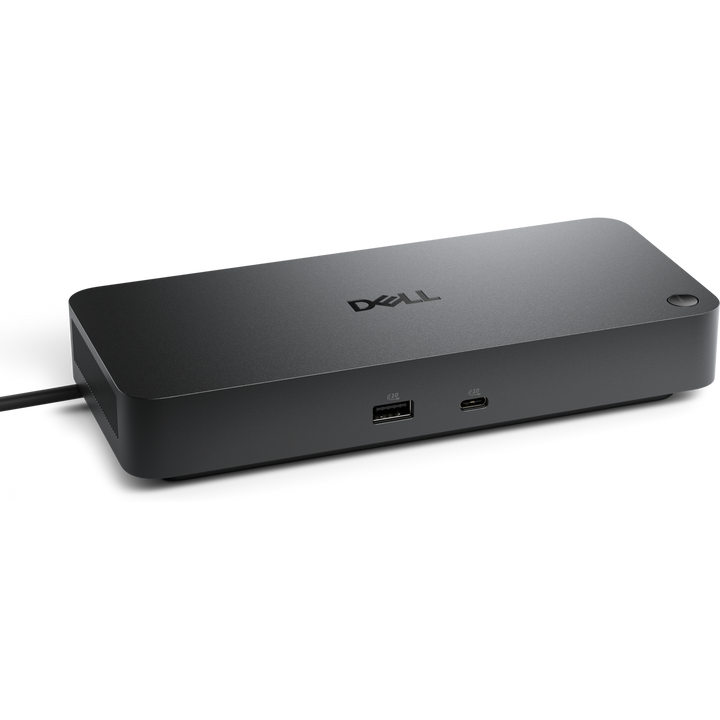


Dell Pro Thunderbolt 5 Dock WD25TB5
Prices in SGD, excluding 9% GST.
PRODUCT DESCRIPTION
Dell Pro Thunderbolt 5 Dock - WD25TB5 (210-BVCD) - 3 Years Advanced Exchange Warranty
Thunderbolt 5 Bandwidth for the Modern Desk
The Dell Pro Thunderbolt 5 Dock WD25TB5 connects to the host over a single Thunderbolt 5 cable and adds two downstream Thunderbolt 5 ports, four 10 Gbps USB-A ports, two USB-C ports and 2.5 Gigabit Ethernet.
Up to Four Displays, up to 8K
Two DisplayPort 2.1 ports, HDMI 2.1 and a USB-C Multi-function DisplayPort drive up to four screens, including a single 8K display at 60 Hz or up to four 4K displays at 120 Hz.
Up to 300 W to Dell Laptops
The 330 W adapter delivers up to 300 W to Dell systems and 240 W to non-Dell systems, while downstream ports keep charging devices with or without a PC connected.
Dell WD25TB5 Datasheet — Technical Specifications
General
| Product Name | Dell Pro Thunderbolt 5 Dock - WD25TB5 |
| Model | WD25TB5 |
| Dell SKU (Singapore) | 210-BVCD |
| Product Line | Dell Pro Docks |
| Local Warranty (Singapore) | 3-Year Limited Hardware Warranty with Advanced Exchange (Dell Singapore); additional 4- and 5-year warranty optional |
Host Connection
| Host Interface | Thunderbolt 5 (Type-C connector) |
| Host Cable Length | 83 cm |
| Power to Host | Up to 300 W (Dell systems); 240 W (non-Dell systems) |
| Power Adapter | 330 W |
Ports
| Video Outputs | 2 x DisplayPort 2.1; 1 x HDMI 2.1; 1 x USB-C 3.2 Gen 2 Multi-function DisplayPort 2.1 |
| Thunderbolt | 2 x Thunderbolt 5 (downstream) |
| USB-A | 4 x USB-A 3.2 Gen 2 (10 Gbps) |
| USB-C | 1 x USB-C 3.2 Gen 2 (10 Gbps) |
| Ethernet | 1 x RJ45, 2.5 Gigabit Ethernet |
| Power to Connected Devices | 4 x USB-A 3.2 Gen 2 (4.5 W each), 1 x USB-C 3.2 Gen 2 (15 W), 1 x USB-C Multi-function DisplayPort (7.5 W), 2 x Thunderbolt 5 (15 W each); all deliver power with or without a PC |
Video Support
| Maximum Displays | 4 |
| Display Modes | 8K @ 60 Hz (single display); 6K @ 60 Hz (dual); 5K @ 60 Hz (single); 4K @ 120 Hz (up to quad); 4K @ 60 Hz (dual, triple or quad); WQHD @ 60 Hz (triple); QHD @ 60 Hz (quad) |
| Supported Resolutions | 2560 x 1440, 3440 x 1440, 3840 x 2160, 5120 x 2160, 6144 x 3456, 7680 x 4320 |
Management & Security
| IT Features | Dell Command Update, Dock Power Button Sync, firmware update on disconnect, host-PC-based firmware update, Intel AMT over Thunderbolt with select Intel vPro PCs, Kernel DMA Protection, MAC address pass-through, port disablement, PXE boot, Wake-on-LAN, WLAN to LAN switch |
| Cloud Management (via host PC software) | Dell Device Management Console: automatic firmware updates, maintain a specific firmware version or downgrade, peripheral inventory and status |
| Indicators | LED power indicator |
| Lock Slots | Kensington security slot and Noble Wedge security slot |
Physical
| Dimensions (W x D x H) | 205 x 89.9 x 35.3 mm |
| Weight | 620 g (approx.) |
Compatibility & Software Support
Supported Operating Systems
Windows 10, Windows 11, macOS, Ubuntu 24.04, Red Hat Enterprise Linux 9.7 and ChromeOS 141, per Dell.
Host Laptops
Laptops and desktops with a Thunderbolt or USB-C port. Up to 300 W charging applies to Dell systems and 240 W to non-Dell systems; display modes depend on the host graphics and port capabilities.
Host Software
Dell Firmware Utility, Dell Display and Peripheral Manager and Dell Command Update (Windows).
Package Contents & Dell Pro Docks Ordering Information
In the Box
Dell Pro Thunderbolt 5 Dock WD25TB5, power adapter and power cord, documentation (Quick Start Guide; Safety, Environmental and Regulatory Information).
Dell Pro Docks
| Model | Key feature |
| WD25 | USB-C, 100 W to Dell PCs, 130 W adapter |
| SD25 | USB-C smart dock, 130 W to Dell PCs, cloud management |
| SD25TB4 | Thunderbolt 4 smart dock, 130 W to Dell PCs |
| SD25TB5 | Thunderbolt 5 smart dock, up to 300 W to Dell PCs |
| WD25TB4 | Thunderbolt 4, 130 W to Dell PCs, 180 W adapter |
| WD25TB5 (this listing) | Thunderbolt 5, up to 300 W to Dell PCs, 330 W adapter |
Datasheet & Downloads
| Dell product page | WD25TB5 on dell.com Singapore |
| Manuals & drivers | Documents and drivers on Dell Support |
Frequently Asked Questions — Dell WD25TB5
How much power does it give my laptop?
Up to 300 W to Dell systems and 240 W to non-Dell systems, from the 330 W adapter.
How many monitors can I connect?
Up to four. Dell lists a single 8K display at 60 Hz, or up to four 4K displays at 120 Hz; the result depends on the host graphics.
How is it different from the SD25TB5?
The WD25TB5 is managed through host-PC software (Dell Command Update, Dell Device Management Console via the PC). The SD25TB5 Smart Dock adds dock-level cloud management without a PC attached.
Does it work with Mac and Linux?
Dell lists macOS, Ubuntu 24.04, Red Hat Enterprise Linux 9.7 and ChromeOS 141 alongside Windows 10 and 11.
What warranty do I get?
3-year Dell Limited Hardware Warranty with Advanced Exchange, supplied locally by SourceIT with a GST invoice.
We Also Recommend


Dell Pro Smart Dock SD25TB4 Thunderbolt 4 Docking Station

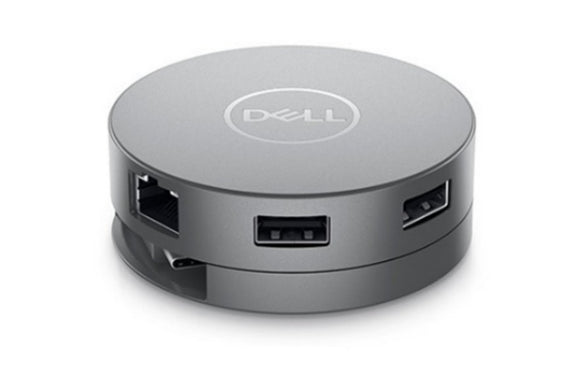
Dell DA310 7-in-1 USB-C Mobile Adapter


Dell Dock WD19S 180W USB-C Docking Station

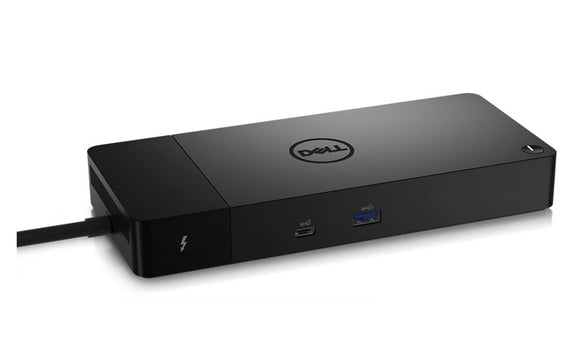
Dell WD22TB4 Thunderbolt 4 Docking Station


Dell D3100 USB 3.0 Docking Station