
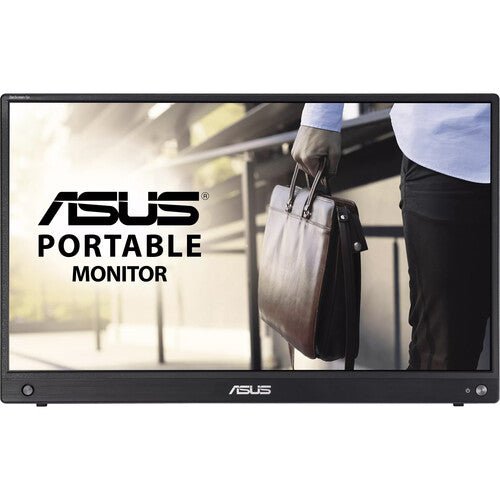


ASUS ZenScreen Go MB16AWP 16" Wireless Portable Monitor
PRODUCT DESCRIPTION
ASUS ZenScreen Go MB16AWP 16" Wireless Portable Monitor (ASU-MB16AWP / 90LM07I1-B02310) - 3 Year Warranty
16" Wireless Portable Monitor for Mobile Professionals in Singapore
The ASUS ZenScreen Go MB16AWP is a 15.6-inch Full HD (1920 x 1080) IPS portable monitor built for professionals who need a genuine second screen away from the desk — client meetings, hotel rooms, co-working spaces or a second location without a fixed setup. Full 178°/178° viewing angles and 100% sRGB colour coverage give it a display quality closer to a desktop monitor than a typical portable panel.
Built-In WiFi — Screen Mirroring Without a Cable
What sets the MB16AWP apart from a standard USB-C portable monitor is embedded WiFi: it mirrors a laptop, phone or tablet screen wirelessly over Miracast (Windows and Android) or AirPlay (macOS and iOS), with no cable running between the two devices at all. For a meeting room where running a cable across the table is awkward, or a presenter who wants to walk around while still driving the screen, that is a genuinely different way of working compared with a wired-only portable monitor. USB-C and mini HDMI are still fitted for a wired connection when a stable, zero-latency link matters more than cable-free convenience.
Built-In 7800mAh Battery for True Untethered Use
A 7800mAh internal battery gives the MB16AWP roughly 3.5 hours of runtime on its own, depending on brightness and usage — enough for a client meeting, a presentation, or a short working session with no power outlet in reach. Weighing approximately 1.09 kg and measuring just 11.5 mm thick, it genuinely lives in a laptop bag rather than being something you have to decide whether to bring.
Auto-Rotation, Kickstand and Tripod Socket
A built-in G-sensor automatically switches the screen between landscape and portrait as the panel is rotated, so presenting a portrait-oriented document or spreadsheet does not require digging through a menu. The fold-out kickstand and standard 1/4" tripod socket give flexible positioning for a presentation, a video call, or simply propping the screen up on an unfamiliar desk.
ASUS Eye Care Technology on the Go
TÜV Rheinland-certified Flicker-Free backlighting and Low Blue Light filtering carry over from ASUS's desktop monitor line, so extended use away from the office is no harder on the eyes than a normal working day at the desk.
Supplied Locally with GST Invoice and Singapore Warranty
SourceIT supplies the ASUS ZenScreen Go MB16AWP with a full GST invoice and local Singapore warranty support. ASUS backs this model with a 3-year manufacturer warranty worldwide.
ASUS MB16AWP Datasheet — Technical Specifications
General
| ASUS Product Name | ASUS ZenScreen Go MB16AWP |
| Part Number (SKU) | ASU-MB16AWP / 90LM07I1-B02310 |
| Range | ASUS ZenScreen Go |
| Product Type | 16" wireless portable monitor with built-in battery |
| Panel Type | IPS |
| Screen Size | 15.6 inch (16" class) |
| Manufacturer Warranty | 3-Year Warranty (ASUS) |
| Local Warranty (Singapore) | Included with every unit supplied by SourceIT, together with a GST invoice |
Display
| Resolution | Full HD, 1920 x 1080 (16:9) |
| Brightness | 250 cd/m² typical |
| Contrast Ratio | 1200:1 typical |
| Response Time | 5 ms (GtG) |
| Refresh Rate | 60 Hz |
| Pixel Pitch | 0.179 mm |
| Colour Gamut | 100% sRGB |
| Viewing Angle | 178° horizontal / 178° vertical |
| Surface Treatment | Anti-glare |
Wireless Connectivity & Battery
| Wireless Standard | Embedded WiFi |
| Screen Mirroring | Miracast (Windows, Android) and AirPlay (macOS, iOS) |
| Wired Video Alternative | USB-C (DisplayPort Alt Mode) and mini HDMI, for a cable connection when preferred |
| Battery Capacity | 7800 mAh |
| Battery Runtime | Approx. 3.5 hours, depending on brightness and usage |
| Charging Input | DC 5V, 3A via USB-C |
Features
| Auto Screen Rotation | Built-in G-sensor, landscape / portrait |
| Eye Care | TÜV Rheinland-certified Flicker-Free and Low Blue Light |
| Splendid Preset Modes | ASUS Splendid display modes |
| QuickFit | Yes, on-screen alignment grid |
| HDCP | HDCP 1.4 |
Connectivity & Audio
| USB-C | 1 x USB-C (DisplayPort Alt Mode + charging) |
| Video Input | 1 x mini HDMI |
| Audio | 3.5 mm earphone jack, built-in stereo speakers 1W x 2 |
Physical & Power
| Kickstand | Foldable, tilt +15° to +35° |
| Tripod Socket | 1/4" standard tripod socket |
| Dimensions | Approx. 357.9 x 224.8 x 11.5 mm |
| Net Weight | Approx. 1.09 kg |
| Power Consumption | Approx. 7.6 W |
| Package Contents | USB-C to USB-C cable, mini HDMI to HDMI cable, protective smart cover, quick start guide, warranty card |
Wireless Setup & Connectivity
Connecting Wirelessly via Miracast or AirPlay
On Windows, Miracast is built into the OS — the MB16AWP appears as a wireless display target from the Windows "Connect" or "Cast" menu with no separate app needed. Android devices with Miracast support (most current phones) mirror the same way. On iPhone and iPad, the monitor appears as an AirPlay receiver in Control Centre. No PC-side driver installation is required for wireless mirroring on any of these platforms.
When to Use the Wired Connection Instead
USB-C (DisplayPort Alt Mode) or mini HDMI give a direct, zero-latency connection, which is the better choice for anything latency-sensitive — video editing review, fast-moving content, or simply when the meeting room's WiFi is congested. USB-C also carries video and charging over a single cable from a compatible laptop or phone.
Battery Life in Practice
Approximately 3.5 hours of runtime on the internal battery is enough for most single meetings or presentations, but not for a full working day untethered. For longer sessions, connect the bundled USB-C cable to a power source or a laptop with sufficient USB-C power output — the screen keeps working while charging.
Auto-Rotation for Presentations
The built-in G-sensor detects the physical orientation of the panel and switches the image between landscape and portrait automatically, useful for presenting portrait-oriented documents or spreadsheets without hunting through a settings menu.
Positioning with the Kickstand or a Tripod
The fold-out kickstand tilts from +15° to +35° for a normal desk angle, and the 1/4" tripod socket accepts any standard photography tripod or monitor mount for a more deliberate presentation or video call setup.
The Protective Smart Cover
A protective smart cover is included in the box, which both protects the screen in transit and can typically be folded to prop the panel up on a desk — a genuinely useful piece of kit for a monitor that is designed to travel rather than sit permanently in one place.
Package Contents & Ordering Information
In the Box
USB-C to USB-C cable, mini HDMI to HDMI cable, protective smart cover, quick start guide and warranty card.
Other ASUS Portable and Eye Care Monitors from SourceIT
SourceIT also carries the following ASUS portable and eye care monitors — email sales@sourceit.com.sg quoting the part number to check stock and lead time:
| ASU-MB16AMTR / 90LM04S0-B02110 | 16" touch portable monitor with built-in battery, no wireless mirroring |
| ASU-VA24EQSB / 90LM056F-B01120 | 24" FHD eye care monitor, 75Hz, full ergonomic stand |
| ASU-VA249QG / 90LM02W1-B01321 | 24" FHD eye care monitor, 120Hz, 1ms MPRT |
Datasheet & Downloads
ASUS hosts the official product and specification pages for this model. The links below are ASUS's current Singapore pages for this model.
| ASUS Singapore product page | ASUS ZenScreen Go MB16AWP — Overview |
| ASUS Singapore specifications page | ASUS ZenScreen Go MB16AWP — Full Specifications |
For the PDF datasheet or driver downloads, email sales@sourceit.com.sg quoting MB16AWP and we will send you the current files directly.
Frequently Asked Questions — ASUS ZenScreen Go MB16AWP
How does the wireless mirroring actually work — do I need an app?
No app is required. On Windows and Android, the monitor appears as a Miracast target from the built-in wireless display / cast menu. On macOS and iOS, it appears as an AirPlay receiver in Control Centre. Both are handled by the operating system's native screen mirroring feature.
How long does the battery last?
Approximately 3.5 hours on a full charge, depending on screen brightness and how the monitor is used (wireless mirroring draws slightly more power than a wired connection). It is enough for most single meetings or presentations, not a full unplugged working day.
Do I need a cable if I'm using WiFi mirroring?
No — wireless mirroring works with no cable connecting the two devices at all. USB-C and mini HDMI are included for situations where a wired connection is preferable, such as when latency or WiFi congestion is a concern.
Can I charge the monitor while it's connected to a laptop over USB-C?
Yes — the USB-C port carries both DisplayPort Alt Mode video and charging, so a laptop or power source with sufficient USB-C output can power the display while it is in use.
Does the screen rotate automatically?
Yes, a built-in G-sensor detects the panel's physical orientation and switches the image between landscape and portrait automatically as you rotate it.
How is this different from the MB16AMTR in your catalogue?
The MB16AWP is built around wireless screen mirroring (WiFi, Miracast, AirPlay) with a 3.5-hour battery. The MB16AMTR instead adds a 10-point touchscreen with two USB-C ports (one carrying 10W power delivery) and a roughly 4-hour battery, but has no wireless mirroring — it is wired-only. Choose the MB16AWP if cable-free presenting matters most, or the MB16AMTR if you need touch input. Email sales@sourceit.com.sg if you are unsure which fits your workflow.
What is the tripod socket for?
It is a standard 1/4" photography tripod thread, so the MB16AWP can be mounted on any standard tripod or compatible monitor mount instead of relying on the fold-out kickstand.
Does it work with a Mac?
Yes — wirelessly via AirPlay on macOS, or wired via USB-C (DisplayPort Alt Mode, on Macs that support it) or mini HDMI with an adapter.
Does SourceIT provide a Singapore warranty and GST invoice with this monitor?
Yes. Every ASUS ZenScreen Go MB16AWP sold by SourceIT comes with local Singapore warranty support and a GST invoice; ASUS backs the panel itself with a 3-year manufacturer warranty.


