Everyone Wants an AI Supercomputer. But Do You Really Need One?

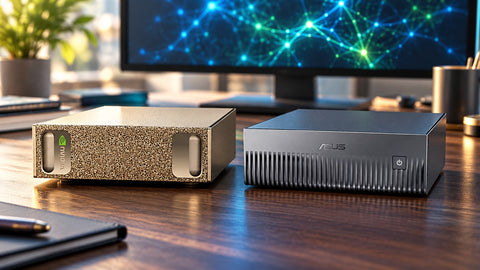
Most organisations asking about an AI supercomputer do not need one, and the ones that do usually know exactly why: they want a 70B-class model running on confidential data, all day, without a per-token bill. Everyone else is better served by the AI already built into a modern business PC, a cloud API, or a mix of the two. This post compares a GB10 desk unit (ASUS Ascent GX10, NVIDIA DGX Spark), a business PC or ASUS NUC and a cloud API, with a verdict per workload and Singapore prices. For the full ASUS range, from NUC to DGX Station, start with the ASUS Agent Computer guide.
The decision table: which option wins each workload
| Workload | Business PC or NUC | GB10 desk unit | Cloud API | Verdict |
|---|---|---|---|---|
| Copilot features, meeting notes, email drafting | Built in | Overkill | Included in most office suites | Business PC |
| Private 7B to 14B chatbot or coding helper for one person | Runs on NUC 16 Pro X9 or Ascent QN10 | Runs, but more than needed | Cheap per token | Business PC, or cloud if data is not sensitive |
| 70B-class assistant over confidential documents | Does not fit in memory | Daily driver on 128 GB unified memory | Data leaves the premises | GB10 desk unit |
| Always-on agents working around the clock | Too small | Strong fit; pays back fastest against frontier APIs | Bill grows with every token | GB10 desk unit |
| Occasional hardest-reasoning questions | No | Limited by open-weight model quality | Frontier models, pay as you go | Cloud API |
| Fine-tuning a 70B model (LoRA / QLoRA) | No | Yes, with CUDA and DGX OS | Possible, billed per GPU hour | GB10 for repeated work; cloud for one-offs |
| Serving a whole department at once | No | A few users comfortably | Absorbs any burst | Cloud, or a GB300 DGX Station |
| Typical SourceIT price | NUC 16 Pro from S$1,955; QN10 S$2,375 | GX10 from S$7,200; DGX Spark S$8,600 | Per token, no hardware | Depends on volume |
What a standard business PC already handles
Current business mini PCs carry a neural processing unit and capable integrated graphics, and that covers more than many buyers expect. The ASUS NUC 16 Pro with Core Ultra X9 388H, 32 GB and 1 TB (S$3,390) pairs a 50 TOPS NPU with Arc B390 graphics and runs 7B to 14B models locally through Ollama or LM Studio. The ASUS Ascent QN10 at S$2,375 takes the NPU route with an 80 TOPS Hexagon NPU and access to more than 175 optimised models through Qualcomm AI Hub, in a Copilot+ Windows 11 Pro machine. For one person's coding helper or document summariser, that is enough. Where they stop is memory: a 70B model at 4-bit needs around 40 GB for its weights before any working space, and these machines share their memory with Windows. Our model-size ladder for local LLM PCs maps exactly which model fits which machine.
What a GB10 desk unit adds
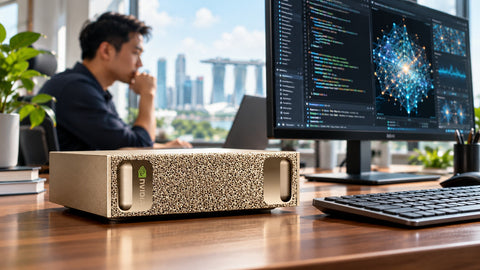
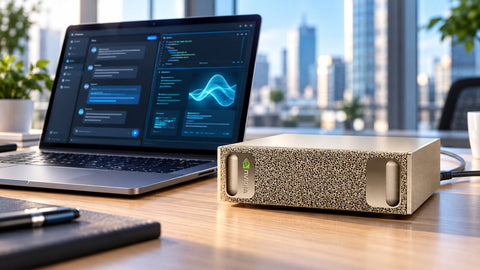
A GB10 system is a different class of machine in a box 150 mm square. Every unit carries the same NVIDIA GB10 Grace Blackwell Superchip, 128 GB of unified memory the GPU addresses directly at 273 GB/s, 1 petaFLOP of FP4 compute, ConnectX-7 networking for clustering, and NVIDIA DGX OS with CUDA, vLLM and NIM. In practice that means a 70B model as a daily driver, GPT-OSS 120B at FP4, a single-unit ceiling around 200 billion parameters, LoRA and QLoRA fine-tuning, and sandboxed agents through NVIDIA NemoClaw, all from a 240 W adapter on an ordinary desk. Why 128 GB is the number that matters is the subject of 128GB RAM Sounds Crazy. Until You Start Running Local AI.
On the SourceIT store the ASUS Ascent GX10 1 TB at S$7,200 is the lowest-cost ASUS entry, with 2 TB at S$8,050 and 4 TB at S$9,850; the NVIDIA DGX Spark 4 TB is S$8,600 and the MSI EdgeXpert 4 TB is S$6,895. Performance is the same across all of them because the chip is the same; the differences are storage, chassis, support channel and price, which our GB10 buyer's guide and the DGX Spark vs ASUS GX10 price analysis lay out.
When the cloud is still the better answer
Our 12-month local AI vs cloud cost model used published prices read on 18 October 2026. A five-person team using an assistant during office hours would spend roughly S$386 a year on a hosted open-weight 70B model and about S$2,028 a year on a top-tier frontier model, against about S$7,358 for a GX10 1 TB plus electricity. At that volume the hardware does not pay for itself within a year. Flip the scenario to agents running around the clock and the GX10 pays back in roughly six months against the top-tier frontier model and about 11 months against the mid-tier one, but still takes close to three years against a cheap hosted 70B model.
Cloud also wins on top-end quality, since the strongest proprietary models cannot run locally, and on bursts that one desk unit cannot absorb. The plain-language version of the break-even logic is in Stop Paying for Cloud AI? Here's When Running AI Locally Makes Sense.
Three questions that settle it
1. Can the data leave the building? If prompts include personal data covered by Singapore's PDPA, client files under confidentiality or unreleased source code, a local model keeps every prompt on premises. For many legal, healthcare, finance and public-sector teams, that alone justifies a GB10 unit.
2. How many hours a day will it work? An assistant used for a few questions a day is cheap in the cloud. Agents that summarise, classify and poll systems all night generate the token volume where local hardware earns its keep. If that sounds like your plan, read Your Next AI Employee Might Be a Computer Sitting on Your Desk for what those agents do and the guardrails they need.
3. What size of model do you need? If 7B to 14B is enough, a business PC does it. If you need 70B-class quality on private data, you need 128 GB of GPU-addressable memory, which is the GB10 class. The SourceIT AI hardware calculator checks any model size, precision and context length.
Budget for the costs that sit outside the price tag too: electricity, storage growth, updates and staff time do not appear on the invoice. The Hidden Costs of Owning an AI Workstation lists them so they do not surprise you later.
When a GB10 desk unit is not enough either
A GB10 box is a personal or small-team machine. If you need models above 200 billion parameters, two units linked over ConnectX-7 pool 256 GB, as described in our guide to clustering two GX10 units. If a whole department will query one endpoint at the same time, the next step is a GB300 DGX Station such as the ASUS ExpertCenter Pro ET900N G3, with 748 GB of coherent memory, a 1,600 W supply on a dedicated circuit, and pricing on request. Can a Mini AI Supercomputer Replace an Entire Server? covers where that line sits, and the DGX Station GB300 vs DGX Spark comparison explains the jump.
Most teams settle on a hybrid: steady, data-sensitive work on a local GB10 unit, the occasional hard problem sent to a frontier API, and business PCs for everything else. NVIDIA's Personal AI Router (PAIR) on the GX10 can route one endpoint between local and remote models.
Buying an AI computer in Singapore
SourceIT is an authorised ASUS reseller and stocks the full ladder: ASUS NUC and ExpertCenter business PCs, the Ascent QN10, all three Ascent GX10 configurations, the NVIDIA DGX Spark and the other GB10 systems, and the ET900N G3 DGX Station. We size hardware to your workload and commission GX10 and ET900N G3 units so they arrive updated, networked and serving your models. Education and NVIDIA Inception pricing may apply on the GX10 under the ASUS programme. Use Request for Quotation on any product page, call (65) 6978 3502, or email Sales@sourceit.com.sg. We are GeBIZ and Vendors@Gov registered for government purchases; browse the Ascent GX10 collection and the ASUS NUC collection to compare.
Frequently asked questions
Does a small business need an AI supercomputer? Usually not. If AI use is drafting, summarising and occasional questions, a business PC plus a cloud subscription costs far less. A GB10 desk unit makes sense when private data, round-the-clock agents or 70B-class models are involved.
Can a normal office PC run a local AI model? Yes, for 7B to 14B models. The ASUS NUC 16 Pro X9 388H and the Ascent QN10 run models of that size locally on Windows 11 Pro.
What does a GB10 machine do that a PC cannot? It gives the GPU direct access to 128 GB of unified memory, enough for a 70B model as a daily driver and up to about 200 billion parameters in one unit, with the full NVIDIA CUDA and DGX OS stack for fine-tuning and agents.
Is cloud AI cheaper than buying hardware? At light office-hours volume, yes, by a wide margin. For agents running around the clock against frontier API pricing, our cost model shows a GX10 paying back in roughly six to twelve months.
How much does a GB10 AI computer cost in Singapore? On the SourceIT store the ASUS Ascent GX10 starts at S$7,200 (1 TB), the NVIDIA DGX Spark 4 TB is S$8,600 and the MSI EdgeXpert 4 TB is S$6,895.
Is local AI better for PDPA compliance? A local model keeps prompts and documents on your own premises, which removes the question of a third party processing personal data for inference. Your wider PDPA obligations still apply.

SourceIT Approved
Researched and verified by the SourceIT team. Last checked October 2026.