
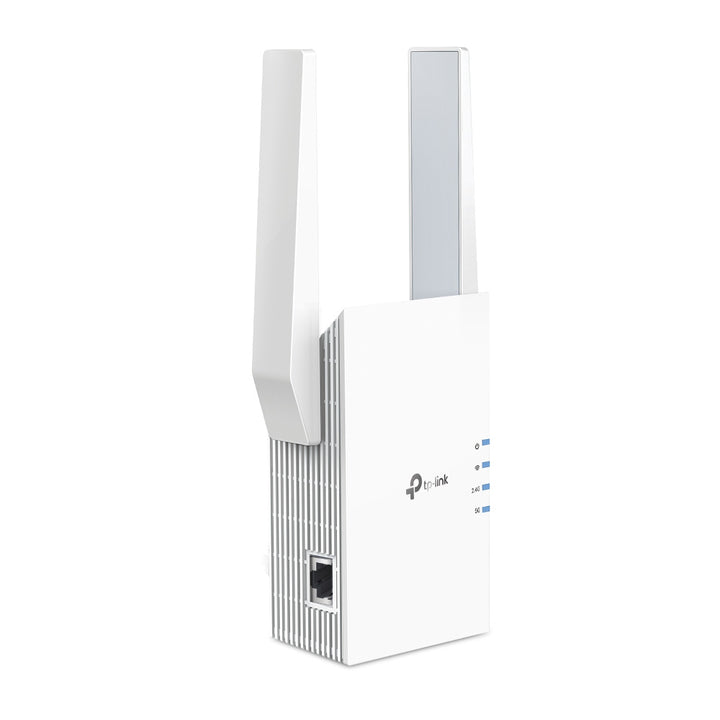


TP-Link RE705X AX3000 Mesh WiFi 6 Extender
PRODUCT DESCRIPTION
TP-Link AX3000 Mesh WiFi 6 Extender (RE705X) - 3 Years Local Warranty
The RE705X is TP-Link's AX3000 wall-plug extender, pairing a 2402 Mbps 5 GHz radio with a 574 Mbps 2.4 GHz radio and a Gigabit Ethernet port. Two external antennas and EasyMesh compatibility let it fold into a single roaming network rather than standing apart as a second Wi-Fi name.
AX3000 Across Two Bands
TP-Link rates the RE705X at 574 Mbps on 2.4 GHz and 2402 Mbps on 5 GHz. The 5 GHz figure is what separates it from the AX1800 and AX1500 models in the same range: it is a 160 MHz-capable Wi-Fi 6 radio, so a laptop or phone that supports HE160 can draw considerably more throughput from the extended network than it could from an AX1800 unit. The 2.4 GHz radio carries range-sensitive and older devices.
EasyMesh Compatibility Instead of a Second Network Name
The spec table lists the RE705X as EasyMesh-Compatible. Paired with an EasyMesh router it joins one network under one SSID, and clients hand off between router and extender rather than clinging to whichever they joined first. TP-Link notes that EasyMesh-compatible products can network with other devices that use EasyMesh, and that Smart Roaming is designed for devices supporting the 802.11k/v standard.
A Gigabit Port for the Devices That Should Be Wired
One Gigabit Ethernet port turns the extender into a wired drop wherever it is plugged in. A desk, a games console, a smart TV or a printer at the far end of the house gets a wired connection back to the router over the extended Wi-Fi link, which is usually steadier than putting that device on Wi-Fi itself. The same port also lets the RE705X run in Access Point mode from a wired source.
Range Extender and Access Point Modes
Working modes are Range Extender and Access Point. In Range Extender mode it rebroadcasts an existing Wi-Fi network; in Access Point mode it creates a fresh Wi-Fi 6 network from a wired Ethernet run, which is the better option wherever a cable can reach. Wireless security covers WEP, WPA, WPA2 and WPA3, and the unit draws a maximum of 13 W from a standard 100-240 V outlet.
Ideal For
Singapore homes and small offices with an existing Wi-Fi 6 router and a dead spot at the far end of the flat, and anyone who wants the extended area to keep 160 MHz-class speeds rather than dropping to entry-level extender throughput. Supplied by SourceIT with local Singapore warranty and GST invoice.
RE705X Datasheet — Technical Specifications
General
| Model | RE705X |
| Official Product Name | AX3000 Mesh WiFi 6 Extender |
| Brand | TP-Link |
| Warranty | 3 Years Local Warranty (Singapore) |
Hardware
| Interface | 1 Gigabit Ethernet Port |
| Button | WPS Button, Reset Button |
| Input Power | 100-240V~50/60Hz |
| Max. Power Consumption | 13 W |
| Dimensions (W x D x H) | 97 x 46 x 158 mm |
| Antenna | 2 External Antennas |
Wireless
| Wireless Standards | IEEE 802.11a/n/ac/ax 5GHz; IEEE 802.11b/g/n/ax 2.4GHz |
| Frequency | 2.4GHz and 5GHz |
| Signal Rate | 574 Mbps at 2.4GHz; 2402 Mbps at 5GHz |
| Working Modes | Range Extender / Access Point |
| Wireless Security | WEP, WPA, WPA2, WPA3 |
| Transmission Power | CE: 2.4 GHz ≤ 16 dBm; 5 GHz ≤ 21 dBm |
| Mesh Technology | EasyMesh-Compatible |
Others
| Certification | CE, RoHS |
| Operating Temperature | 0℃ ~ 40℃ |
| Storage Temperature | -40℃ ~ 70℃ |
| Operating Humidity | 10% ~ 90% non-condensing |
| Storage Humidity | 5% ~ 90% non-condensing |
TP-Link does not publish a coverage area, client-count or net weight figure for the RE705X, so none is claimed here. Maximum wireless signal rates are the physical rates derived from IEEE Standard 802.11 specifications; actual throughput and coverage are not guaranteed. Use of Wi-Fi 6 features including OFDMA, 1024-QAM, MU-MIMO and HE160 requires clients to also support them.
Compatibility & Software Support
| Works With | Any standard Wi-Fi router or gateway, in Range Extender mode |
| Mesh | EasyMesh-Compatible — networks with other devices that use EasyMesh |
| Smart Roaming | Designed for client devices that support the 802.11k/v standard |
| Management | Web browser: Internet Explorer 11, Firefox 12.0, Chrome 20.0, Safari 4.0, or other Java-enabled browser |
| Operating Systems | Microsoft Windows 98SE, NT, 2000, XP, Vista or Windows 7, 8, 8.1, 10; MAC OS; NetWare; UNIX or Linux |
TP-Link notes that the product may not be compatible with routers or gateways whose firmware has been altered, is based on open source programs, or is non-standard or outdated.
Package Contents & Ordering Information
What's in the Box
| Package Contents | Wi-Fi Range Extender RE705X; Quick Installation Guide |
Ordering Information
| Model | RE705X |
| SKU | RE705X |
| Warranty | 3 Years Local Warranty (Singapore) |
Datasheet & Downloads
Frequently Asked Questions — RE705X
Will the RE705X work with a non-TP-Link router?
Yes. In Range Extender mode it rebroadcasts the signal of any standard Wi-Fi router or gateway. The single-network-name behaviour, however, depends on EasyMesh, so you need an EasyMesh-compatible router to get seamless roaming rather than a separate extended SSID.
Do I get the full 3 Gbps?
AX3000 is the combined headline figure of both radios: 574 Mbps on 2.4 GHz plus 2402 Mbps on 5 GHz. These are physical-layer rates from the IEEE 802.11 specifications. Real throughput depends on your router, the client device, distance and interference, and the 160 MHz Wi-Fi 6 speeds require a client that also supports HE160.
Can I use it as an access point?
Yes. Access Point mode uses the Gigabit Ethernet port to take a wired connection and create a new Wi-Fi 6 network from it. Where you can run a cable, this gives better and more consistent results than extending wirelessly.
What warranty does SourceIT provide?
Three years local Singapore warranty, in line with TP-Link's published replacement warranty for this category. Every unit sold by SourceIT comes with a GST invoice.
We Also Recommend


