
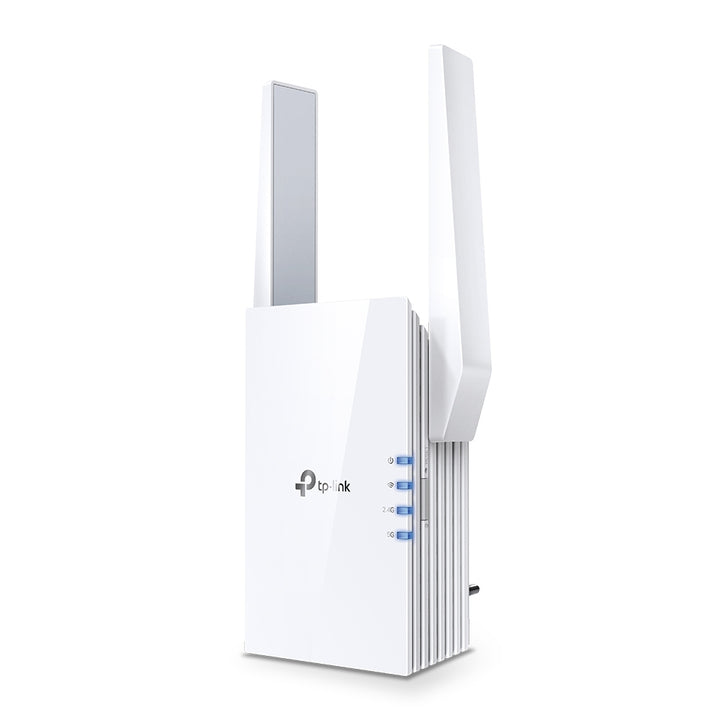


TP-Link RE505X AX1500 Wi-Fi Range Extender
PRODUCT DESCRIPTION
TP-Link AX1500 Wi-Fi Range Extender (RE505X) - 3 Years Local Warranty
The RE505X is the entry point into TP-Link's Wi-Fi 6 extender range: 1200 Mbps on 5 GHz, 300 Mbps on 2.4 GHz, two external antennas and a Gigabit Ethernet port in a compact wall-plug body. TP-Link also advertises OneMesh support, so with a OneMesh router the extended area carries a single Wi-Fi name.
Wi-Fi 6 at the Entry Level
TP-Link rates the RE505X at 300 Mbps on 2.4 GHz and 1200 Mbps on 5 GHz. The 802.11ax radio is what distinguishes it from a Wi-Fi 5 extender at a similar price: Wi-Fi 6 handles a household of simultaneous devices more efficiently, which is what usually causes an extended area to feel slow rather than the headline link rate itself.
OneMesh and One Wi-Fi Name
TP-Link describes OneMesh as a simple way to form a Mesh network with a single Wi-Fi name for seamless whole-home coverage, and lists One Wi-Fi Name and Smart Roaming among the RE505X's features. Connect the extender to a TP-Link OneMesh router and you stop switching between network names as you move around; check whether your existing router is on TP-Link's OneMesh list before relying on it. Without a OneMesh router the RE505X still works as a conventional extender.
A Gigabit Port in a Wall-Plug Body
The unit carries one Gigabit Ethernet port, so the device you most want on a cable — a desk PC, a console, a set-top box — can be wired through the extender instead of competing for Wi-Fi. A Gigabit rather than a 10/100 port means the wired device is not capped at 100 Mbps, which matters on a fibre plan.
Range Extender and Access Point Modes
Working modes are Range Extender and Access Point. Extend an existing network wirelessly, or feed the RE505X from a network cable and let it create a new Wi-Fi 6 network in a part of the building the router cannot reach. Wireless security covers 64/128-bit WEP and WPA/WPA2-PSK encryption, and transmission power is rated CE 2.4 GHz at 20 dBm or under and 5 GHz at 30 dBm or under.
Small Enough to Leave Plugged In
At 74.0 x 46 x 124.8 mm and a maximum 10 W draw from a 100-240 V socket, the RE505X sits in a standard Singapore wall outlet and stays there. Two external antennas can be angled after you have settled on the socket, which is usually worth a few minutes once the unit is in its final position.
Ideal For
Singapore homes and small offices with one or two weak rooms and no need for 160 MHz speeds in them, and buyers who want Wi-Fi 6, OneMesh and a Gigabit port at the lower end of the range. Supplied by SourceIT with local Singapore warranty and GST invoice.
RE505X Datasheet — Technical Specifications
General
| Model | RE505X |
| Official Product Name | AX1500 Wi-Fi Range Extender |
| Brand | TP-Link |
| Warranty | 3 Years Local Warranty (Singapore) |
Hardware
| Interface | 1 Gigabit Ethernet Port |
| Button | WPS Button, Reset Button |
| Input Power | 100-240V~50/60Hz |
| Max. Power Consumption | 10 W |
| Dimensions (W x D x H) | 2.9 x 1.8 x 4.9 in. (74.0 x 46 x 124.8 mm) |
| Antenna | 2 External Antennas |
Wireless
| Wireless Standards | IEEE 802.11a/n/ac/ax 5GHz; IEEE 802.11b/g/n 2.4GHz |
| Frequency | 2.4GHz and 5GHz |
| Signal Rate | 300 Mbps at 2.4GHz; 1200 Mbps at 5GHz |
| Working Modes | Range Extender / Access Point |
| Wireless Functions | Enable/Disable Wireless Radio, Wireless Statistics |
| Wireless Security | 64/128-bit WEP, WPA/WPA2-PSK encryptions |
| Transmission Power | CE: 2.4GHz ≤20dBm; 5GHz ≤30dBm |
Others
| Certification | FCC, RoHS |
| Operating Temperature | 0℃ ~ 40℃ (32℉ ~ 104℉) |
| Storage Temperature | -40℃ ~ 70℃ (-40℉ ~ 158℉) |
| Operating Humidity | 10% ~ 90% non-condensing |
| Storage Humidity | 5% ~ 90% non-condensing |
TP-Link's specification table for the RE505X carries no Mesh Technology row, no coverage area, no supported client count and no net weight, so no such figure is claimed here; OneMesh support is described in the product feature section rather than in the table. Maximum wireless signal rates are physical rates from the IEEE 802.11 specifications; actual throughput and coverage are not guaranteed.
Compatibility & Software Support
| Works With | Any standard Wi-Fi router or gateway, in Range Extender mode |
| Mesh | OneMesh — forms a Mesh network with a single Wi-Fi name when connected to a TP-Link OneMesh router |
| Management | Web browser: Internet Explorer 11, Firefox 12.0, Chrome 20.0, Safari 4.0, or other Java-enabled browser |
| Operating Systems | Microsoft Windows 98SE, NT, 2000, XP, Vista or Windows 7, 8, 8.1, 10; MAC OS; NetWare; UNIX or Linux |
Single-Wi-Fi-name roaming requires a TP-Link OneMesh router; check TP-Link's OneMesh router list first. A non-OneMesh router will still be extended, but as a separate network.
Package Contents & Ordering Information
What's in the Box
| Package Contents | Wi-Fi Range Extender RE505X; Quick Installation Guide |
Ordering Information
| Model | RE505X |
| SKU | RE505X |
| Warranty | 3 Years Local Warranty (Singapore) |
Datasheet & Downloads
Frequently Asked Questions — RE505X
What does the RE505X give me over a Wi-Fi 5 extender?
Two things. It is an 802.11ax device, so it schedules airtime across a busy household more efficiently than a Wi-Fi 5 unit does, and it has a Gigabit Ethernet port rather than a 10/100 one, so a wired device behind it is not capped at 100 Mbps. In a busy household the difference shows up in consistency more than in a single speed test.
Will it work with my existing router?
Yes, in Range Extender mode with any standard Wi-Fi router or gateway. If you want the extended area to share one Wi-Fi name with automatic roaming, the router needs to be a TP-Link OneMesh model; otherwise the extended network appears under its own settings.
Can it create a network from a cable?
Yes. Access Point mode uses the Gigabit Ethernet port to take a wired connection and broadcast a new Wi-Fi 6 network from it.
What warranty does SourceIT provide?
Three years local Singapore warranty, in line with TP-Link's published replacement warranty for this category. Every unit sold by SourceIT comes with a GST invoice.
We Also Recommend


