
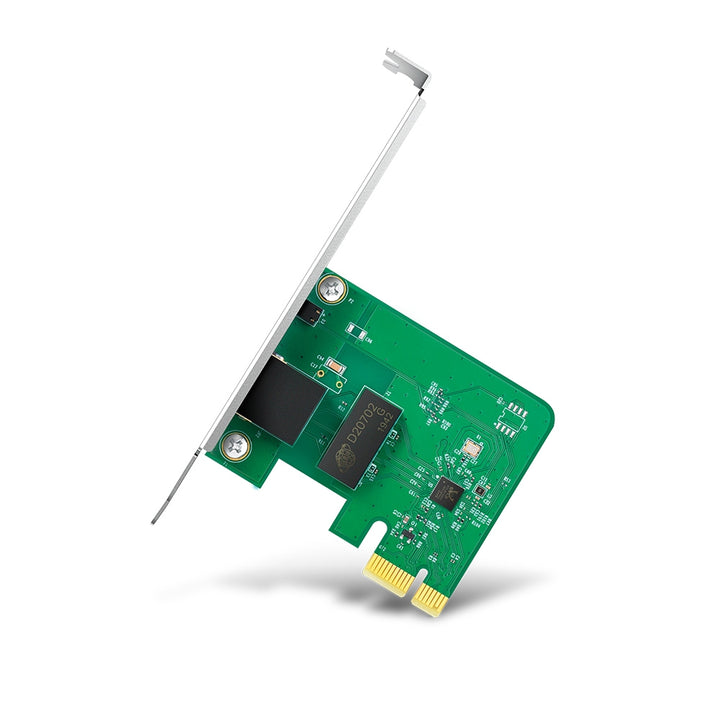


TP-Link TG-3468 Gigabit PCI Express Network Adapter
PRODUCT DESCRIPTION
TP-Link Gigabit PCI Express Network Adapter (TG-3468) - 3 Years Local Warranty
The TG-3468 is a single-port Gigabit Ethernet card for a PCI Express slot. It is the straightforward fix for a desktop whose onboard NIC has failed, a machine that needs a second wired interface, or a build whose motherboard port is only Fast Ethernet. A low-profile bracket is included in the box, so the same card fits a slimline chassis without being ordered differently.
One Gigabit RJ45 Port on a PCI Express Card
The TG-3468 presents a single 10/100/1000 Mbps RJ45 port with auto-negotiation and Auto MDI/MDIX, so speed, duplex and cable polarity are all resolved by the card without anything being configured. Data rates are 10/100/1000 Mbps half duplex and 20/200/2000 Mbps full duplex. Supported standards are IEEE 802.3, 802.3u, 802.3ab and 802.3x.
A Second Interface, or a Replacement for a Failed One
Two jobs come up constantly in a Singapore office. The first is a desktop whose integrated network port has died - replacing the board is expensive, adding this card is not. The second is a machine that needs two interfaces at once, such as a workstation on both a production network and an isolated camera or instrumentation VLAN. In both cases a PCIe card is cleaner than a USB adapter, because it stays inside the case and cannot be unplugged by accident.
Low-Profile Bracket Supplied
The card measures 78.5 x 120.8 x 21.5 mm and ships with a low-profile bracket alongside the standard one, so it fits both full-height towers and small-form-factor desktops. A single status LED reports the link. There is no external power connection - the card draws what it needs from the PCI Express slot.
Flow Control and Wake on LAN
IEEE 802.3x flow control is supported in full duplex, letting the card signal congestion rather than drop frames - this requires the switch at the other end to support it as well. Wake on LAN is likewise supported by the card but depends on the motherboard providing the corresponding feature, so check the BIOS before promising remote power-on to a user.
Ideal For
Singapore offices, workshops and build houses repairing or upgrading desktop PCs - failed onboard NICs, dual-homed workstations, Fast Ethernet motherboards being brought up to Gigabit, and small-form-factor machines needing a low-profile card. Supplied by SourceIT with local Singapore warranty, GST invoice and volume pricing on request.
TG-3468 Datasheet — Technical Specifications
General
| Model | TG-3468 |
| Official Product Name | Gigabit PCI Express Network Adapter |
| Brand | TP-Link |
| Warranty | 3 Years Local Warranty (Singapore) |
Hardware Features
| Standards and Protocols | IEEE802.3, IEEE802.3u, IEEE802.3ab, IEEE802.3x |
| Interface | PCI Express, 1 x 10/100/1000 Mbps RJ45 Port, Auto-Negotiation, Auto MDI/MDIX |
| Data Rates | 10/100/1000Mbps for Half-Duplex mode, 20/200/2000Mbps for Full-Duplex mode |
| Flow Control | IEEE 802.3x Flow Control (Full-Duplex) |
| LED | Status |
| Dimensions | 3.1 x 4.8 x 0.8 in (78.5 x 120.8 x 21.5 mm) |
Network Media
| 10BASE-T | UTP category 3, 4, 5 cable (maximum 100 m); EIA/TIA-568 100Ω STP (maximum 100 m) |
| 100BASE-TX | UTP category 5, 5e cable (maximum 100 m); EIA/TIA-568 100Ω STP (maximum 100 m) |
| 1000BASE-T | UTP category 5, 5e cable (maximum 100 m) |
Environment & Compliance
| Certification | FCC, CE, BSMI, VCCI |
| System Requirements | Windows 11/10/8.1/8/7 |
| Operating Temperature | 0 °C to 40 °C (32 °F to 104 °F) |
| Storage Temperature | -40 °C to 70 °C (-40 °F to 158 °F) |
| Operating Humidity | 10% to 90% non-condensing |
| Storage Humidity | 5% to 90% non-condensing |
TP-Link's published footnotes for this model: maximum wired throughput figures are the physical rates derived from IEEE 802.3, and actual throughput varies with environment, cable class and computer performance; Wake on LAN requires the mainboard to support the feature; flow control requires the device at the other end to support it; and drivers may need updating after an operating-system update. TP-Link publishes no chipset, no PCIe lane count, no weight and no Linux or macOS support row for the TG-3468, so none is stated here. Specifications are taken from TP-Link's TG-3468 product page; no separate Singapore page is published for this model.
Compatibility & Software Support
| Host Interface | PCI Express slot in a desktop PC |
| Operating Systems | Windows 11/10/8.1/8/7, as published by TP-Link |
| Other Operating Systems | Not published by TP-Link for this model — check the download page for current driver availability before specifying it for Linux or macOS |
| Brackets | Standard bracket fitted; low-profile bracket supplied in the box |
| Wake on LAN | Supported by the card, subject to mainboard support |
| Power | Drawn from the PCI Express slot; no external power connector |
TP-Link notes that drivers may need updating after an operating-system upgrade; the current list sits on the TG-3468 download page linked below.
Package Contents & Ordering Information
Package Contents
| In the Box | Gigabit PCI Express Network Adapter TG-3468, Quick Installation Guide, Resource CD, Low-profile Bracket |
Ordering Information
| Model | TG-3468 |
| Warranty | 3 Years Local Warranty (Singapore) |
| Recommended Retail Price (incl. GST) | S$20.00 |
Datasheet & Downloads
Frequently Asked Questions — TG-3468
Will it fit a small-form-factor desktop?
Yes. A low-profile bracket is supplied in the box alongside the standard one, so the same card covers both full-height and slimline chassis.
Which operating systems are supported?
TP-Link publishes Windows 11, 10, 8.1, 8 and 7 for this model and lists no others. Check the download page for current driver availability before specifying it for Linux or macOS, or ask SourceIT to confirm.
Does Wake on LAN work?
The card supports it, but TP-Link's own footnote states that the mainboard must also support the feature. Check the BIOS before relying on remote power-on.
Is it a replacement for a failed onboard network port?
Yes, that is one of its most common uses. Disable the failed onboard NIC in the BIOS, fit the card in a free PCI Express slot and the machine has a working Gigabit interface again.
What warranty does SourceIT provide?
Three years local Singapore warranty. Every TG-3468 sold by SourceIT comes with a GST invoice and local warranty support.
We Also Recommend


