
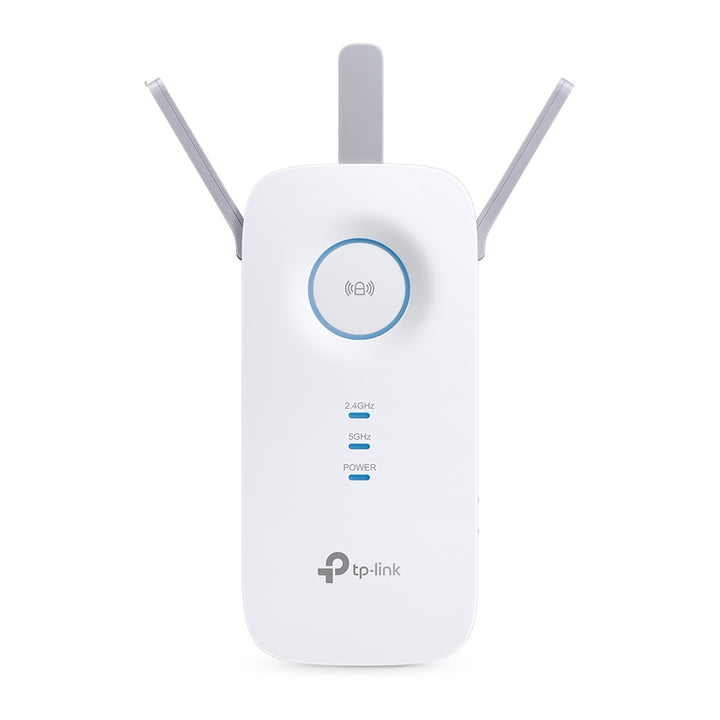


TP-Link RE550 AC1900 Wi-Fi Range Extender
PRODUCT DESCRIPTION
TP-Link AC1900 Wi-Fi Range Extender (RE550) - 3 Years Local Warranty
The RE550 sits between the compact wall-plug extenders and the four-antenna RE650: three external antennas, 1300 Mbps on 5 GHz, 600 Mbps on 2.4 GHz and a Gigabit Ethernet port. It shares its 163 x 76.4 x 66.5 mm body and antenna count with the AC1750 RE450, with a faster 2.4 GHz radio.
Three Antennas and AC1900 Dual-Band Speeds
TP-Link rates the RE550 at up to 1300 Mbps on 5 GHz and up to 600 Mbps on 2.4 GHz. Three external antennas give it more reach back to the router than a two-antenna compact unit, which is what determines how far from the router an extender can usefully be placed. The published wireless functions include a concurrent mode that boosts both bands at once.
EasyMesh-Compatible
TP-Link markets the RE550 as EasyMesh-Compatible, describing it as flexibly creating a Mesh network by connecting to an EasyMesh-compatible router for seamless whole-home coverage. TP-Link also notes that EasyMesh-Compatible products can network with other devices that use EasyMesh, that failed connections may be due to firmware conflicts of different vendors, and that the EasyMesh-Compatible function is still being developed on some models and will be supported in subsequent software updates.
Gigabit Ethernet for a Wired Device
One Gigabit Ethernet port lets a desk PC, console, smart TV or printer sit behind the extender on a cable at full speed. The same port supports Access Point mode, where the RE550 takes a wired feed and broadcasts a new network from it — the better option in any room a cable can reach.
Power and LED Buttons on the Unit
Alongside WPS and Reset, the RE550 has physical Power and LED buttons, so it can be switched off or have its indicator lights darkened without pulling it from the socket. It draws a maximum of 10 W from a 100-240 V outlet.
Known Network Services
TP-Link publishes which services the RE550 enables by default — a web server on TCP ports 80 and 443, a DHCP server on UDP port 67, and app management on TCP port 20001 and UDP port 20002. That is useful detail if the unit is going onto a managed or segmented network where open ports have to be accounted for.
Ideal For
Singapore homes and small offices that need more reach than a compact extender gives but do not need the RE650’s four-antenna body, and installations where the published port list matters. Supplied by SourceIT with local Singapore warranty and GST invoice.
RE550 Datasheet — Technical Specifications
General
| Model | RE550 |
| Official Product Name | AC1900 Wi-Fi Range Extender |
| Brand | TP-Link |
| Warranty | 3 Years Local Warranty (Singapore) |
Hardware
| Standards and Protocols | IEEE802.11ac, IEEE 802.11n, IEEE 802.11g, IEEE 802.11b |
| Plug Type | EU, UK, US, AU, KR, JP |
| Interface | 1 Gigabit Ethernet Port |
| Button | WPS Button, Reset Button, LED Button, Power Button |
| Input Power | 100-240V~50/60Hz |
| Max. Power Consumption | 10 W |
| Dimensions (W x D x H) | 6.4 x 3.0 x 2.6 in. (163 x 76.4 x 66.5 mm) |
| Antenna | 3 x external |
Wireless
| Wireless Standards | IEEE 802.11a/n/ac 5 GHz; IEEE 802.11b/g/n 2.4 GHz |
| Frequency | 2.4GHz & 5GHz (11ac) |
| Signal Rate | 5GHz: Up to 1300Mbps; 2.4GHz: Up to 600Mbps |
| Working Modes | Range Extender / Access Point |
| Wireless Functions | Wireless Statistic; Concurrent Mode Boost Both 2.4G/5G WiFi Band; Access Control; LED Control; Domain Login Function; Wi-Fi Coverage |
| Wireless Security | 64/128-bit WEP; WPA-PSK / WPA2-PSK |
| Transmission Power | <20dBm (2.4GHz); <23dBm (5GHz) |
Network Services Enabled by Default
| Web Server | Port 80/443, TCP |
| DHCP Server | Port 67, UDP |
| App Management | Port 20001 TCP; Port 20002 UDP |
Others
| Certification | CE, FCC |
| Box Dimensions (W x D x H) | 7.9 x 4.9 x 3.4 in. (202 x 125 x 86 mm) |
| Operating Temperature | 0°C ~ 30°C (32°F ~ 86°F) |
| Storage Temperature | -40°C ~ 70°C (-40°F ~ 158°F) |
| Operating Humidity | 10% ~ 90% non-condensing |
| Storage Humidity | 5% ~ 90% non-condensing |
Note the published operating temperature ceiling of 30°C — keep the unit out of unventilated enclosures. TP-Link publishes no Mesh Technology row and no net weight for the RE550, so neither is claimed as a table specification here; EasyMesh compatibility and extended coverage appear instead in the product page’s feature copy, which puts coverage at up to 1,115 m2 (12,000 sq. ft). Maximum wireless signal rates are the physical rates derived from IEEE Standard 802.11 specifications; TP-Link notes that actual wireless data throughput and wireless coverage are not guaranteed and will vary with environmental factors, network conditions and client limitations.
Compatibility & Software Support
| Works With | Any standard Wi-Fi router or gateway, in Range Extender mode |
| Mesh | EasyMesh-Compatible — published in TP-Link’s feature copy; no Mesh Technology row appears in the specification table |
| Operating Systems | Microsoft Windows 98SE, NT, 2000, XP, Vista or Windows 7, 8, 10; Mac OS; NetWare; UNIX or Linux |
| Management | Web-based configuration |
TP-Link’s page notes that EasyMesh-Compatible products can network with other devices that use EasyMesh, that failed connections may be due to firmware conflicts of different vendors, and that the EasyMesh-Compatible function is still being developed on some models and will be supported in subsequent software updates. It also notes that the product may not be compatible with routers or gateways with firmware that has been altered, is based on open source programs, or is non-standard or outdated. Only the operating systems listed above are published for this model; no browser list is given.
Package Contents & Ordering Information
What’s in the Box
| Package Contents | AC1900 Wi-Fi Range Extender RE550; Quick Installation Guide |
Ordering Information
| Model | RE550 |
| SKU | RE550 |
| Warranty | 3 Years Local Warranty (Singapore) |
Datasheet & Downloads
Frequently Asked Questions — RE550
How does the RE550 compare with the RE450?
They share a body size, three external antennas, a Gigabit port and the same 1300 Mbps 5 GHz rating. The difference is 2.4 GHz: 600 Mbps on the RE550 against 450 Mbps on the RE450. Both are published with the same 0°C to 30°C operating range, and both are published as EasyMesh-Compatible.
Will it give me one Wi-Fi name with my router?
It can. TP-Link markets the RE550 as EasyMesh-Compatible, creating a Mesh network by connecting to an EasyMesh-compatible router. TP-Link notes that failed connections may be due to firmware conflicts of different vendors and that the EasyMesh-Compatible function is still being developed on some models, so talk to us about your router before relying on it. Without an EasyMesh router the RE550 still works as a conventional extender with its own settings.
Can it create a network from a cable?
Yes. In Access Point mode the Gigabit Ethernet port takes a wired feed and the RE550 broadcasts a new network from it.
What warranty does SourceIT provide?
Three years local Singapore warranty, in line with TP-Link’s published replacement warranty for this category. Every unit sold by SourceIT comes with a GST invoice.
We Also Recommend


