
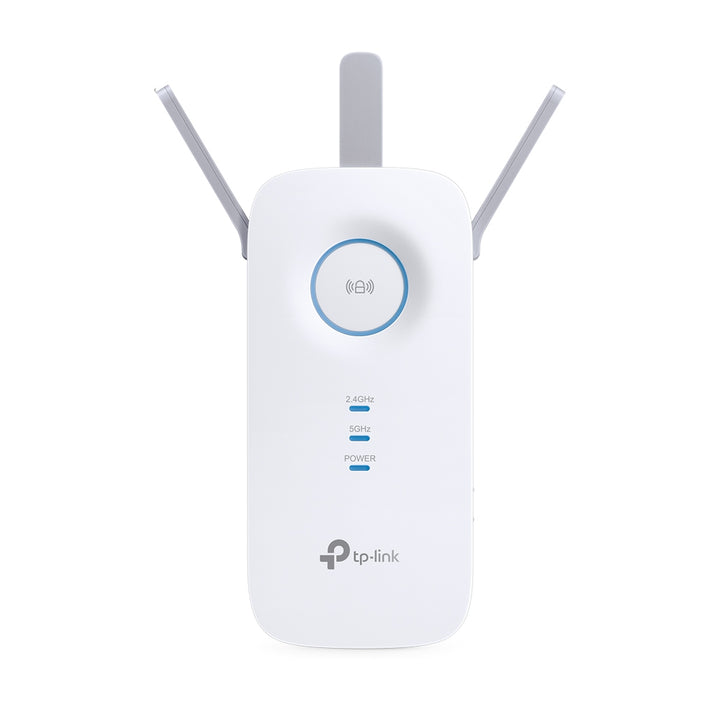


TP-Link RE450 AC1750 Wi-Fi Range Extender
PRODUCT DESCRIPTION
TP-Link AC1750 Wi-Fi Range Extender (RE450) - 3 Years Local Warranty
The RE450 is TP-Link’s three-antenna AC1750 extender: 1300 Mbps on 5 GHz, 450 Mbps on 2.4 GHz, a Gigabit Ethernet port and, unusually for a model of its vintage, an EasyMesh-Compatible listing in its specification. It shares its body and antenna count with the AC1900 RE550.
Three External Antennas, Gigabit Uplink
Three external antennas on a 163 x 76.4 x 66.5 mm body give the RE450 real reach back toward the router, which is the constraint that decides how far away an extender can be usefully placed. TP-Link puts the boost to Wi-Fi coverage at up to 10,000 sq ft. A single Gigabit Ethernet port lets one wired device sit behind it at full speed rather than being capped at 100 Mbps as it would be on the compact AC-class models.
EasyMesh-Compatible
TP-Link lists EasyMesh-Compatible as the RE450’s mesh technology. With an EasyMesh router that means one network name across router and extender, and clients handing off as they move, rather than a second SSID to join manually. EasyMesh is a cross-vendor standard, so the router does not have to be a TP-Link model. The RE450 page publishes no further qualification of its EasyMesh support, so check your router’s EasyMesh status with us before relying on single-SSID roaming.
Concurrent Dual-Band and a High Speed Mode
Published wireless functions include wireless statistics, a concurrent mode that boosts both the 2.4 GHz and 5 GHz bands, a High Speed Mode described as giving greater speed for HD gaming and video, access control, LED control and a domain login function. Wireless security covers 64/128-bit WEP and WPA-PSK/WPA2-PSK.
Physical Power and LED Controls
The RE450 carries an RE (Range Extender) button, a Reset button, an LED button and a Power button. Being able to darken the indicators or switch the unit off without unplugging it matters more than it sounds when the socket with the best coverage turns out to be in a bedroom. Maximum draw is 9 W from a 100-240 V outlet.
Ideal For
Singapore homes and small offices with a Wi-Fi 5 router and a room the signal will not reach, and EasyMesh households that want the extended area on the same Wi-Fi name. Supplied by SourceIT with local Singapore warranty and GST invoice.
RE450 Datasheet — Technical Specifications
General
| Model | RE450 |
| Official Product Name | AC1750 Wi-Fi Range Extender |
| Brand | TP-Link |
| Warranty | 3 Years Local Warranty (Singapore) |
Hardware
| Standards and Protocols | IEEE802.11ac, IEEE 802.11n, IEEE 802.11g, IEEE 802.11b |
| Plug Type | UK |
| Interface | 1 Gigabit Ethernet Port |
| Button | RE (Range Extender) Button, Reset Button, LED Button, Power Button |
| Input Power | 100-240V~50/60Hz |
| Max. Power Consumption | 9 W |
| Dimensions (W x D x H) | 6.4 x 3.0 x 2.6 in. (163 x 76.4 x 66.5 mm) |
| Antenna | 3 x external |
Wireless
| Wireless Standards | IEEE 802.11a/n/ac 5 GHz; IEEE 802.11b/g/n 2.4 GHz |
| Frequency | 2.4GHz & 5GHz (11ac) |
| Signal Rate | 5GHz: Up to 1300Mbps; 2.4GHz: Up to 450Mbps |
| Working Modes | Range Extender/Access Point. The separate Wireless Modes row on the same TP-Link page reads: Range Extender. Both are recorded here rather than reconciled. |
| Wireless Functions | Wireless Statistic; Concurrent Mode boost both 2.4G/5G WiFi band; High Speed Mode for great speed for HD Gaming and video; Access Control; LED Control; Domain Login Function |
| Wireless Security | 64/128-bit WEP; WPA-PSK / WPA2-PSK |
| Transmission Power | <20dBm (2.4GHz); <23dBm (5GHz) |
| Mesh Technology | EasyMesh-Compatible |
Others
| Certification | CE, FCC, RoHS |
| Box Dimensions (W x D x H) | 7.9 x 4.9 x 3.4 in. (202 x 125 x 86 mm) |
| Operating Temperature | 0°C ~ 30°C (32°F ~ 86°F) |
| Storage Temperature | -40°C ~ 70°C (-40°F ~ 158°F) |
| Operating Humidity | 10% ~ 90% non-condensing |
| Storage Humidity | 5% ~ 90% non-condensing |
Note the published operating temperature ceiling of 30°C — keep the unit out of unventilated enclosures. TP-Link publishes no supported client count and no net weight for the RE450, so neither is claimed here. Coverage is not a table row: TP-Link’s feature copy puts the boost to Wi-Fi coverage at up to 10,000 sq ft, footnoted that the maximum extended Wi-Fi coverage specification is based on performance test results and that actual Wi-Fi coverage may vary due to different environment, building material and wireless interferences.
Compatibility & Software Support
| Works With | Any standard Wi-Fi router or gateway, in Range Extender mode |
| Mesh | EasyMesh-Compatible |
| Operating Systems | Microsoft Windows 98SE, NT, 2000, XP, Vista or Windows 7, 8, 10; Mac OS; NetWare; UNIX or Linux |
| Management | Web-based configuration |
EasyMesh-Compatible is the whole of what the RE450 page publishes on mesh: it carries no further note on vendor interoperability or firmware, so none is claimed here. Only the operating systems listed above are published for this model; no browser list is given.
Package Contents & Ordering Information
What’s in the Box
| Package Contents | AC1750 Wi-Fi Range Extender RE450; Quick Installation Guide |
Ordering Information
| Model | RE450 |
| SKU | RE450 |
| Warranty | 3 Years Local Warranty (Singapore) |
Datasheet & Downloads
Frequently Asked Questions — RE450
Does the RE450 give one Wi-Fi name with my router?
It can. TP-Link lists the RE450 as EasyMesh-Compatible, so with an EasyMesh router it forms a single network with automatic roaming. Without one it still works as a conventional extender with its own settings.
How does it compare with the RE550?
Same body, same three external antennas, same Gigabit port and the same 1300 Mbps 5 GHz rating. The RE550 is faster on 2.4 GHz (600 Mbps against 450 Mbps). Both are published as EasyMesh-Compatible — on the RE450 as a Mesh Technology specification row, on the RE550 in TP-Link’s feature copy.
Can it run as an access point?
TP-Link’s Working Modes row lists Range Extender/Access Point. A separate Wireless Modes row on the same page lists Range Extender only, so ask us before committing to an AP-mode deployment. Both are recorded here rather than reconciled.
What warranty does SourceIT provide?
Three years local Singapore warranty, in line with TP-Link’s published replacement warranty for this category. Every unit sold by SourceIT comes with a GST invoice.
We Also Recommend


