
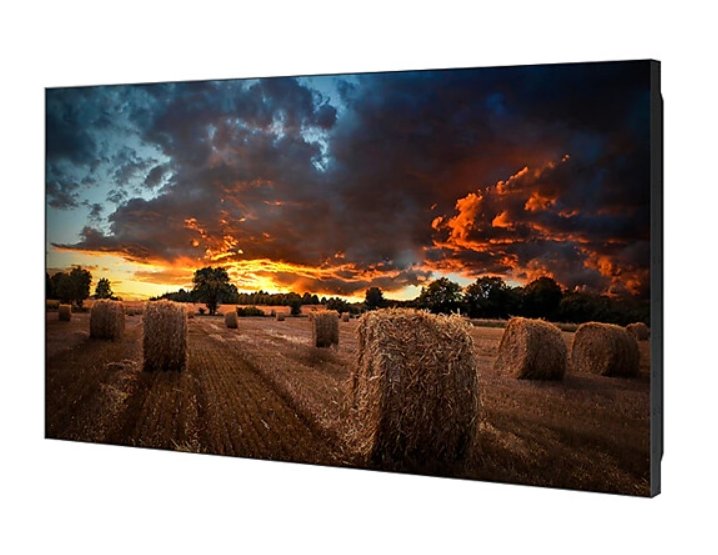


Samsung VM55B-U 55" Video Wall Display
PRODUCT DESCRIPTION
Samsung VM55B-U 55" Video Wall Display (LH55VMBUBGBXXS) - Local Warranty
3.5 mm Bezel-to-Bezel: the Value Grade of Samsung's Video Wall Line
The VM55B-U sits at 3.5 mm bezel-to-bezel, formed by a 2.25 mm upper and left edge meeting a 1.25 mm right and bottom edge. Across a 2x2 or a 3x3 that seam reads as a fine grid line, not a black frame, and the wall still holds together as a single picture from normal standing distance. This is the sensible entry point when the wall lives behind a reception desk, above a concourse or high on an atrium wall. Where viewers walk right up to the glass, or where the content is one continuous image, step up to the 1.74 mm or 0.88 mm grades.
The 55-Inch Tile Most Singapore Walls Are Designed Around
At 1,213.5 x 684.3 mm each, a 2x2 of VM55B-U panels covers roughly 2.43 x 1.37 metres and a 3x3 covers about 3.64 x 2.05 metres. That is the module most local AV consultants and interior fit-out teams draw to, which makes sourcing mounts, trunking and joinery straightforward. Each panel weighs 21.2 kg without a stand, so a 3x3 puts about 191 kg of display on the wall before the mount frame — well within masonry and properly specified stud substrates, but worth confirming with your contractor at design stage.
24/7 Rated with IP5x Dust Protection for Sites That Never Close
Samsung rates the VM55B-U for 24 hours a day, 7 days a week, which is the specification that separates a video wall panel from a consumer television. It suits transport interchanges, hospital concourses, hotel lobbies, security control rooms and 24-hour retail, where the wall simply never goes dark. The chassis carries an IP5x dust-protection rating for sites with imperfect air handling or nearby construction. Typical draw is 220 W per tile with 0.5 W standby, so a nine-panel wall running continuously stays a predictable line in the operating budget.
One Cable Run, Up to 100 Tiles, One Management Point
DisplayPort 1.2 loop-out lets the wall be daisy-chained from a single source, and Samsung specifies support for arrays up to 10 x 10. A 2x2 or 3x3 therefore needs one cable from the rack to the first panel and short jumpers between the rest, rather than nine separate runs. RS232C in and out plus RJ45 give a facilities team centralised control of power, input and picture settings across every tile from one point, so a whole concourse wall can be brought up or down without touching a remote control. Built-in video wall formatting splits and scales the source across the array.
Samsung VM55B-U Datasheet — Technical Specifications
General
| Product | Samsung VM55B-U 55" Video Wall Display |
| Part Number (SKU) | LH55VMBUBGBXXS |
| Display Type | LED-backlit IPS LCD video wall panel |
| Operating Time | 24/7 continuous operation |
| Platform | No embedded media player — driven by an external source or an optional Samsung Signage Player Box |
| Local Warranty (Singapore) | Supplied by SourceIT with GST invoice |
Display
| Screen Size | 55" |
| Resolution | 1,920 x 1,080 (Full HD) |
| Panel Type | IPS |
| Brightness | 500 nit (max) |
| Contrast Ratio | 1,200:1 static / 45,000:1 dynamic |
| Viewing Angle | 178° / 178° (H/V) |
| Response Time | 8 ms |
| Bezel-to-Bezel Width | 3.5 mm (2.25 mm upper/left, 1.25 mm right/bottom) |
Video & Audio
| Audio In | Stereo mini jack |
| Audio Out | Stereo mini jack for an external audio system |
| Video Wall Formatting | Built-in, splits and scales one source across the array |
Smart Platform & Management
| Embedded Player | None — content is delivered from an external source |
| Content Management | Samsung MagicINFO via a separate Samsung Signage Player Box |
| Remote Control & Monitoring | RS232C (In/Out) and RJ45 (LAN) |
| Video Wall Daisy Chain | Up to 10 x 10 via DisplayPort 1.2 loop-out |
Connectivity
| HDMI | 2 x HDMI 2.0 |
| DisplayPort | 1 x DisplayPort 1.2 (in) with loop-out |
| DVI | 1 x DVI |
| USB | 1 |
| Serial Control | RS232C In / Out |
| Network | RJ45 (LAN) |
| IR | Yes |
Physical & Environmental
| Dimensions (without stand) | 1,213.5 x 684.3 x 73.1 mm (W x H x D) |
| Weight (without stand) | 21.2 kg |
| VESA Mount | 600 x 400 mm |
| Ingress Protection | IP5x (dust protection) |
| Operating Temperature | 0°C to 40°C |
Power
| Power Consumption (typical) | 220 W |
| Power Consumption (standby) | 0.5 W |
Specifications are taken from Samsung's published product data for this model. Where Samsung does not publish a figure for this exact model it has been left out rather than estimated.
Compatibility & Installation
Mounting
The VM55B-U uses a 600 x 400 mm VESA pattern and weighs 21.2 kg per tile without a stand. A video wall needs a purpose-built mount system with micro-adjustment on all axes; a standard flat-panel bracket will not let your installer pull the tiles into plane to a fraction of a millimetre, and that alignment is what makes a 3.5 mm seam look deliberate. Samsung does not publish a portrait-orientation rating for the VMB-U series on its Singapore page, so if your layout calls for portrait tiles, confirm the orientation with us before you commit the design.
What it connects to
Each panel provides 2 x HDMI 2.0, 1 x DisplayPort 1.2, 1 x DVI and 1 x USB, plus stereo audio in and out. That covers a media player, a small-form-factor PC, a matrix switcher output, a lectern laptop feed or a camera feed from a security system. There is no embedded media player in this model, so a source is always required: a signage player, a video wall processor, a PC, or an optional Samsung Signage Player Box.
Daisy-chaining the wall
DisplayPort 1.2 loop-out carries the signal from tile to tile and Samsung specifies daisy-chain support for arrays up to 10 x 10. For a 2x2 or 3x3 this means one cable from the source to the first panel and short DP jumpers along the chain, with each panel addressed so the built-in video wall formatting knows which slice of the image to render.
Network and content management
RJ45 (LAN) and RS232C In/Out give a facilities or AV team centralised control over power, input selection and picture settings across every tile. Content scheduling runs on Samsung MagicINFO, driven from a separate Samsung Signage Player Box or a third-party player, since the VMB-U series carries no player on board.
Related models
For a tighter seam at the same 55-inch tile size, see the Samsung VM55C-R at 0.88 mm, the Samsung VH55C-R at 0.88 mm with 700 nit, or the Samsung VM55C-E at 1.74 mm. For a smaller tile at the same 3.5 mm grade, see the Samsung VM46B-U.
Package Contents & Samsung Video Wall Range
In the box
- Quick Setup Guide
- Warranty Card
- Power Cord
- RS232C (IN) gender adapter, stereo to DB-9
- Remote Controller and batteries
- DisplayPort cable
Package contents follow Samsung's product data for this model; items not listed by Samsung are not claimed here.
Samsung video wall range
| Model | Size | Bezel-to-bezel |
| VH55C-R | 55" | 0.88 mm, 700 nit |
| VM55C-R | 55" | 0.88 mm, 500 nit |
| VH55C-E | 55" | 1.74 mm, 700 nit |
| VM55C-E | 55" | 1.74 mm, 500 nit |
| VM55H-E (arriving shortly — ask us) | 55" | 1.74 mm, 500 nit |
| VM46B-U | 46" | 3.5 mm, 500 nit |
| VM55B-U (this listing) | 55" | 3.5 mm, 500 nit |
Datasheet & Downloads
- Samsung Singapore — VM55B-U product page (LH55VMBUBGBXXS)
- Samsung Singapore — VM55B-U manuals, firmware and downloads
SourceIT can email the current data sheet revision for the VM55B-U together with a quotation, including a wall layout sketch for your 2x2, 3x3 or custom array. Tell us the array size and the room and we will size the mount and the source with you.
Frequently Asked Questions — Samsung VM55B-U
How visible is the 3.5 mm seam in a 2x2 or 3x3?
At 3.5 mm bezel-to-bezel the join reads as a thin dark line, much like the mullion on a shopfront window. From about three metres it recedes into the content. If viewers stand within two metres, or the content is a single continuous photograph, map or dashboard, the 1.74 mm or 0.88 mm models will look noticeably cleaner.
Is it worth paying up for 0.88 mm?
It depends entirely on viewing distance and content. For a lobby wall seen from across the room running branded motion graphics, 3.5 mm is perfectly convincing and saves meaningful budget across nine tiles. For a control room where operators read a single wide map, or a flagship retail wall people photograph up close, the 0.88 mm VM55C-R or VH55C-R earns its premium.
Does it need an external player?
Yes. The VMB-U series has no embedded media player, so the wall is driven by an external source: a small-form-factor PC, a third-party signage player, a video wall processor, or an optional Samsung Signage Player Box. Budget and rack space for that source.
Can I run it 24 hours a day?
Yes. Samsung rates the VM55B-U for 24/7 operation and the chassis carries an IP5x dust-protection rating, so it is built for transport interchanges, control rooms, hospital concourses and 24-hour retail.
How many panels can I daisy-chain?
Samsung specifies video wall daisy-chain support up to a 10 x 10 array over DisplayPort 1.2 loop-out. In practice one cable run reaches the first tile and short jumpers connect the rest.
What do the letters in VM55B-U mean?
VM marks the 500 nit standard-brightness video wall line, as against VH at 700 nit. B is the generation. The -U suffix is the ultra narrow bezel grade at 3.5 mm bezel-to-bezel; -E is the extreme narrow 1.74 mm grade and -R the razor narrow 0.88 mm grade.
Can it be mounted in portrait?
Samsung does not publish a portrait-orientation rating for the VMB-U series on its Singapore product page, so we do not claim one here. If your design needs portrait tiles, talk to us before you finalise it and we will confirm with Samsung.
What warranty and invoicing do I get?
Every VM55B-U sold by SourceIT comes with local Singapore warranty and a GST invoice on every unit, which is what your finance and procurement teams need for claims and local service.


