
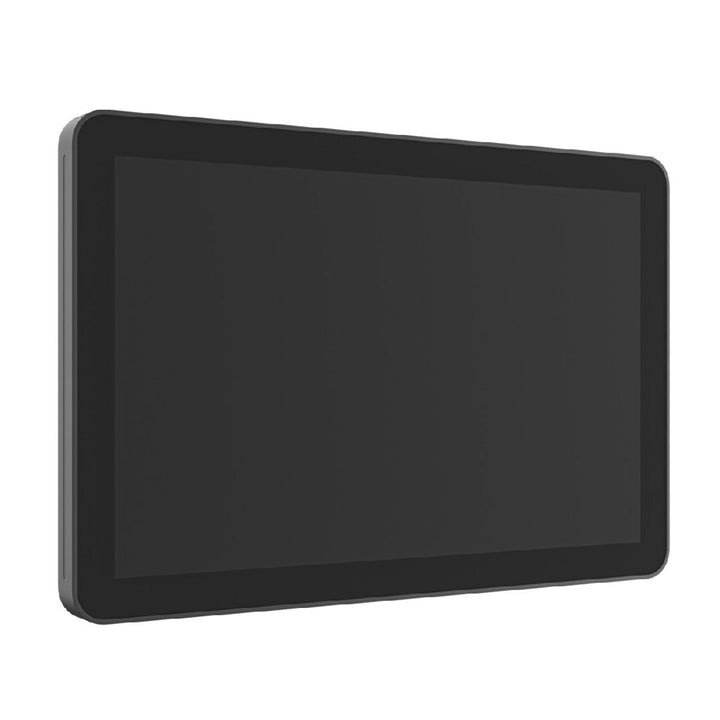


Logitech Tap Scheduler LCD Scheduling Display Graphite
Email sales@sourceit.com.sg or use Request for Quotation below and our team will confirm the latest price, availability and lead time.
PRODUCT DESCRIPTION
Logitech Tap Scheduler LCD Room Scheduling Display Graphite (952-000091) - 2 Years Local Warranty
Logitech Tap Scheduler — Room Scheduling Display for Microsoft Teams Panels and Zoom Rooms
Logitech Tap Scheduler (952-000091, Graphite) is a purpose-built room scheduling panel that mounts outside the meeting room and shows at a glance whether the space is free. It is certified for Microsoft Teams Panel, Zoom Rooms Scheduling Display, Robin and Appspace, and is also compatible with Logitech Room Booking, RICOH Spaces, Envoy, Korbyt Anywhere, Comeen and Eptura — a single hardware standard that follows whichever booking platform your organisation settles on.
Colour LED Room Status Visible Down the Corridor
A coloured availability LED reads green or red from a distance, so staff can find an open room without walking up to every door. The 10.1-inch IPS touchscreen runs at 1280 x 800 with 400 nits, a 1000:1 contrast ratio and an 85° viewing angle, with an ambient light sensor that suits both bright lobby-side corridors and dimmer internal floors.
Single-Cable PoE Install with Every Mount in the Box
Tap Scheduler is powered and connected over one Cat5e run as an 802.3af Type 1, Class 3 PoE device. The box ships with a multi-surface mount for glass or drywall, a corner mount accessory, a mullion mount and the hardware — so a typical Singapore office fit-out, whether onto a glass partition or a plasterboard wall, needs no extra mounting purchase. Cable routing can exit horizontally, vertically or through the centre.
Enterprise Security and Fleet Management via Logitech Sync
Tap Scheduler runs Logitech CollabOS with full disk AES-128 encryption, device attestation and key protection through Arm TrustZone. Logitech Sync handles remote monitoring, firmware updates and provisioning across the fleet, while platform-side administration continues in the Microsoft Teams admin center or Zoom Device Management.
Logitech Tap Scheduler Datasheet — Technical Specifications
General
| Product | Logitech Tap Scheduler room scheduling panel |
| Part Number | 952-000091 |
| Colour | Graphite |
| Model / Regulatory ID | VR0028 |
| Operating Platform | Logitech CollabOS (Android-based) |
| Device Management | Logitech Sync; also Microsoft Teams admin center and Zoom Device Management |
| Recycled Content | Plastic parts in the Graphite variant include 54% certified post-consumer recycled plastic; certified carbon neutral; FSC-certified paper packaging |
| Warranty | 2 Years Local Warranty (Singapore) |
Display & Sensors
| Screen Size | 10.1" diagonal |
| Panel | IPS LCD with LED backlighting |
| Resolution | 1280 x 800 |
| Touch Technology | Capacitive, 10-point multi-touch |
| Brightness | 400 nits |
| Contrast Ratio | 1000:1 |
| Viewing Angle | 85° (up / down / left / right) |
| Display Tilt | 14° |
| Coating | Oleophobic anti-fingerprint |
| Room Status LED | Coloured LED availability indicator (green or red), visible from a distance |
| Sensors | Integrated accelerometer; integrated ambient light sensor |
Connectivity
| Ethernet | 10/100 Mbps (RJ45) |
| Power over Ethernet | IEEE 802.3af, Type 1, Class 3 device |
| Wi-Fi | 802.11a/b/g/n/ac |
| Bluetooth | 5.0 — inactive, reserved for future use |
| USB | None |
Design & Power
| Dimensions — device only (H x W x D) | 165 x 246.2 x 28.5 mm (6.5 x 9.69 x 1.12 in) |
| Dimensions — surface mounted | 165 x 246.2 x 31.4 mm (6.5 x 9.69 x 1.24 in) |
| Dimensions — mullion mounted | 165 x 292.6 x 44.5 mm (6.5 x 11.52 x 1.75 in) |
| Weight | 0.7 kg (1.5 lb) |
| Power | Power over Ethernet, 802.3af Type 1 Class 3 |
| Operating Temperature | 0 to 40 °C |
| Storage Temperature | -40 to 70 °C |
| Operating Humidity | 10 to 95% |
| Security | Full disk encryption AES-128; symmetric key and PKI data encryption; device attestation; key protection via Arm TrustZone and RPMB |
| Mounting | 100 x 100 mm VESA FDMI; multi-surface, corner and mullion mounts included in the box |
Compatibility & Software Support
Certified scheduling platforms. Microsoft Teams Panel, Zoom Rooms (Zoom Rooms Scheduling Display), Robin and Appspace.
Compatible. Logitech Room Booking, RICOH Spaces, Envoy, Korbyt Anywhere, Comeen and Eptura (CollabOS 2.1 or higher). Logitech Room Booking, Robin, Appspace, Envoy, Comeen and Eptura integrate with Google Calendar.
Management. Tap Scheduler runs Logitech CollabOS and is monitored and updated through Logitech Sync. Platform-side administration is handled in the Microsoft Teams admin center or Zoom Device Management as appropriate.
Relationship to the room system. Tap Scheduler is a standalone panel mounted outside the room. It does not replace the in-room controller — that role is filled by Tap IP or Logitech Tap.
Package Contents & Logitech Tap Family Ordering Information
In the box
- Logitech Tap Scheduler (Graphite)
- Multi-surface mount (glass / drywall)
- Corner mount accessory
- Mullion mount
- Mounting hardware
- Documentation
Cable routing is available horizontally, vertically or through a centre exit. A PoE injector and Ethernet cable are not included.
Logitech Tap family — ordering information
| Logitech Tap Scheduler — Graphite | 952-000091 (this listing) |
| Logitech Tap Scheduler — White | 952-000094 — Tap Scheduler White |
| Logitech Tap IP — Graphite | 952-000085 — Tap IP Graphite |
| Logitech Tap IP — White | 952-000088 — Tap IP White |
| Logitech Tap (USB, with Cat5e Kit) | 939-001950 — Logitech Tap |
| Logitech PoE Injector with Plug Set | 952-000074 — PoE Injector |
Optional accessory — Tap Scheduler Angle Mount
| Angle Mount — Graphite | 952-000126 |
| Angle Mount — Off-White | 952-000127 |
| Function | Adds a 14° angle; contents are the angle plinth, a reversible interface, mounting hardware and documentation |
| Plinth dimensions (H x W x D) | 132.1 x 213.4 x 54.8 mm |
| Interface dimensions (H x W x D) | 121.7 x 208.1 x 10.5 mm |
Datasheet & Downloads
Frequently Asked Questions — Logitech Tap Scheduler
What is the difference between the Graphite and White Tap Scheduler?
Only the enclosure colour. Graphite is 952-000091 and White is 952-000094; the display, sensors, PoE class, mounts and software support are identical.
Which room booking platforms does Tap Scheduler support?
Logitech lists Microsoft Teams Panel, Zoom Rooms Scheduling Display, Robin and Appspace as certified, and Logitech Room Booking, RICOH Spaces, Envoy, Korbyt Anywhere, Comeen and Eptura (CollabOS 2.1+) as compatible.
Does Tap Scheduler replace an in-room touch controller?
No. Tap Scheduler is a scheduling panel that mounts outside the room to show availability and allow ad-hoc booking. The in-room meeting controller is a separate device — Tap IP for appliance-based rooms or Logitech Tap for PC-based rooms.
What is included for mounting, and can it go on glass?
The box includes a multi-surface mount for glass or drywall, a corner mount accessory, a mullion mount and the mounting hardware — no separate mount purchase is needed for a standard install. The panel also uses the 100 x 100 mm VESA FDMI pattern. The optional Angle Mount (952-000126 Graphite, 952-000127 Off-White) adds a 14° tilt where the panel sits in a corridor sight line.
How is it powered, and is an injector included?
Power over Ethernet only — 802.3af Type 1, Class 3 over the single Cat5e run that also carries data. No PoE injector or Ethernet cable is supplied; use a PoE switch port or the Logitech PoE Injector with Plug Set (952-000074).
Can I see room status from down the corridor?
Yes. A coloured LED availability indicator on the panel shows green or red and is designed to be read from a distance, so staff can spot a free room without walking up to it. An ambient light sensor adjusts the display for the space.
Does the Logitech Tap Scheduler come with local warranty in Singapore?
Yes. Every Logitech Tap Scheduler sold by SourceIT comes with 2 years local Singapore warranty and a GST invoice.


