

Microsoft Teams Room Components: Complete Overview
What Is a Microsoft Teams Room?
A Microsoft Teams Room (MTR) setup transforms any meeting space into a smart collaboration hub for hybrid teams. It combines certified audio, video, and control components to make joining and managing meetings simple and seamless.
Core Microsoft Teams Room Components
Compute or Console
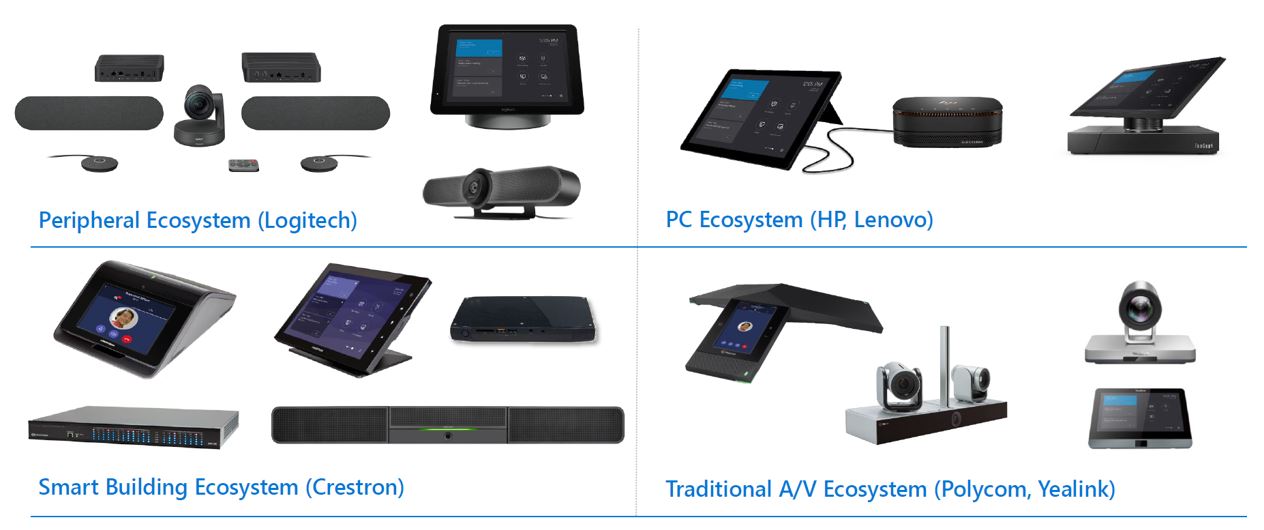
The compute device runs the Teams Room software and connects all peripherals. Brands like Lenovo, HP, and Yealink offer all-in-one kits built for stability and easy deployment.
Touch Console
A touchscreen controller that lets users join meetings, adjust settings, or share content with one tap—keeping meetings on track and reducing setup time.
Camera or Video Bar
High-quality video bars from Logitech, Poly, Jabra, and Yealink deliver 4K clarity and use AI framing to automatically keep participants in view.
Microphones and Speakers
Certified microphones and speakers ensure clear, natural sound across different room sizes—whether built into a soundbar or installed on the table or ceiling.
Display Screens
Single or dual displays allow users to view shared content and remote participants simultaneously, improving engagement and meeting flow.
Room Scheduler (Optional)
A wall-mounted touchscreen outside the meeting room that shows availability, bookings, and upcoming meetings.
Why Microsoft Teams Room Components Matter
Each component is Teams-certified, meaning it meets Microsoft’s standards for performance, reliability, and security. This ensures a consistent experience across rooms and minimizes setup or compatibility issues.
MTR setups are also modular—allowing small rooms to use compact all-in-one video bars while large conference rooms can scale with dedicated audio and multiple cameras.
Integration and Compatibility
Microsoft Teams Room systems run on Windows or Android, depending on hardware preferences. They integrate seamlessly with Microsoft Teams, Outlook, and Microsoft 365, enabling features like one-touch join, proximity detection, and calendar sync.
Many MTR systems can also connect to Zoom or Webex, providing flexibility in mixed-platform environments.
Ideal Use Cases
-
Boardrooms and conference rooms needing professional video conferencing setups
-
Huddle rooms and small meeting spaces for quick team discussions
-
Training and briefing rooms requiring flexible layouts and clear audio
-
Hybrid classrooms and corporate learning setups

