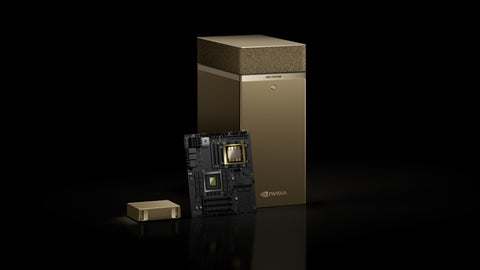
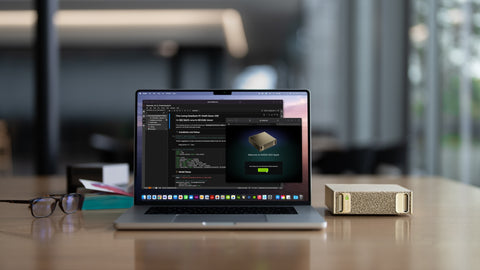
An AI server's internal NVMe drive is built for speed: loading a model in seconds and feeding data to the GPU without delay. It is not built to be the only home of your datasets, model library, document index and results. A network-attached storage (NAS) system gives those a shared, protected place with far more capacity, point-in-time snapshots and a backup route, at a small fraction of the cost of the AI server. The NAS does not run the model and will not make inference faster. Its job is to make sure that a failed drive, a mistaken delete or a ransomware incident costs you an afternoon, not the project.
What does a NAS do for an AI server?
| Role | Why it matters |
|---|---|
| Dataset and document store | Raw data usually outgrows the server's internal drive, and other systems need to reach it too |
| Model library | Keep every model and version on the NAS; copy only the ones in use to local NVMe |
| Snapshots | Roll a folder back to this morning after a bad script or an encryption attack |
| Backup of the AI server | Configuration, containers, vector index, fine-tuned adapters and chat history |
| Shared access | Several AI machines and staff PCs work from one copy with permissions |
| Archive | Training runs, evaluation results and logs kept for audit |
What should stay on the AI server's own drive?
Anything read at speed while the GPU is working: the models currently being served, the active vector index, and the dataset for a training run in progress. Hard-drive NAS storage over a network cannot match local NVMe for these, and the GPU ends up waiting. The pattern that works is tiered: hot data on local NVMe, everything else on the NAS, with a scheduled copy between them. We explain the reasoning in why data locality matters and size the internal tier in NVMe capacity planning.
Does the network speed matter?
Yes, because AI files are large. CALC. Moving a 60GB model file and a 2TB dataset from NAS to server:
| Link | Practical speed | 60GB model | 2TB dataset |
|---|---|---|---|
| 1GbE | about 110 MB/s | 60,000 / 110 = 545 s, about 9 minutes | 2,000,000 / 110 = 18,182 s, about 5 hours |
| 2.5GbE | about 280 MB/s | 60,000 / 280 = 214 s, about 3.5 minutes | 2,000,000 / 280 = 7,143 s, about 2 hours |
| 10GbE | about 600 MB/s, limited by the drives | 60,000 / 600 = 100 s | 2,000,000 / 600 = 3,333 s, about 56 minutes |
The speeds are typical working figures, not guarantees; a hard-drive array, not the 10GbE link, sets the ceiling in the last row. For a single AI desktop that swaps models occasionally, 2.5GbE is workable. For regular dataset movement or several AI machines, plan for 10GbE on the NAS, the switch and the server. See 2.5GbE as the SME sweet spot and, for larger systems, connecting a DGX Station to enterprise NAS storage.
What can a Synology NAS do for AI workloads, and what can it not?
| It can | It cannot |
|---|---|
| Hold datasets, documents and model files with RAID protection | Run a large language model at useful speed: it has no suitable GPU |
| Take frequent snapshots and replicate them to a second unit | Replace local NVMe for hot data |
| Back up the AI server and staff PCs on a schedule | Substitute for an off-site copy by itself |
| Serve files over SMB and NFS to Linux AI systems | Speed up inference |
| Run light supporting containers on Plus-series models | Host production inference |
| Use SSD cache to speed up access to many small files | Make hard drives behave like an all-flash array |
Synology has also added AI features to some of its own applications that call an AI provider you configure. Which providers are supported, and whether a local endpoint on your own AI server can be used, depends on the software version, so check the current release notes before relying on it.
The GPU system is where the work happens. The NAS is where the work is kept. Buying the first without the second is the most common gap we see in small AI deployments.
How should you size a NAS for AI?
- Add up the data. Source documents and datasets, the model library (tens of gigabytes per model, several versions), backups of the AI server, and room for snapshots. Then allow for growth: a common planning figure is double the first-year total.
- Choose bays for capacity plus redundancy. Four bays suit a single AI desktop. Eight bays suit a team or several machines.
- Pick drives rated for the job. NAS or enterprise drives, checked against the model's compatibility list. See IronWolf vs IronWolf Pro vs Exos.
- Match the network. Confirm what ports the NAS has and whether it takes a 10GbE card, and confirm card compatibility for that model before ordering.
- Plan the second copy. Snapshots protect against mistakes; a second device or off-site copy protects against losing the NAS. See the single point of failure problem.
For a wider comparison of brands, see the best NAS for Singapore SMEs, and for where storage sits in the whole workflow, the AI data pipeline.
Buying in Singapore
Beside a single AI desktop, the Synology DS925+ 4-bay (S$1,260) or DS1525+ 5-bay (S$1,800). For a team or several AI systems, the Synology DS1825+ 8-bay (S$2,148) or, in a rack, the RackStation RS2423+ 12-bay (S$4,002). For 10GbE, the Synology E10G18-T1 card (S$202.80) on models with a compatible slot. For a dedicated backup target, the Synology ActiveProtect DP340 (S$6,526.80). Drives: Seagate IronWolf Pro from S$390 and Seagate Exos X24 from S$835. If you prefer Thunderbolt and faster processors, the QNAP TVS-h874T (S$5,405) (listed 11 Nov 2026; prices change; ask for a current quotation). To pair with it, the NVIDIA DGX Spark 4TB is S$9,450, and DGX Station GB300 systems such as the HP ZGX Fury G1n are price on request. To start, use Request for Quotation on the product page, call (65) 6978 3502, email Sales@sourceit.com.sg or use our contact page.
Frequently asked questions
Does an AI server need a NAS? For anything beyond experiments, yes. The server's internal drive is for speed, not safekeeping. A NAS provides shared capacity for datasets and models, snapshots to undo mistakes, and a backup of the AI server's configuration and data.
Can a Synology NAS run AI models? Not large language models at useful speed, because it has no suitable GPU. A NAS stores and protects the data and can run light supporting services; the model runs on the AI server.
Do I need 10GbE between the NAS and the AI server? It depends on how much data moves. For occasional model swaps on one machine, 2.5GbE is workable. For regular dataset transfers or several AI systems, 10GbE saves hours.
Should models be loaded directly from the NAS? It is better to keep the model library on the NAS and copy the models in use to the server's local NVMe drive, so loading is fast and the service does not depend on the network.

SourceIT Approved
Researched and verified by the SourceIT team for Singapore buyers.