Data locality means keeping data physically close to the processor that uses it. For AI it matters because a GPU can only work as fast as data reaches it. If training images, documents or model files sit on a slow disk, across a slow network or in another country, an expensive GPU spends its time waiting. The principle that follows is old but still right: when data is large, it is usually cheaper and faster to move the compute to the data than to move the data to the compute. That is one of the practical reasons businesses run AI on their own premises, next to the files it needs.
How long does it take to move data?
| Link | 100 GB | 1 TB | 10 TB |
|---|---|---|---|
| 100 Mbps internet upload | 2.2 hours | 22 hours | 9.3 days |
| 1GbE | 13 minutes | 2.2 hours | 22 hours |
| 2.5GbE | 5 minutes | 53 minutes | 8.9 hours |
| 10GbE | 80 seconds | 13 minutes | 2.2 hours |
| 25GbE | 32 seconds | 5 minutes | 53 minutes |
| 100GbE | 8 seconds | 80 seconds | 13 minutes |
CALC: size in bits divided by line rate, decimal units. These are best cases. Real transfers are slower because of protocol overhead, small files and the speed of the disks at each end.
The table shows why a dataset that is trivial to copy inside a server room becomes a project to send to a cloud region, and why cloud providers charge to take data out again. Large data has gravity: applications and compute end up being pulled towards where it already lives.
Where does locality show up in AI work?
- Loading models. Model files are tens of gigabytes. Where they are stored decides whether a model switch takes seconds or minutes.
- Training and fine-tuning. The GPU reads the dataset repeatedly. Slow storage leaves it idle between batches, which shows up as low GPU utilisation.
- Retrieval. A RAG assistant makes several lookups per question. If the vector database is far from the model, every answer pays the round trip.
- Clusters. When several AI systems share one job, the links between them become part of the computer. See why AI projects may need more networking than GPU power.
- Inside the machine. The same idea applies at small scale: weights in GPU or unified memory are fast, weights spilled to system RAM or disk are slow. See why 128 GB matters for local AI.
How much does storage type change model load time?
| Where a 60 GB model is stored | Typical read speed | Approximate load time |
|---|---|---|
| NVMe SSD inside the AI system | 3 GB/s | 20 seconds |
| NAS over 10GbE (SSD or cached) | 1 GB/s | 1 minute |
| SATA SSD | 0.5 GB/s | 2 minutes |
| NAS over 1GbE | 0.11 GB/s | 9 minutes |
CALC: 60 GB divided by an assumed sustained read speed. Illustrative only; actual drives, file systems and software vary.
If your GPU utilisation is low during training, don't buy a bigger GPU. Look at where the data is. A fast processor fed through a slow pipe performs like a slow processor.
Move the data or move the compute?
| Situation | Usually better | Why |
|---|---|---|
| Small data, bursty or occasional AI use | Send data to cloud compute | Little to move; no hardware to own |
| Terabytes of documents, images or video already on site | Bring compute to the data | Avoids repeated transfers and egress fees |
| Sensitive or regulated data | Bring compute to the data | Fewer copies, fewer places to secure |
| Cameras and machines producing data continuously | Process at the edge | Latency and bandwidth; send only results upstream |
| Data already in a cloud platform | Use compute in the same region | The same principle, in reverse |
Locality is about performance and cost. Where data is legally allowed to be is a separate question; see data residency vs data sovereignty and our sovereign AI guide.
A practical layout for a small AI setup
- Hot data on NVMe inside the AI system. Models in use and the dataset being worked on today.
- Shared data on a NAS over 10GbE or faster. Project datasets, indexes, model library. 1GbE is the most common hidden bottleneck.
- Cold data and backup on capacity drives. Raw archives and a protected second copy.
- Stage, don't stream. Copy a dataset to local NVMe before a long job rather than reading it over the network all day.
- Keep the vector database, the model and the application on the same machine or the same fast network.
More detail is in connecting an AI system to enterprise NAS, NVMe capacity planning and the storage section of our AI data pipeline guide.
Buying in Singapore
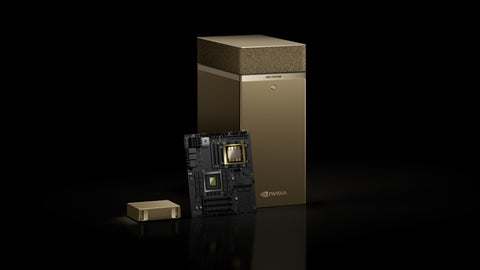
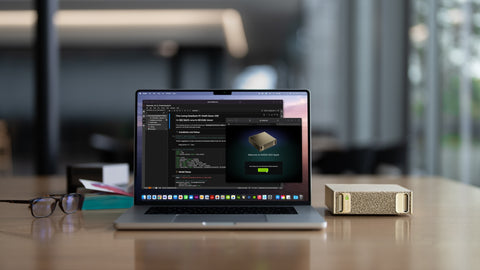
For compute next to your data, the NVIDIA DGX Spark 4TB (S$9,450) and HP ZGX Nano G1n 4TB (S$11,499) include 4 TB of internal NVMe. For shared storage with 10GbE-class networking, the QNAP TVS-h874T (S$5,405) and Synology DS1825+ (S$2,148). For cold data, Seagate Exos X24 drives (from S$835). To link two GB10 systems directly, the HP ZGX QSFP112 DAC cable (S$365). At the edge, the Jetson AGX Thor 128GB Developer Kit (S$9,075.60) (listed 11 Nov 2026; prices change; ask for a current quotation). Enterprise NVMe such as the Micron 7600 PRO 15.36TB is price on request. To start, use Request for Quotation on the product page, call (65) 6978 3502, email Sales@sourceit.com.sg or use our contact page.
Frequently asked questions
What is data locality? Data locality means keeping data physically close to the compute that processes it, on local or nearby fast storage, so the processor isn't left waiting on slow disks or networks.
Why does data locality matter for AI? GPUs process data very quickly, so slow storage or network links become the bottleneck. Poor locality shows up as slow model loading, low GPU utilisation during training and slower retrieval.
Is it better to move data to the cloud or bring AI to the data? For large or sensitive datasets already on site, bringing compute to the data is usually faster and cheaper. For small data and occasional use, cloud compute is often simpler.
How long does it take to transfer 1 TB? At full line rate, about 2.2 hours on 1GbE, 13 minutes on 10GbE and 80 seconds on 100GbE. Real transfers are slower because of overhead and disk speeds.

SourceIT Approved
Researched and verified by the SourceIT team for Singapore buyers.