Continuous batching is the scheduling technique that lets one GPU answer many people at the same time. A language model generates text one token at a time, and a GPU can compute the next token for dozens of conversations in a single pass almost as quickly as for one. Continuous batching exploits that: at every token step, the server adds newly arrived requests to the running batch and removes the ones that have finished, so no slot sits idle waiting for the slowest answer. It is the default in modern serving software such as vLLM, Hugging Face TGI and SGLang, and NVIDIA's TensorRT-LLM calls the same idea in-flight batching.
For a business, it is the difference between an AI server that handles three users and one that handles thirty on the same hardware.
Why does batching matter so much for AI servers?
With a single user, a GPU generating text is mostly waiting on memory, not computing. Each token requires reading the model's active weights once. If 20 users are batched together, the weights are still read once per step, but 20 tokens come out. Total throughput rises steeply while each user's speed drops only a little, until the GPU's compute or memory finally becomes the limit.
Static vs dynamic vs continuous batching
| Method | How it works | Weakness | Typical use |
|---|---|---|---|
| No batching | One request at a time | Everyone queues; GPU mostly idle | Single-user desktop tools |
| Static batching | Waits for a fixed number of requests, runs them together to the end | Short answers wait for the longest one; new arrivals wait for the whole batch | Offline jobs |
| Dynamic batching | Waits a few milliseconds to collect a batch, then runs it to the end | Still locked until the batch finishes | Vision and embedding models |
| Continuous batching | Re-forms the batch at every token step | More complex scheduling; needs KV cache managed per request | Chat and agent serving |
Text generation is unusual because answers have wildly different lengths. One user wants a one-line reply, another a two-page report. Static batching makes the short job wait for the long one. Continuous batching releases it the moment it finishes and hands the slot to someone else.
What is the trade-off?
Throughput against per-user speed. As the batch grows, total tokens per second across all users keeps rising, but each individual stream slows, and long prompts arriving mid-stream can cause brief stutters while they are processed. Serving software gives you controls for this.
- Maximum concurrent sequences. Caps how many requests run at once; the rest queue. In vLLM this is the max-num-seqs setting.
- Chunked prefill. Slices long prompts so they don't freeze everyone else's output.
- Context limits. Every running request holds its own KV cache, so memory, not compute, often sets the real batch limit.
Tokens per second for one user tells you how fast an AI system feels. Tokens per second across a full batch tells you how many staff it can serve. Vendors and benchmarks often quote only one of the two, so ask which.
How does continuous batching interact with other techniques?
- Speculative decoding uses the GPU's spare compute to speed up a single stream. Batching uses the same spare compute for more users, so the two compete; speculative gains shrink as concurrency rises.
- Mixture-of-experts models batch a little less efficiently, because different users' tokens hit different experts.
- Disaggregated inference moves prompt processing to separate GPUs so the decode batch runs undisturbed.
- Desktop tools such as Ollama and LM Studio are built mainly for one user. For a shared team server, a batching engine such as vLLM usually gives far more total throughput on the same hardware.
What does it mean for hardware sizing?
- Count concurrent requests, not staff. Fifty employees rarely means fifty simultaneous generations. Measure peak concurrency; it is often a small fraction of headcount.
- Budget memory for the batch. Weights are loaded once, but KV cache multiplies by the number of running requests and their context length.
- Check both speeds. Ask for single-stream and batched throughput for your model and precision.
- Leave headroom. Agents and reasoning models generate far more tokens per task than chat, which fills batches faster.
We tested this in practice in can one GB10 support 20 employees?, and our vLLM deployment guide covers the settings.
Buying in Singapore
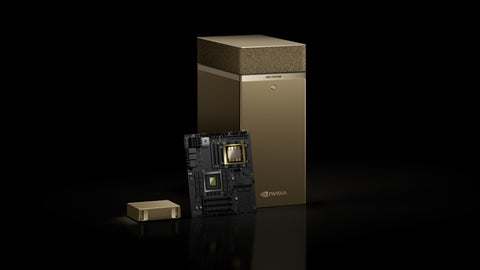
For a small team server, the NVIDIA DGX Spark 4TB (S$9,450) and HP ZGX Nano G1n 4TB (S$11,499) batch well for modest concurrency. For higher throughput, the NVIDIA RTX PRO 6000 Blackwell Workstation Edition (S$29,100) or, in rack servers, the Server Edition (S$32,999) (listed 11 Nov 2026; prices change; ask for a current quotation). For department-scale serving, DGX Station GB300 systems such as the ASUS ExpertCenter Pro ET900N G3 and GPU servers such as the Lenovo ThinkSystem SR675 V3 are price on request. To start, use Request for Quotation on the product page, call (65) 6978 3502, email Sales@sourceit.com.sg or use our contact page.
Frequently asked questions
What is continuous batching? Continuous batching is an LLM serving technique that re-forms the batch of requests at every token step, adding new requests and removing finished ones, so a GPU serves many users at once without waiting for the slowest answer.
How is continuous batching different from dynamic batching? Dynamic batching collects requests for a few milliseconds and then runs that batch to completion. Continuous batching changes the batch membership at every generation step, which suits text answers of very different lengths.
Does continuous batching slow down each user? Slightly. Total throughput rises sharply as the batch grows, while each individual stream slows a little. Limits on concurrent sequences keep per-user speed acceptable.
Which software supports continuous batching? vLLM, Hugging Face Text Generation Inference, SGLang and NVIDIA TensorRT-LLM (as in-flight batching) all support it. Single-user desktop tools generally focus less on it.

SourceIT Approved
Researched and verified by the SourceIT team for Singapore buyers.