It depends on who will use it. LM Studio is the easiest way for one person to try local models on a laptop or desktop. Ollama is the simplest way to put a model behind an API for developers and small internal tools. vLLM is the one built for many simultaneous users on a GPU server. The first two are built on the llama.cpp engine and are close in single-user speed; vLLM is a different class of software, designed for throughput. Many teams end up using two of them: one to explore, one to serve.
Ollama vs LM Studio vs vLLM at a glance
| Ollama | LM Studio | vLLM | |
|---|---|---|---|
| What it is | Command-line tool and local model server | Desktop app with a chat window and model browser | High-throughput inference server |
| Licence | MIT open source; optional paid cloud tiers | Proprietary; free for personal and work use since July 2025 | Apache 2.0 open source |
| Runs on | Windows, macOS, Linux | Windows, macOS, Linux | Linux servers with GPUs |
| Model format | GGUF, plus MLX on Apple silicon | GGUF and MLX | Hugging Face weights, including FP8 and FP4 formats |
| API | OpenAI-compatible | OpenAI-compatible | OpenAI-compatible |
| Many users at once | Limited | Improving; parallel requests added in the 0.4 line | Core strength: continuous batching |
| Best for | Developers, scripts, small tools | Individuals exploring models | Team and production serving |
Source: project documentation and independent comparisons published in 2026. Compiled 11 Nov 2026. These tools release updates every few weeks, so check current versions before standardising on one.
When is LM Studio the right choice?
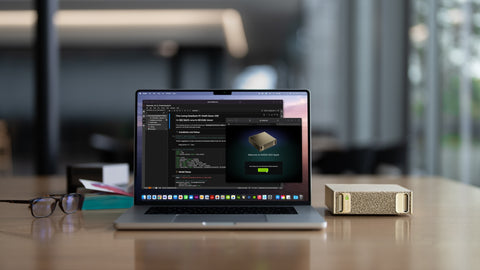
When a person, not a system, is the user. LM Studio lets you browse models, see whether they fit your memory, download them and chat, without touching a terminal. It handles documents and images, and it can expose a local API for other applications. Since 8 July 2025 it has been free for use at work, which removed the main obstacle for companies. Its 2026 releases added a headless server mode and parallel requests, narrowing the gap with Ollama.
The trade-offs: the main application is closed source, so you depend on the vendor, and it is still designed around a single machine.
When is Ollama the right choice?
When you want a model running as a background service that other software calls. One command downloads and starts a model, and the API works with most AI tools and chat front-ends such as Open WebUI. It is open source, easy to script and comfortable on a server or in a container. It is the usual starting point for an internal assistant or an automation.
The trade-offs: default settings favour convenience over performance, context length defaults can be short, and it is not designed to squeeze the most throughput from a GPU when dozens of people use it together. We walk through a small setup in Ollama on the ASUS NUC 16 Pro.
When do you need vLLM?
When several people or applications will use the model at the same moment. vLLM re-forms its batch at every token step, a technique called continuous batching, and manages memory so that many conversations share one GPU efficiently. It also supports the techniques that matter at scale, including speculative decoding, FP8 and FP4 models and multi-GPU serving.
The trade-offs: it is Linux server software with no chat window, it needs someone comfortable with containers and command-line flags, and it reserves GPU memory aggressively, so it suits a dedicated machine. Our vLLM deployment guide covers the settings.
Single-user speed is roughly the same across these tools on the same model and hardware. The real difference appears at user number five, ten and twenty. Choose by how many people will ask at once, not by the benchmark for one.
Which one for which situation?
| Situation | Pick |
|---|---|
| One person trying local AI on a laptop | LM Studio |
| A developer building an internal tool or agent | Ollama |
| A shared assistant for a team of 5 to 50 | vLLM behind a chat front-end |
| A Mac-based team | LM Studio or Ollama, both with MLX support |
| Production service with support contracts | vLLM, or a packaged option such as NVIDIA NIM |
For the supported, packaged route, see NVIDIA NIM vs Ollama. For the user-facing layer, see Open WebUI vs AnythingLLM.
Does the choice change the hardware you need?
A little. All three need enough memory for the model; see our model sizing table. LM Studio and Ollama run on Windows, Mac and Linux, including AI PCs and laptops. vLLM wants a Linux system with a capable GPU and benefits most from high memory bandwidth and from VRAM headroom for the KV cache of many users. A 128 GB GB10 desktop runs all three; DGX OS is Linux, so vLLM is at home there. We tested shared use in 20 employees on one GB10.
Buying in Singapore
For individual use, the MSI Prestige N16 Flip AI+ RTX Spark 32GB laptop (S$4,974.08) or a desktop with the NVIDIA RTX PRO 4000 Blackwell (S$5,640). For a team server, the NVIDIA DGX Spark 4TB (S$9,450), ASUS Ascent GX10 128GB/1TB (S$10,350) or HP ZGX Nano G1n 4TB (S$11,499). For higher concurrency with vLLM, the NVIDIA RTX PRO 6000 Blackwell Workstation Edition (S$29,100) (listed 11 Nov 2026; prices change; ask for a current quotation). To start, use Request for Quotation on the product page, call (65) 6978 3502, email Sales@sourceit.com.sg or use our contact page.
Frequently asked questions
What is the difference between Ollama and LM Studio? Ollama is an open-source command-line tool and local model server aimed at developers. LM Studio is a free, closed-source desktop app with a chat interface and model browser aimed at individuals. Both are built on llama.cpp.
Is vLLM faster than Ollama? For one user the difference is modest. For many simultaneous users vLLM delivers far more total throughput because it is built around continuous batching.
Is LM Studio free for business use? Yes. Since 8 July 2025 LM Studio has been free for personal and work use. The main application remains proprietary.
Which is best for a company's internal AI assistant? For a handful of users, Ollama with a chat front-end is enough. For a team sharing one GPU system, vLLM is the better engine.