A large GPU is often too much for one job and too expensive to leave idle. NVIDIA offers two main ways to divide one between several users. Multi-Instance GPU (MIG) splits the card into a few fixed hardware partitions, each with its own memory and compute, so one tenant cannot slow another. Virtual GPU (vGPU) is licensed software that lets many virtual machines share a GPU under a hypervisor, traditionally by taking turns. MIG gives stronger isolation and predictable performance; vGPU gives higher density and fits virtual desktop and VM environments. On the newest server cards the two can be combined.
What is the difference between MIG and vGPU?
| MIG | vGPU | Simple time-slicing | |
|---|---|---|---|
| How it divides the GPU | Fixed hardware partitions | Shared between virtual machines by a hypervisor | Processes take turns on one GPU |
| Memory isolation | Hardware-enforced | Fixed memory per VM | None |
| Performance isolation | Strong | Depends on scheduling; strong when MIG-backed | None |
| Fault isolation | Yes | Per VM | No |
| Typical use | Containers, Kubernetes, shared AI servers | Virtual desktops, VMs, multi-tenant hosts | Small trusted teams, development |
| Licence | Included with supported GPUs | NVIDIA vGPU or AI Enterprise licence | None |
| Flexibility | Low: a few fixed sizes | Medium: many profiles | High |
How does MIG work?
MIG carves the GPU's memory and compute into separate instances at the hardware level. Each instance appears to software as its own smaller GPU. A runaway job in one instance cannot take memory from another or crash it, and each tenant gets consistent performance regardless of what the neighbours are doing.
The trade-offs are rigidity and size. Instances come in a small number of fixed shapes, and a model that needs more memory than one instance cannot borrow from the next. Two practical notes from deployments: MIG layouts are not kept across a reboot unless you configure that, and some cards need a firmware update before MIG can be enabled.
How does vGPU work?
vGPU software sits in the hypervisor and presents a virtual GPU to each virtual machine. Each VM is given a fixed amount of GPU memory, and compute is scheduled between them. This is how virtual workstations and GPU-backed virtual desktops are delivered, and how a virtualised data centre gives AI workloads a GPU without dedicating a whole card to each VM.
vGPU needs a supported hypervisor, a supported GPU and a licence. For AI workloads the licence is part of NVIDIA AI Enterprise, which NVIDIA lists from US$4,500 per GPU per year, with a 90-day evaluation available.
Source: NVIDIA AI Enterprise licensing and vGPU documentation. Compiled 11 Nov 2026. Confirm current pricing and terms before budgeting.
Which GPUs support MIG and vGPU?
MIG began on data centre GPUs and has reached the RTX PRO Blackwell family. NVIDIA states that the RTX PRO 6000 Blackwell supports up to four MIG instances, and the RTX PRO 4500 Blackwell Server Edition up to two. The RTX PRO 6000 Blackwell Server Edition also introduced MIG-backed vGPU, where each MIG slice is further shared between virtual machines.
CALC. An RTX PRO 6000 Blackwell has 96GB of memory.
- 4 MIG instances: 96 / 4 = 24GB each, hardware-isolated.
- MIG-backed vGPU at maximum density: 4 slices x 12 VMs = 48 VMs. 96 / 48 = 2GB each.
A 24GB slice runs a mid-sized language model for one team. A 2GB share is a virtual desktop, not an AI server. Density and usefulness pull in opposite directions.
One caution: support differs between editions of the same GPU. NVIDIA's guidance to date is that the workstation editions support MIG but are not on the vGPU supported list, which covers the Server Edition. Check NVIDIA's current vGPU supported-hardware list and your server vendor's certification before designing around either feature.
Source: NVIDIA RTX PRO Blackwell and vGPU release documentation; NVIDIA developer forum guidance. Compiled 11 Nov 2026.
MIG answers the question of how to stop tenants hurting each other. vGPU answers the question of how to give a GPU to a virtual machine. They overlap, but they are not the same question.
Which should you choose?
| Situation | Suggested approach |
|---|---|
| Several teams share one AI server and need guaranteed capacity | MIG |
| Kubernetes cluster running mixed small inference jobs | MIG |
| GPU-accelerated virtual desktops for designers or engineers | vGPU |
| AI workloads inside VMs on an existing VMware or similar estate | vGPU with AI Enterprise |
| Many VMs with hardware isolation between groups | MIG-backed vGPU on a Server Edition card |
| One team, one inference server, many users | Neither: let the inference engine batch requests |
| A few trusted developers experimenting | Time-slicing, or simply take turns |
The sixth row matters. If everyone is using the same model, do not partition the GPU. One instance of an engine with continuous batching serves many users far more efficiently than four small copies of the model in four slices. Partitioning is for different workloads or tenants that must be kept apart. See AI model serving explained.
What are the common mistakes?
- Slicing too small. A partition that cannot hold the model plus its working memory is wasted. Size slices from the workload. See who actually needs 96GB.
- Forgetting the licence. vGPU is a recurring per-GPU cost that belongs in the business case.
- Assuming every edition is equal. Workstation, Max-Q and Server editions differ in what is supported.
- Losing the layout on reboot. Make the MIG configuration persistent and document it.
- Partitioning when batching would do. See above.
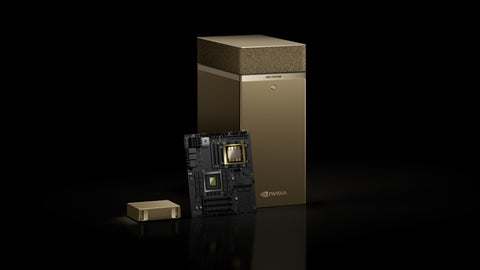
For a worked example on a larger system, see sharing a DGX Station between teams with MIG, and for scheduling slices to containers, Docker vs Kubernetes for AI.
Buying in Singapore
For servers where vGPU or MIG-backed vGPU is planned, the NVIDIA RTX PRO 6000 Blackwell Server Edition (S$32,999). For a workstation shared with MIG, the RTX PRO 6000 Blackwell Workstation Edition (S$29,100) (listed 11 Nov 2026; prices change; ask for a current quotation). GPU servers such as the Lenovo ThinkSystem SR675 V3 and DGX Station GB300 systems such as the MSI XpertStation WS300 are price on request. Tell us the hypervisor and the number of tenants and we will check edition and certification before quoting. To start, use Request for Quotation on the product page, call (65) 6978 3502, email Sales@sourceit.com.sg or use our contact page.
Frequently asked questions
What is NVIDIA MIG? Multi-Instance GPU is a feature that splits one supported GPU into several hardware-isolated instances, each with its own memory and compute, so separate workloads run side by side without affecting each other.
What is the difference between MIG and vGPU? MIG partitions the GPU hardware into a few fixed instances. vGPU is licensed software that shares a GPU between virtual machines under a hypervisor. MIG gives stronger isolation; vGPU gives higher density and VM support.
Does vGPU need a licence? Yes. vGPU requires an NVIDIA licence, and for AI workloads this is part of NVIDIA AI Enterprise, licensed per GPU. MIG itself has no separate licence on supported GPUs.
Should I partition a GPU for one shared chatbot? Usually not. If all users call the same model, a single inference server with batching uses the whole GPU more efficiently than several partitions each holding a copy of the model.