
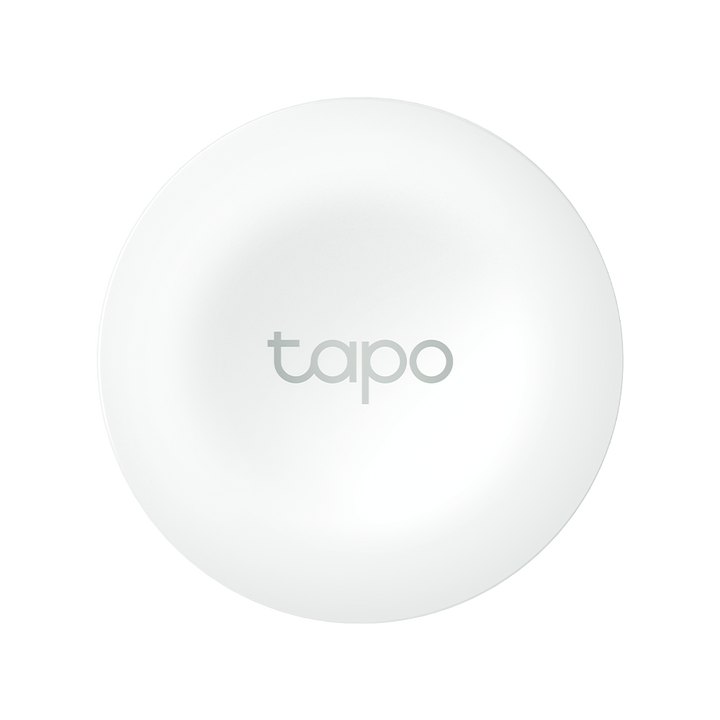


TP-Link Tapo S200B Smart Button
PRODUCT DESCRIPTION
TP-Link Tapo Smart Button (S200B) - 1 Year Local Warranty
The Tapo S200B is a battery-powered physical control for a Tapo system: a 43.5 mm disc that sits wherever you want a shortcut, and fires actions you have set in the Tapo app. It reports to a Tapo hub on a sub-1 GHz radio instead of Wi-Fi, runs on one CR2032 cell, and comes with a mounting template and two kinds of tape. A Tapo hub is required.
A Physical Control in a System That Otherwise Needs a Phone
Apps and voice assistants are fine until your hands are full, the phone is charging in another room, or a guest wants the lights on. The S200B puts a real control back on the wall or the table - press it and the automation you built in the Tapo app runs. It is the piece that makes a Tapo system usable by people who never installed the app in the first place.
A Sub-1 GHz Link, Not Wi-Fi
The button talks to its hub on 868 MHz / 922 MHz rather than joining your wireless network, so you can place several around a home or shop without adding clients to the router. The same low-power radio is what allows the unit to run on a single coin cell. As with the rest of the Tapo sensor family, a Tapo hub is not optional - it is the only route from the button to the app.
Small Enough to Put Anywhere
At Φ43.5 x 16.9 mm the S200B is about the size of a large coin, and TP-Link supplies a mounting template, anti-slip tape and double-sided tape, so it can be fixed to a wall like a switch or left loose on a bedside table, a desk or a counter. Nothing is drilled and nothing is wired, which makes it as suitable for a rented flat as an owned one.
Set Up and Changed in the Tapo App
What the button does is defined in the app, not in the hardware, so the same unit can control a light today and a scene tomorrow without touching the device. Because the hub holds the automation, the devices it drives do not need to know about the button at all - useful when you add Tapo devices over time rather than all at once.
Ideal For
Singapore homes, shops and small offices already running Tapo that want a bedside, doorway or counter control, households where not everyone uses the app, and anyone who wants a one-press shortcut for a scene. Supplied by SourceIT with local Singapore warranty and GST invoice.
Tapo S200B Datasheet — Technical Specifications
General
| Model | Tapo S200B |
| Official Product Name | Tapo Smart Button |
| Brand | TP-Link Tapo |
| Warranty | 1 Year Local Warranty (Singapore) |
Specifications
| Hub Required | Yes |
| Standards and Protocols | 868 MHz / 922 MHz |
| System Requirements | iOS 10+, Android 5.0+ |
| Operating Temperature | 0~40°C |
| Dimensions (H x W x D) | Φ43.5 x 16.9 mm |
| Power Requirements | CR2032 Battery |
TP-Link does not publish a weight, battery-life, IP, certification or third-party platform row for the Tapo S200B on its Singapore page, so none is claimed here.
Compatibility & Software Support
The S200B is a hub-connected control. It does not join Wi-Fi and cannot be used standalone; pair it to a Tapo hub and assign its actions in the Tapo app.
| Tapo Hub | Required — e.g. Tapo H100 or Tapo H200 |
| App | Tapo app for iOS and Android (iOS 10+, Android 5.0+) |
| Automations | Button actions as triggers for Tapo devices via the hub |
| Wi-Fi | Not used by the button itself — the hub provides the network connection |
TP-Link's Singapore specification table for the S200B publishes no third-party platform row, so no Alexa or Google Assistant support is claimed here for this model.
Package Contents & Ordering Information
Package Contents
| Included Items | Tapo S200B, CR2032 Battery, Mounting Template, Anti-slip Tape, Double-sided Tape, Quick Start Guide |
Ordering Information
| SourceIT SKU | Tapo S200B |
| Model | Tapo S200B |
| Warranty | 1 Year Local Warranty (Singapore) |
| Requires | Tapo hub (sold separately) |
Datasheet & Downloads
Frequently Asked Questions — Tapo S200B
Do I need a hub for the Tapo S200B?
Yes. TP-Link lists "Hub Required: Yes" for this model. The button reaches the Tapo app only through a Tapo hub such as the H100 or H200.
Does it need wiring or a wall box?
No. It is battery powered and fixes with the supplied tape, so it can go on a wall, a table or a counter without an electrician.
What battery does it use?
One CR2032 coin cell, included in the box with a mounting template, anti-slip tape and double-sided tape.
What warranty does SourceIT provide?
One year local Singapore warranty, with a GST invoice on every unit. Ask us for current stock and lead time before committing to a project date.
We Also Recommend


