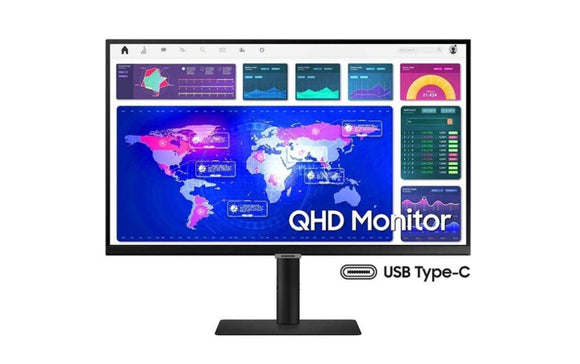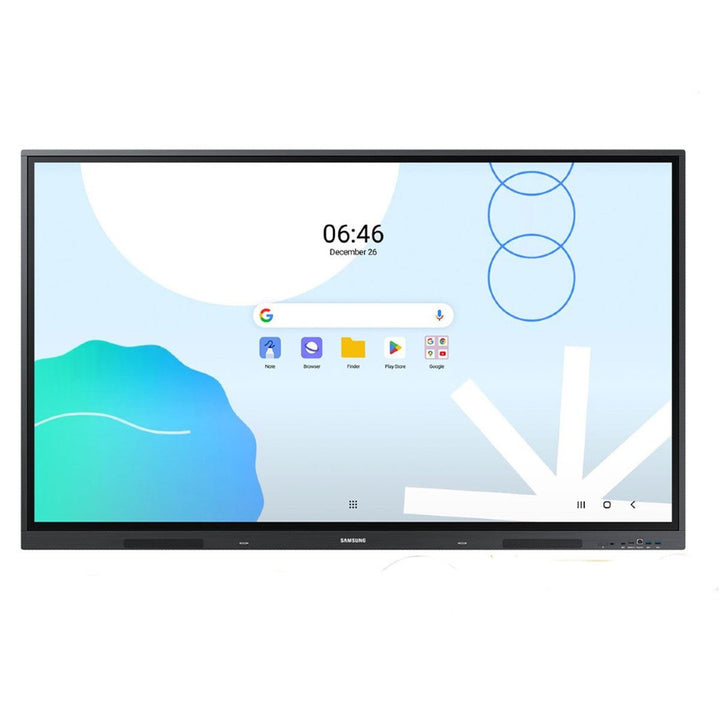


Samsung WA65D 65" Android Interactive Display
PRODUCT DESCRIPTION
Samsung WA65D 65" Android Interactive Display (LH65WADWLGCXXS) - Local Warranty
The WA Series: Android on the Board, Not Tizen
The WA65D is Samsung's 65-inch Android interactive display, part number LH65WADWLGCXXS. It sits alongside the Samsung Flip family but runs a different platform: where the Flip range uses Tizen — R for Flip 2, A for Flip 3, B for Flip Pro and F for the current WMFX generation — the WA series runs Android. This unit ships on Android 13 and is EDLA certified, which means Google Mobile Services and the Play Store are licensed on the device rather than sideloaded. Supplied locally by SourceIT with Singapore warranty and a GST invoice on every unit.
EDLA Certification Means Google Apps Work as Licensed Software
EDLA certification is the practical reason schools and corporate IT teams choose the WA series. Google Classroom, Meet, Drive and the rest of Google Workspace install from the Play Store and sign in with managed accounts, exactly as they do on a tablet. For a Singapore school running Google Workspace for Education, that removes the awkward middle ground of an Android board with unlicensed apps bolted on. Sixty-four gigabytes of on-board flash gives room for the apps a classroom or meeting room actually uses, with no separate PC to image and patch.
Forty Touch Points and a Dual-Sided Pen for Classroom Work
Infrared touch on the WA65D supports up to 40 simultaneous touch points — enough for a whole class working at the board in groups, not just two people annotating. The supplied dual pen has a switchable double-ended nib for thick and thin strokes without swapping tools. The 65-inch ADS panel runs at 400 nits with a 178-degree viewing angle, so the board stays readable from the side of a classroom, and the anti-glare surface with low blue light and flicker-free operation carries TUV eye-care certification for long teaching days.
One USB-C Cable for Video, Touch and 65W Charging
The 3-in-1 USB-C port carries the laptop's picture to the board, the board's touch back to the laptop, and up to 65W of charging down the same cable. A presenter connects once and works. Beyond that there are three HDMI 2.0 inputs with HDCP 2.1, an HDMI output for a second screen, five USB ports, RJ45 and RS232 in and out, and an OPS slot for an optional PC module. Wireless mirroring supports up to nine devices, which suits a classroom where pupils share work from their own machines.
Samsung WA65D Datasheet — Technical Specifications
General
| Product | Samsung WA65D 65" Android Interactive Display |
| Part Number (SKU) | LH65WADWLGCXXS |
| GTIN | 8806090969876 |
| Series | WAD (D generation of the WA Android interactive range) |
| Display Type | 65" 4K UHD interactive display, infrared touch |
| Operating Time | 12/7 |
| Platform | Android 13, EDLA certified |
| Local Warranty (Singapore) | Supplied by SourceIT with GST invoice |
Display
| Screen Size | 65" |
| Resolution | 3,840 x 2,160 (4K UHD) |
| Panel Type | ADS |
| Brightness | 400 nit |
| Contrast Ratio | 1,200:1 |
| Viewing Angle | 178° / 178° (H/V) |
| Response Time | 8ms |
| Pixel Pitch | 0.372mm (H) x 0.372mm (V) |
| Touch Technology | Infrared (IR) |
| Touch Points | Up to 40 simultaneous touch points |
| Pen | Dual pen with switchable dual-sided nib |
| Eye Care | TUV certified; anti-glare panel, low blue light, flicker free |
Video & Audio
| Speakers | 10W x 2, built in |
| Audio In / Out | Stereo mini jack |
Smart Platform & Management
| Operating System | Android 13 |
| Google Licensing | EDLA certified, with Google Play compatibility |
| Flash Memory | 64GB |
| Built-in Tools | Digital whiteboard and annotation |
| Screen Mirroring | Wireless mirroring for up to 9 devices; Windows, Android and iOS |
Connectivity
| HDMI In | 3 (HDMI 2.0, HDCP 2.1) |
| HDMI Out | Yes |
| USB | 5 (1 x USB 2.0, 4 x USB 3.0) |
| USB-C | 1 (3-in-1: mirroring, touch, charging up to 65W) |
| RJ45 (LAN) | In and out |
| RS232 | In and out |
| IR In | Yes |
| Wi-Fi | Yes |
| Bluetooth | Yes |
| OPS Slot | Yes, for an optional PC module |
Physical & Environmental
| Dimensions (W x H x D) | 1488 x 897 x 88mm |
| Weight | 33.9kg |
| Bezel Width | 16.4mm (top), 16.4mm (left/right), 44.9mm (bottom) |
| Bezel Colour | Space Grey |
| VESA Mount Pattern | 600 x 400mm |
| Reliability | Surge protection with ceramic fuse; anti-humidity coating on the chipset |
Power
| Power Supply | AC 100-240V, 50/60Hz |
| Power Consumption (On) | 385W |
| Power Consumption (Sleep) | 0.5W or less |
| Energy Saving | Eco mode |
Specifications are taken from Samsung's published product data for this model. Where Samsung does not publish a figure for this exact model it has been left out rather than estimated.
Compatibility & Installation
Mounting and orientation
The WA65D uses a 600 x 400mm VESA pattern and weighs 33.9kg, so specify a bracket rated above that at 600 x 400 and fix into structural wall rather than plasterboard alone. Samsung supplies and documents the WA series as a landscape display, so plan classrooms and meeting rooms for landscape use whether the board is wall-mounted or on a mobile stand. Mount height matters more than usual on a teaching board — set it so the writing area is within comfortable reach for the shortest regular user.
What it connects to
Three HDMI 2.0 inputs with HDCP 2.1 take laptops, document cameras, a room codec or a media player, and the HDMI output drives a second screen or a recorder. The 3-in-1 USB-C port handles video, touch and up to 65W of laptop charging over a single cable. Five USB ports cover files and peripherals, RJ45 in and out supports a daisy-chained network run, RS232 in and out integrates with a Crestron, Extron or similar control system, and the OPS slot takes an optional Windows PC module.
Network and content management
The WA65D runs Android 13 on board and needs no external player. EDLA certification means Google Play, Google Classroom, Meet and Drive install and sign in as licensed applications, managed through your Google Workspace tenancy rather than sideloaded. Wireless mirroring supports up to nine devices at once, so pupils or meeting participants share from their own machines. Sixty-four gigabytes of flash holds the apps and local files a room needs day to day.
Accessories
The WA65D ships with its dual-sided touch pen. Samsung's Flip accessories — the R-generation stand, wall mount and connectivity tray, and the B-generation Flip Pro tray — are specified for the Flip range and do not fit the WA series. For a mobile trolley or a fixed bracket for this model, use a 600 x 400mm VESA mount rated above 33.9kg, or ask SourceIT for the current Samsung stand option for the WA series.
Package Contents & Samsung WA Series Range
In the box
- Samsung WA65D display unit
- Dual pen with switchable dual-sided nib
- Power cable
- Quick setup guide
Package contents follow Samsung's product data for this model; items not listed by Samsung are not claimed here.
Samsung WA series range
| Model | Size |
| WA65D (this listing) | 65" |
| WA75D | 75" |
| WA86D | 86" |
| WA65F | 65" |
| WA75F | 75" |
| WA86F | 86" |
Datasheet & Downloads
- Samsung Singapore — 65" Interactive Display WA65D (LH65WADWLGCXXS)
- Samsung Singapore Support — WA65D manuals and firmware
SourceIT can email the current data sheet revision for the WA65D together with a quotation. If you need the mechanical drawing for a bracket survey or the OPS module compatibility note, ask for it with your enquiry and we will include it.
Frequently Asked Questions — Samsung WA65D
What do the letters in Samsung's interactive display model numbers mean?
They identify the generation. In the Flip range, R is Flip 2, A is Flip 3, B is Flip Pro and F is the current WMFX generation running Tizen 9.0. The WA series follows the same idea on the Android side: the D in WA65D is the generation, with the newer F generation being the WA65F, WA75F and WA86F. The letter decides which accessories fit, so quote the full part number when you order.
How does the WA series differ from the Samsung Flip?
Platform. The Flip range runs Tizen with Samsung Workspace; the WA series runs Android — Android 13 on this model — with EDLA certification for licensed Google Play and Google Workspace apps. Choose WA if your site is standardised on Google Classroom or Google Workspace, and Flip if you are standardised on Microsoft 365 and Samsung's own whiteboard workflow.
What does EDLA certification actually give me?
It means Google Mobile Services are licensed on the device, so Google Play, Classroom, Meet and Drive install and sign in with managed accounts the way they do on a tablet, and can be administered through your Google Workspace tenancy. Uncertified Android boards need apps sideloaded, which is both a support and a compliance problem in a school or a regulated office.
Do I need a separate PC or media player?
No. Android 13 runs on the display with 64GB of on-board flash, so the whiteboard, apps and file handling all work without an external player. An OPS slot is available if a particular room also needs a full Windows desktop, but that is an option rather than a requirement.
How many people can write on it at once?
Up to 40 simultaneous touch points, which is enough for a class working at the board in groups rather than one or two people annotating. The supplied dual pen has a switchable double-ended nib for thick and thin strokes.
Can I mount it in portrait, and what bracket do I need?
Samsung supplies and documents the WA series as a landscape display, so plan for landscape. The VESA pattern is 600 x 400mm and the unit weighs 33.9kg, so specify a bracket rated above that at 600 x 400 and fix into structural wall.
How long can it run each day?
Samsung rates the WA65D for 12/7 operation, which suits a school timetable or an office day. If you need a display that runs 16 hours a day or continuously, look at the Samsung Flip range or Samsung's 24/7-rated signage models respectively.
What warranty and invoice do I get from SourceIT?
Every WA65D sold by SourceIT comes with local Singapore warranty and a GST invoice on the unit. Support and any warranty claim go through a Singapore supplier rather than an overseas RMA.