

Samsung QB13C 13" FHD Small Commercial Signage Display
PRODUCT DESCRIPTION
Samsung QB13C 13" Small Commercial Signage Display (LH13QBCEBGBXXS) - Local Warranty
A 13-Inch Signage Panel for Shelf Edges, Counters and Meeting-Room Doors
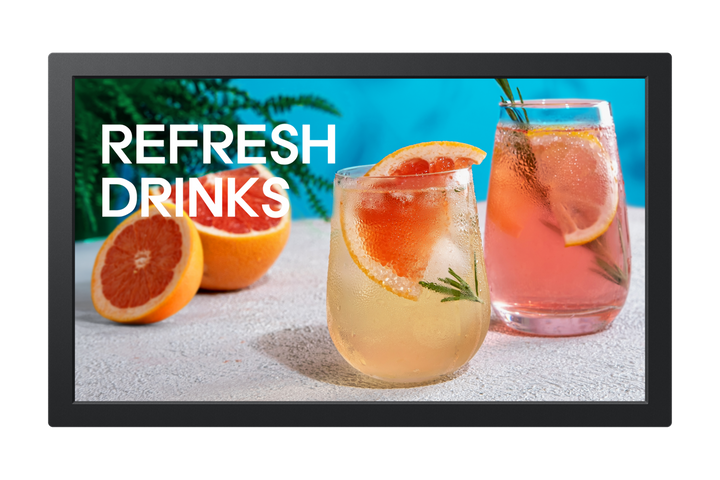
The Samsung QB13C answers a problem every Singapore fit-out runs into: the best place for a message is often the smallest. At 322 x 193.5 mm and only 19.9 mm deep, it slots onto a shelf edge, a service counter, a reception desk, a meeting-room door frame or inside a slim kiosk enclosure where a 32-inch panel would simply not fit. It is a full commercial signage display rather than a consumer tablet pressed into service, so it carries the same colour behaviour, mounting standards and management tooling as Samsung's larger screens.
500-Nit ADS Panel Rated for 16/7 Commercial Operation
A 500-nit ADS panel with 178-degree viewing angles in both planes keeps content legible from off-axis positions and under the bright downlighting typical of retail floors and lift lobbies. The QB13C is rated for 16 hours a day, seven days a week of continuous commercial operation, which covers extended trading hours and full office days without running the panel outside its duty rating. Full HD resolution across 13 inches gives a high pixel density, so pricing, QR codes and small body text stay crisp at the arm's-length distances these placements are read from.
Dual-Band Wi-Fi Removes the Data Drop From the Fixture
Built-in dual-band Wi-Fi covering 2.4 GHz and 5 GHz is often the deciding factor for small-format placements, because running a structured cable to a shelf edge or a door frame can cost more than the display itself. The QB13C joins your network wirelessly, and where a cable is available an RJ-45 Ethernet port is fitted as well. A single HDMI input and a USB port cover a local source or a content stick, and Bluetooth is supported for peripherals and pairing.
Tizen 7.0 Playback With SmartThings Pro and Samsung VXT
Tizen 7.0 with 8 GB of onboard storage plays scheduled content on the panel itself, so there is no external media player to power, mount or replace at every fixture. That matters most when an estate runs to dozens of small screens. SmartThings Pro and the Samsung VXT cloud CMS let your team schedule content, push updates, monitor status and power screens on or off across every site from one console, which removes the site visits that otherwise dominate the running cost of small-format signage.
Samsung QB13C Datasheet — Technical Specifications
General
| Product | Samsung QB13C 13" Small Commercial Signage Display |
| Part Number (SKU) | LH13QBCEBGBXXS |
| Display Type | Small-format commercial signage |
| Operating Time | 16/7 commercial operation |
| Platform | Tizen 7.0 |
| Local Warranty (Singapore) | Supplied by SourceIT with GST invoice |
Display
| Screen Size | 13 inch |
| Resolution | 1920 x 1080 (Full HD) |
| Brightness | 500 nits |
| Panel Type | ADS |
| Viewing Angle | 178° / 178° |
| Orientation | Landscape and portrait |
Smart Platform & Management
| Operating System | Tizen 7.0 |
| Internal Storage | 8 GB |
| Remote Management | SmartThings Pro |
| Content Management | Samsung VXT cloud CMS |
| External Player | Not required — content plays on the panel |
Connectivity
| HDMI | 1 x HDMI |
| USB | 1 x USB |
| LAN | 1 x Ethernet (RJ-45) |
| Wi-Fi | Dual-band 2.4 GHz + 5 GHz |
| Bluetooth | Supported |
Physical & Environmental
| Dimensions (W x H x D) | 322 x 193.5 x 19.9 mm |
| VESA Mount | 100 x 100 mm |
| Colour | Black |
Power
| Typical Power Consumption | Approximately 35 W |
| Standby Power | Approximately 0.5 W |
Specifications are taken from Samsung's published product data for this model. Where Samsung does not publish a figure for this exact model it has been left out rather than estimated.
Compatibility & Installation
Mounting and orientation
The QB13C uses a standard 100 x 100 mm VESA pattern, so it fits common small-format wall plates, counter arms, desk stands and kiosk brackets without a custom adapter. Both landscape and portrait installation are supported, which suits door-side room panels and narrow shelf-edge strips equally. At 19.9 mm deep the panel sits close to the surface it is mounted on, so it does not intrude into walkways at counter height.
What it connects to
One HDMI input accepts a laptop, a room controller, a signage stick or a camera feed. One USB port covers a content drive or a peripheral. An RJ-45 Ethernet port provides a wired network path where a data drop exists at the fixture, and dual-band Wi-Fi covers the far more common case where it does not. Bluetooth is supported for pairing peripherals.
Network and content management
Tizen 7.0 runs scheduled content on the display itself, so no external media player needs to be specified, powered or maintained. Samsung VXT is the cloud CMS used to build playlists, schedule by site and daypart, and push content to every screen in the estate. SmartThings Pro adds device-level remote management: status monitoring, firmware updates, and remote power on and off across sites from a single console.
Related models
If the placement needs a touch surface rather than a display-only panel at the same size, see the Samsung QB13C-T, which adds 10-point capacitive multi-touch in the same 13-inch format.
Package Contents & Samsung QBC Range
In the box
- Samsung QB13C 13" small commercial signage display
Package contents follow Samsung's product data for this model; items not listed by Samsung are not claimed here.
Samsung QBC range
| Model | Size |
| QB13C (this listing) | 13 inch |
| QB24C | 24 inch |
| QB43C | 43 inch |
| QB50C | 50 inch |
| QB55C | 55 inch |
| QB65C | 65 inch |
| QB75C | 75 inch |
| QB85C | 85 inch |
Datasheet & Downloads
SourceIT can email the current data sheet revision for the QB13C together with a quotation. Ask for it when you enquire and we will send the latest published version along with pricing and lead time.
Frequently Asked Questions — Samsung QB13C
Does the QB13C need an external media player?
No. Tizen 7.0 runs on the display with 8 GB of internal storage, so scheduled content plays from the panel itself. That removes a player, its power supply and its mount from every fixture, which is the main reason small-format estates choose a smart signage panel over a monitor plus a stick.
Is it rated for round-the-clock operation?
The QB13C is rated for 16 hours a day, seven days a week. That covers extended retail trading hours and full office days. If the screen must run continuously without powering down, choose a model rated 24/7 instead.
Can it be mounted in portrait?
Yes. Landscape and portrait are both supported, on a standard 100 x 100 mm VESA pattern. Portrait suits door-side room panels, narrow pillar positions and shelf-edge strips.
What is the difference between the QB13C and the QB13C-T?
The QB13C is a display-only panel. The QB13C-T adds a 10-point capacitive multi-touch layer in the same 13-inch format, for self-service check-in, product finders and interactive wayfinding. If visitors only need to read the screen, the QB13C is the right choice.
Will it work without a network cable at the fixture?
Yes. Dual-band Wi-Fi covering 2.4 GHz and 5 GHz is built in, so the display can join your network without a structured cable run to the shelf edge or door frame. An RJ-45 Ethernet port is fitted for sites where a wired drop is available or preferred.
What does the "QB" in the model name indicate?
QB is Samsung's business signage line, positioned below the QM and QH series. Within the QBC generation the number is the diagonal size in inches, so QB13C is the 13-inch model and QB85C is the 85-inch model. A "-T" suffix on any of them indicates a touch variant.
How do I manage a fleet of these across several sites?
SmartThings Pro handles device management — status monitoring, firmware updates and remote power — while Samsung VXT is the cloud CMS for playlists, scheduling and content delivery. Both work across sites from one console, so a content change does not require a visit to each fixture.
What warranty applies and will I get a GST invoice?
Every unit sold by SourceIT carries local Singapore warranty and is supplied with a GST invoice. Warranty is handled locally rather than through a parallel-import channel, so service claims are straightforward.