
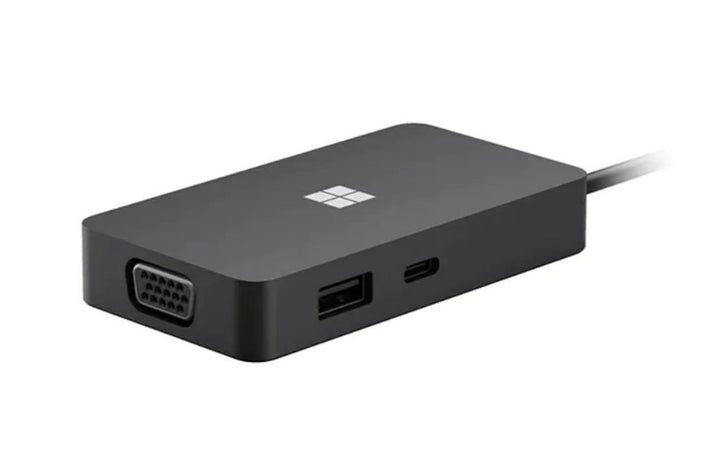
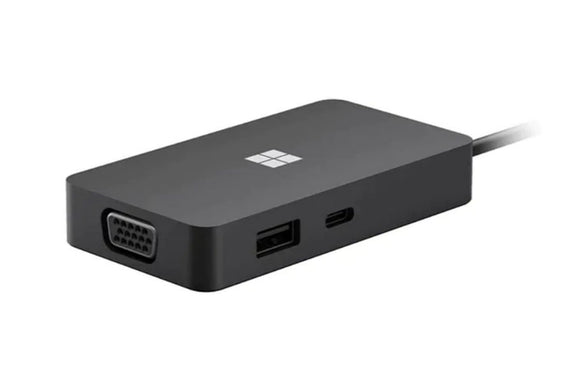


Microsoft Surface USB-C® Travel Hub Adapter
PRODUCT DESCRIPTION
Microsoft Surface USB-C Travel Hub (SWV-00005) - 1 Year Local Warranty
Five Ports in a 99 g Body With the Cable Built In
The Surface USB-C Travel Hub gives one USB-C port, one USB-A port, Gigabit Ethernet, HDMI and VGA from a single USB-C connection. Microsoft publishes it at 89 x 48 x 15 mm and 99.2 g, with a 200 mm captive USB-C cable that stows in the end of the body so there is no separate lead to lose.
HDMI at 4K and a VGA Port for Older Meeting Rooms
The HDMI 2.0 output supports a maximum resolution of 3840 x 2160 at 60 Hz. The VGA output supports a maximum of 1920 x 1080 at 60 Hz — which is the reason this particular adapter survives in corporate purchasing long after VGA disappeared from laptops. Meeting rooms and lecture theatres with a VGA cable on the table are still everywhere.
It Does Not Charge Your Laptop — Read This Before You Order
Microsoft states the position plainly: "Supports compatible accessory charging. Does not support laptop charging." Its support article puts it more strongly still — "The USB-C port doesn't support video out or laptop charging, so you won't be able to use it to connect to an external display or to charge your PC." This is a travel adapter, not a docking station. If you need one cable that also powers the machine, look at the Surface Thunderbolt 4 Dock instead and ask us to quote it.
Wired Gigabit Ethernet in a Pocket
The Gigabit Ethernet port runs at up to 1000 Mbps full duplex. For anyone who presents from client sites, or who needs a wired connection for a large file transfer or a guest network that blocks Wi-Fi, that port alone usually justifies the adapter.
Specification note. Every figure on this page is quoted from Microsoft's Surface USB-C Travel Hub support article and Microsoft Store specification block, both listed below. Note in particular that this adapter does not charge a laptop and its USB-C port does not carry video — Microsoft states both explicitly. Microsoft does not publish manufacturer part numbers for this range, so the code SWV-00005 in the heading is the distributor part number this listing is sold against. The one-year warranty in the heading is SourceIT's local warranty; Microsoft publishes no duration for Surface accessories on its public support pages.
Surface USB-C Travel Hub Datasheet — Technical Specifications
Ports
| USB-C | 1 port, USB-C 3.2 Gen 2, 10 Gbps data transfer, pass-through accessory charging. Microsoft states this port does not support video out or laptop charging |
| USB-A | 1 port, USB-A 3.2 Gen 2, 10 Gbps data transfer, pass-through accessory charging |
| Ethernet | 1 Gigabit Ethernet port, up to 1000 Mbps full duplex |
| HDMI | 1 x HDMI 2.0, maximum 3840 x 2160 at 60 Hz |
| VGA | 1 x VGA, maximum 1920 x 1080 at 60 Hz |
| Host cable | USB-C captive cable, 200 mm, stows in the end of the hub |
Power
| Laptop charging | Not supported. Microsoft states: "Supports compatible accessory charging. Does not support laptop charging." |
| Accessory charging | Supported, pass-through on the USB-C and USB-A ports |
| Power supply | None supplied. The hub is bus-powered from the host |
Physical
| Dimensions | 89 x 48 x 15 mm (3.5 x 1.9 x 0.59 in) |
| Weight | 99.2 g (0.22 lb) |
What Microsoft Does Not Publish for This Product
The following are commonly asked about but are not stated on any current official Microsoft source for this product, so SourceIT does not quote them: a manufacturer part number, whether the HDMI and VGA outputs can be driven at the same time and an operating temperature range. We would rather leave a field blank than print a figure we cannot substantiate.
Product Status, Availability and Warranty
The Surface USB-C Travel Hub is a current Microsoft product. Microsoft maintains a Microsoft Support article and a live Microsoft Store specification block for it, and lists it on its Surface dock identification page alongside its current docks.
Stock of this product is held locally in Singapore. Contact our team for the current stock position, a written quotation and the delivery lead time.
Warranty Position
SourceIT supplies this product in Singapore with a one-year local warranty, which is the term stated in the heading of this listing. That term is SourceIT's, not a figure quoted from Microsoft. Microsoft's current PC Accessory warranty page publishes no duration at all for Surface and Microsoft accessories — it directs the buyer to their proof of purchase to establish the warranty period, and the underlying limited hardware warranty terms are distributed as regional PDF documents rather than stated on the page. We would rather tell you that plainly than print a warranty term Microsoft does not publish for this product. Ask our team to confirm the warranty position in writing before you order.
Compatibility, Setup and Software
The hub connects over its own 200 mm captive USB-C cable and is bus-powered, so there is no power supply to carry. It is not restricted to Surface hardware; it needs a host with a USB-C port that supports the display and data functions you intend to use.
Two limits decide whether this is the right adapter for a given job, and both come from Microsoft's own wording. First, it does not charge a laptop — the USB-C port supports accessory charging only. Second, that same USB-C port does not carry video, so displays must go to the HDMI or VGA output. If you need one cable that carries video, data and power to the machine, this is not that product; the Surface Thunderbolt 4 Dock is.
There is no Surface Connect connector on this hub. If you are replacing an older Surface Connect dock or adapter, this is a different connection type — tell us what you are replacing and we will confirm the right part before you order.
Host and Display Compatibility
| Host connection | USB-C, over the hub's own 200 mm captive cable |
| Laptop charging | Not supported, per Microsoft |
| Video out over USB-C | Not supported, per Microsoft. Use the HDMI or VGA output |
| Maximum HDMI resolution | 3840 x 2160 at 60 Hz |
| Maximum VGA resolution | 1920 x 1080 at 60 Hz |
| Power supply | None required or supplied; the hub is bus-powered |
Official Microsoft Sources & Downloads
- Use the Microsoft or Surface USB-C Travel Hub (Microsoft Support)
- Surface USB-C Travel Hub technical specifications (Microsoft Store)
- Identify your Surface Dock and features (Microsoft Support)
- Microsoft PC Accessory warranty (Microsoft Support)
- Hardware protection, warranty and repair (Microsoft Support)
Where a figure appears on this page it is quoted from one of these Microsoft pages; where Microsoft publishes nothing, this page says so instead of quoting a number. Supplied by SourceIT in Singapore with a GST invoice and local support. For a written quotation, current stock position or delivery lead time, contact our team.
Frequently Asked Questions — Surface USB-C Travel Hub
Will it charge my laptop?
No. Microsoft states: "Supports compatible accessory charging. Does not support laptop charging." The USB-C port passes charge through to accessories only. If you want a single cable that also powers the machine, the Surface Thunderbolt 4 Dock delivers up to 96 W to the host — ask us to quote it instead.
Can I connect a monitor to the USB-C port?
No. Microsoft's support article states that the USB-C port does not support video out. Displays go to the HDMI output, which reaches 3840 x 2160 at 60 Hz, or the VGA output, which reaches 1920 x 1080 at 60 Hz.
Does it work with non-Surface computers?
It is a standard USB-C adapter and is not restricted to Surface hardware. What matters is that the host's USB-C port supports the display and data functions you intend to use. Send us the machine model if you would like us to confirm before you order.
Is there a power supply in the box?
No, and none is needed. The hub is bus-powered from the host over its captive 200 mm USB-C cable, which stows into the end of the body when you are not using it.
What warranty comes with it?
SourceIT supplies it with a one-year local warranty in Singapore. Microsoft publishes no warranty duration for its accessories on any public page — its PC Accessory warranty page directs buyers to their proof of purchase instead. We will confirm the position in writing with your quotation.


