
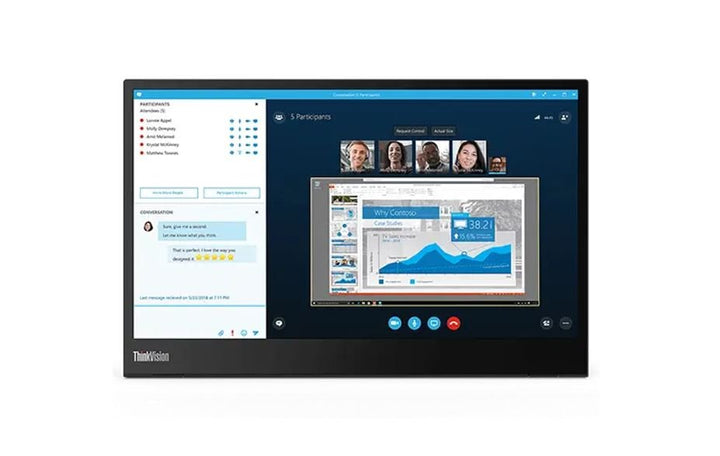


Lenovo ThinkVision M14 14" FHD Mobile Monitor
PRODUCT DESCRIPTION
Lenovo ThinkVision M14 Portable Monitor (61DDUAR6WW) - 3 Years Local Warranty
A 598-Gram 14-Inch Second Screen That Travels in the Laptop Bag
The ThinkVision M14 weighs 598 grams and measures 323.37 x 96.54 x 209.03 mm, with a fabric sleeve included in the box. (Our previous listing quoted a 4.5 mm thickness and a 570 g weight; neither figure appears in Lenovo's specification for this model, so both have been removed.) It exists for one job: giving a laptop a second screen in a hotel room, a client's meeting room or a hot desk, without adding a second bag.
One USB-C Cable, and a Second Port So the Laptop Still Charges
Two USB-C ports, one on each side, both carrying DisplayPort 1.2 Alt Mode. Connect the laptop to one and, if you need it, a charger to the other — Lenovo's datasheet describes this as power pass-through, powering the monitor and charging the notebook from a single adapter, and recommends its 65 W unit for the purpose. Having a port on each side also means the cable can run whichever way the desk demands.
300 Nits and a 90-Degree Tilt Range
At 300 cd/m² the M14 is the brightest of Lenovo's original mobile monitors, and the integrated stand tilts from -5° to +90° — the only model in this family that tilts forward at all, which matters when the monitor is sitting on a low table.
Read the Two Things It Does Not Have
No power adapter in the box and no speakers. Lenovo states both plainly and so do we. The monitor draws its power from the host over USB-C; audio comes from the laptop. There is also no HDMI input of any kind — the host's USB-C port must support DisplayPort Alt Mode.
Lenovo ThinkVision M14 Datasheet — Technical Specifications
General
| Product | Lenovo ThinkVision M14 Portable Monitor |
| Part Number | 61DDUAR6WW |
| Machine Type | 61DD |
| Colour | Not published by Lenovo for this model |
| Warranty | 3-Year Limited Warranty (Lenovo, per PSREF) |
| Local Warranty (Singapore) | Included with every SourceIT purchase, with GST invoice |
Panel & Image
| Screen Size | 14" |
| Panel Type | In-Plane Switching (IPS), WLED backlight |
| Resolution | 1920 x 1080 (Full HD) |
| Aspect Ratio | 16:9 |
| Pixel Pitch | 0.1611 mm |
| Refresh Rate | 60 Hz |
| Response Time | 6 ms with overdrive |
| Brightness | 300 cd/m² |
| Contrast Ratio | 700:1 typical; 3,000,000:1 dynamic |
| Colour Gamut | 72% NTSC — Lenovo publishes no sRGB figure for this model |
| Colour Depth | 8-bit (6-bit + FRC) |
| Viewing Angles | 178° horizontal / 178° vertical |
| Surface | Anti-glare. Lenovo publishes no haze percentage |
| Bezel | 5.48 mm sides, 5.47 mm top, 23.87 mm bottom |
| Touch | None — this model is not a touchscreen |
Connectivity
| USB-C | 2 x USB-C 3.1 Gen 1 — DisplayPort 1.2 Alt Mode, one USB upstream and one USB downstream. Data transfer rate is USB 2.0 |
| Power Input | DC 5 V to 20 V over USB-C |
| Power Delivery | Up to 65 W USB-C Power Delivery with power pass-through — powers the monitor and charges the notebook from one adapter. Lenovo recommends its 65 W adapter, part SA10E75874 (Lenovo datasheet) |
| Security | Kensington Security Slot |
| Power Adapter | Not included. Lenovo supplies no power adapter with this monitor. It runs on bus power from the host over USB-C, or from a USB-C Power Delivery adapter you supply |
| Speakers | None. Lenovo's specification for this model contains no audio output of any kind — no speakers and no headphone jack |
| Battery | None. The monitor has no internal battery |
| HDMI | None. There is no micro-HDMI or HDMI input. The only video path is DisplayPort Alt Mode over USB-C, so the host device must support it |
Stand & Mounting
| Stand | Integrated |
| Tilt | -5° to +90° |
| Height | Lenovo publishes dimensions at a lowest height of 209.03 mm and a highest of 220.03 mm, but states no lift specification for this model |
| VESA | 100 mm, 2 screw holes |
Power & Certifications
| Power Consumption | 6 W typical / 7.5 W maximum, measured without USB-C output |
| Sleep / Off Mode | < 0.3 W |
| Power Supply | External — no adapter bundled |
| Certifications | ENERGY STAR; EPEAT Silver registered; RoHS; ISO 9241-307; TÜV Rheinland Eye Comfort; TÜV Rheinland Low Blue Light |
| TCO Certified | Not published by Lenovo for this model |
Physical
| Dimensions (W x D x H) | 323.37 x 96.54 x 209.03 mm at lowest height; 220.03 mm at highest |
| Weight | 0.598 kg (1.31 lb) |
| Packaged Dimensions | 402 x 276 x 61 mm |
| Packaged Weight | 1.67 kg |
Compatibility & Fit
The compatibility question that decides everything. Video reaches this monitor only as DisplayPort 1.2 Alt Mode over USB-C. There is no HDMI port. A host whose USB-C port carries data and power but not DisplayPort Alt Mode — which describes many budget laptops and most desktop front-panel ports — cannot drive this monitor at all. Business ThinkPads, ThinkBooks and comparable machines generally can. Send us your laptop model and we will confirm it before you order.
Powering it. In normal use the host laptop powers the monitor down the same USB-C cable that carries the picture, and nothing else is needed. Two situations call for an adapter: a host that cannot spare the power, and a desk where you want the laptop charging while the monitor runs. The second USB-C port handles that — Lenovo's datasheet calls it power pass-through and recommends its 65 W adapter, part SA10E75874. That adapter is a separate purchase; ask us to add one.
Two ports, one on each side. A small thing that matters daily: with a USB-C port on each edge, the cable runs to whichever side your laptop's port is on, instead of looping across the desk.
Mounting. Lenovo publishes 100 mm VESA support with 2 screw holes, so the M14 can go on an arm or a wall bracket for a fixed second-screen position rather than living on its own stand.
Package Contents & ThinkVision Portable Monitor Ordering Information
In the box, per Lenovo PSREF:
- Monitor with integrated stand
- 1 x USB-C to USB-C cable (1 m)
- 1 x pair of clips
- 1 x ThinkVision M14 sleeve
- Quick setup guide
Not in the box: a power adapter. Lenovo states "External Power Supply (no adapter bundle)" for this model.
ThinkVision Portable Monitor Ordering Information
| 61DDUAR6WW (this listing) | ThinkVision M14 — 14" FHD IPS, 300 nits, 0.598 kg, sleeve included |
| 63AAUAR6WW | ThinkVision M14d — 14" 2.2K 16:10, 100% sRGB, 0.6 kg |
| 63FDUAR6WW | ThinkVision M14t Gen 2 — 14" 2.2K 16:10 touch, pen included, 0.7 kg |
| 62CAUAR1WW | ThinkVision M15 — 15.6" FHD IPS, 250 nits, 0.9 kg, sleeve included |
| 64BFUAR1WW | ThinkVision M16 — 16" WUXGA 16:10, 4.5 W typical, 0.97 kg |
Datasheet & Downloads
- Lenovo PSREF specification sheet — ThinkVision M14 (PDF)
- Lenovo ThinkVision M14 product datasheet (PDF)
PSREF is Lenovo's own Product Specifications Reference and is the source for every figure on this page except items labelled as coming from Lenovo's product datasheet. PSREF publishes its spec sheets per model; a per-part-number detail page also exists at psref.lenovo.com and will render in a normal browser if you need this exact SKU confirmed before ordering.
Frequently Asked Questions — Lenovo ThinkVision M14
How is the M14 different from the M14d?
Both weigh about 600 grams. The M14 is Full HD 16:9 at 72% NTSC; the M14d is 2.2K 16:10 at 100% sRGB with 1500:1 contrast against the M14's 700:1. The M14 is the cheaper travel screen and includes a sleeve; the M14d is the better panel and, notably, ships with no sleeve at all. Both are linked in the ordering table above.
Can I mount it on a monitor arm?
Yes. Lenovo publishes 100 mm VESA support with 2 screw holes for the M14.
Does a power adapter come in the box?
No. Lenovo ships no power adapter with any monitor in this family. In most cases you do not need one — a laptop's USB-C port will power the monitor directly. You need an adapter only if your host cannot supply enough power, or if you want to charge the laptop and run the monitor from one wall socket at the same time. Lenovo's own datasheet recommends its 65 W adapter (part SA10E75874) for that. Ask us to quote one alongside the monitor.
Does it have speakers?
No. Lenovo publishes no audio specification for this monitor at all — no speakers, no headphone jack. Sound comes from your laptop or from a separate device. This surprises a lot of buyers, which is why we state it plainly rather than leaving it to be discovered.
Can I connect it over HDMI?
No. There is no HDMI or micro-HDMI port. Video arrives only as DisplayPort Alt Mode over USB-C, which means the host device must support DisplayPort Alt Mode on its USB-C port. Most business laptops from the last several years do; many budget laptops, some tablets and most desktop USB ports do not. If you are unsure about your machine, tell us the model and we will check before you order.
Will it work with a Mac, an iPad or a phone?
Any host that outputs DisplayPort Alt Mode over USB-C and can supply enough power will drive it. Lenovo publishes compatibility for Windows; it does not publish a certified list for macOS, iPadOS or Android for this model, so we will not claim one. If a specific device matters to you, ask us and we will check it against Lenovo before you commit.
How fast are the USB ports for data?
This is worth reading carefully. Lenovo labels the ports with a USB 3.x generation, but the data transfer rate published for them is USB 2.0. The downstream port is there for a mouse, a keyboard or a dongle — it is not a fast data hub, and an external SSD plugged into it will run at USB 2.0 speeds.
What warranty applies in Singapore?
Lenovo PSREF states a 3-year limited warranty as the base warranty for this model, and every unit SourceIT sells comes with local Singapore warranty support and a GST invoice.


