
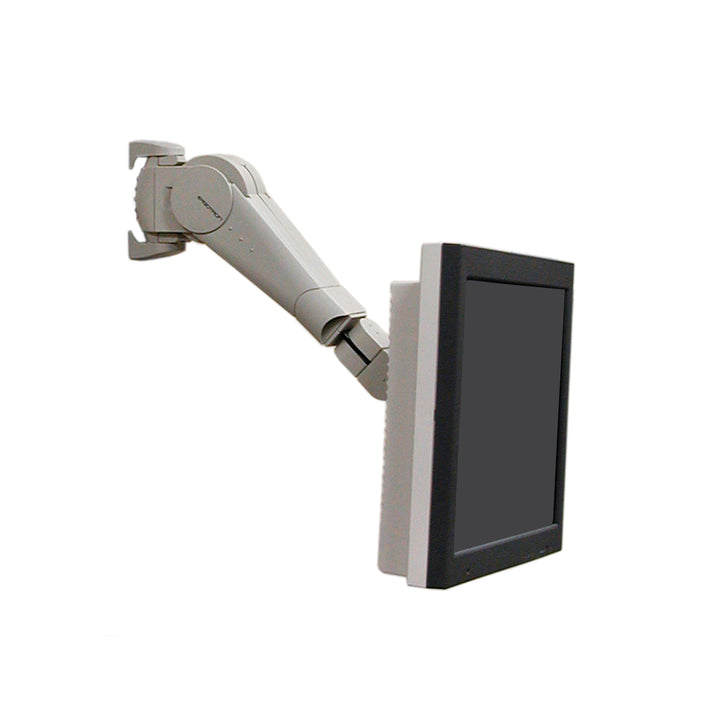


Ergotron 400 Series Wall Monitor Arm Grey
PRODUCT DESCRIPTION
Ergotron 400 Series Wall Monitor Arm Grey (45-007-099) - Local Warranty
24″ (61 cm) of Vertical Travel for Sit-Stand Wall Work
The Ergotron 400 Series Wall Monitor Arm carries a display through a vertical range of 24″ (61 cm) — enough to serve a user seated, standing, or anywhere in between, from a single wall fixing. That range is what separates the 400 Series from a conventional wall pivot: it is a sit-stand solution that happens to be wall-mounted, which suits the shared touchdown points, clinical bays and hot-desks common in Singapore workplaces.
Extends 10.25″ to 18.85″ and Folds Back
Horizontal reach runs from a compact 10.25″ (260.4 mm) to 18.85″ (478.8 mm), so the screen can be drawn out for detailed work and pushed back toward the wall when the space is needed. Combined with the vertical travel, the arm covers a large working envelope without any desk footprint at all.
±90° Tilt, 180° Pan and 180° Monitor Pivot
The 400 Series offers ±90° of monitor tilt, 180° of horizontal arm rotation and a 180° pivot of the monitor itself for portrait or landscape viewing. Cables are concealed and guided under the plastic covers, keeping a wall-mounted screen looking deliberate rather than improvised.
Counterbalanced for 5–23 lbs (2.27–10.43 kg)
Ergotron specifies a weight range of 5–23 lbs (2.27–10.43 kg) with friction and counterbalance adjustment, so the arm is tuned to the specific display fitted and then moves with minimal effort. The installation guide recommends a mounting height of 44″ (1118 mm) for users between 5′1″ and 5′11″, adjusted an inch for every inch of difference in user height.
Ergotron 400 Series Wall Monitor Arm Datasheet — Technical Specifications
General
| Part Number | 45-007-099 |
| Model | 400 Series Wall Monitor Arm |
| Number of Screens | One (1) |
| Colour / Finish | Grey (also available in black as 45-007-085) |
| Mounting Type | Wall mount |
| Recommended Mounting Height | 44″ (1118 mm) for users 5′1″–5′11″; adjust 1″ per 1″ difference in user height |
| Local Warranty | Local Warranty (Singapore) |
Display Compatibility
| Weight Capacity | 5–23 lbs (2.27–10.43 kg) |
| VESA Pattern | 75 x 75 mm and 100 x 100 mm |
| VESA Guidance | Ergotron specifies 75 mm pattern for screens under 17″ and 100 mm pattern for screens 17″ and above |
Adjustment & Motion
| Vertical Range | 24″ (610 mm) |
| Tilt | ±90° |
| Horizontal Arm Rotation | 180° |
| Vertical Arm Rotation | 180° |
| Monitor Pivot | 180° (portrait / landscape) |
| Maximum Extension | 18.85″ (478.8 mm) |
| Minimum Extension | 10.25″ (260.4 mm) |
| Lift Mechanism | Friction and counterbalance adjustment |
Design & Durability
| Cable Management | Cables are concealed and guided under the plastic covers |
Compatibility & Fit
VESA: the 400 Series accepts 75 x 75 mm and 100 x 100 mm hole patterns. Ergotron’s own guidance is to use the 75 mm pattern for screens below 17″ and the 100 mm pattern for screens of 17″ and above. Custom interfaces are available for displays that do not conform.
Screen fit: Ergotron specifies a weight range of 5–23 lbs (2.27–10.43 kg). Both ends matter: the counterbalance mechanism needs a minimum load to hold position, so a very light panel is as much of a mismatch as an over-heavy one. Weigh your display without its factory stand.
Mounting height: because this arm is designed for sit-stand use, where you fix it determines the range you actually get. Ergotron recommends 44″ (1118 mm) for users between 5′1″ and 5′11″, moving the mounting height one inch for every inch of difference in user height. Plan this before drilling — the arm gives 24″ (61 cm) of travel, but only around the height you mount it at.
Wall fixing: fix into structural framing, concrete or masonry. A counterbalanced arm with 24″ of travel and up to 18.85″ of reach places significant load on the wall plate; unsupported plasterboard is not suitable. Use an Ergotron steel stud wall mounting kit on stud-frame walls.
Ultrawide and curved panels: check the weight first — most ultrawides exceed 23 lbs (10.43 kg). Curved panels within the weight range mount normally.
Package Contents & 400 Series Ordering Information
In the box
- 400 Series wall monitor arm assembly with plastic covers
- Wall mounting hardware (#10-24 x 3/8″ fasteners)
- Monitor attachment hardware (M4 x 10 mm screws)
- Friction and counterbalance adjustment components
- Installation guide
400 Series Wall Monitor Arm finishes
| 400 Series Wall Monitor Arm, Grey (this listing) | 45-007-099 |
| 400 Series Wall Monitor Arm, Black | 45-007-085 |
Alternative Ergotron wall mounts at SourceIT
| 100 Series Double Pivot | 47-093-800 — minimum-profile wall pivot, under 6″ from wall, ≤ 23 lbs (10.4 kg) |
| 200 Series Wall Monitor Arm, 1 Extension | 45-233-200 — extends to 14.8″ (37.6 cm), ≤ 25 lbs (11.3 kg), ≤ 27″ |
| 200 Series Wall Monitor Arm, 2 Extensions | 45-234-200 — extends to 23.8″ (60.5 cm), ≤ 25 lbs (11.3 kg), ≤ 27″ |
| 200 Series Combo Arm | 45-230-200 — adds a keyboard tray for point-of-use data entry |
Datasheet & Downloads
Official Ergotron documentation for this model. Links open in a new tab.
- Ergotron product page — 400 Series Extreme Adjustment Monitor Arm (45-007)
- Official Ergotron 400 Series Wall Mount LCD Arm dimensional and specification drawing (PDF)
- Ergotron 400 Series Flat Panel Monitor Arm installation guide (PDF)
SourceIT Pte Ltd is a Singapore-based IT reseller. For a formal quotation, bulk pricing or a GST invoice, contact our sales team.
Frequently Asked Questions — Ergotron 400 Series Wall Monitor Arm
What is the difference between the grey and black 400 Series arm?
Finish only. The grey 45-007-099 and black 45-007-085 are the same arm with different covers.
How much weight does the 400 Series carry?
Ergotron specifies a range of 5–23 lbs (2.27–10.43 kg). The lower figure matters too — the counterbalance needs a minimum load to hold position, so a very light display is not a good match.
How much height adjustment does it give?
It carries the monitor through a vertical range of 24″ (61 cm), which is what makes it usable for both seated and standing work from one wall fixing.
How far does it extend from the wall?
Between 10.25″ (260.4 mm) and 18.85″ (478.8 mm).
At what height should I mount it?
Ergotron recommends 44″ (1118 mm) for users between 5′1″ and 5′11″, adjusting the mounting height one inch for every inch of difference in user height. Decide this before drilling, since the 24″ of travel is centred on where the plate is fixed.
How does it compare with the 200 Series wall arms?
The 200 Series 2-extension arm (45-234-200) reaches further out at 23.8″ (60.5 cm) and carries slightly more at 25 lbs (11.3 kg), but has no comparable vertical travel. Choose the 400 Series when the same screen must serve a seated and a standing user; choose the 200 Series when horizontal reach is what you need.
Does the 400 Series come with a warranty in Singapore?
Yes. Every Ergotron 400 Series Wall Monitor Arm sold by SourceIT comes with local Singapore warranty and a GST invoice. Ergotron does not publish a single fixed manufacturer warranty term for the 400 Series Wall Monitor Arm on its current datasheet — contact SourceIT and we will confirm the applicable term in writing before you order.


