
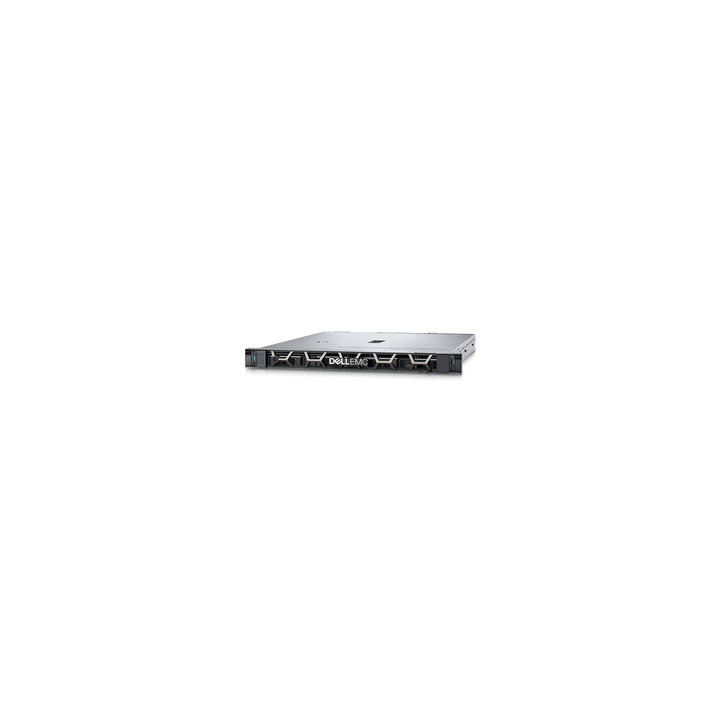

Dell PowerEdge R250 1U Rack Server
Email sales@sourceit.com.sg or use Request for Quotation below and our team will confirm the latest price, availability and lead time.
PRODUCT DESCRIPTION
Dell PowerEdge R250 1U Rack Server (Configure-to-Order) - Local Warranty
Entry-Level 1U Compute for Everyday Workloads
The Dell PowerEdge R250 is an entry-level 1U rack server built around one Intel Xeon E-2300 series processor with up to 8 cores (or an Intel Pentium processor with up to 2 cores) and four DDR4 UDIMM slots for up to 128 GB of ECC memory at up to 3200 MT/s. The R250 belongs to Dell's previous (15th) PowerEdge generation; the current-generation equivalent is the PowerEdge R360.
Simple Storage and Expansion
Up to four 3.5-inch SAS/SATA drives (hot-swap or cabled), PERC hardware RAID options, an optional BOSS-S1 boot module and two PCIe Gen4 low-profile slots cover file and print, small databases, branch-office infrastructure and web serving.
Managed and Secured by iDRAC9
The R250 includes Dell's iDRAC9 controller with Redfish API and the OpenManage portfolio for remote monitoring and updates, protected by a Silicon Root of Trust, cryptographically signed firmware, Secure Boot and System Lockdown.
Dell PowerEdge R250 Datasheet — Technical Specifications
General
| Product Name | Dell PowerEdge R250 Rack Server |
| Generation | Dell PowerEdge 15th Generation (Intel) |
| Form Factor | 1U rack server |
| Order Type | Configure-to-Order (CPU, memory, drives, RAID, PSU and support term chosen per order) |
| Local Warranty (Singapore) | Dell warranty and support term selected at configuration; 3 years minimum recommended |
Processor & Memory
| Processor | One Intel Xeon E-2300 series processor with up to 8 cores, or one Intel Pentium processor with up to 2 cores |
| Memory Slots | 4 DDR4 DIMM slots, unbuffered ECC DDR4 UDIMMs only |
| Maximum Memory | 128 GB |
| Memory Speed | Up to 3200 MT/s (up to 2666 MT/s with Pentium processors) |
Storage
| Drive Bays | Up to 4 x 3.5" hot-swap SAS/SATA (max 30.72 TB); up to 2 x 3.5" cabled SAS/SATA (max 15.36 TB); or up to 4 x 3.5" cabled SAS/SATA (max 30.72 TB) |
| Internal Controllers | PERC H345, PERC H755, HBA355i, S150 software RAID |
| External Controller | HBA355e |
| Boot | Dual SD module, USB, or BOSS-S1 (hardware RAID, 2 x M.2 SSDs) |
Expansion & Networking
| PCIe Slots | 1 x8 Gen4 (x16 connector) and 1 x8 Gen4 (x8 connector), both low profile, half length |
| GPU Support | Not supported |
| Embedded NIC | 2 x 1GbE LOM |
| Front Ports | 1 x iDRAC Direct (Micro-AB USB), 1 x USB 2.0 |
| Rear Ports | 1 x dedicated iDRAC Ethernet, 1 x USB 2.0, 1 x USB 3.0, 1 x VGA, 1 x serial |
| Internal Port | 1 x USB 3.0 (optional) |
Management & Security
| Embedded Management | iDRAC9, iDRAC Direct, iDRAC RESTful API with Redfish, iDRAC Service Module |
| OpenManage | OpenManage Enterprise with Power Manager, SupportAssist and Update Manager plug-ins; OpenManage Mobile |
| Integrations | BMC Truesight, Microsoft System Center, Red Hat Ansible Modules, VMware vCenter and vRealize Operations Manager; connections for IBM Tivoli Netcool/OMNIbus, IBM Tivoli Network Manager IP Edition, Micro Focus Operations Manager, Nagios Core and Nagios XI |
| Security | Silicon Root of Trust, cryptographically signed firmware, Secure Boot, Secure Erase, System Lockdown, TPM 1.2/2.0 (FIPS, CC-TCG certified), TPM 2.0 China NationZ |
| Bezel | Optional bezel or security bezel |
Power, Cooling & Physical
| Power Supplies | 450 W Bronze (100-240 V AC), 450 W Platinum (100-240 V AC), 700 W Titanium (100-240 V AC or 240 V DC) |
| Cooling | Air cooling, up to four cabled fans |
| Dimensions (H x W x D) | 42.8 x 482 x 598.64 mm (with bezel); 585 mm deep without bezel |
| Maximum Weight | 12.48 kg (4 x 3.5" configuration) |
How to Configure Your Server — Sizing Checklist
Servers are built to order. Answer the questions below so we can size the right configuration for you.
Step 1: Hardware Requirements
- Which server form factor do you need: tower or rackmount?
- How many CPU cores, how much RAM and how much usable storage capacity do you require?
- How many processors: single-socket (1S), dual-socket (2S) or four-socket (4S)?
- Which RAID configuration do you need? Any specific HDD or SSD type, such as 7.2K or 10K rpm drives?
- Which network interface is required: 1GbE Base-T, SFP+ or Fibre Channel?
- How many years of maintenance support do you need? (Minimum 3 years)
Step 2: Deployment & Services
- How many server units are required?
- Will you run virtual machine workloads? Do you need a VMware licence, or Windows Server with Hyper-V?
- How do you store data today? Do you have existing NAS or SAN storage?
- How do you back up today? Would you like a backup proposal, such as an IDPA 8TB appliance?
- Do you require burn-in test services?
- Do you need hard disk retention services?
Operating Systems, Management & Workloads
Operating Systems & Hypervisors
Canonical Ubuntu Server LTS, Microsoft Windows Server with Hyper-V, Red Hat Enterprise Linux, SUSE Linux Enterprise Server and VMware ESXi. Check Dell's OS support matrix for the exact versions certified on your chosen processor.
Management Tools
iDRAC9 gives out-of-band console, monitoring and alerting from day one. OpenManage Enterprise manages fleets of PowerEdge servers, and integrations bring the R250 into VMware vCenter, Microsoft System Center and Red Hat Ansible workflows.
Typical Workloads
File and print, small-business applications, entry-level databases, web hosting and branch or remote-office infrastructure.
Package Contents & Dell PowerEdge 15th Generation Ordering Information
What Is Supplied
The R250 is built to order: chassis with the processor(s), memory, drives, RAID controller, network options and power supplies specified on your quotation, plus rack rails, bezel and power cords where ordered.
Dell PowerEdge 15th Generation
| Model | Key feature |
| PowerEdge R250 (this listing) | 1U, 1-socket Intel Xeon E-2300 |
| PowerEdge R350 | 1U, 1-socket Intel Xeon E-2300, hot-plug drives |
| PowerEdge R450 | 1U, 2-socket 3rd Gen Intel Xeon Scalable |
| PowerEdge R550 | 2U, 2-socket 3rd Gen Intel Xeon Scalable |
| PowerEdge R650 | 1U, 2-socket 3rd Gen Intel Xeon Scalable, high density |
| PowerEdge R750 | 2U, 2-socket 3rd Gen Intel Xeon Scalable |
Datasheet & Downloads
| Dell spec sheet | Dell PowerEdge R250 Spec Sheet (PDF) |
| Technical guide | Dell PowerEdge R250 Technical Guide (PDF) |
| Manuals & drivers | PowerEdge R250 manuals and documents on Dell Support |
Frequently Asked Questions — Dell PowerEdge R250
Is this a fixed configuration?
No. The R250 is configure-to-order. Processor, memory, drives, RAID controller, power supply and the support term are specified to your workload; use the sizing checklist above to brief us.
How much memory can it take?
Four DDR4 UDIMM slots for up to 128 GB of ECC memory, at up to 3200 MT/s with Xeon E-2300 processors.
Does it support GPUs?
No. GPUs are not supported on the R250; it has two PCIe Gen4 low-profile slots for network or storage cards.
R250 or R350?
Both take one Xeon E-2300 processor and up to 128 GB of memory. The R350 adds up to 8 x 2.5-inch drive bays, a third PCIe slot for a dedicated PERC and the BOSS-S2 boot module.
Which generation is this?
The R250 is a 15th Generation PowerEdge server. The current-generation 1-socket 1U equivalent is the PowerEdge R360.
Product Video
We Also Recommend


Dell 27 Plus S2725QS 27" 4K Monitor


Dell 27 Plus S2725QC 27" 4K USB-C Monitor


Dell Pro 27 Plus P2725QE 27" 4K USB-C Hub Monitor


Dell Pro Smart Dock SD25TB4 Thunderbolt 4 Docking Station


Dell 27 Plus S2725DSM 27" QHD Monitor