RTX Spark Windows on Arm App Compatibility Guide (2026, SG)

NVIDIA RTX Spark laptops run Windows 11 on Arm, so the first question any Singapore IT manager asks is the right one: will our software run? The short answer, as of 22 October 2026, is that native Arm64 now covers the core of a business desktop, NVIDIA's CUDA, PyTorch and Python stack is native on the N1X for the first time on Windows on Arm, Adobe Photoshop and Premiere have native RTX Spark support in beta, and everything else x86 or x64 runs through Microsoft's Prism emulator except drivers and kernel-mode agents, which must be Arm64. This guide covers what runs natively, what runs emulated, what to check before a fleet order, the developer setup, launch gaming, and how the N1X differs from the Snapdragon X2 Elite in the ASUS Ascent QN10 Windows on Arm guide. The hardware itself is covered in our RTX Spark laptop guide; the stocked machines are the three MSI Prestige N16 Flip AI+ configurations.
RTX Spark app compatibility: the short version
| Category | Status on an RTX Spark N1X laptop | Source |
|---|---|---|
| CUDA, PyTorch, Python, Conda | Native Arm64: CUDA Toolkit 13.4.2, PyTorch 2.14.0 CUDA wheels, native Python and Miniconda installer | NVIDIA, 15-16 Oct 2026 |
| Microsoft 365, Teams, Outlook, Chrome, Slack, Dropbox | Native Arm64 | Microsoft, Sept 2025 |
| Adobe Photoshop, Premiere Pro | Native Arm64; RTX Spark acceleration in beta at launch; Substance 3D "coming soon" | NVIDIA, 16 Oct 2026; Adobe, Jun 2026 |
| VPN clients and endpoint security (Cisco AnyConnect, Global Secure Access, Defender, CrowdStrike, Sophos, SentinelOne) | Native Arm64 builds from the major vendors; a product without one will not install | Microsoft, Sept 2025 and Aug 2026 |
| Other x86 and x64 desktop apps | Run under Prism emulation (Windows 11 24H2), unmodified | Microsoft Learn |
| Drivers, kernel-mode agents, dongles | Must be compiled for Arm64; no emulation | Microsoft Learn |
| Linux Arm64 and DGX Spark Python packages | Cannot run in native Windows Python; use the Windows Arm64 wheels or WSL | NVIDIA, 15 Oct 2026 |
| Games | Launch titles named by NVIDIA with DLSS 5; anti-cheat drivers must support Arm | NVIDIA, 16 Oct 2026; Microsoft FAQ |
What runs natively on the N1X
Three layers run natively. The first is the ordinary Windows on Arm catalogue, which the RTX Spark inherits: Microsoft's September 2025 developer blog listed Microsoft 365, Teams, Outlook, OneNote, Chrome, Slack, Dropbox, Google Drive, Photoshop, Illustrator and Lightroom as native Arm64, and its Works on Windows on Arm catalogue passed 7,000 verified apps and games in August 2026, with Discord, Telegram, Affinity, MATLAB, Bluebeam Revu, Sophos, Trellix and Acronis among the recent native additions. The second layer is new and specific to the N1X: NVIDIA's launch release describes the first PyTorch-CUDA build for Windows on Arm, a Python build that is native by default, the first native Conda installer and support for 97 per cent of the top 15,000 Python packages, plus NVIDIA Studio and Game Ready drivers for a GPU with CUDA capability 12.1. The third is the agent layer: NVIDIA says GitHub Copilot, Hermes, OpenClaw, Perplexity, Pi and WorkBuddy install through guided installers without a command line, with the NVIDIA OpenShell runtime and Microsoft Execution Containers governing what an agent may touch.
For creative teams, NVIDIA states that native RTX Spark support in Photoshop and Premiere is in beta at launch and that Substance 3D support is coming; Adobe, as reported by Windows Central in June 2026, promised up to twice the speed for AI, editing, colour and effects, which is a vendor claim until independently tested. Adobe's own Windows on Arm note, covered in our QN10 guide, still applies: Premiere Pro, After Effects, Audition and Media Encoder are native from version 26.0, and Intel-compiled third-party plug-ins do not load. ComfyUI gains RTX Video nodes and NVIDIA Broadcast 2.3 adds voice tools at launch.
What runs under Prism emulation
Microsoft's current name for its x86 and x64 emulator on Windows 11 on Arm is Prism, introduced with Windows 11 24H2. Microsoft Learn describes it as translating blocks of x86 code to Arm64 and caching the translations, and states that it "is available for all supported Windows 11 on Arm devices with Windows 11 24H2", while noting it was tuned for Qualcomm Snapdragon; that page was last updated in November 2025 and does not mention NVIDIA. Windows Latest reported in August 2026 that Microsoft said Prism had been tuned for the RTX Spark architecture, and NVIDIA's chief executive said at GTC Taipei in June 2026 that the platform runs "every single application that Windows has ever run", a statement made without benchmark data. Our reading for Singapore buyers: expect the unmodified x86 line-of-business application, ERP client or accounting package to install and run under Prism, pilot the performance-sensitive ones, and treat Microsoft's one hard rule as absolute: "emulation only supports user mode code and doesn't support drivers. Any kernel mode components must be compiled as Arm64."
What to check before a business deployment
VPN and endpoint security. These are kernel-mode agents, so they need Arm64 builds. Microsoft lists Cisco AnyConnect, OpenVPN, Global Secure Access, Defender, CrowdStrike Falcon, Sophos Intercept X, SentinelOne, ESET, Bitdefender and Trend Micro Apex One as native; if your vendor is not on the list, ask for its Arm64 support statement before you order. Printers and scanners. Mopria-certified printers work; vendor-specific drivers must be Arm64, and an x86-only driver will not work. Label printers, signature pads and smart-card readers are the usual casualties. Legacy x86 line-of-business apps. Most run under Prism; the exceptions are apps that install a driver (licence dongles, virtual network adapters, disk-encryption agents) or that customise Windows itself (some input method editors and assistive tools). Test your Chinese, Malay and Tamil IMEs. Management. The MSI Prestige N16 Flip AI+ ships Windows 11 Pro with discrete TPM 2.0 and Microsoft Pluton, so Intune and Autopilot enrolment follow the same steps as any Windows PC; keep an Arm64 application image alongside your x64 image and pin the native builds of Teams, Chrome and your security agent so emulated copies do not creep in. Pilot. Run one unit for two weeks with your real software image before the fleet order.
Developer setup: CUDA, PyTorch, Conda and WSL
NVIDIA's "Getting Started with Development" guidance of 15 October 2026 is the authoritative recipe. Complete Windows Update, install the latest CUDA Toolkit (13.4.2 at launch) and the RTX Spark driver, use native Arm64 Visual Studio or Visual Studio Code, create a fresh virtual environment in a Windows Command Prompt, and install PyTorch 2.14.0, TorchVision 0.29.0 and TorchAudio 2.11.0 CUDA 13.4 wheels from NVIDIA's Windows PyTorch index; a native Windows Arm64 Miniconda installer is available for Conda users. Three caveats from the same page. Some packages may still lack Windows Arm64 wheels, including cryptography, grpcio, PyArrow, tiktoken and OpenCV Python, with source builds as the workaround while NVIDIA works with those projects. An Arm64 process cannot load x64 DLLs or Python extensions, and Arm64EC is a separate build target for that interoperability. And Linux Arm64 packages, including DGX Spark builds, cannot run in native Windows Python, so code moving between an N1X laptop and a GX10 or DGX Spark desktop lives in two environments. NVIDIA's launch release adds that Windows Subsystem for Linux provides familiar Linux tooling; its developer preview notes that Nsight Copilot is unavailable on Windows Arm64 in the 13.4 preview. For sizing which models fit in 32, 64 or 128 GB once the stack is installed, see our best laptop to run LLMs locally guide.
Gaming on RTX Spark at launch
NVIDIA names Cyberpunk 2077, Fortnite, Gears of War: E-Day, Marvel Rivals, World of Warcraft and NBA 2K27 as launch titles, with DLSS 5 and its 3D-Guided Neural Rendering feature demonstrated in NBA 2K27, and the specification page lists DLSS 5, Frame Generation, Ray Reconstruction, Reflex and DirectX 12 Ultimate on all N1X configurations. The Windows on Arm caveat survives: Microsoft's FAQ notes that games using anti-cheat drivers fail unless the anti-cheat supports Arm, so a title outside NVIDIA's launch list should be checked on worksonwoa.com before you assume it runs. NVIDIA's specification page gives no frame-rate figures, and we quote none.
N1X vs Snapdragon X2 Elite: the CUDA difference
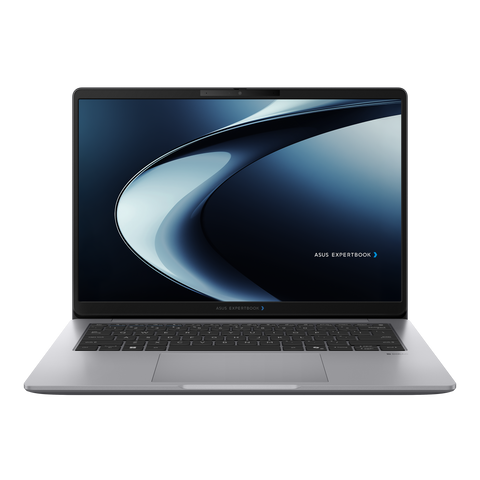
The ASUS Ascent QN10 (Snapdragon X2 Elite, 32 GB, S$2,375) and an RTX Spark laptop share Windows 11 on Arm, the same native Arm64 catalogue, the same Prism emulator and the same driver rule, so the business-app checks above apply equally to both. The difference is the accelerator. On the Snapdragon machine, AI runs on the 80 TOPS Hexagon NPU through Qualcomm AI Hub, Windows ML and ONNX Runtime, while general chat tools fall back to CPU and GPU; it is the low-power, Copilot+ and edge-inference route, as our QN10 vs GX10 comparison explains. On the N1X, AI runs on a Blackwell RTX GPU with CUDA, so PyTorch, TensorRT and the same NVIDIA AI stack as the GB10 desktops and the data centre work on the laptop, with up to 128 GB of unified memory for the model; NVIDIA's table lists an NPU on the laptop configurations too, without a TOPS figure. If your workload is Copilot+ features, Windows ML apps and a 7B to 14B assistant, the QN10 is the cheaper Arm machine; if it is CUDA code, 30B to 120B-class models or Adobe's RTX-accelerated features, the RTX Spark is the only Windows on Arm device that runs it. Both sit in the local-AI range set out in the ASUS Agent Computer guide.
Buying an RTX Spark laptop in Singapore
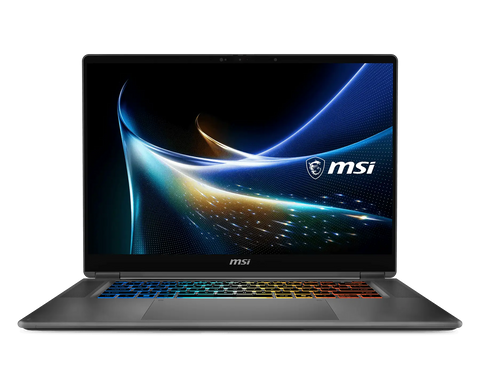
SourceIT stocks the MSI Prestige N16 Flip AI+ RTX Spark N1X in three configurations: 32 GB / 1 TB at S$5,059.84, 64 GB / 1 TB at S$6,440.44 and 128 GB / 2 TB with UHD+ Tandem OLED at S$11,041.26, all with Windows 11 Pro and a three-year on-site warranty in Singapore. Other RTX Spark laptops from ASUS, Dell, HP, Lenovo and Microsoft are not stocked; contact us for availability and a quote. We can image a pilot unit with your application list and pre-enrol units for Autopilot. Use Request for Quotation on the product page, call (65) 6978 3502, or email Sales@sourceit.com.sg; we are GeBIZ and Vendors@Gov registered for government and education purchases.
Frequently asked questions
Does RTX Spark run normal x86 Windows software? Yes, through Microsoft's Prism emulator in Windows 11 24H2, unmodified. The exceptions are drivers and kernel-mode components, which must be compiled for Arm64.
Is CUDA native on Windows on Arm? Yes, for the first time. NVIDIA ships CUDA Toolkit 13.4.2 for Windows Arm64 and PyTorch 2.14.0 wheels built against CUDA 13.4, plus native Python and Miniconda.
Do Adobe Photoshop and Premiere Pro run on RTX Spark? Both are native Arm64, and NVIDIA states that native RTX Spark acceleration for Photoshop and Premiere is in beta at launch; Substance 3D support is coming.
Will my VPN and antivirus install? The major vendors (Cisco AnyConnect, Global Secure Access, Defender, CrowdStrike, Sophos, SentinelOne and others) ship Arm64 builds. A product without one will not install because these are kernel-mode agents.
Can I reuse my DGX Spark Python environment on the laptop? No. NVIDIA states that Linux Arm64 packages, including DGX Spark builds, cannot run in native Windows Python; install the Windows Arm64 wheels or work in WSL.
What is the difference between RTX Spark and a Snapdragon X2 Elite PC for apps? The Windows on Arm app catalogue and Prism are the same; the N1X adds a Blackwell RTX GPU with CUDA and up to 128 GB of unified memory, while Snapdragon runs AI on its NPU through Qualcomm AI Hub and Windows ML.

SourceIT Approved
Researched and verified by the SourceIT team. Last checked October 2026.