Best Laptop to Run LLMs Locally in Singapore: 32/64/128 GB

The best laptop to run a large language model locally is the one whose GPU-addressable memory holds the model you want at the precision you will accept; the NPU TOPS figure on the lid sticker comes a distant second. In Singapore, as of 22 October 2026, that question has a new answer: the NVIDIA RTX Spark N1X laptops, which pair a Blackwell RTX GPU with a Grace CPU and up to 128 GB of unified memory that CUDA addresses directly, stocked by SourceIT as three MSI Prestige N16 Flip AI+ configurations at 32, 64 and 128 GB. This guide gives the memory arithmetic at FP16, FP8 and FP4, compares the N1X with RTX 50-series gaming laptops and Apple's MacBook Pro on public specifications, covers battery and thermal realities, and names which MSI SKU to buy. Our desktop guide to running LLMs locally covers mini PCs and workstations; our RTX Spark laptop guide explains the platform.
Sizing table: what fits in 32, 64 and 128 GB
Weights need parameters multiplied by bytes per weight: 2 bytes at FP16, 1 byte at FP8, 0.5 bytes at FP4, plus roughly 10 per cent for quantisation scales. Then reserve memory for the KV cache (it grows with context length and concurrent users), the OS and the runtime; on a unified-memory laptop Windows shares the pool, so plan on 8 to 12 GB being unavailable to the model. The table is sizing arithmetic, not a benchmark; the SourceIT AI hardware calculator runs the same sums for any parameter count and context length.
| Memory on the laptop | Planning budget for weights + KV cache | Fits at FP16 (2 B/param) | Fits at FP8 (1 B/param) | Fits at FP4 (0.5 B/param) | Stocked example |
|---|---|---|---|---|---|
| 32 GB unified | About 20 to 24 GB | Up to about 8B (16 GB + cache) | Up to about 14B to 20B | Up to about 30B to 32B (17 to 20 GB), tight on context | MSI Prestige N16 Flip AI+ 32 GB, S$5,059.84 |
| 64 GB unified | About 50 to 54 GB | Up to about 24B | Up to about 40B to 48B | 70B class (38 to 42 GB) with room for context | MSI Prestige N16 Flip AI+ 64 GB, S$6,440.44 |
| 128 GB unified | About 110 to 116 GB | Up to about 50B | Up to about 100B | 120B class (65 to 75 GB) comfortably; about 200B at the ceiling | MSI Prestige N16 Flip AI+ 128 GB, S$11,041.26 |
| 24 GB discrete VRAM (RTX 5090 Laptop) | About 20 to 22 GB (system RAM is separate, Windows does not take from VRAM) | Up to about 8B to 10B | Up to about 18B | About 30B, tight | Not stocked as a laptop; see our ROG NUC desktops |
| 16 GB discrete VRAM (RTX 5080 Laptop) | About 13 to 14 GB | Up to about 6B | Up to about 12B to 13B | Up to about 20B to 24B | ASUS ROG NUC RTX 5080 (desktop) |
Two conclusions follow. 70B-class models, where local quality catches up with cloud services for everyday work, need 64 GB at FP4 and 128 GB for FP8 or long context; no discrete-GPU laptop reaches either. And 32 GB is a 7B to 32B machine: enough for a coding assistant, summarisation and retrieval chat, not for a 70B daily driver.
Why the RTX Spark N1X changes the laptop answer
Until this month a Windows laptop running CUDA was limited by discrete VRAM. NVIDIA's RTX Spark, launched on 16 October 2026, is one superchip combining a Blackwell RTX GPU with a Grace CPU (MediaTek collaborated on the custom CPU design), up to 128 GB of unified LPDDR5X on a 256-bit interface and up to 1 petaFLOP of FP4 AI performance, in a laptop envelope NVIDIA specifies at 45 to 80 W. NVIDIA lists two laptop configurations: a 6144-core GPU with a 20-core CPU and up to 128 GB, and a 5120-core GPU with an 18-core CPU, 827 TFLOPS and up to 32 GB. All three MSI SKUs on the SourceIT store specify the 6144-core GPU and 20-core CPU, including the 32 GB unit; confirm the exact N1X variant when requesting a quote if your tender names one.
The software is what makes this a CUDA laptop rather than another Arm laptop: NVIDIA's launch release describes the first PyTorch-CUDA build for Windows on Arm, a Python build that is native by default, a native Conda installer and support for 97 per cent of the top 15,000 Python packages, and its developer guidance of 15 October 2026 names CUDA Toolkit 13.4.2 and PyTorch 2.14.0 wheels for Windows Arm64. One caveat from the same page: Linux Arm64 packages, including DGX Spark builds, cannot run in native Windows Python, so a team moving between a GX10 or DGX Spark and an N1X laptop keeps two environments. NVIDIA has not published N1X memory bandwidth, so we quote no tokens per second; capacity, the number that decides whether a model loads at all, now matches the GB10 desktops. Our RTX Spark vs DGX Spark vs GX10 post sets out when the desk unit still wins.
RTX Spark vs discrete-GPU gaming laptops (RTX 50-series)
A GeForce RTX 50-series laptop is the faster machine for any model that fits in its VRAM, because GDDR7 is fast: NVIDIA lists the RTX 5090 Laptop GPU at 24 GB and 896 GB/s, the RTX 5080 at 16 GB and 896 GB/s, the RTX 5070 Ti at 12 GB and 672 GB/s, and the 5070, 5060 and 5050 at 8 to 12 GB and 384 GB/s. A 7B to 13B model at FP8 generates quickly on a 5080 or 5090, and the x86 CUDA stack is mature with no Arm caveats. The limit is hard: 24 GB is the largest VRAM on any RTX 50 laptop, which caps you at roughly 30B parameters at FP4 with little context room, and a 70B model does not load; offloading layers to system RAM runs at CPU-memory speed. For models of 14B and under a discrete-GPU laptop is a reasonable buy; for 70B the VRAM ceiling rules the category out and the RTX Spark 64 GB or 128 GB laptop is the Windows answer. SourceIT's RTX 50-series stock is desktop-form ROG NUC units.
RTX Spark vs Apple MacBook Pro unified memory
Apple's current MacBook Pro specifications for Singapore list the M5 at up to 32 GB (153 GB/s), the M5 Pro at up to 64 GB (307 GB/s) and the M5 Max at up to 128 GB with 460 or 614 GB/s depending on GPU configuration. On capacity the M5 Max and the RTX Spark 128 GB are equals and the sizing table applies to both. The differences are the stack and the bandwidth figure: the MacBook Pro runs MLX, llama.cpp and Ollama on macOS with published bandwidth; the RTX Spark runs CUDA, PyTorch-CUDA and TensorRT on Windows 11 with unpublished bandwidth, and is the only laptop running the same CUDA code as the GB10 desktops and the data centre. If your models and agent frameworks are CUDA-first, or your estate is Windows with Intune, the N1X fits; if the team lives on macOS and MLX, the MacBook Pro remains a strong 128 GB option. We do not stock MacBook Pro; our Apple listings are the Mac Studio M3 Ultra 96 GB at S$5,745 and M4 Max 36 GB at S$2,870.
Battery and thermal caveats for laptop inference
A laptop runs models at the mercy of its power and cooling. NVIDIA rates the laptop N1X at 45 to 80 W TDP, so the OEM chassis decides where sustained inference sits in that range. The MSI Prestige N16 Flip AI+ carries a 4-cell 99.9 Wh battery and a 140 W USB-C PD adapter, which tells you a long generation or fine-tuning run belongs on mains; neither MSI nor NVIDIA publishes an inference-on-battery figure, so we do not quote one. Memory on all three SKUs is soldered LPDDR5X, so buy the capacity you will need in two years. For a shared endpoint several people hit all day, a desk unit is the better tool, although NVIDIA PAIR lets a docked RTX Spark serve inference to other Windows, Linux and macOS machines on the network. Our local AI vs cloud API cost model shows when the hardware pays back.
Which MSI Prestige N16 Flip AI+ to buy
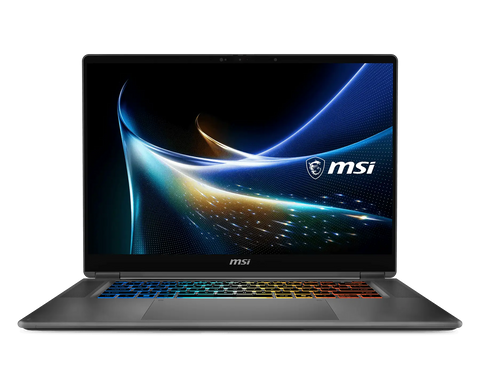
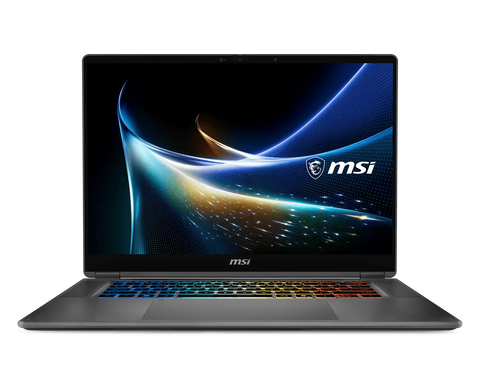
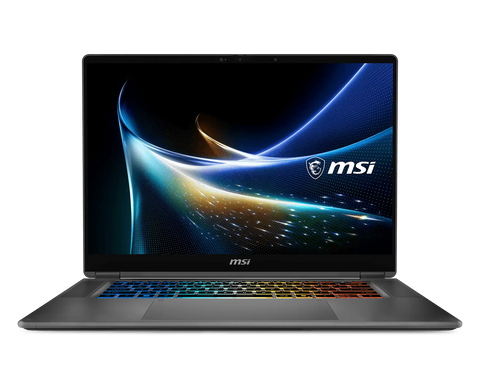
All three share a 16-inch 16:10 120 Hz OLED touch panel, a 2-in-1 hinge, Wi-Fi 7, two USB4 ports (Thunderbolt 4 compatible), two USB-A, HDMI 2.1, an SD reader, 1.9 kg, Windows 11 Pro and a three-year on-site warranty in Singapore. Buy the 32 GB / 1 TB at S$5,059.84 for 7B to 32B models at FP4 alongside normal work, or as the CUDA development laptop for code that deploys to a GX10 or the cloud. Buy the 64 GB / 1 TB at S$6,440.44 if a 70B-class model at FP4 is the goal; it is the price step that unlocks models no discrete-GPU laptop can hold, and the configuration we recommend most. Buy the 128 GB / 2 TB at S$11,041.26, which adds the UHD+ Tandem OLED panel, for 120B-class models, 70B at FP8, long-context agent work or fine-tuning on the move. Our MSI Prestige N16 Flip AI+ model guide compares the three, and the ASUS Agent Computer guide places laptops in the wider local-AI line-up.
Buying a local LLM laptop in Singapore
SourceIT stocks all three MSI Prestige N16 Flip AI+ RTX Spark configurations and sizes the SKU to the model you name rather than the marketing TOPS. The other RTX Spark launch laptops from ASUS, Dell, HP, Lenovo and Microsoft are not stocked; contact us for availability and a quote. Local inference keeps prompts and documents on the device, which matters for PDPA-sensitive data. Use Request for Quotation on the product page, call (65) 6978 3502, or email Sales@sourceit.com.sg; government and institutional buyers can procure through GeBIZ and Vendors@Gov.
Frequently asked questions
How much laptop memory do I need to run a 70B model locally? About 38 to 42 GB for the weights at FP4 plus KV cache and the OS, so 64 GB is the practical minimum and 128 GB gives FP8 or long-context headroom. No discrete-GPU laptop has enough VRAM.
Can an RTX 5090 gaming laptop run a 70B model? No. Its 24 GB of VRAM holds about 30B parameters at FP4 with little room for context; it is excellent for 7B to 14B models.
Is the RTX Spark laptop as fast as a DGX Spark or ASUS GX10? They share the 128 GB ceiling and the 1 PFLOP FP4 class, but the N1X is a different chip at 45 to 80 W against 140 W, and NVIDIA has not published its memory bandwidth, so we do not compare tokens per second.
Does Ollama or LM Studio run on an RTX Spark laptop? NVIDIA's launch release names PyTorch-CUDA, native Python and Conda and ComfyUI for RTX Spark, and Microsoft's RTX Spark page benchmarks llama.cpp on it; confirm Ollama's and LM Studio's Windows Arm64 builds on their own sites before you standardise on them.
Which MSI Prestige N16 Flip AI+ should I buy for local LLMs? The 64 GB at S$6,440.44 for 70B-class models at FP4, the 32 GB at S$5,059.84 for 7B to 32B work, and the 128 GB at S$11,041.26 for 120B-class models or fine-tuning.
Can I upgrade the memory later? No. All three SKUs use soldered LPDDR5X, so buy the capacity you expect to need; storage is on an M.2 PCIe Gen4 slot and can be changed.
How does the MacBook Pro compare? The M5 Max reaches the same 128 GB and Apple publishes 460 to 614 GB/s bandwidth, so capacity is equal; the RTX Spark adds CUDA and Windows 11, the MacBook Pro offers MLX on macOS.

SourceIT Approved
Researched and verified by the SourceIT team. Last checked October 2026.