
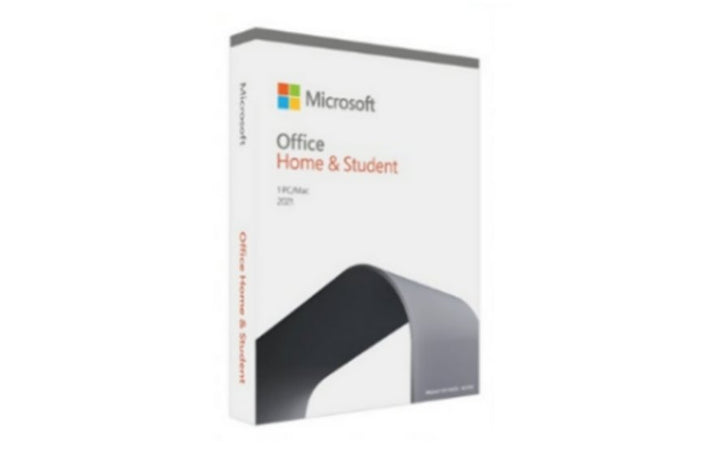


Microsoft Office Home and Student 2021 English
PRODUCT DESCRIPTION
Microsoft Office Home & Student 2021 (79G-05336) - Local Support
Read This First: Support Ends 13 October 2026
Microsoft ends support for this product on 13 October 2026. Microsoft's own words on what that means: "All of your Office 2021 apps may continue to function. However, you could expose yourself to serious and potentially harmful security risks." Microsoft "will no longer provide technical support, bug fixes, or security fixes", software updates stop, and phone and chat technical support ends.
Nothing switches off on that date — this is a one-time purchase and the applications keep working. What stops is security patching. Decide with that in front of you rather than after the fact.
Word, Excel, PowerPoint and OneNote — No Outlook
Microsoft's published description is that this suite "includes classic versions of Word, Excel, PowerPoint, and OneNote installed on one PC or Mac". Outlook is not included. If you need the desktop Outlook client, you want Office Home & Business instead, which we also list.
Publisher and Access are not included either. Publisher shipped only in Office Professional 2021, and Microsoft has since retired the application.
One Device, Transferable Once Every 90 Days, No Upgrade Rights
Microsoft licenses this as a one-time purchase "on only 1 PC or Mac". Microsoft publishes that you "may transfer Office 2024 or Office 2021 to another computer that belongs to you, but not more than one time every 90 days", and that any time you transfer the software you must remove it from the prior computer and retain no copies. Transfer to another person is described by Microsoft only for the European Economic Area; no equivalent right is published for Singapore.
Microsoft is explicit that there is no upgrade path: "One-time purchases don't have an upgrade option, which means if you plan to upgrade to the next major release, you'll have to buy it at full price."
The Alternatives
Office Home 2024 is the current one-time purchase in this position — Microsoft's store page for it is titled "(formerly Home & Student)", and Microsoft publishes it as "For non-commercial use" with an end of support of 10 October 2029. For commercial use, Office Home & Business 2024 is the correct choice. Microsoft 365 Family or Personal is the subscription route. Supplied by SourceIT in Singapore with a GST invoice and local support. For a written quotation, current stock position or delivery lead time, contact our team.
Microsoft Office Home & Student 2021 Datasheet — Licensing and Specifications
Licence
| Product Name | Microsoft Office Home & Student 2021 |
| Part Number (SourceIT) | 79G-05336 |
| Licence Type | One-time purchase — not a subscription, and not a "lifetime" licence: Microsoft publishes a dated end of support |
| Devices Covered | One PC or Mac |
| Transferable | To another computer that belongs to you, no more than once every 90 days. Person-to-person transfer is published by Microsoft for the European Economic Area only |
| Upgrade Rights | None |
| End of Support | 13 October 2026 |
| Extended Security Updates | Not available for this product |
| Local Support (Singapore) | Supplied by SourceIT with local Singapore support and a GST invoice |
Applications Included
| Word | Included |
| Excel | Included |
| PowerPoint | Included |
| OneNote | Included |
| Outlook | Not included — choose Office Home & Business 2021 or 2024 if you need desktop Outlook |
| Publisher | Not included, and retired by Microsoft |
| Access | Not included |
| Microsoft Teams | Microsoft's October 2021 launch announcement listed Teams as included with this suite; Microsoft's current FAQ lists only Word, Excel, PowerPoint and OneNote. Both are Microsoft statements and they differ — confirm with us before relying on it |
System Requirements
| Operating System (Windows) | Windows 11. Note that Microsoft's Office 2021 and LTSC FAQ separately states Office 2021 can be installed on one Windows 10 or Windows 11 PC — and that Windows 10 itself reached end of support on 14 October 2025 |
| Operating System (Mac) | The three most recent versions of macOS. Microsoft does not name specific macOS version numbers, so neither do we |
| Processor | 1.1 GHz or faster, 2 or more cores |
| Memory | 4 GB RAM |
| Disk Space | 4 GB available (Windows); 10 GB (Mac) |
| Display | 1280 × 768 (Windows); 1280 × 800 (Mac) |
| Internet | Required for activation and periodic reactivation |
| Other | Some features require .NET 3.5 or 4.6 and higher |
What Microsoft Does Not Publish for This Product
The following are commonly asked about but are not stated on any current official Microsoft source for this product, so SourceIT does not quote them: a current Microsoft product page for any Office 2021 SKU, a valid GTIN for this product and a Singapore recommended retail price for the 2021 edition. We would rather leave a field blank than print a figure we cannot substantiate.
Lifecycle, End of Support and Entitlement
Microsoft renders this date two ways. The end-of-support FAQ, the end-of-support-2026 index and the Office and LTSC FAQ all state 13 October 2026. Some lifecycle database entries display 14 October 2026 06:59:59, which is the same instant rendered in a different timezone. We publish 13 October 2026 as the headline and note the other rendering rather than choosing silently between two Microsoft pages.
There is no extension and no Extended Security Updates programme for this product. Unlike Windows 10, where Microsoft sells paid security updates past end of support, Microsoft publishes no such option here. After 13 October 2026 the software keeps running and stops receiving fixes, and that is the whole of it.
Microsoft no longer publishes a product page for this suite. Every Office 2021 store address now serves the 2024 product. Only support and lifecycle documentation remains.
Two Microsoft sources disagree on whether Microsoft Teams is included. Microsoft's October 2021 launch announcement stated that Home and Student 2021 "includes Word, Excel, PowerPoint, OneNote, and Microsoft Teams for PC and Mac". Microsoft's current FAQ omits Teams and lists only the four applications. We publish both readings; ask us to confirm before you buy on the strength of Teams.
Published Lifecycle Dates
| End of support | 13 October 2026 |
| Alternative rendering | Some Microsoft lifecycle database entries display 14 October 2026 06:59:59 |
| Extended Security Updates | None published for this product |
| What continues to work | The applications |
| What stops | Security fixes, bug fixes, software updates, and phone and chat technical support |
| Current alternative | Office Home 2024 (non-commercial use) or Office Home & Business 2024, end of support 10 October 2029 |
Support and Warranty Position
A software licence carries no hardware warranty. SourceIT supplies this licence with local Singapore support and a GST invoice. Microsoft's own technical support for Office 2021 ends on 13 October 2026. No warranty term is quoted or implied.
Compatibility, Deployment and System Requirements
Microsoft's current system-requirements page lists Windows 11. Its Office 2021 and LTSC FAQ separately states one Windows 10 or Windows 11 PC, or one of the three most recent macOS versions. Windows 10 itself reached end of support on 14 October 2025.
There is a Mac version — Microsoft confirms both Windows and Mac versions of Office 2021.
Internet access is required for activation and periodic reactivation.
System Requirements
| Operating System (Windows) | Windows 11. Note that Microsoft's Office 2021 and LTSC FAQ separately states Office 2021 can be installed on one Windows 10 or Windows 11 PC — and that Windows 10 itself reached end of support on 14 October 2025 |
| Operating System (Mac) | The three most recent versions of macOS. Microsoft does not name specific macOS version numbers, so neither do we |
| Processor | 1.1 GHz or faster, 2 or more cores |
| Memory | 4 GB RAM |
| Disk Space | 4 GB available (Windows); 10 GB (Mac) |
| Display | 1280 × 768 (Windows); 1280 × 800 (Mac) |
| Internet | Required for activation and periodic reactivation |
| Other | Some features require .NET 3.5 or 4.6 and higher |
Official Microsoft Sources & Downloads
- End of support for Office 2021 — Microsoft support
- Products reaching end of support in 2026 — Microsoft Learn
- Office 2021 and Office LTSC for Windows and Mac FAQ — Microsoft support
- System requirements for Office suites — Microsoft support
- Transfer your Office licence to another device or person — Microsoft support
- Office 2021 lifecycle — Microsoft Learn
Microsoft has withdrawn the product page for this suite, so the support and lifecycle documentation above is the authoritative surviving source. Supplied by SourceIT in Singapore with a GST invoice and local support. For a written quotation, current stock position or delivery lead time, contact our team.
Frequently Asked Questions — Microsoft Office Home & Student 2021
Does this include Outlook?
No. Microsoft publishes Word, Excel, PowerPoint and OneNote for Home & Student. Outlook is in Office Home & Business, which we list separately.
What happens on 13 October 2026?
Microsoft stops providing security fixes, bug fixes, updates and technical support. The applications keep working but stop being patched.
Is there an extended security updates option?
No. Microsoft publishes none for Office 2021, at any price.
Is this a lifetime licence?
No. It is a one-time purchase with no subscription, which is not the same as lifetime support. Microsoft publishes a dated end of support.
Does it include Microsoft Teams?
Microsoft's sources disagree. The October 2021 launch announcement said Teams was included; the current FAQ lists only Word, Excel, PowerPoint and OneNote. Ask us to confirm before buying on that basis.
How many computers can I install it on?
One PC or Mac, transferable to another computer you own no more than once every 90 days.
What should I buy instead?
Office Home 2024 for non-commercial use, or Office Home & Business 2024 for commercial use — both supported to 10 October 2029. Microsoft 365 Family or Personal for a subscription. Ask us and we will quote the options.


