
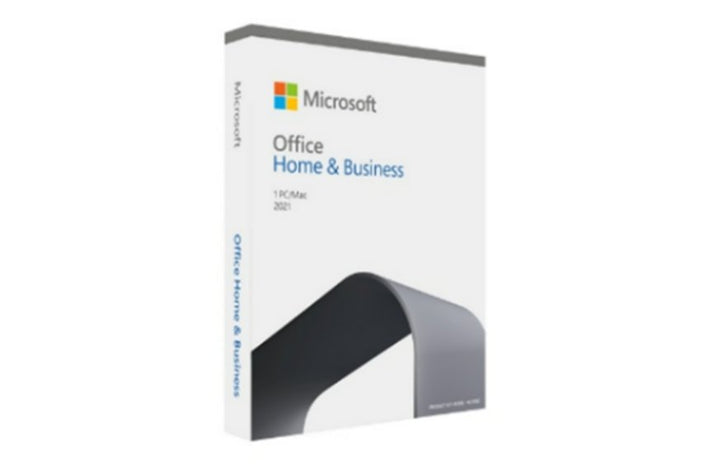


Microsoft Office Home and Business 2021 English
PRODUCT DESCRIPTION
Microsoft Office Home & Business 2021 English ESD / Full Package Product (T5D-03482) - Local Support
The date you need to see before you buy
Microsoft ends support for Office 2021 on 13 October 2026. On its customer-facing support page Microsoft adds that there is no extension and no extended security updates. After that date the applications keep working and stay activated, but Microsoft stops issuing security updates, bug fixes and technical support. We stock the successor, Office Home & Business 2024, and for most buyers that is the right product. Standardising on an existing estate is a legitimate reason to buy the older generation — but nobody should buy it without knowing the date.
What Office Home & Business 2021 is
It is a one-time purchase of the classic desktop Office applications. You buy it once, install it on one PC or Mac, and own that version. It is not a subscription: there is no annual renewal, no recurring fee and nothing lapses. Microsoft publishes the applications as Word, Excel, PowerPoint, OneNote and Outlook. The presence of Outlook is what distinguishes Home & Business from Office Home & Student 2021, which does not include it.
Windows or Mac, and exactly one device
Microsoft's own wording is that Office 2021 can be installed on one Windows 10 or Windows 11 PC, or one of the three most recent macOS versions. Note the shape of that: it is one device, and the platform is your choice at install time, not both. Microsoft names no specific macOS version numbers, so neither do we — the entitlement moves as Apple releases new versions.
No upgrade path, and no published transfer rules
Microsoft states that one-time purchases do not have an upgrade option, so moving to the next major release means buying it at full price. Separately, and this matters more often than people expect, Microsoft publishes no transfer or reassignment rules for this product at all — nothing about moving the licence to a replacement PC or to a different user. We are not going to invent a rule to fill the gap. If a transfer is part of your plan, ask us before you order.
Office Home & Business 2021 — What the Licence Includes
Applications
| Included | Word, Excel, PowerPoint, OneNote and Outlook |
| Not included | Microsoft does not list Access or Publisher in this suite. |
| Difference from Home & Student 2021 | Outlook. Home & Student omits it. |
| Cloud services | None. This is a desktop application suite, not a Microsoft 365 subscription. There is no hosted mailbox, no OneDrive entitlement and no Teams service included with the purchase. |
Licence terms
| Purchase model | One-time purchase. Not a subscription. No renewal, no recurring fee. |
| Devices | One PC or Mac |
| Platform | Microsoft: Office 2021 can be installed on one Windows 10 or Windows 11 PC or one of the three most recent macOS versions |
| macOS versions | Microsoft names no specific version numbers. We do not either. |
| Upgrade rights | None. Microsoft: one-time purchases don't have an upgrade option, which means if you plan to upgrade to the next major release, you'll have to buy it at full price. |
| Transfer or reassignment | Microsoft does not publish transfer or reassignment rules for this product. We will not invent them. Only the one-device installation right and the absence of upgrade rights are published. Ask us before you assume a licence can be moved. |
| SKU on this listing | T5D-03482 |
| Second part number | This listing carries two variants: T5D-03482, the electronic software download, and T5D-03509, the retail pack with box. Confirm which you are ordering. |
Lifecycle — the dates that decide this purchase
| End of support | 13 October 2026 |
| Extension available | Microsoft: no extension and no extended security updates. |
| How Microsoft renders the date | Microsoft's customer-facing support page, its consolidated 2026 end-of-support list and its Office LTSC 2021 announcement all say 13 October 2026. The per-product lifecycle database page renders the same moment as a timestamp, 10/14/2026 6:59:59 AM, in Pacific Time. We publish 13 October 2026, the date on the customer-facing pages. |
| What ends | Security updates, bug fixes and technical support from Microsoft |
| What does not end | The software keeps running and stays activated. It simply stops being patched. |
| Lifecycle policy | Microsoft lists Office 2021 (retail) under the Modern Lifecycle Policy. Office LTSC 2021, the volume-licensed equivalent, is listed separately under the Fixed Lifecycle Policy with the same date. |
Where Microsoft Says To Go Instead
| Microsoft's advice to consumers and small business | Upgrade to Microsoft 365, or to a newer one-time-purchase version, to stay up to date with the latest features, patches and security updates. |
| Microsoft's advice to commercial customers | Microsoft 365 Apps is the primary recommendation. Microsoft names Office LTSC 2024 as the most recent supported on-premises version for commercial customers. |
| Deployment help | Microsoft offers FastTrack to organisations with over 150 licences. |
What we stock as the direct successor: Office Home & Business 2024, the current one-time purchase with the same five applications including Outlook. If a subscription suits better than a one-time purchase — because you want the applications kept current, or you need a hosted mailbox and cloud storage — Microsoft 365 Business Standard is the equivalent, and we stock that too. Ask us and we will price both against each other for your headcount.
System Requirements and What You Receive
| Windows | Windows 10 or Windows 11 |
| macOS | One of the three most recent versions of macOS. Microsoft names no specific version numbers. |
| Devices | One PC or Mac per licence |
| Delivery | This listing covers an electronic software download and a boxed full package product. Confirm with us which is being supplied on your order. |
| Activation | Product key redeemed against a Microsoft account |
| Availability | Confirm with us before ordering. This generation is being wound down by Microsoft. |
| Local support | Pre-sales advice, order fulfilment and licence-key support from SourceIT, Singapore |
Official Microsoft Documentation
Every figure on this page comes from one of the Microsoft pages below. Microsoft no longer publishes a product page for the 2021 generation, so the documentation here links to its lifecycle and support pages instead.
- Microsoft Support — end of support for Office 2021
- Microsoft Learn — products reaching end of support in 2026
- Microsoft Learn — Office 2021 lifecycle
- Microsoft Learn — Office LTSC 2021 end-of-support announcement
- Microsoft Support — Office 2021 and Office LTSC FAQ (applications, devices, upgrade rights)
- Microsoft Support — system requirements for Office suites for individuals and families
Frequently Asked Questions — Office Home & Business 2021
Does it include Outlook?
Yes. Microsoft lists Word, Excel, PowerPoint, OneNote and Outlook for Home & Business 2021. That is the difference between this suite and Office Home & Student 2021, which omits Outlook. Note that Outlook here is the desktop application — it does not come with an email service or a hosted mailbox, which you buy separately.
Is this still supported?
Until 13 October 2026. After that date Microsoft stops issuing security updates, bug fixes and technical support for Office 2021, and Microsoft is explicit that there is no extension and no extended security updates. The software continues to run and stays activated; it simply stops being patched.
Should I buy it, or buy the 2024 version instead?
For almost everyone, the 2024 version. It is the current generation and it does not carry a published end-of-support date in 2026. The one-time purchase price difference is small set against the difference in supported life. We stock the successor as Office Home & Business 2024. The reason to buy the 2021 version anyway is compatibility with an existing standardised estate — and if that is the reason, you already know it.
Will Microsoft let me upgrade to the newer version?
No. Microsoft states that one-time purchases do not have an upgrade option, and that moving to the next major release means buying it at full price. Budget for the replacement rather than for an upgrade.
Can I move the licence to a different computer?
Microsoft does not publish transfer or reassignment rules for this product. We are not going to guess at them. What Microsoft does publish is the one-device installation right. If moving the licence is important to the purchase, ask us first.
Where do the facts on this page come from?
Every figure on this page is taken from Microsoft's own support, lifecycle and FAQ pages for Office 2021, which are linked in the documentation section above. Where Microsoft publishes nothing on a point — transfer and reassignment rules, for instance — this page says so rather than filling the gap.


