
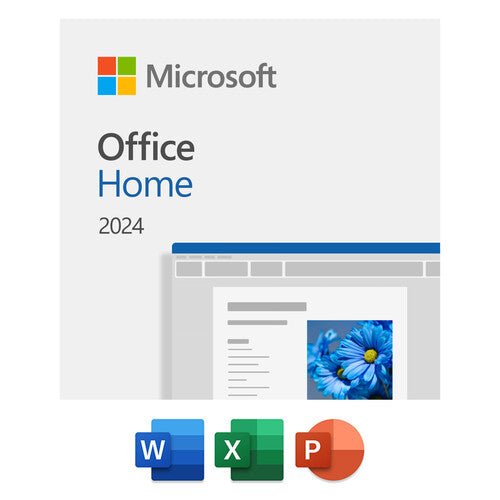


Microsoft Office Home 2024 Perpetual License
PRODUCT DESCRIPTION
Microsoft Office Home 2024 (EP2-06795) - Local Support
What Office Home 2024 is
Office Home 2024 is a retail, one-time purchase of the classic desktop Office applications. You buy it once, install it on one PC or Mac, and own that version. It is not a subscription: there is no annual renewal, no recurring fee, and nothing lapses. Microsoft publishes the applications as Word, Excel, PowerPoint and OneNote. Outlook is NOT included. This is the single most common surprise on this product and the reason many buyers should choose Office Home & Business 2024 instead.
Who it is licensed for — read this before you order
Microsoft publishes this product with the words "For non-commercial use" and describes it as "A one-time purchase installed on 1 PC or Mac for use at home or school", positioned "for students and families who want classic Office apps". If this is for a company, it is the wrong product — Office Home & Business 2024 is the one Microsoft describes as being for use at home or work.
The date you need to see before you buy
Microsoft publishes Office 2024 under the Modern Lifecycle Policy with a release date of 1 October 2024 and an end of support of 10 October 2029. The software will keep running after that date; Microsoft will stop issuing security updates for it. That is the honest shelf life of this purchase, and it is worth comparing against the alternative on the shelf: Office 2021 reaches end of support in October 2026. Buying a 2021 licence buys you a product whose support ends in October 2026 rather than October 2029.
What it does not include
Microsoft states that Office 2024 "does not include any of the services that come with a Microsoft 365 subscription" and that Office 2024 for Windows "will remain locked in time". Microsoft's own comparison table shows Copilot, cloud storage and Microsoft Defender in the Microsoft 365 columns and not in the Office 2024 columns. So: no Copilot, no included OneDrive storage entitlement, no mailbox, no Teams service, and no new features after release. If any of those matter, a Microsoft 365 subscription is the product, and we sell those too.
Ownership, transfers and the small print
Microsoft's own store page is titled "Buy Office Home 2024 for PC or Mac (formerly Home & Student)". If you have bought Office Home & Student in the past, this is its replacement — Microsoft does not publish an "Office Home & Student 2024". On moving it: Microsoft publishes that you may transfer Office 2024 to another computer that belongs to you, but not more than once every 90 days except in the case of hardware failure, and that you must remove the software from the previous computer and keep no copies. Microsoft also publishes that a single Microsoft account can hold up to 25 licences for Office Home 2024, Office Home & Business 2024 and Office Professional 2021 — useful if you are buying several for a small team.
Office Home 2024 — What the Licence Includes
Product and entitlements
| Microsoft's official product name | Office Home 2024 |
| SKU on this listing | EP2-06795 |
| Applications included | Word, Excel, PowerPoint and OneNote |
| Outlook | NOT included |
| Publisher | Not included. Microsoft is retiring Publisher: subscriber access ends 1 October 2026 and support for the perpetual version ends 13 October 2026. |
| OneNote | Microsoft publishes that the Windows desktop version of OneNote is included with Office 2024. |
| Devices | One PC or one Mac. Microsoft's wording is "One-time purchase for 1 PC or Mac". |
| Licence type | Perpetual, one-time purchase. Not a subscription. |
| Use rights as Microsoft publishes them | "For non-commercial use"; "for use at home or school". |
| Upgrade rights | None. Microsoft publishes that one-time purchases have no upgrade option and that a future major release must be bought at full price. |
| Transfer | Microsoft publishes that you may move it to another computer you own no more than once every 90 days, except after hardware failure, and must remove it from the old machine. |
| Licences per Microsoft account | Microsoft publishes that up to 25 licences for Office Home 2024, Office Home & Business 2024 and Office Professional 2021 can be activated on one account. |
| Microsoft's published Singapore price | SG$275.00 on 8 September 2026. Our price on this listing is our own and is shown above; Microsoft's figure is given so you can see what you are comparing against. |
Licence terms
| Licence type | Perpetual — a ONE-TIME PURCHASE. This is not a subscription. There is no annual renewal and no recurring fee. |
| What you may install it on | One PC or one Mac. |
| Feature updates | None. Security and servicing updates only, until end of support. |
| Upgrade rights to the next version | None. Microsoft publishes that one-time purchases have no upgrade option, so a future major release must be bought at full price. |
| End of support | 10 October 2029, published by Microsoft under the Modern Lifecycle Policy. |
| Warranty | None. A software licence carries no hardware warranty. See the licensing note above. |
Lifecycle — the dates that decide this purchase
| Lifecycle policy | Modern Lifecycle Policy |
| Release date | 1 October 2024 |
| End of support | 10 October 2029 |
| Office 2021, for comparison | Started 5 October 2021; Microsoft's lifecycle page publishes retirement on 14 October 2026, and its Publisher article gives 13 October 2026 for Consumer Office 2021. We publish both readings rather than picking one. |
| Office 2019, for comparison | Extended support ended 15 October 2025. Office 2019 is already out of support. |
System Requirements
Microsoft publishes these requirements on the product page for this SKU. Microsoft does not name specific macOS version numbers there and defers to aka.ms/systemrequirements, so neither do we.
| Windows | Windows 11 or Windows 10, with a 1.6 GHz 2-core processor |
| macOS | A recent version of macOS. Microsoft's page defers to aka.ms/systemrequirements for the compatible list rather than naming versions. |
| Memory | 4 GB RAM for 64-bit, 2 GB RAM for 32-bit on PC; 4 GB RAM on Mac |
| Disk space | 4 GB available on PC; 10 GB available on Mac |
| Display | 1024 x 768 on PC; 1280 x 800 on Mac |
Ordering, Activation and What You Actually Receive
This listing is a one-time purchase of one licence. There is nothing to renew and no term to track.
| SKU on this listing | EP2-06795 |
| Quantity | One licence covers one PC or one Mac. Order one per machine. |
| Activation | Against a Microsoft account. Keep the account details safe — the licence lives with the account, which is also how a transfer to a replacement machine is done. |
| Recurring cost | None. |
| What we do at end of support | We will not leave you to discover the date yourself. Ask us at any time and we will tell you where your version sits against Microsoft's published lifecycle. |
Related listings we carry
| Office Home 2024 | Word, Excel, PowerPoint, OneNote. No Outlook. Microsoft publishes it "For non-commercial use". |
| Office Home & Business 2024 | Adds Outlook. Microsoft describes it for use at home or work. |
| Office LTSC Standard / Professional Plus 2024 | The volume-licensed perpetual editions, deployed with the Office Deployment Tool. A different product for a different buyer. |
| Microsoft 365 Personal / Family | Consumer subscriptions with Copilot and cloud storage. Personal and noncommercial use only. |
| Microsoft 365 Business Standard | The business subscription with the desktop apps plus mailbox, Teams and cloud storage. |
Official Microsoft Documentation
Every figure on this page comes from one of the Microsoft pages below. We link them so you can check us rather than take our word for it.
- Microsoft — Office Home 2024 product page
- Microsoft Singapore — Office Home 2024
- Microsoft — get started with Office 2024 (plan comparison)
- Microsoft Learn — Office 2024 lifecycle (release and end-of-support dates)
- Microsoft Learn — Office 2021 lifecycle
- Microsoft Learn — Office 2019 lifecycle
- Microsoft Support — Office 2024 and Office LTSC 2024 FAQ
- Microsoft Support — what's the difference between Microsoft 365 and Office 2024
- Microsoft Support — transferring an Office licence to another device
- Microsoft Support — Publisher will no longer be supported after October 2026
Frequently Asked Questions — Office Home 2024
Does it include Outlook?
Outlook is NOT included. This is the single most common surprise on this product and the reason many buyers should choose Office Home & Business 2024 instead.
Can I use it for my business?
Microsoft publishes "For non-commercial use" on Office Home 2024 and describes it as for use at home or school. For business use, Office Home & Business 2024 is the product Microsoft describes as being for use at home or work. If you are unsure, ask us before you order — it is much easier than unwinding it afterwards.
How many computers can I install it on?
One. Microsoft's wording is "One-time purchase for 1 PC or Mac". If you need it on several machines, order one licence per machine, or look at a Microsoft 365 subscription, which Microsoft licenses for multiple devices per user.
Can I move it to a new computer?
Yes, within Microsoft's published limit: no more than once every 90 days, except after hardware failure, and you must remove it from the old machine and keep no copies. Microsoft's page also notes that the person-to-person transfer process it describes is limited to the European Economic Area, so do not assume a licence can be sold on from Singapore.
Will I get Office 2027 free when it comes out?
No. Microsoft publishes that one-time purchases have no upgrade option and that the next major release must be bought at full price. If you want to always be on the current version, that is what a Microsoft 365 subscription does.
Is Publisher included?
No. Microsoft is retiring Publisher: subscriber access ends 1 October 2026 and support for the perpetual version ends 13 October 2026. It is not part of Office 2024.
Is this a subscription? Will it expire?
No, it is a one-time purchase. There is no annual renewal and the software does not stop working on a renewal date, because there is no renewal date. What it does have is an end-of-support date: Microsoft publishes end of support for Office 2024 as 10 October 2029. After that the software keeps running but Microsoft stops issuing security updates for it.
Is it a "lifetime licence"?
Microsoft does not use the word "lifetime" for these products and neither do we. Microsoft's own wording is "one-time purchase", and it publishes a dated end of support. The software does not stop working on that date, but Microsoft stops issuing security updates for it, which for most businesses is the date that actually matters.
Does it come with a warranty?
This is a software licence, not hardware. It carries no hardware warranty, no return-to-base service and no replacement entitlement, because there is no hardware to replace. What it carries is the licence itself, Microsoft's support for the product while it remains in support, and our own local support in Singapore.
Should I buy this or a Microsoft 365 subscription instead?
They are genuinely different products and the honest answer depends on what you need. A one-time purchase gets you the desktop applications on the device, frozen at the 2024 feature set, with no ongoing cost. Microsoft 365 gets you continuously updated applications plus the cloud services — mailbox, cloud storage, Teams — for a recurring fee. Microsoft's own comparison states that the one-time purchase "does not include any of the services that come with a Microsoft 365 subscription" and that "Security updates are included, but you won't get any new features. Upgrades to major releases aren't included." If nobody in your organisation will notice a frozen feature set and you want to stop paying, buy this. If you need the mailbox, the storage and the collaboration, buy the subscription. Ask us and we will price both honestly.
What is this page based on?
Microsoft's own product, deployment and lifecycle pages for Office 2024, all linked in the Official Microsoft Documentation section above. Microsoft's wording for this product is "One-time purchase for 1 PC or Mac", and Microsoft publishes a dated end of support of 10 October 2029 — so this page states that date rather than describing the licence as lifetime or non-expiring. Where Microsoft publishes no figure, this page says so rather than estimating.


