
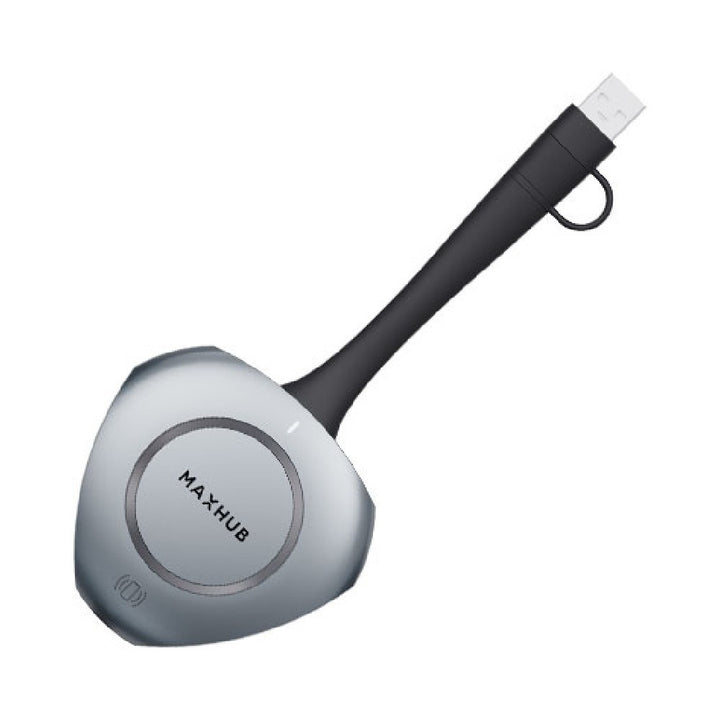

MAXHUB WT13M Wireless Screen Sharing Dongle
Email sales@sourceit.com.sg or use Request for Quotation below and our team will confirm the latest price, availability and lead time.
PRODUCT DESCRIPTION
MAXHUB WT13M Wireless Screen Sharing Dongle, USB-C with USB-A Adapter, 4K30 (WT13M) - 1 Year Local Warranty
One-Click Wireless Screen Sharing
The MAXHUB WT13M is a USB Type-C screen-sharing dongle (with USB Type-A adapter) that casts a Windows or Mac laptop to a MAXHUB display without cables.
Up to 4K at Low Latency
It shares at 1920 x 1080@30 Hz by default and up to 3840 x 2160@30 Hz, with latency of 120 ms or less over 5 GHz Wi-Fi 6 (802.11a/n/ac/ax).
Touch Back-Control and Audio
Touch back-control lets presenters operate the laptop from the display, and the WT13M supports wireless microphone and speaker sharing for hybrid meetings.
Fast Start, 12 m Range
Start-up takes 5 seconds or less, the connection reaches 12 m, and the dongle draws just 2.5 W from the laptop's USB port.
Need help choosing? Email sales@sourceit.com.sg with your display model and number of meeting rooms and we will recommend the right configuration.
MAXHUB WT13M Datasheet — Technical Specifications
General
| Product Name | MAXHUB Wireless Screen Sharing Dongle |
| Part Number | WT13M |
| Local Warranty (Singapore) | 1 year, supplied by SourceIT with a GST invoice |
Connectivity
| Interface | USB Type-C, USB Type-A (adapter) |
| Wi-Fi | 802.11a/n/ac/ax, 5 GHz |
| Max Connection Distance | 12 m |
Performance
| Resolution | Default 1920 x 1080@30 Hz; up to 3840 x 2160@30 Hz |
| Latency | ≤ 120 ms |
| Start-up Time | ≤ 5 s |
| Touch Back-Control | Supported |
| Audio | Wireless microphone and speaker sharing |
Power & Physical
| Power | 5 V @ 500 mA, 2.5 W |
| Dimensions | 171.3 x 78.7 x 19.4 mm |
| Weight | 75 g |
| Operating Temperature | 0–40 °C |
Compatibility & Software Support
Laptops
Windows 10, Windows 11 and macOS 10.12 or later.
MAXHUB Receivers
MAXHUB lists the MAXHUB IFP V6 Series and MAXHUB UC S15 as compatible receivers — check your display model with us before ordering.
Package Contents & MAXHUB Accessories Ordering Information
In the Box
WT13M dongle with USB Type-A adapter. MAXHUB's datasheet does not list further contents.
MAXHUB Accessories Models
| Model | Description |
| ST23G | Mobile stand, 55"–98" displays, 100 kg |
| ST33M | Mobile trolley, 55"–86" displays, 100 kg |
| EST09 | Electronic mobile stand |
| EST11 | Electronic mobile stand |
| WT13M (this listing) | Wireless screen sharing dongle (USB-C / USB-A) |
| WB05 | Wireless screen sharing box, up to 9 screens |
| TCP10M | Touch control panel |
| DST01 | Table mount for commercial display + videobar |
Datasheet & Downloads
| MAXHUB WT13M datasheet | WT13M Datasheet (PDF) |
| MAXHUB product page | Wireless Dongle on maxhub.com |
Need a PDF sent directly? Email sales@sourceit.com.sg quoting WT13M.
Frequently Asked Questions — MAXHUB WT13M
Which laptops does the WT13M work with?
Windows 10, Windows 11 and macOS 10.12 or later, via USB Type-C or the included USB Type-A adapter.
What resolution can it share?
1080p30 by default, up to 4K (3840 x 2160) at 30 Hz, with ≤120 ms latency.
Which MAXHUB displays does it work with?
MAXHUB lists the IFP V6 Series and UC S15 as compatible receivers.
Can I control my laptop from the display?
Yes, touch back-control is supported.
What is the range?
Up to 12 m.
What warranty do I get?
1 year local warranty in Singapore, supplied by SourceIT with a GST invoice.


