
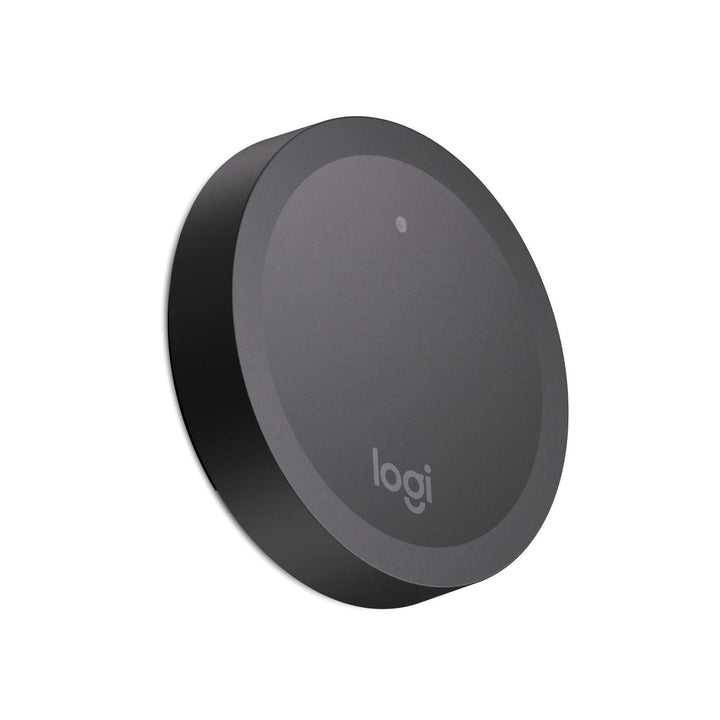


Logitech Rally Camera Preset Button
PRODUCT DESCRIPTION
Logitech Rally Camera Preset Button (952-000226) - 2 Years Local Warranty
Logitech Rally Camera Preset Button — One-Press Camera Views for Teaching Spaces
The Logitech Rally Camera Preset Button (952-000226) lets presenters control the Rally Camera without touching a computer or remote. Save a pan, tilt and zoom position to the button, mount it where it makes sense — at the whiteboard, lectern or demo bench — and a single press moves the camera to that view.
Wireless, Lockable and Battery Powered
The button connects to Rally Camera over Bluetooth Low Energy with a range of up to 50 m in an open area, and runs on two CR2032 coin cells. A switch on the back locks the saved preset so it cannot be overwritten by accident. Each Rally Camera supports up to five Preset Buttons, in addition to the three presets on its remote control.
Logitech Rally Camera Preset Button Datasheet — Technical Specifications
General
| Part Number | 952-000226 |
| Product series | Logitech Rally Camera accessories |
| Compatibility | Logitech Rally Camera only, firmware version 254.123 or later |
| Buttons per camera | Up to 5 Preset Buttons per Rally Camera |
| Warranty | 2 Years Local Warranty (Singapore) |
Wireless & Power
| Connection | Bluetooth Low Energy |
| Range | Up to 50 m in an open area |
| Batteries | 2 x CR2032 |
Dimensions & Weight
| Preset button | 71.9 mm diameter x 15.2 mm high |
| Button mount | 67.2 mm diameter x 5.8 mm high |
| Weight without mount | 36.8 g |
| Weight with mount, no batteries | 37.5 g |
| Weight with mount and 2 x CR2032 batteries | 43.2 g |
Compatibility & Setup
Preset Buttons work with the Logitech Rally Camera only and require Rally Camera firmware 254.123 or later. The camera must be powered on and connected to a computer when pairing.
To save a view, unlock the switch on the back of the button, use the remote control to frame the scene, then hold the button for 3 seconds until the LED flashes white. Lock the switch again to protect the preset. If a sixth button is paired, Rally Camera automatically removes the least recently used one.
Package Contents & Preset Button Ordering Information
In the box: preset button, button mount, mounting hardware and documentation.
Rally Camera Streamline Kit components and add-ons:
| Model | Part Number |
| Logitech Rally Camera Streamline Kit | 991-000553 |
| Logitech Rally Camera | 960-001226 |
| Logitech Rally Camera Extension Kit | 952-000217 |
| Logitech Wall Mount for Rally Camera Extension Kit | 952-000223 |
| Logitech 1.5 in NPT Adapter for Rally Camera Extension Kit | 952-000220 |
| Logitech Rally Camera Preset Button (this listing) | 952-000226 |
Datasheet & Downloads
Frequently Asked Questions — Logitech Rally Camera Preset Button
Which cameras does it work with?
Logitech Rally Camera only, running firmware 254.123 or later. It is not designed for other Logitech cameras or video bars.
How many Preset Buttons can one camera use?
Up to five, in addition to the three presets stored on the Rally Camera remote control. The Rally Camera Streamline Kit (991-000553) already includes three buttons.
What is the wireless range?
Up to 50 m in an open area over Bluetooth Low Energy.
What batteries does it use?
Two CR2032 coin cell batteries. Remove the battery pull tabs before pairing.
Does it come with a local warranty?
Yes. Every Logitech Rally Camera Preset Button sold by SourceIT comes with 2 years local Singapore warranty and a GST invoice.


