
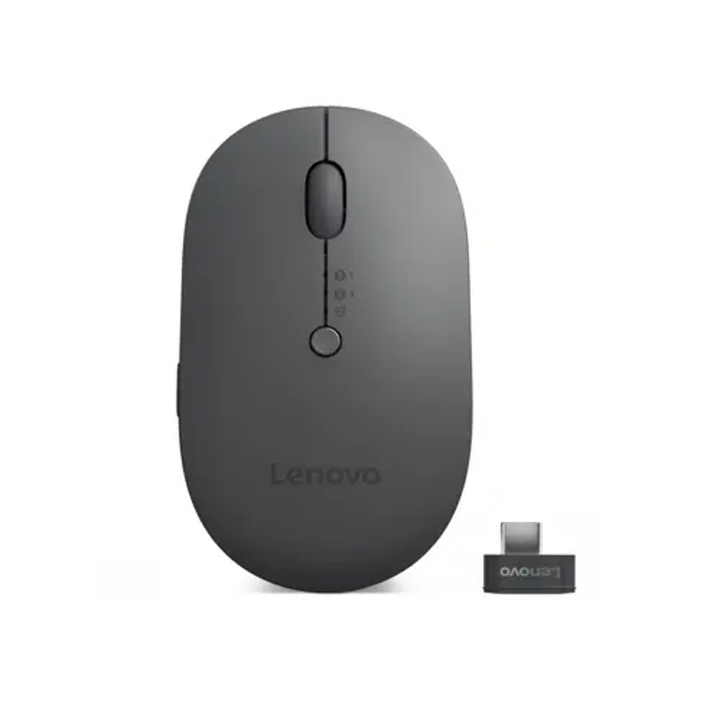


Lenovo Multi-Device Wireless Mouse (X9 Edition)
Prices in SGD, excluding 9% GST.
PRODUCT DESCRIPTION
Lenovo Multi-Device Wireless Mouse (X9 Edition) (4Y51R29290) - Singapore Local Warranty
One Mouse, Up to Three Devices
The Lenovo Multi-Device Wireless Mouse (X9 Edition) pairs with up to three devices and switches between them at the push of a button.
Qi or USB-C Charging
Its rapid-charging battery can be topped up on a Qi wireless charger or over USB-C.
AI Now Key
A dedicated AI Now trigger key launches Lenovo AI Now with one click. With Lenovo Accessories and Display Manager (LADM) installed, the key can also be set as a programmable button.
Lenovo Multi-Device Wireless Mouse (X9 Edition) Datasheet — Technical Specifications
General
| Product | Lenovo Multi-Device Wireless Mouse (X9 Edition) |
| Part Number | 4Y51R29290 |
| Manufacturer Warranty | Not published by Lenovo |
| Local Warranty (Singapore) | Included with every SourceIT purchase, with GST invoice |
Connectivity
| Multi-Device | Pairs with up to 3 devices, switch with a button |
| 2.4 GHz Receiver Type | Not published by Lenovo |
| Bluetooth Version | Not published by Lenovo |
Controls & Power
| Special Key | AI Now trigger key (programmable with LADM) |
| DPI | Not published by Lenovo |
| Charging | Qi wireless charging or USB-C |
| Battery Life | Not published by Lenovo |
Compatibility & Fit
AI Now Key
The AI Now key launches Lenovo AI Now on PCs that have it. On other systems, install LADM to use the key as a programmable button.
Connection Details
Lenovo publishes the three-device pairing and charging options for this mouse. It does not publish the receiver type or Bluetooth version, so check SmartFind or ask us before ordering if your setup depends on them.
Qi Charging
The mouse can be charged on a Qi wireless charger, or with a USB-C cable.
Package Contents & Lenovo Ordering Information
In the box:
- Lenovo Multi-Device Wireless Mouse (X9 Edition)
- Documentation
Lenovo Mice Ordering Information
| 4Y51C21216 | Lenovo Go USB-C Wireless Mouse (Thunder Black) |
| 4Y51C21217 | Lenovo Go Wireless Multi-Device Mouse (Thunder Black) |
| 4Y51C33792 | Lenovo Go Wireless Vertical Mouse |
| 4Y51R29290 (this listing) | Lenovo Multi-Device Wireless Mouse (X9 Edition) |
| 4Y51J62544 | Lenovo Professional Bluetooth Rechargeable Mouse |
| 4XH0R55468 | Lenovo 2.4G Wireless USB Receiver (replacement receiver) |
| 4Y51D20848 | ThinkPad USB-C Wireless Compact Mouse |
| 4Y51D20850 | ThinkPad USB-C Wired Compact Mouse |
| 4X30M56888 | ThinkPad Essential Wireless Mouse (battery not included) |
| 4Y50X88824 | ThinkBook Bluetooth Silent Mouse |
| 4Y51S24029 | Lenovo Fingerprint Biometric USB Mouse Gen 3 |
| 4Y51C68693 | Lenovo Basic Wired Mouse |
Datasheet & Downloads
Use Lenovo SmartFind to confirm compatibility with your exact device before ordering.
Frequently Asked Questions — Lenovo Multi-Device Wireless Mouse (X9 Edition)
How many devices can it pair with?
Up to three, and you switch between them with a button.
How do I charge it?
On a Qi wireless charger or over USB-C.
What does the AI Now key do?
It launches Lenovo AI Now with one click. With LADM installed, you can also set it as a programmable button.
Do I need an AI PC?
No. The mouse works as a multi-device mouse on any supported PC. The AI Now function needs a PC with Lenovo AI Now.
We Also Recommend


Lenovo ThinkStation P8 TWR AMD Ryzen 7995WX /512GB /1TB+2TB /W7900
Lenovo ThinkStation P8 TWR AMD Ryzen 7985WX / 512GB /1TB+2TB /W7900


Lenovo ThinkStation P8 TWR Ryzen 7985WX /512GB /512GB /RTX5000


