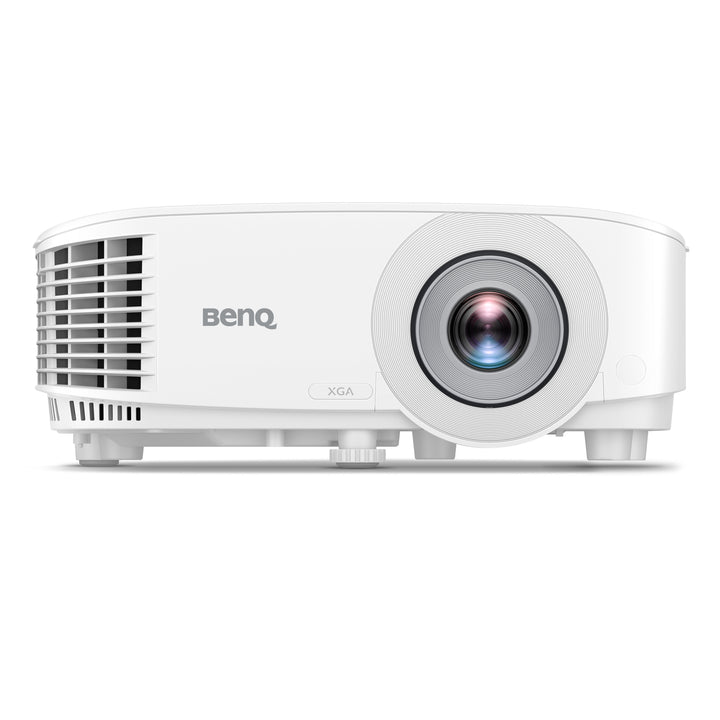


BenQ MX560C XGA 4000lm Meeting Room Projector
PRODUCT DESCRIPTION
BenQ MX560C XGA 4000lm Meeting Room Projector (MX560C) - Local Warranty Support
Lamp Light Source With SmartEco: Up to 15,000 Hours
The MX560C is a lamp projector with BenQ's SmartEco power management. BenQ rates the lamp at 6,000 hours in Normal mode, 10,000 hours in ECO, 10,000 hours in SmartEco and 15,000 hours in LampSave mode - SmartEco works by matching lamp power to the content on screen instead of running at full output regardless. Because the lamp is a replaceable service part, a room keeps its projector and fits a new module at end of lamp life. For a classroom or a meeting room used a few hours a day, that remains the lowest-cost way to put 4,000 lumens on a screen.
4,000 Lumens of XGA for Classrooms and Training Rooms
XGA (1024x768) is a native 4:3 panel, which still suits a great deal of institutional content - older teaching material, document cameras, legacy applications and 4:3 screens already fitted in classrooms and training rooms across Singapore. At 4,000 ANSI lumens with a published 20,000:1 contrast ratio and 30-bit colour, the MX560C stays readable with the lights on. Where a room is being fitted out new with widescreen content, the WXGA MW560C in the same chassis is the better match; where the screen and the content are 4:3, this is the correct choice.
Under 0.5W Standby and 260W in Use
Standby consumption under 0.5W matters when it is multiplied across every room in a building and every hour those rooms sit unused. With SmartEco during a session and an auto power-off timer afterwards, the energy cost of a projector fleet stays low without relying on anyone to switch off at the wall. In use the MX560C draws 260W typical, and the power supply accepts AC 100 to 240V at 50/60 Hz, so it drops into any local installation without a step-down transformer.
HDMI Plus a Retained D-Sub Input, in a 2.3kg Chassis
HDMI 1.4a with HDCP 1.4 handles modern laptops and media players, while the D-sub 15-pin PC input is retained for the visualisers, document cameras and older machines that are still in daily use in teaching spaces. USB Type-A covers firmware updates, USB Mini-B and RS-232 handle control, and 3.5mm audio input and output connect the room's sound or feed the built-in 10W speaker. 3D projection is supported with optional DGD5 glasses. At 2.3 kg the unit suits a slim ceiling void or a trolley that moves between rooms.
BenQ MX560C Datasheet — Technical Specifications
General
| Product | BenQ MX560C XGA Meeting Room Projector |
| Part Number (SKU) | MX560C |
| Projection System | DLP |
| Light Source | Lamp |
| Platform | None - control over RS-232 |
| Local Warranty (Singapore) | Supplied by SourceIT with GST invoice and local warranty support |
Optics & Light Source
| Lamp Life | Normal 6,000 hrs; ECO 10,000 hrs; SmartEco 10,000 hrs; LampSave 15,000 hrs |
| Throw Ratio | 1.96 ~ 2.15 |
| Zoom Ratio | 1.1x |
| Projection Offset | 110% |
| Keystone Adjustment | 1D, auto vertical +/-30 degrees |
Picture
| Native Resolution | XGA (1024 x 768) |
| Brightness | 4,000 ANSI lumens |
| Contrast Ratio | 20,000:1 |
| 3D | Supported with optional DGD5 glasses |
Connectivity
| HDMI | HDMI-1 (1.4a / HDCP1.4) |
| PC Input | D-sub 15-pin |
| USB Type-A | x1 |
| USB Type Mini-B | x1 |
| RS-232 | DB-9 pin x1 |
| Audio In / Out | 3.5mm mini jack x1 each |
Audio
| Speaker | 10W |
| Noise Level | 34 dB (typical) / 29 dB (Eco) |
Physical & Environmental
| Dimensions (W x H x D) | 296 x 120 x 221 mm |
| Net Weight | 2.3 kg |
Power
| Power Supply | AC 100 to 240V, 50/60 Hz |
| Power Consumption | 260W (110V) |
| Standby Power | Under 0.5W |
Specifications are taken from BenQ's published product data for this model. Where BenQ does not publish a figure for this exact model it has been left out rather than estimated.
Compatibility & Installation
Throw distance and screen size
Throw ratio is 1.96 to 2.15 with 1.1x zoom, so throw distance equals screen width multiplied by that ratio. A 100-inch 4:3 screen is 2.03 metres wide and needs roughly 4.0 to 4.4 metres; an 80-inch 4:3 screen is 1.63 metres wide and needs roughly 3.2 to 3.5 metres; a 60-inch 4:3 screen is 1.22 metres wide and needs roughly 2.4 to 2.6 metres. Projection offset is 110%. Note that this is a longer-throw lens than the WXGA MW560C, so a room that is short on depth may need the other model.
Mounting and alignment
Table and inverted ceiling mounting are both supported. The 1.1x zoom is modest, so measure the throw distance before fixing a bracket. 1D auto vertical keystone corrects +/-30 degrees; there is no horizontal keystone on this model, so place the projector on the screen's centre line left to right.
What it connects to
One HDMI 1.4a input with HDCP 1.4 for modern sources, and a D-sub 15-pin PC input for document cameras, visualisers and older laptops. USB Type-A and USB Mini-B cover service and control alongside RS-232, and 3.5mm audio input and output connect the room's sound system or feed the built-in 10W speaker. 3D is supported with optional DGD5 glasses.
Network and management
There is no LAN port on this model; control is over RS-232 to a hardware room controller. Where projectors must be monitored over the building network, the laser BenQ LH655 and BenQ LW655 add an RJ45 port.
Related models
The BenQ MW560C is the WXGA 16:10 version of the same chassis with a shorter 1.55-1.7 throw ratio. For SVGA, see the BenQ MS560.
Package Contents & BenQ Installation and Meeting Room Range
In the box
- BenQ MX560C projector
- Remote control
- Power cord
- Quick start guide
Package contents follow BenQ's product data for this model; items not listed by BenQ are not claimed here. BenQ lists DGD5 3D glasses as an optional accessory.
BenQ installation and meeting room range
| Model | Key specification |
| MX560C (this listing) | XGA, 4,000 lm, lamp, 1.1x zoom (current revision) |
| MW560C | WXGA, 4,000 lm, lamp, 1.1x zoom (current revision) |
| LH655 | 1080p, 4,000 lm, laser, 1.3x zoom, LAN |
| LW655 | WXGA, 4,000 lm, laser, 1.3x zoom, LAN |
| LH750 | 1080p, 5,000 lm, conference room |
| MH560 | 1080p, lamp, meeting room |
| MW560 | WXGA, 4,000 lm, lamp |
| MX560 | XGA, 4,000 lm, lamp |
| MS560 | SVGA, 4,000 lm, lamp |
Datasheet & Downloads
SourceIT can email the current data sheet revision together with a quotation, including throw distance tables, replacement lamp part numbers and ceiling mount options.
Frequently Asked Questions — BenQ MX560C
Is the MX560C the current version of the MX560?
Yes. The MX560C is the current revision of the MX560 and is the model BenQ lists today. The MX560 listing stays on our store for customers matching an existing fleet or ordering against an older specification. For a new room, order the MX560C.
What light source does it use, and how long does the lamp last?
It is a lamp projector. BenQ rates the lamp at 6,000 hours in Normal mode, 10,000 hours in ECO, 10,000 hours in SmartEco and 15,000 hours in LampSave mode. The lamp is a replaceable service part.
How does a lamp compare with laser and LED?
A lamp is the cheapest route to 4,000 lumens but it is a consumable: it dims over its life and is eventually replaced. Laser models such as the LH655 and LW655 are rated at 20,000 hours Normal and 30,000 hours ECO with no module to fit at all. A room used a few hours a day is usually cheaper overall on a lamp; a room in use most of the working day is cheaper on laser.
What is SmartEco?
SmartEco varies lamp power according to the brightness of the content on screen rather than running the lamp flat out. BenQ rates lamp life at 10,000 hours in SmartEco, against 6,000 hours in Normal.
How far back does it need to sit?
The throw ratio is 1.96 to 2.15 with 1.1x zoom. A 100-inch 4:3 screen is 2.03 metres wide, so it needs roughly 4.0 to 4.4 metres of throw distance. An 80-inch 4:3 screen needs roughly 3.2 to 3.5 metres. This is a longer throw than the MW560C, so check the room depth.
Why would I choose XGA over WXGA?
XGA is a native 4:3 panel. It is the right choice where the room already has a 4:3 screen, or where the content, document camera or application is 4:3. For widescreen content and new installations, the WXGA MW560C is the better fit.
Does it have a network port?
No. Control is over RS-232. If network monitoring is required, the laser LH655 and LW655 add an RJ45 LAN port.
Does it come with a Singapore warranty and a GST invoice?
Yes. Every unit sold by SourceIT is supplied with local Singapore warranty support and a GST invoice. BenQ's projector warranty terms vary by model, and the lamp is normally covered on its own separate terms, so please ask us to confirm both in writing with your quotation.