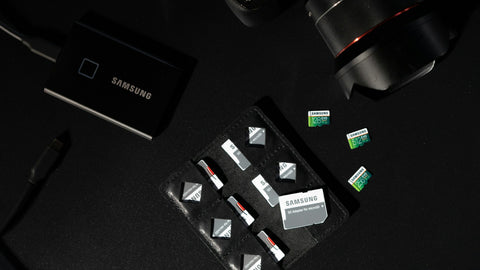
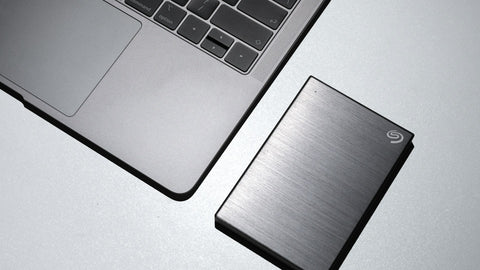
Yes. To ransomware, a fine-tuned model is just a large file, and a dataset is a folder of smaller ones. It encrypts whatever the infected account can write to: the AI workstation's drive, mapped network shares, and any backup drive that happens to be plugged in. Modern attacks go further and look for backups first, deleting or encrypting them so that paying appears to be the only way out. The defence is not a better lock on the front door alone. It is a copy the attacker cannot change: snapshots that cannot be deleted for a set period, a backup held by a system the workstation has no rights over, and a copy kept offline or off site. A NAS can supply the first two, where the model and software support them, and feed the third.
How does ransomware reach AI systems?
| Route | Example |
|---|---|
| A staff PC on the same network | Phishing email, then spread to shared folders the user can write to |
| Stolen credentials | An administrator password reused elsewhere |
| Exposed services | Remote desktop, a NAS login page or an AI web interface open to the internet |
| Unpatched software | An old vulnerability in a server, NAS or VPN appliance |
| Malicious downloads | A tampered model file, container or package; see AI model supply chain security |
AI machines carry some extra exposure. They are often set up by developers outside normal IT controls, they pull large amounts of software from public sources, and they are given broad access to company documents so the assistant can be useful.
What if it encrypts both the server and the backup?
This is the scenario to plan for, because attackers plan for it. A backup is vulnerable when:
- It is a USB drive left connected to the machine.
- It is a network share that the workstation's own account can modify or delete.
- The backup system's administrator password is the same as, or stored on, the infected machine.
- Snapshots exist but an administrator account, once stolen, can delete them.
- There is only one backup, and it was synchronised after the files were encrypted.
If every copy can be reached and changed from the compromised environment, there is effectively one copy.
How can a NAS help?
| Feature | What it does against ransomware | Limit |
|---|---|---|
| Snapshots | Point-in-time versions; roll a folder back to before the attack in minutes | Ordinary snapshots can be deleted by a compromised administrator |
| Immutable snapshots | Cannot be deleted or changed for a set retention period, even by an administrator | Only on models and software versions that support them; retention must be set in advance |
| Write-once folders | Files can be added but not altered for a period | Same |
| Pull-style backup | The NAS logs in to the workstation and takes the backup; the workstation holds no credentials for the NAS | Needs setting up this way deliberately |
| Replication to a second unit | A further copy on separate hardware, ideally at another site | Replicates encrypted data too unless versions are kept |
| Account protection | Two-factor sign-in, disabled default admin account, blocked repeated login attempts | Only if enabled |
Synology offers immutable snapshots and write-once folders on supported models and DSM versions, and its ActiveProtect appliances are built around protected, isolated backup copies. Confirm on the current specification that the model you choose supports the feature you are relying on.
Source: Synology DSM and ActiveProtect product documentation. Compiled 12 Nov 2026.
The question that matters after an attack is not whether you had a backup. It is whether the attacker could reach it.
What else has to be in place?
- An offline or off-site copy. A second device elsewhere, a cloud backup target, or media that is physically disconnected. This is the copy that survives when the whole site is compromised. See the 3-2-1 backup rule.
- Network separation. Put AI systems and the NAS on their own segment, with only the necessary connections allowed from staff PCs.
- Least privilege. Read-only access to datasets and base models for most accounts. Separate administrator accounts not used for daily work.
- Nothing management-related exposed to the internet. Use a VPN for remote access.
- Patching. NAS, firewall, AI server operating system.
- Restore tests. A timed restore of a real model and dataset.
- A written response. Who disconnects what, who is called, and how staff work meanwhile. See when ransomware strikes, can your business still communicate.
How long does recovery take?
CALC. Restoring 2TB of models and datasets from a NAS over a 2.5GbE link at about 280 MB/s takes 2,000,000 / 280 = 7,143 seconds, about 2 hours. Rolling back a snapshot on the NAS itself takes minutes, because nothing is copied. Restoring the same 2TB from a cloud backup over a 500 Mbps line, about 62 MB/s, takes 2,000,000 / 62 = 32,258 seconds, about 9 hours. These are transfer times only, at typical speeds; cleaning or rebuilding the infected machines usually takes longer than the restore. Do not restore onto a system until the way in has been found and closed.
Should you pay?
That is a decision for management with legal and specialist advice, not a technical one, and payment carries no guarantee of recovery. In Singapore, an incident involving personal data may also trigger notification duties under the Personal Data Protection Act. What good backups change is the position you decide from.
Buying in Singapore
Snapshot-capable NAS: the Synology DS925+ (S$1,260) or Synology DS1825+ (S$2,148). Dedicated protected backup: the Synology ActiveProtect DP320 (S$2,611.20) or DP340 (S$6,526.80). Network segmentation: the Fortinet FortiGate 70G (S$1,668) (listed 12 Nov 2026; prices change; ask for a current quotation). To start, use Request for Quotation on the product page, call (65) 6978 3502, email Sales@sourceit.com.sg or use our contact page.
Frequently asked questions
Can ransomware encrypt AI models? Yes. Models, datasets and checkpoints are ordinary files, and ransomware encrypts any file the compromised account can write to, on local drives and network shares.
Can ransomware encrypt backups too? Yes, if the backup is a connected drive or a share the infected machine can modify, or if stolen administrator credentials allow backups and snapshots to be deleted.
What is an immutable snapshot? It is a point-in-time copy of data that cannot be altered or deleted until a set retention period ends, even by an administrator, so it survives an attack that compromises the system's accounts.
Is a NAS alone enough protection against ransomware? No. Snapshots and immutability help greatly, but an offline or off-site copy, network separation, strong account security and tested restores are also needed.

SourceIT Approved
Researched and verified by the SourceIT team for Singapore buyers.