Your AI Is Only as Safe as Your Backup: Why AI Infrastructure Needs a Recovery Plan

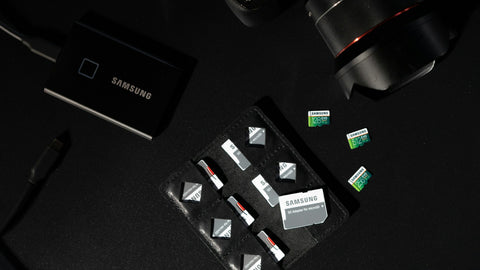
A company will approve a six-figure AI server after months of evaluation, then protect everything it produces with a single external hard drive, or with nothing. The hardware is the replaceable part: it has a price, a warranty and a delivery date. What runs on it does not. Fine-tuned models, curated datasets, the document index, prompts, evaluation sets and the configuration that makes the system work are the result of staff time and GPU time, and they usually live on one internal drive. An AI recovery plan is a short, written answer to three questions: what would we lose, how long could we be without it, and how exactly do we get it back. It costs a small fraction of the system and should be in place before the budget goes to another GPU.
What is actually at risk?
| Asset | If lost |
|---|---|
| Fine-tuned models and adapters | Repeat the training: days of GPU time, if the data and settings still exist |
| Datasets you cleaned or labelled | Weeks of staff effort; sometimes cannot be re-collected |
| Prompts, configuration, evaluation sets | Small files, slow to reconstruct from memory |
| Vector index of company documents | Hours to days of re-indexing |
| Chat history and user feedback | Gone |
| The serving environment | A day or more of rebuilding and debugging |
| The AI service itself | Staff who now depend on it stop or fall back to public tools |
That last row grows over time. Once an assistant is part of daily work, an outage is a business interruption, not an IT inconvenience.
What goes wrong in practice?
- Drive failure. Most AI desktops and many workstations have one internal SSD and no redundancy. See what happens if your AI workstation SSD fails.
- Human error. A script pointed at the wrong folder, an overwritten adapter, a dataset edited in place.
- Ransomware. It encrypts whatever the infected machine can reach, including attached backup drives. See can ransomware destroy your AI models.
- Software updates. A driver or framework change breaks a working environment.
- Power events. A cut during a write corrupts a checkpoint or a volume.
- Loss of the machine. Theft, fire, water.
- Loss of the person. The one engineer who knew how it was set up leaves.
What does protection cost next to the system?
CALC. A 4-bay NAS at S$1,260 with four NAS drives at S$390 each is 1,260 + (4 x 390) = S$2,820.
- Against a S$9,450 desktop AI system: 2,820 / 9,450 = 30 percent.
- Against a S$100,000 AI server: 2,820 / 100,000 = 2.8 percent.
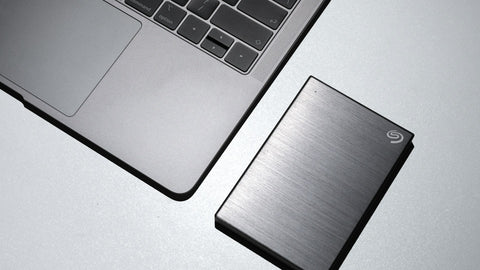
A larger system needs more capacity and a proper second copy, so the real figure for a S$100,000 server is higher than this minimum. The point stands: protection is a single-digit percentage of a serious AI investment, and the usual amount spent is close to zero. A lone external drive is better than nothing, but it is one copy, usually plugged into the machine it is meant to protect, with no versions and no check that it still works.
The server is insured by its warranty. The work on it is insured by nothing unless you arrange it.
What belongs in an AI recovery plan?
- An inventory. What exists, where it lives, and whether it can be downloaded again or not. See how to back up AI models, datasets and checkpoints.
- Two targets. How much recent work you can afford to lose, and how long the service can be down. These are the recovery point and recovery time objectives explained in backup is not disaster recovery.
- Copies. A versioned copy on separate storage, and another off site or offline. See the 3-2-1 backup rule for AI infrastructure.
- A copy that cannot be altered. Immutable or offline, so an attacker or a mistake cannot remove every version.
- The rebuild recipe. Written steps and saved configuration to recreate the environment on new hardware.
- A fallback for users. What staff do while the service is down, and what they must not do, such as pasting confidential documents into public tools.
- A hardware answer. Spare, loan unit, or supplier lead time, decided in advance.
- A named owner and a deputy.
- A test. Restore a model and a dataset to a different machine at least twice a year, and time it.
The plan for a five-person team fits on two pages. Its value is that the decisions are made calmly, before the failure.
Why before another GPU?
More compute makes the system faster. It does nothing for the day the system is empty. A second GPU also increases what is at stake, because more work gets done on the platform. The order that makes sense is: one system, protected and recoverable, then scale. For larger systems see the single point of failure problem, and for the storage side, why your AI server needs a NAS.
Buying in Singapore
First backup target: the Synology DS925+ (S$1,260) or Synology DS1825+ (S$2,148), with Seagate IronWolf Pro drives from S$390. Protected second copy: the Synology ActiveProtect DP320 (S$2,611.20) or DP340 (S$6,526.80). Power protection for the NAS: the APC Back-UPS Pro BR 900VA (S$452.50) (listed 12 Nov 2026; prices change; ask for a current quotation). To start, use Request for Quotation on the product page, call (65) 6978 3502, email Sales@sourceit.com.sg or use our contact page.
Frequently asked questions
Why does AI infrastructure need a recovery plan? Because the models, datasets and configuration it holds take far longer to recreate than the hardware takes to replace, and they usually sit on a single drive with no redundancy.
Is an external hard drive enough to back up an AI server? It is better than nothing but not enough alone. It is one copy with no version history, often connected to the machine it protects, and rarely tested.
How much should be spent on backup for an AI system? There is no fixed rule, but a versioned NAS copy plus an off-site or immutable copy typically costs a small percentage of a serious AI system's price.
What should an AI recovery plan include? An inventory of what exists, targets for acceptable data loss and downtime, backup copies including one that cannot be altered, rebuild instructions, a user fallback, a named owner and regular restore tests.