
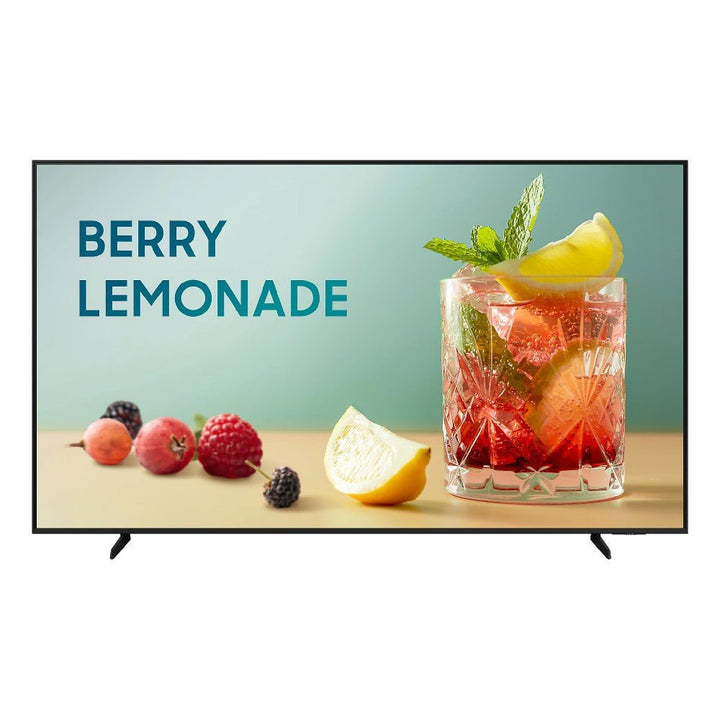


Samsung BE43F-H 43" UHD 4K Business TV
PRODUCT DESCRIPTION
Samsung BE43F-H 43" UHD 4K Business TV (LH43BEFHVGKXXS) - Local Warranty
43-Inch 4K Screen Sized for Meeting Rooms and Reception Counters
At 43 inches the BE43F-H fits the spaces where a larger panel would overwhelm the wall: a huddle room, a clinic waiting area, a reception counter, a cafe menu board or a lift lobby. The 3840 x 2160 UHD panel keeps small type, price lists and spreadsheet detail legible from close viewing distances, so a room schedule or a menu reads cleanly at two to three metres. Crystal Processor 4K upscales lower-resolution source material, which matters when the content playing is a mix of HD video and native 4K artwork.
16/7 Commercial Duty Rating, Not a Consumer TV on a Bracket
Samsung rates this panel for 16 hours a day, seven days a week. That is the difference between a display built to run a full trading day and a home TV pressed into signage duty, and it is what the warranty is written against. For a shop that opens at 10am and closes at 10pm, or an office lobby that runs from first arrival to the cleaners leaving, 16/7 covers the duty cycle with headroom. The 300-nit panel is specified for indoor use - shaded lobbies, meeting rooms, corridors and covered retail, rather than a sun-facing shop window.
Tizen 9.0 On Board, So No External Player to Buy or Maintain
The BE43F-H runs Tizen 9.0 with the Samsung Business TV app and Samsung VXT cloud content management built in. Content is uploaded, scheduled and pushed from a phone or a browser, and the display plays it back from its own internal platform. For most single-screen and small-estate deployments in Singapore that removes an external media player, its power supply, its mount and its own patching cycle from the bill of materials. Built-in signage templates let a shop owner or an office manager assemble a promotion or a notice board without a designer.
SmartThings Pro for Estates You Cannot Physically Visit
Where a business runs several screens across outlets, floors or branches, SmartThings Pro gives IT a single console to check whether a display is on, change its settings, push content and schedule power on and off by location. That removes the site visit that a locked-down consumer TV would require. Combined with the RJ-45 port or Wi-Fi 5, a screen installed in a tenanted retail unit or a remote branch can be managed from head office, which is what keeps a multi-site signage rollout from becoming a recurring manpower cost.
Samsung BE43F-H Datasheet — Technical Specifications
General
| Product | Samsung BE43F-H 43" UHD 4K Business TV |
| Part Number (SKU) | LH43BEFHVGKXXS |
| Display Type | Commercial Business TV / Digital Signage |
| Operating Time | 16/7 commercial operation |
| Platform | Tizen 9.0 Smart TV |
| Smart Management | SmartThings Pro + Samsung Business TV App + Samsung VXT cloud CMS |
| Local Warranty (Singapore) | Supplied by SourceIT with GST invoice |
Display
| Screen Size | 43 inch (107.9 cm) |
| Resolution | 3840 x 2160 (UHD 4K) |
| Brightness | 300 nit |
| Aspect Ratio | 16:9 |
| Backlight Technology | LED |
| Orientation | Landscape |
| Bezel Design | Slim bezel |
Video & Audio
| Picture Processor | Crystal Processor 4K |
| HDR Support | HDR10+ |
| Motion Technology | Motion Xcelerator |
| Contrast Enhancer | Supported |
| 4K Upscaling | Supported |
| Filmmaker Mode | Supported |
| Speaker Type | 2-channel speakers |
| Sound Output | 20W RMS (10W x 2) |
| Object Tracking Sound | OTS Lite |
| Bluetooth Audio | Supported |
| Q-Symphony | Supported |
Smart Platform & Management
| Operating System | Tizen 9.0 |
| Business App | Samsung Business TV App (Android / iOS) |
| Device Management | SmartThings Pro |
| Content Management | Samsung VXT cloud CMS |
| Remote Control & Scheduling | Supported |
| Signage Templates | Built-in templates for business environments |
Connectivity
| HDMI | 3 x HDMI |
| HDMI ARC / eARC | Supported |
| USB | 1 x USB-A |
| LAN | 1 x Ethernet (RJ-45) |
| RF Input | 1 x RF (terrestrial / cable) |
| Wi-Fi | Wi-Fi 5 |
| Bluetooth | Bluetooth 5.3 |
Physical & Environmental
| Colour | Black |
| Stand Type | Basic stand |
| VESA Mounting Pattern | 200 x 200 mm |
| Design | Slim commercial display suitable for signage and meeting room environments |
Power
| Typical Power Consumption | Approx. 68 W |
| Maximum Power Consumption | Approx. 115 W |
| Standby Power | Approx. 0.5 W |
Specifications are taken from Samsung's published product data for this model. Where Samsung does not publish a figure for this exact model it has been left out rather than estimated.
Compatibility & Installation
Mounting
The BE43F-H carries a 200 x 200 mm VESA pattern, so it takes any standard fixed, tilting or full-motion bracket rated for a 43-inch panel. A basic stand is included for counter, credenza and trolley placement. Samsung specifies this model for landscape orientation, so plan artwork and room layouts around a 16:9 landscape canvas rather than a portrait totem. Leave access to the rear connector bay when specifying a low-profile flush mount, as the HDMI and RJ-45 ports are used during commissioning.
What it connects to
Three HDMI inputs cover the usual mix in a meeting room or retail back-of-house: a laptop or room PC, a video bar or conferencing device, and a set-top or media player. HDMI ARC/eARC returns audio to a soundbar or AV receiver where the built-in 20W speakers are not enough for a larger room. One USB-A port plays media from a stick for a standalone screen with no network. An RF input accepts terrestrial or cable feed for hospitality and lobby TV channels.
Network and content management
Connect over the RJ-45 Ethernet port for a fixed install, or Wi-Fi 5 where cabling is not practical. The display runs Tizen 9.0 with the Samsung Business TV app for content creation and scheduling, Samsung VXT cloud CMS for hosted content delivery, and SmartThings Pro for remote device management across an estate. Bluetooth 5.3 supports peripheral and audio pairing. No external media player is required for standard signage playback.
Sizing across the range
Where a larger viewing distance or a bigger room is involved, the same platform is available in 50, 55, 65, 75 and 85 inch, and as a 98-inch BE98D-H for auditoriums and flagship spaces.
Package Contents & Samsung Business TV BEF-H Range
In the box
- Samsung BE43F-H 43" UHD 4K Business TV
- Basic stand
- Remote control
- Power cable
- Quick setup guide
Package contents follow Samsung's product data for this model; items not listed by Samsung are not claimed here.
Samsung Business TV BEF-H range
| Model | Size |
| BE43F-H (this listing) | 43 inch (107.9 cm) |
| BE50F-H | 50 inch (125.7 cm) |
| BE55F-H | 55 inch (138.7 cm) |
| BE65F-H | 65 inch (163.9 cm) |
| BE75F-H | 75 inch (189.3 cm) |
| BE85F-H | 85 inch (214.7 cm) |
| BE98D-H | 98 inch (248.9 cm) |
Datasheet & Downloads
- Samsung Singapore - 43-inch Business TV BEF-H product page (LH43BEFHVGKXXS)
- Samsung Support Singapore - BE43F-H manuals and downloads
SourceIT can email the current data sheet revision for this model on request, together with a quotation for the quantity and installation scope you need.
Frequently Asked Questions — Samsung BE43F-H
Is 43 inches big enough for my space?
A 43-inch 16:9 panel suits close viewing - huddle rooms, reception counters, clinic waiting areas, lift lobbies and cafe menu boards where viewers are roughly two to four metres away. For a larger meeting room, an open retail floor or a wide lobby, step up to the 55 or 65-inch model in the same range so text remains legible from the back of the space.
What does 16/7 mean, and can I run it 24/7?
Samsung rates the BE43F-H for 16 hours of operation a day, seven days a week. That covers most retail trading hours, office days and hospitality operations. If your application genuinely runs around the clock - a transport hub, a control room or an unattended 24-hour display - specify a Samsung signage panel rated for 24/7 instead, and we can quote that alternative.
Do I need an external media player?
Not for standard signage. Tizen 9.0 is built in, along with the Samsung Business TV app for creating and scheduling content, Samsung VXT cloud CMS and SmartThings Pro for remote management. An external player is only needed for third-party CMS platforms or interactive applications that will not run on Tizen.
Can I mount it in portrait?
Samsung specifies this model for landscape orientation, so portrait totem installations are not covered. If you need a portrait-capable screen for a wayfinding pillar or a narrow shopfront, ask us for a Samsung signage model rated for portrait mounting.
Is the screen touch-enabled?
No. The BE43F-H is a non-touch display intended for playback, presentation and signage. For interactive wayfinding, classroom or collaboration use, look at Samsung's interactive display range instead.
What do the letters in BE43F-H mean?
BE is Samsung's Business TV line, 43 is the screen size in inches, F indicates the generation within that line, and H is the regional variant. The full order code on this listing is LH43BEFHVGKXXS, which is the part number to quote for the Singapore market unit.
What warranty and paperwork do I get?
Every unit sold by SourceIT is a Singapore market set carrying local Samsung warranty, and we issue a GST invoice with every order for your accounts and claims.
How is this different from the next size up?
The BE50F-H and BE55F-H share the same Tizen 9.0 platform, 300-nit UHD panel, port layout and 16/7 rating as the BE43F-H - the difference is screen size and power draw. The BE43F-H draws approximately 68 W typical, while the larger panels draw more. Choose on viewing distance and wall space rather than on features.


