
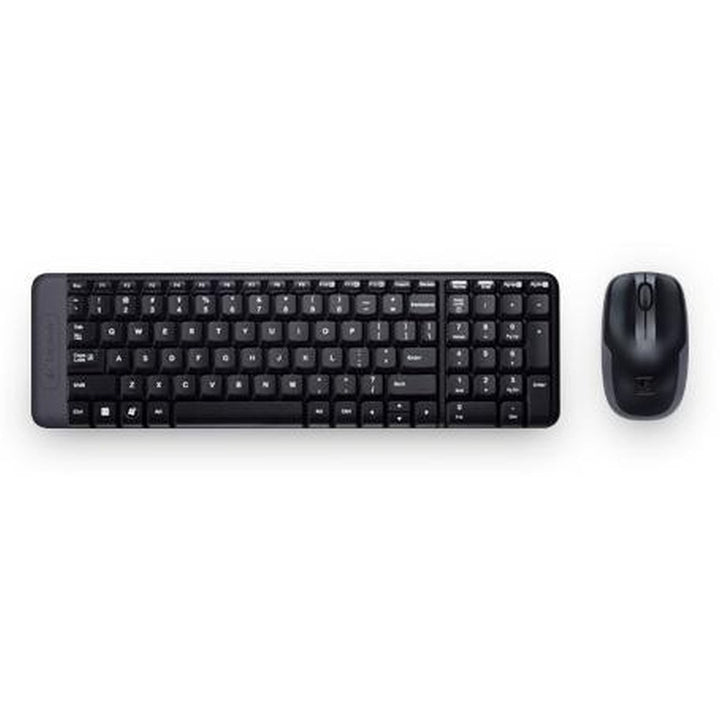

Logitech MK220 Wireless Combo
PRODUCT DESCRIPTION
Logitech MK220 Compact Wireless Keyboard and Mouse Combo (920-003235) - 2 Years Local Warranty
Compact 2.4 GHz Wireless Combo That Gives Back Desk Space
The Logitech Wireless Combo MK220 (920-003235) pairs the compact K220 keyboard with the M150 optical mouse over a single 2.4 GHz USB nano receiver. Logitech describes the keyboard as about 36% smaller than a standard keyboard while keeping all the standard keys including the number pad — which is why it remains a favourite for tight Singapore desks, reception counters and secondary workstations.
Full Key Set in a 380 mm Footprint
At 380 x 112 x 19 mm and 320 g including its batteries, the K220 keyboard fits where a full-size board will not, yet retains Num Lock, Caps Lock, Scroll Lock and an FN key. The design is spill-resistant, and the low 19 mm profile keeps wrists in a comfortable, flat posture without an additional rest.
Ambidextrous Optical Mouse with Replaceable Batteries
The M150 mouse is a portable ambidextrous optical design tracking up to 1000 DPI with a standard vertical scroll wheel, measuring 107 x 60 x 40 mm and 112 g including batteries. Both devices take user-replaceable alkaline cells — two AAA for the keyboard and two AA for the mouse — so there is no charging dock or downtime to plan around.
One Nano Receiver, Plug-and-Play Deployment
A single tiny 2.4 GHz USB receiver (17 x 45 x 10 mm, 5 g) serves both devices and can simply stay in the machine. Setup is plug-and-play, freeing your remaining USB ports and keeping deployment friction near zero for IT teams rolling out many desks at once.
Logitech MK220 Datasheet — Technical Specifications
General
| Model | Logitech Wireless Combo MK220 |
| Part Number (Asia Pacific / Singapore) | 920-003235 |
| Component Models | K220 keyboard and M150 mouse |
| Combo Regulatory Model | Y-R0020 |
| Manufacturer | Logitech |
| Product Type | 2.4 GHz wireless keyboard and mouse combo |
| Colour | Black |
| Carbon Footprint | 5.72 kg CO2e |
| Warranty | 2 Years Local Warranty (Singapore) |
Keyboard (K220)
| Layout | Compact — retains all standard keys including number pad; about 36% smaller than a standard keyboard |
| Keys | FN key, Num Lock, Caps Lock, Scroll Lock |
| Spill Resistance | Spill-resistant design |
| Dimensions | 380 x 112 x 19 mm |
| Weight | 320 g (including battery) |
Mouse (M150)
| Design | Compact, portable, ambidextrous |
| Sensor | Optical (tracking light not visible) |
| Resolution | Up to 1000 DPI |
| Scrolling | Regular vertical scroll wheel |
| Dimensions | 107 x 60 x 40 mm |
| Weight | 112 g (including batteries) |
Connectivity
| Wireless Technology | 2.4 GHz wireless via USB nano receiver |
| Receiver | Single nano receiver for both devices — 17 x 45 x 10 mm, 5 g, USB full-speed |
| Receiver Identifier | VID_PID 046D_C52E |
| Range | Logitech quotes up to 9 m (30 ft) on its support specification page and 10 m (33 ft) on the product datasheet; actual range is environment dependent |
| Bluetooth | Not supported — 2.4 GHz receiver only |
| Unifying / Logi Bolt | Not branded as Unifying or Logi Bolt in any official Logitech source |
Battery
| Keyboard Battery | 2 x AAA alkaline, user-replaceable |
| Keyboard Battery Life | Up to 24 months |
| Mouse Battery | 2 x AA alkaline, user-replaceable |
| Mouse Battery Life | Logitech quotes up to 5 months on its support specification page and up to 12 months on current product pages |
Design & Power
| Form Factor | Compact keyboard with portable ambidextrous mouse |
| Materials | Made with recycled plastic (Logitech does not publish a percentage for the MK220) |
| Colour | Black |
Compatibility & Software Support
Operating system support
- Windows XP, Windows Vista, Windows 7 (32-bit and 64-bit)
- ChromeOS
- Linux kernel 2.6 or later
This is the list Logitech publishes on its MK220 support specification page. Logitech has not refreshed the MK220 compatibility list for Windows 10 or 11 and does not claim macOS support, so we do not claim either here. In practice the combo presents as a standard USB HID device. An available USB-A port is required for the receiver.
Software
Logitech lists SetPoint 6.30 and the Connect Utility for the MK220. Neither is required for basic operation — the combo is plug-and-play. The MK220 is not a Unifying or Logi Bolt device and is not managed by Logi Options+.
Availability note: the MK220 is a long-running legacy platform. Logitech’s Singapore and US storefronts no longer carry a product page for it, though it remains actively sold on Logitech’s European and Indian stores. SourceIT continues to stock it — contact us for current lead times on volume orders.
SourceIT supplies this product with 2 years local Singapore warranty and a GST invoice. Logitech’s own published manufacturer warranty period may differ by region — contact SourceIT if you need the manufacturer terms in writing.
Package Contents & MK Combo Ordering Information
In the box
- 1 x K220 compact wireless keyboard
- 1 x M150 wireless mouse
- 1 x USB nano receiver
- 2 x AAA batteries (keyboard)
- 2 x AA batteries (mouse)
- User documentation
In-the-box list taken from Logitech’s MK220 datasheet.
Logitech MK combo range at SourceIT
| MK120 Corded Combo | 920-002586 |
| MK200 Media Combo (corded) | 920-002693 |
| MK220 Compact Wireless Combo (this listing) | 920-003235 |
| MK250 Compact Wireless Combo — Graphite | 920-013559 |
| MK250 Compact Wireless Combo — Off White | 920-013560 |
| MK250 Compact Wireless Combo — Rose | 920-013561 |
| MK270R Wireless Combo | 920-006314 |
| MK295 Silent Wireless Combo | 920-009814 |
| MK345 Wireless Combo (palm rest) | 920-012926 |
| MK470 Slim Combo — Graphite | 920-009182 |
| MK470 Slim Combo — Off White | 920-009183 |
| MK470 Slim Combo — Rose | 920-011326 |
| MK540 Advanced Wireless Combo | 920-008682 |
| MK850 Performance Wireless Combo | 920-008233 |
Regional part number note: 920-003235 is the Asia Pacific / English SKU stocked in Singapore. Logitech’s European datasheet covers a different SKU block (920-003157 to 920-003172, plus 920-003255 and 920-003256), with 920-003168 identified as the Eastern Europe SKU — so a European datasheet will quote a different part number for the same product. Logitech does not publish a barcode table that includes 920-003235, so we do not state an official UPC for this listing.
Datasheet & Downloads
Frequently Asked Questions — Logitech MK220
How much smaller is the MK220 keyboard than a standard one?
Logitech states the K220 keyboard is about 36% smaller than a standard keyboard while keeping all the standard keys including the number pad. In absolute terms it measures 380 x 112 x 19 mm against roughly 445–450 mm for the full-size boards in this range, so it recovers around 60–70 mm of desk width.
Does the MK220 use Bluetooth or a receiver?
A receiver. The MK220 connects over 2.4 GHz through a single USB nano receiver that serves both the keyboard and the mouse. There is no Bluetooth mode. If you specifically want a dongle-free Bluetooth combo, the MK250 is the direct alternative in a similar compact form factor.
Is the MK220 receiver a Unifying receiver?
No Logitech source describes the MK220 receiver as Unifying or Logi Bolt, so we do not claim it is. Treat it as a dedicated 2.4 GHz nano receiver paired to that specific keyboard and mouse. If you need a genuine Unifying deployment, the MK540 Advanced and MK850 Performance combos are the Unifying options in this catalogue.
How long do the batteries last?
Logitech quotes up to 24 months for the keyboard on two AAA cells. For the mouse, Logitech’s own sources disagree — the support specification page and the legacy datasheet say up to 5 months, while current product pages say up to 12 months. We publish both rather than pick one. All cells are standard user-replaceable alkalines, so there is no charging dock to manage.
Which MK220 alternative should I choose for a modern Windows 11 fleet?
Logitech has not refreshed the MK220 compatibility list beyond Windows 7, so for a documented Windows 10 or 11 deployment consider the MK250 Compact (Bluetooth, similar footprint) or the MK295 Silent if you want a full-size layout with quiet keys.
Are spare receivers or replacement parts available?
No. Logitech’s support portal reports no downloads, documents, spare parts or videos for the MK220 — it is a legacy platform. The receiver is paired to the set and is not separately orderable, so if a receiver is lost the combo needs replacing. That is worth factoring into hot-desk deployments where dongles go missing.
Is the MK220 still a current Logitech product?
It is a long-running legacy model. Logitech’s Singapore and US storefronts no longer list a product page for the MK220, though it is still actively sold on Logitech’s European and Indian stores. SourceIT continues to carry stock — contact us to confirm availability and lead time before committing to a large rollout.
Does the MK220 come with warranty in Singapore?
Yes. Every MK220 sold by SourceIT comes with 2 years local Singapore warranty and a GST invoice.


