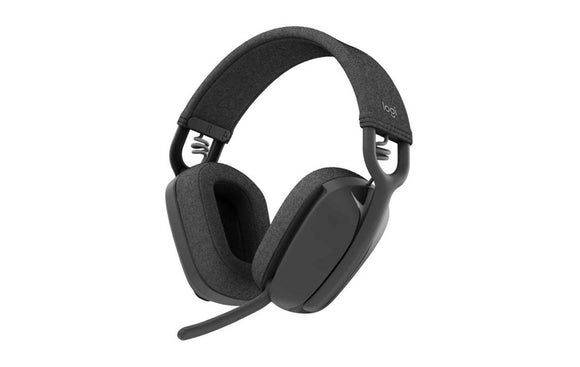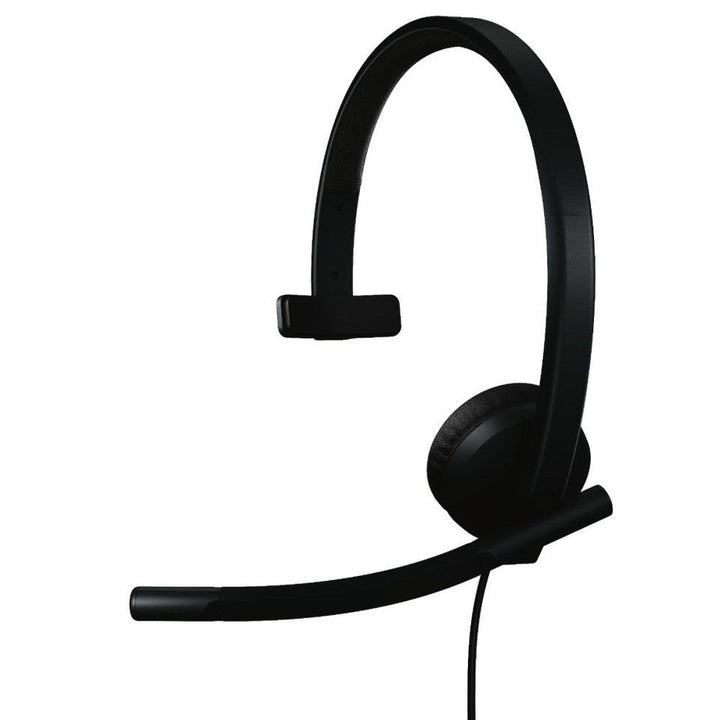


Logitech H570e Mono Teams Headset Black USB C
PRODUCT DESCRIPTION
Logitech H570e Mono Teams Headset Black USB-C (981-001583) - 2 Years Local Warranty
Logitech H570e Mono USB-C Headset, Certified for Microsoft Teams
The Logitech H570e Mono Teams version (981-001583) is the single-ear, native USB-C variant of Logitech's Teams-certified business headset. One ear on the call and one ear on the room makes it the right choice for reception desks, service counters, trading floors and contact centres where staff need to stay aware of what is happening around them. At 89 g it is the lightest headset in the H570e family.
Two Noise-Cancelling Microphones for Clear Speech in Busy Rooms
The Teams variant uses two noise-cancelling microphones — one unidirectional and one omnidirectional — on a long flexible boom to lift your voice out of a noisy environment. Microphone response covers 100 Hz to 8 kHz, tuned for speech intelligibility rather than music capture, and the boom rotates clear when you are only listening.
30 mm Driver with Hearing Protection to EN 50332-2
A 30 mm driver delivers a 20 Hz to 20 kHz music-mode frequency response at 96 dB ±3 dB into a 32 ohm impedance, with a 98 dB maximum SPL and total harmonic distortion below 3% from 50 Hz to 20 kHz. Acoustic protection against sounds above 100 dBA and EN 50332-2 compliance matter when staff wear a single-ear headset for an entire shift.
Teams Button, Call Controls and Colour-Coded LEDs
The in-line controller handles answer, end and reject, volume, mute and Teams activities. LED status reads red for mute, purple for Teams and white for call, which is easy to read across a service counter. The native USB-C plug connects directly to modern notebooks, and Logitech lists USB-A connection with an adapter.
Logitech Sync Manageable for Contact-Centre Fleets
As a Teams variant, the H570e Mono is supported in Logitech Sync, so IT can inventory deployed headsets and push firmware centrally. For a Singapore contact centre running dozens or hundreds of seats, that removes the need to touch each desk when a firmware update lands.
Logitech H570e Datasheet — Technical Specifications
General
| Model | Logitech USB Headset Mono H570e (Microsoft Teams version) |
| Logitech Model Number | A-00193 |
| Part Number | 981-001583 (Singapore SKU) |
| Product Type | Wired USB-C mono (single-ear) business headset |
| Certification | Certified for Microsoft Teams |
| Warranty | 2 Years Local Warranty (Singapore) |
Audio
| Driver Size | 30 mm |
| Headphone Frequency Response | 20 Hz – 20 kHz (music mode) |
| Headphone Sensitivity | 96 dB ±3 dB |
| Input Impedance | 32 ohm |
| Maximum SPL | 98 dB |
| Total Harmonic Distortion (Speaker) | Less than 3% (from 50 Hz – 20 kHz) |
| Microphone Configuration | 2 noise-cancelling microphones — 1 unidirectional and 1 omnidirectional |
| Microphone Frequency Response | 100 Hz – 8 kHz |
| Microphone Noise Cancelling | Yes |
| Microphone Boom | Long flexible boom |
| Hearing Protection | Protection against sounds above 100 dBA; EN 50332-2 compliant |
Connectivity
| Connector | USB-C (also connects to USB-A with an adapter) |
| USB Type | USB 2.0 |
| Cable Length | 1.9 m (6.23 ft) |
| In-Line Controls | Answer / end / reject calls, volume up and down, mute on and off, Microsoft Teams button |
| Indicator Lights | Red (mute), purple (Teams), white (call) |
| Device Management | Logitech Sync supported |
| Power | Bus powered over USB — no external power required |
Design & Power
| Dimensions (H × W × D) | 171 mm × 157 mm × 50 mm |
| Weight | 89 g |
| Wearing Style | On-ear, single-ear (mono), adjustable headband |
| Serial Number Location | Side of headset |
| Colour | Black |
Compatibility & Software Support
The Logitech H570e is a USB Audio Class device recognised by the operating system without driver installation.
Operating System and Platform Support
| Windows | Supported over standard USB audio |
| macOS | Supported over standard USB audio |
| ChromeOS | Supported over standard USB audio |
| Linux | Supported over standard USB audio |
| USB Type | USB 2.0 |
Platform Certifications
This variant is Certified for Microsoft Teams and carries a dedicated Teams button on the in-line controller, with a purple LED for Teams activity. Logitech does not publish a separate Zoom or Google Meet device certification for the H570e, so while the headset works normally as the audio device in Zoom, Google Meet, Webex and other softphone applications, it should be quoted as Teams certified and compatible with the rest.
Logitech Sync Device Management
The Microsoft Teams variants of the H570e are supported in Logitech Sync, allowing IT teams to inventory deployed headsets and push firmware updates centrally rather than device by device.
Software
No drivers are required for day-to-day use. The H570e is not configured through Logi Options+ or Logi Tune; call control, volume and mute are handled on the in-line controller.
Package Contents & H570e Series Ordering Information
In the Box
- Logitech H570e Mono Headset
- User documentation
Logitech H570e Series Ordering Information
| Variant | Part Number | Notes |
| H570e Stereo, USB-A (UC version) | 981-000574 | Dual-ear, no Teams button |
| H570e Stereo, USB-A (Teams version) | 981-001432 | Dual-ear, Certified for Microsoft Teams |
| H570e Stereo, USB-C (Teams version) | 981-001557 | Dual-ear, Certified for Microsoft Teams |
| H570e Mono, USB-C (Teams version) (this listing) | 981-001583 | Single-ear, Certified for Microsoft Teams |
| H570e Replacement Ear Pad Covers | 952-000064 | Spare leatherette ear pads |
Logitech's global H570e Teams datasheet quotes Americas part numbers 981-001424, 981-001425, 981-001428 and 981-001429 and EMEA part numbers 981-001426, 981-001427, 981-001430 and 981-001431. The Asia Pacific stereo USB-A part number is 981-001432. Singapore stock may carry a different part number to the one printed on a global datasheet — the part numbers listed in the table above are the SKUs SourceIT supplies locally.
Wider Logitech H-Series Range at SourceIT
| Model | Part Number | Notes |
| H111 Stereo Headset | 981-000588 | 3.5 mm single jack, 73.2 g |
| H151 Stereo Headset | 981-000587 | 3.5 mm single jack, in-line controls |
| H340 USB Headset | 981-000477 | USB-A, no in-line controls |
| H540 USB Headset | 981-000482 | USB-A, on-earcup controls (clearance — while stocks last) |
| H390 USB Headset | 981-000485 | USB-A, in-line controls, leatherette pads |
| H570e Stereo Business Headset | 981-000574 | USB-A, dual noise-cancelling mics |
| H650e Business Headset | 981-000545 | USB-A, 32 mm driver with Dynamic EQ |
Datasheet & Downloads
- Logitech H570e Datasheet (UC version, official PDF)
- Logitech H570e Datasheet (Microsoft Teams version, official PDF)
- Logitech Headset Portfolio Comparison (official PDF)
- Logitech H570e Spec Hub (hub.sync.logitech.com)
- Logitech H570e Product Page
- Logitech H570e Mono Specifications, Microsoft Teams variant (Logitech Spec Hub)
Frequently Asked Questions — Logitech H570e
Why choose the mono (single-ear) version?
A single-ear headset leaves one ear free for the room, which is what reception desks, service counters, trading floors and contact centres usually want. It is also the lightest option in the family at 89 g against 113 g for the stereo. If staff need to shut out an open-plan office instead, order the H570e Stereo USB-C Teams version (981-001557).
Is this the same audio quality as the stereo version?
Yes on a per-ear basis. The mono and stereo Teams variants share the same 30 mm driver, 96 dB ±3 dB sensitivity, 32 ohm impedance, 98 dB maximum SPL, two-microphone array and 100 Hz to 8 kHz microphone response. The difference is the number of ear cups and therefore the weight.
Does it plug straight into a USB-C laptop?
Yes. 981-001583 uses a native USB-C connector, so it connects directly to a USB-C notebook, dock or tablet with no adapter. Logitech also lists USB-A connection with an adapter for older machines.
Is it Teams certified, and does it work with Zoom and Google Meet?
It is Certified for Microsoft Teams and includes the dedicated Teams button with purple Teams LED. As a standard USB audio device it also works in Zoom, Google Meet, Webex and other softphone applications with full volume, mute and call control. Logitech does not publish a separate Zoom or Google Meet device certification for the H570e.
The global Logitech datasheet does not show 981-001583 — is that a problem?
No. Logitech's global Teams datasheet quotes Americas part numbers 981-001424 and 981-001425 for mono and EMEA numbers 981-001426 and 981-001427, with 981-001432 as the Asia Pacific stereo USB-A number. 981-001583 is the Singapore SKU for the mono USB-C Teams variant. Regional part numbers differ; the hardware specification is the same.
Do I need a licence, room PC or compute appliance?
No. This is a wired USB-C headset for an existing computer. Logitech Sync headset management is included with no additional licence.
Are replacement ear pads available?
Yes — SourceIT stocks Logitech H570e Replacement Earpad Covers (952-000064). For a single-ear headset in a shared contact-centre environment this is worth stocking alongside the headsets themselves.
Does this headset come with a Singapore warranty?
Yes. Every H570e sold by SourceIT comes with 2 years local Singapore warranty and a GST invoice.