
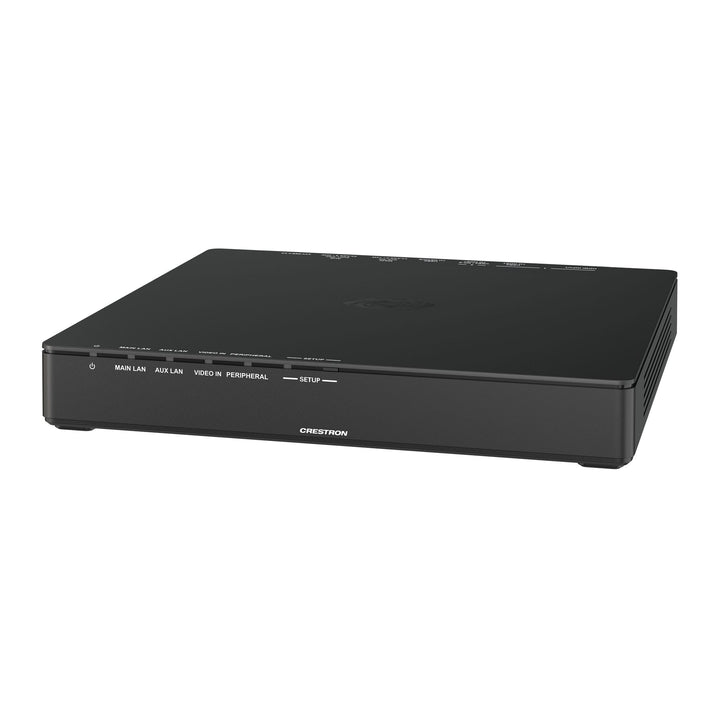


Crestron AirMedia Series 3 Connect Endpoint
Email sales@sourceit.com.sg or use Request for Quotation below and our team will confirm the latest price, availability and lead time.
PRODUCT DESCRIPTION
Crestron AirMedia Series 3 Connect Endpoint - Local Warranty
A table- or podium-mounted endpoint that lets presenters share content wirelessly to a Wi-Fi capable AirMedia Series 3 receiver by plugging in a single USB-C cable or an HDMI plus USB-A cable. With a Wireless Conferencing-capable receiver, it also gives laptops access to the room's camera, microphones and speakers.
Key Features
- Connect a personal device via a single USB-C cable, or HDMI plus USB; no software or drivers required
- Content sharing up to 4K30 to the in-room display through a paired AirMedia Series 3 receiver
- Access to in-room conferencing peripherals for Microsoft Teams or Zoom when paired with AM-3100-WF or AM-3200-WF
- Communicates with the receiver over Wi-Fi Direct, infrastructure Wi-Fi or a wired network
- Powered by PoE, DC power pack, or the connected device via USB-C
- PoE+ passthrough on the AUX port (with DC power) to power a touch screen
- Metal mounting bracket supplied for under-table or podium installation
AM-TX3-200 Datasheet — Technical Specifications
General
| Product Name | AirMedia Series 3 Connect Endpoint |
| Brand | Crestron |
| Part Numbers | AM-TX3-200 |
| OS Support | Windows 10, Windows 11, macOS 11 or newer |
Communications
| Ethernet | 100/1000 Mbps, autoswitching, TCP/IP, UDP/IP, DHCP, SSL, TLS, 802.3at compliant |
| Wi-Fi | Dual-band Wi-Fi 6 802.11a/b/g/n/ac/ax (2.4 and 5 GHz); up to 23 m (70 ft) at 80 Mbps, subject to site conditions |
| USB | USB 2.0 |
Video & Audio
| Input Signal Types | DisplayPort Alt Mode over USB-C; HDMI |
| Output | Network stream received by a paired AirMedia Series 3 receiver |
| Maximum Resolution | 3840x2160@30Hz; output resolution set by the receiver's HDMI output |
| Audio Format | 2-channel LPCM |
Connectors
| HDMI Input | 1 x HDMI Type A |
| USB2 / DP-S to Host | 1 x USB-C; presentation via DisplayPort Alt Mode plus peripheral access |
| USB2 to Host | 1 x USB-C; peripheral access (use USB-C to USB-A cable for devices without USB-C) |
| USB2 to Device | Reserved for future use |
| MAIN PoE PD | 1 x RJ-45, 100/1000 Ethernet, PoE Class 0 |
| AUX PoE+ PSE | 1 x RJ-45, 100/1000 Ethernet passthrough; PoE+ Class 4 output when DC powered |
| DC Power | 1 x 2.1 x 5.5 mm, 24 VDC input (PW-2420RU power pack sold separately) |
Power
| Power Options | USB-C from personal device; PoE (IEEE 802.3at Class 0 PD); or PW-2420RU 24 VDC 2.5 A power pack |
| Power Consumption | 4 W idle, 12.5 W in use (PoE or DC); 45 W with AUX PoE+ passthrough (DC); 2.5 W when USB-C powered |
Environmental & Physical
| Operating Temperature | 0° to 40° C (32° to 104° F), 10% to 90% RH non-condensing |
| Heat Dissipation | 47.5 BTU/hr |
| Chassis | Black plastic with 4 integrated mounting holes, vented sides; metal mounting bracket |
| Mounting | Freestanding or surface mount |
| Dimensions (H x W x D) | 30 x 200 x 180 mm (1.18 x 7.87 x 7.08 in); 32 x 225 x 180 mm with bracket |
| Weight | 597 g device; 317 g bracket |
| Compliance | ETL Listed for US and Canada to UL/IEC 62368-1; CE |
Compatibility & Software Support
Ecosystem
| Receivers | Wi-Fi network capable AirMedia Series 3 receivers; Wireless Conferencing requires AM-3100-WF or AM-3200-WF and a Wi-Fi network |
| Conferencing Software | Use room peripherals on the personal device with Microsoft Teams or Zoom |
| Personal Devices | Windows 10/11 and macOS 11 or newer; USB-C (DP Alt Mode) or HDMI + USB-A |
| Management | Set up via web browser or the Crestron XiO Cloud service |
| Security | AES content encryption; receivers support 802.1X and Active Directory authentication |
When powered from USB-C, only the USB-C input is active and the wired network interfaces do not function. Recommended cables: CBL-USB2-A-C-9, CBL-USB2-A-C-12, CBL-8K-HD-9, CBL-8K-HD-12 and CBL-USB3G1-C-C-9 (sold separately).
Package Contents & Ordering Information
Included
- AM-TX3-200 Connect Endpoint
- Mounting bracket
Models
| Configuration | Part number |
| AirMedia Series 3 Connect Endpoint | AM-TX3-200 |
Sold separately: PW-2420RU power pack, USB-C and HDMI cables, AirMedia Series 3 receiver.
Datasheet & Downloads
| Product page | Crestron AM-TX3-200 product page |
| Wi-Fi guidance | Crestron Wireless Best Practices |
Frequently Asked Questions — AM-TX3-200
Do users need to install software to present?
No. The AM-TX3-200 uses native USB-C (DisplayPort Alt Mode) and HDMI video, so no drivers, software or apps are needed on the personal device.
Does it work on its own?
No. It pairs with a Wi-Fi network capable AirMedia Series 3 receiver, connecting via Wi-Fi Direct, infrastructure Wi-Fi or a wired network.
Can I use the room camera and microphones on my laptop through it?
Yes, when paired with a Wireless Conferencing-capable receiver (AM-3100-WF or AM-3200-WF) on a Wi-Fi network. The peripherals can then be used in Microsoft Teams or Zoom on the laptop.
How is it powered?
By PoE, by the optional PW-2420RU 24 VDC power pack, or directly from the connected device over USB-C. In USB-C power mode the wired network ports are inactive.
What resolution does it support?
Up to 3840x2160 at 30 Hz. The final output resolution is set by the HDMI output of the paired AirMedia receiver.


