
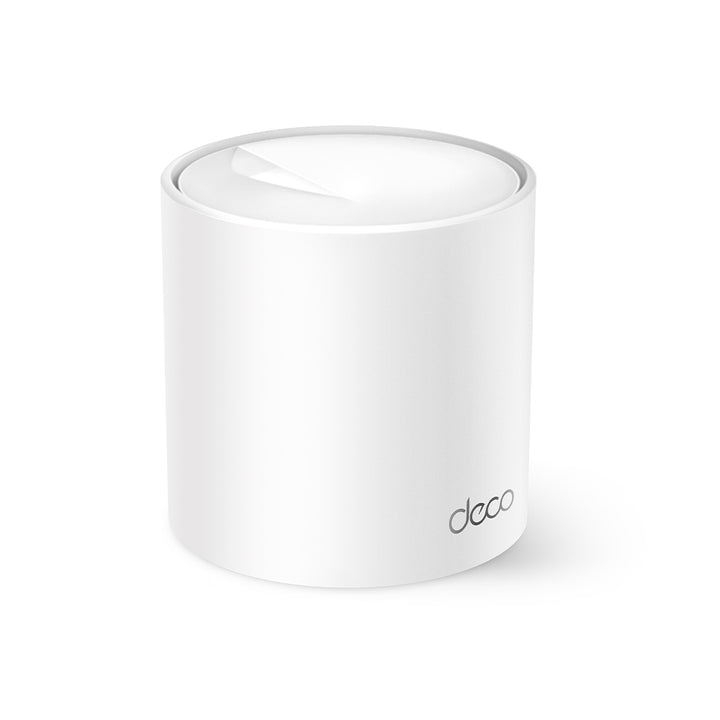


TP-Link Deco X10 AX1500 Whole Home Mesh Wi-Fi 6 System (2-Pack)
PRODUCT DESCRIPTION
TP-Link AX1500 Whole Home Mesh Wi-Fi 6 System, 2-Pack (Deco X10) - 3 Years Local Warranty
Two AX1500 Wi-Fi 6 units covering up to 3,900 ft² or 360 m² as one network, sized by TP-Link for 2-4 bedroom homes, with automatic handover as you move between them. Two gigabit ports on each unit, optional Ethernet backhaul, the Deco app for setup and day-to-day management, and voice control through Alexa or Google Assistant.
AX1500 Wi-Fi 6, 5 GHz on 802.11ax
TP-Link publishes 1201 Mbps at 5 GHz on 802.11ax and 300 Mbps at 2.4 GHz on 802.11n, so the Wi-Fi 6 gain on this model sits on the 5 GHz band while 2.4 GHz stays on the older standard. WiFi Capacity is published as High, built on dual-band operation, 2x2 MU-MIMO, OFDMA and 4 streams. Wi-Fi 6 features including OFDMA, MU-MIMO, 1024-QAM and BSS Color need your client devices to support them too, as TP-Link states in its own footnote.
One Network, Not Two
The two units share a single Wi-Fi name and password and hand devices over as you move between them, with TP-Link Mesh Technology dynamically choosing the best route and band for your connections and applications. Other Deco models mesh in on the same network, so this pair can be extended later with whichever Deco suits the room you are trying to cover. Seamless roaming needs clients that support 802.11k/v/r, and TP-Link notes performance varies by device.
Two Gigabit Ports Per Unit and Optional Wired Backhaul
TP-Link publishes two gigabit Ethernet ports per Deco unit with WAN/LAN auto-sensing - that is two on each of the two units, not two for the pack. Whichever Deco meets your fibre terminal becomes the router and the other becomes a node, leaving a spare port at each end for a wired device. Where structured cabling already exists, optional Ethernet backhaul lets the pair carry mesh traffic over the wire instead of the air.
Deco App Management and Voice Control
Setup, device lists, QoS by device and firmware updates all live in the Deco app, with Android 5.0 or later and iOS 9.0 or later published as the minimum - TP-Link notes those requirements move as the app is updated. You can also use an Amazon Alexa or Google Assistant-enabled device to control the Deco X10 with just your voice. TP-Link ID, DDNS and over-the-air firmware upgrades are published under cloud service, so the system keeps itself current.
Parental Controls and Network Security
An SPI firewall and access control are published, with WPA3 alongside WPA2 and WPA, and separate guest networks on both bands. Parental controls cover custom profiles, a professional content filter library, family time, bedtime, off time, time rewards, a family online time ranking, pausing the internet and weekly and monthly reports. HomeShield includes the Free Basic Plan, and fees apply for the Pro Plan. Ports 80/443, 53, 67 and the app-management ports are the services enabled out of the box.
Ideal For
Three- and four-room HDB flats and mid-sized condominium units in Singapore where one router leaves the far bedroom short, matching TP-Link's 2-4 bedroom sizing. Supplied by SourceIT with local Singapore warranty and GST invoice.
Deco X10 Datasheet - Technical Specifications
Wireless
| Standards and Protocols | Wi-Fi 6; IEEE 802.11ax/ac/n/a 5 GHz, IEEE 802.11n/b/g 2.4 GHz |
| WiFi Speeds | AX1500 - 5 GHz: 1201 Mbps (802.11ax), 2.4 GHz: 300 Mbps (802.11n) |
| WiFi Range | 1-2 Bedroom Houses (1-pack) / 2-4 Bedroom Houses (2-pack) / 3-5 Bedroom Houses (3-pack) — TP-Link Mesh Technology; Optional Ethernet backhaul work together to link Deco units to provide seamless coverage; 2x Antennas (Internal): Multiple antennas form a signal-boosting array to cover more directions and large areas; Beamforming: Concentrates wireless signal strength towards clients to expand WiFi range |
| WiFi Capacity | High — Dual-Band: Distribute devices to different bands for optimal performance; 2x2 MU-MIMO: Simultaneously communicates with multiple MU-MIMO clients; OFDMA: Simultaneously communicates with multiple WiFi 6 clients; 4 Streams: More than enough bandwidth for connected devices |
| Coverage | Up to 3,900 ft² or 360 m² (2-pack) |
| Antennas | 2x Antennas (Internal) per unit |
| Working Modes | Router Mode, Access Point Mode |
Security
| Network Security | SPI Firewall, Access Control |
| Guest Network | 1x 5 GHz Guest Network, 1x 2.4 GHz Guest Network |
| WiFi Encryption | WPA-Personal, WPA2-Personal, WPA3-Personal |
Hardware
| Ethernet Ports | 2x Gigabit Ports *Per Deco Unit — Supports WAN/LAN auto-sensing |
| Buttons | Reset Button |
| Dimensions (W x D x H) | 4.33 x 4.33 x 4.49 in (110 x 110 x 114 mm) per unit |
| Processor | Not published by TP-Link for this model |
| Memory | Not published by TP-Link for this model |
| Weight | Not published by TP-Link for this model |
| USB | Not published by TP-Link for this model |
| Power Adapter Rating | Not published by TP-Link for this model |
Software
| Protocols | IPv4, IPv6 |
| WAN Types | Dynamic IP, Static IP, PPPoE, PPTP, L2TP |
| Quality of Service | QoS by Device |
| Parental Controls | Custom profiles, professional content filter library, family time, bedtime, off time, time rewards, family online time ranking, pause the internet, weekly and monthly reports |
| IPTV | IGMP Proxy, IGMP Snooping, Bridge, Tag VLAN |
| NAT Forwarding | Port Forwarding, UPnP |
| DHCP | Address Reservation, DHCP Client List, Server |
| DDNS | TP-Link |
| Cloud Service | OTA Firmware Upgrade, TP-Link ID, DDNS |
| Management Features | Deco App |
| Voice Control | Use an Amazon Alexa or Google Assistant-enabled device to control Deco X10 with just your voice. |
| System Requirements | Android 5.0 or later, iOS 9.0 or later. *Note: The minimum system requirements will be updated alongside updates to the app, subject to official website information. |
| VPN Server / Client | Not published by TP-Link for this model |
Other
| Network Services Enabled by Default | Web Server Manage and configure device through web (HTTP/HTTPS) • Port: 80/443 Protocol: TCP — DNS DNS • Port: 53 Protocol: TCP & UDP — DHCP Server IP address assignment (DHCP) • Port: 67 Protocol: UDP — App management Manage and configure device through app • Port: 22 Protocol: TCP • Port: 20001 Protocol: TCP • Port: 30001 Protocol: TCP • Port: 20002 Protocol: UDP |
| WiFi Transmission Power | CE: <20 dBm (2.4 GHz) <30 dBm (5 GHz) FCC: <30 dBm (2.4 GHz) <30 dBm (5 GHz) |
| Certification | CE, FCC, RoHS, JPA, JRF, VCCI, NCC, BSMI |
| Environment | Operating Temperature: 0°C ~ 40°C; Storage Temperature: -40°C ~ 60°C; Operating Humidity: 10% ~ 90% non-condensing; Storage Humidity: 5% ~ 90% non-condensing |
TP-Link's Published Footnotes
† Maximum wireless signal rates are the physical rates derived from IEEE Standard 802.11 specifications. Actual wireless data throughput and wireless coverage, and quantity of connected devices are not guaranteed and will vary as a result of network conditions, client limitations, and environmental factors, including building materials, obstacles, volume and density of traffic, and client location.
‡ Clients need to support 802.11k/v/r and may require additional set up. Performance may vary depending on the client's device.
△ Uses of WiFi 6 and other features including OFDMA, MU-MIMO, 1024-QAM, and BSS Color require clients to also support the corresponding features.
* HomeShield includes the Free Basic Plan. Fees apply for the Pro Plan. Visit tp-link.com/homeshield for more information.
This Deco may not support all the mandatory features as ratified in IEEE 802.11ax specification. Further software upgrades for feature availability may be required.
The specification values and footnotes above are TP-Link's published figures for the Deco X10 on its Singapore product page, together with the rows below that TP-Link does not publish for this model.
TP-Link publishes no processor, memory, weight, USB port or power-adapter rating for the Deco X10, and no VPN server or client row. The 2.4 GHz radio runs 802.11n while the 5 GHz radio runs 802.11ax, so the Wi-Fi 6 speed on this model is the 5 GHz figure.
Compatibility & Software Support
Set up and managed through the Deco app, with Android 5.0 or later and iOS 9.0 or later published as the minimum. TP-Link notes that the minimum system requirements will be updated alongside updates to the app, subject to official website information. An Amazon Alexa or Google Assistant-enabled device can control the Deco X10 by voice.
Two working modes are published, Router and Access Point, with IPv4 and IPv6, and Dynamic IP, Static IP, PPPoE, PPTP or L2TP on the WAN. IPTV covers IGMP proxy, IGMP snooping, bridge and tag VLAN, which is what a set-top box on a Singapore fibre plan generally needs. TP-Link publishes no VPN server or client row for the Deco X10 - if you need a VPN on the router itself, ask us and we will confirm with the distributor before you order.
The Deco X10 meshes with other Deco models on a shared Wi-Fi name, so this pair can be extended with a different Deco later. Wi-Fi 6 features including OFDMA, MU-MIMO, 1024-QAM and BSS Color need client support as well, per TP-Link's own footnote, and seamless roaming needs clients that support 802.11k/v/r, which may require additional set up.
HomeShield includes the Free Basic Plan, and fees apply for the Pro Plan. TP-Link also notes that this Deco may not support all the mandatory features as ratified in IEEE 802.11ax specification, and that further software upgrades for feature availability may be required.
Package Contents & Ordering Information
Package Contents
| Package Content | 2 Deco X10 Units, 1 RJ45 Ethernet Cable, 2 Power Adapters, Quick Installation Guide |
Ordering Information
| Model | Deco X10, 2-Pack |
| SourceIT SKU | Deco X10 (2-pack) |
| Warranty | 3 Years Local Warranty (Singapore) |
Note the cable count: TP-Link includes one RJ45 Ethernet cable in the box whatever the pack size, so this 2-pack ships two units and two power adapters but a single cable. If you plan to run wired backhaul, tell us and we will quote the extra patch leads.
The package contents row is TP-Link's published figure for this pack size. The model, SourceIT SKU and warranty rows are SourceIT's own ordering details.
Datasheet & Downloads
TP-Link Singapore support and downloads - Deco X10
Official product page - Deco X10
TP-Link Singapore replacement warranty policy
Firmware, user guides and the Deco app are published by TP-Link on the support page above, under hardware version V1. TP-Link publishes no standalone datasheet PDF for this model, so the support page is the current reference and the links always resolve to the current release.
Frequently Asked Questions - Deco X10 (2-Pack)
How much area does the 2-pack cover?
TP-Link publishes coverage up to 3,900 ft² or 360 m² for two Deco X10 units, and sizes the pair for 2-4 bedroom homes. Real coverage depends on walls, layout and interference, as TP-Link states in its own footnote.
Is this Wi-Fi 6 on both bands?
TP-Link publishes 802.11ax at 5 GHz and 802.11n at 2.4 GHz for the Deco X10, so the Wi-Fi 6 radio on this model is the 5 GHz one, rated 1201 Mbps, with 2.4 GHz rated 300 Mbps. Tell us what your devices are and we will tell you whether that split matters for your home.
How many Ethernet ports do I get?
Two gigabit ports per Deco unit, so four across the 2-pack. They are WAN/LAN auto-sensing, so the unit connected to your fibre terminal takes the WAN role automatically.
How many devices will it handle?
TP-Link publishes "Connects Up to 120 Devices" for the Deco X10, as a model-level figure. TP-Link's own footnote states that the quantity of connected devices is not guaranteed and varies with network conditions, client limitations and environmental factors.
Do I get an Ethernet cable for each unit?
TP-Link includes one RJ45 Ethernet cable in the box whatever the pack size, alongside one power adapter per unit. We can supply extra patch leads if you plan to run wired backhaul.
Can I add a third unit later?
Yes. Deco units join the same network regardless of pack size, and other Deco models mesh in too.
Can I control it by voice?
Yes. TP-Link publishes that you can use an Amazon Alexa or Google Assistant-enabled device to control the Deco X10 with just your voice, alongside day-to-day management in the Deco app.
Does it support a VPN?
TP-Link publishes no VPN server or client row for the Deco X10. If a VPN running on the router itself is a requirement, ask us and we will confirm with the distributor before you order.
What warranty applies in Singapore?
3 years local replacement warranty. Whole-home mesh systems appear in no exception row in TP-Link Singapore's warranty policy and take the published 3-year default.


