
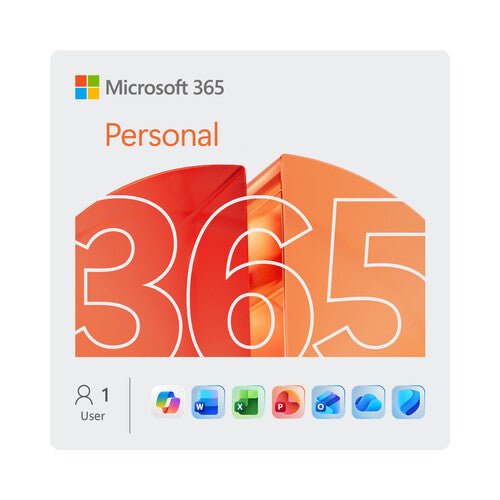


Microsoft Office 365 Personal Annual Subscription (12 Months)
Prices in SGD, excluding 9% GST.
PRODUCT DESCRIPTION
Microsoft 365 Personal (QQ2-00013) - Local Support
What Microsoft 365 Personal is
Microsoft 365 Personal is Microsoft's consumer subscription: the Office applications, cloud storage and Copilot features, licensed for one person on an annual term. It is a subscription, not a one-time purchase — when the term ends the applications drop into reduced functionality. It is also, in Microsoft's own contract terms, for personal and non-commercial use, which is the single most important line on this page for any business buyer.
Not for business use — read this before you order
The Microsoft Services Agreement states that Microsoft 365 Family, Microsoft 365 Personal, Microsoft 365 Basic and any other Microsoft 365 or Office-branded service is for your personal, noncommercial use unless you have commercial use rights under a separate agreement with Microsoft. Microsoft does not repeat that warning on the product pages themselves, which is exactly why businesses buy these plans by mistake. If this is for a company, the correct products are Microsoft 365 Business Basic, Business Standard or Business Premium, or Microsoft 365 Apps for business — all of which we list separately and all of which carry commercial use rights.
What you get
People covered: 1 person. Microsoft publishes it as "For 1 person". Storage: 1 TB of secure cloud storage, published by Microsoft on the Store page as 1 TB (1000 GB). Applications: Microsoft's current Singapore comparison table lists, for this plan: Microsoft Copilot, Word, Excel, PowerPoint, OneNote, Outlook, Microsoft Defender, Microsoft Editor, Microsoft Teams, Access (PC only) and Microsoft Forms. Publisher is not on the current list — Microsoft has retired it. Devices: Microsoft publishes that each person can sign in on up to five devices at once, across PC, Mac, iPhone, iPad and Android phones and tablets.
Copilot and AI credits, stated precisely
Microsoft publishes 60 AI credits per month for this plan, covering Edit, Draft, Rewrite, Summarize, Analyze data and Image generation. Microsoft does not publish whether unused credits roll over, or what happens once the 60 are used, so this page does not say.
Term, renewal and what happens at expiry
This is an auto-renewing subscription; Microsoft's wording is that the subscription automatically renews at the regular price and selected term unless cancelled in the Microsoft account. On expiry Microsoft publishes that the applications eventually run in reduced functionality mode and show "Unlicensed Product" notifications — you can still open and print your documents but you cannot edit them or create new ones. Microsoft publishes no grace-period length between expiry and reduced functionality, so this page does not state one. Microsoft's OneDrive frozen-account policy — a separate policy about accounts over their storage limit, not a stated rule about subscription expiry — says files become read-only and that after 6 months Microsoft may delete the OneDrive and all files within it. Back your files up locally before you let a subscription lapse.
Microsoft 365 Personal — What the Subscription Includes
Plan and entitlements
| Microsoft's current official name | Microsoft 365 Personal |
| SKU on this listing | QQ2-00013 |
| People covered | 1 person. Microsoft publishes it as "For 1 person". |
| Cloud storage | 1 TB of secure cloud storage, published by Microsoft on the Store page as 1 TB (1000 GB). |
| Applications | Microsoft's current Singapore comparison table lists, for this plan: Microsoft Copilot, Word, Excel, PowerPoint, OneNote, Outlook, Microsoft Defender, Microsoft Editor, Microsoft Teams, Access (PC only) and Microsoft Forms. Publisher is not on the current list — Microsoft has retired it. |
| Simultaneous sign-ins | Up to 5 devices at once per person, across PC, Mac, iPhone, iPad and Android phones and tablets. |
| Copilot / AI credits | Microsoft publishes 60 AI credits per month for this plan, covering Edit, Draft, Rewrite, Summarize, Analyze data and Image generation. Microsoft does not publish whether unused credits roll over, or what happens once the 60 are used, so this page does not say. |
| Sharing | Not shareable. Microsoft publishes that only Microsoft 365 Family and Microsoft 365 Premium can be shared; Basic and Personal cannot. If more than one person needs to be covered, Microsoft 365 Family is the plan. |
| Use rights | Personal and noncommercial use only, per the Microsoft Services Agreement, unless you hold commercial use rights under a separate agreement with Microsoft. |
| Microsoft's published Singapore price | Microsoft's published Singapore price on 8 September 2026 was SG$15.49 per month or SG$154.99 per year. Our price on this listing is our own and is shown above; Microsoft's figure is given here only so you can see what you are comparing against. |
| Publisher | Not included. Microsoft has retired Publisher. Microsoft publishes that subscribers will not be able to access Publisher after 1 October 2026, and that support for the perpetual version ends 13 October 2026. Publisher is not listed as an included application anywhere on this page. |
Term, renewal and expiry
| Licence type | Subscription. Not a perpetual licence and not a one-time purchase. |
| Term on this listing | 12 months |
| Renewal | Microsoft publishes that the subscription automatically renews at the regular price and selected term unless cancelled in the Microsoft account. |
| At expiry | Applications eventually run in reduced functionality mode with "Unlicensed Product" notifications; documents can be opened and printed but not edited, and new ones cannot be created. |
| Grace period length | Not published by Microsoft. We do not state one. |
| Warranty | None. A software subscription carries no hardware warranty. |
Lifecycle
| Lifecycle policy | Modern Lifecycle Policy |
| Lifecycle start date published by Microsoft | 22 September 2015 |
| Retirement date published by Microsoft | "In Support" — no end-of-support date is published |
| Publisher | Retired. Microsoft publishes that subscribers lose access to Publisher after 1 October 2026 and that support for the perpetual version ends 13 October 2026. |
Is This the Right Product for You?
Choosing correctly
| Buy this if | It is for one person. If more than one person needs it, Microsoft 365 Family is the product that covers up to six. |
| Do NOT buy this if | It is for a business, a charity's paid staff, a school's staff, or anything with commercial use. The Microsoft Services Agreement restricts these plans to personal, noncommercial use. Use Microsoft 365 Business Basic, Standard or Premium, or Microsoft 365 Apps for business. |
| If you need more than one person covered | Microsoft 365 Family covers 1 to 6 people. Microsoft 365 Personal covers 1 and cannot be shared. |
| Who the Copilot benefits belong to | Microsoft 365 Personal covers one person, so the Copilot features and the monthly AI credits on this plan are for that one subscriber. |
| If you want a one-time purchase | Office Home 2024 and Office Home and Business 2024 are perpetual licences we list separately — one device, no cloud storage, no Copilot, no expiry. |
| A further consumer tier exists | Microsoft also publishes Microsoft 365 Premium, a consumer tier above Personal, at SG$28.99 per month or SG$289.99 per year on 8 September 2026. Ask us and we will quote it for you. |
Ordering, Activation and Renewal
This listing is a 12-month consumer subscription. Activation is against a Microsoft account — the account, not the device, holds the subscription, which is why you can move between machines.
| SKU on this listing | QQ2-00013 |
| Term | 12 months |
| Account required | Yes. A Microsoft account is required to activate and to use the storage. |
| Renewal | We will contact you before the term ends. Microsoft's own auto-renew applies to subscriptions bought directly from Microsoft with a payment method on file. |
| Moving between devices | The subscription follows the Microsoft account, not the hardware. Sign out on the old device and in on the new one. |
| Before you let it lapse | Copy anything you need out of OneDrive to local storage first. Microsoft's published behaviour on expiry is read-only, and its separate OneDrive frozen-account policy contemplates deletion after 6 months. |
Official Microsoft Documentation
Every figure on this page comes from one of the Microsoft pages below.
- Microsoft Singapore — compare all Microsoft 365 plans
- Microsoft Singapore — buy: compare all Microsoft 365 products
- Microsoft Singapore — buy or renew Microsoft 365 (Personal, Family and Premium pricing)
- Microsoft Singapore — Microsoft 365 Personal (formerly Office 365)
- Microsoft Support — share your Microsoft 365 Family or Premium subscription
- Microsoft Support — Copilot in Microsoft 365 Personal and Family FAQ
- Microsoft Support — AI credits and limits
- Microsoft Support — a subscription notice appears when I open a Microsoft 365 application
- Microsoft Services Agreement — personal, noncommercial use clause
- Microsoft Learn — Microsoft 365 lifecycle (Modern Lifecycle Policy)
- Microsoft Support — Publisher will no longer be supported after October 2026
Frequently Asked Questions — Microsoft 365 Personal
Can I use this for my business?
No, not without separate commercial use rights from Microsoft. The Microsoft Services Agreement restricts Microsoft 365 Family, Personal and Basic to personal, noncommercial use. For a business, buy Microsoft 365 Business Basic, Business Standard, Business Premium or Microsoft 365 Apps for business.
Is this the same as "Office 365 Personal"?
Yes. Microsoft renamed the product: its current name is Microsoft 365 Personal, and Microsoft's own Store page reads "Buy Microsoft 365 Personal (formerly Office 365)". The subscription is the same one, and this listing is the current Microsoft 365 Personal subscription under part number QQ2-00013.
Is Copilot included?
Yes. Microsoft lists Microsoft Copilot among the applications for this plan and publishes a monthly allowance of AI credits with it. The allowance, the features it covers and the points Microsoft does not publish about it are set out under "Copilot and AI credits, stated precisely" above.
What happens when it expires or is not renewed?
Microsoft publishes that the applications eventually run in reduced functionality mode and show "Unlicensed Product" notifications: you can open and print existing documents but you cannot edit them or create new ones. Microsoft does not publish how long the gap is between expiry and that state, so this page does not state one. Separately, Microsoft's OneDrive frozen-account policy says files go read-only and that after 6 months Microsoft may delete the OneDrive and all files in it, and that deleted files are non-recoverable. The practical advice is simple: copy anything important to local storage before you let a subscription lapse.
Is Publisher included?
Microsoft has retired Publisher. Microsoft publishes that subscribers will not be able to access Publisher after 1 October 2026, and that support for the perpetual version ends 13 October 2026. Publisher is not listed as an included application anywhere on this page.
Is there a version without Copilot?
Microsoft's support site does name "Microsoft 365 Personal Classic" and "Microsoft 365 Family Classic" in a subscription-conversion table, but Microsoft publishes nothing about what those plans include or exclude, what they cost, who is eligible, or how to obtain them. Because Microsoft publishes no details, this page states none. Ask us and we will check with our distributor.
Is this a one-time purchase?
No. Microsoft 365 Personal is a subscription with a 12-month term on this listing. When the term ends the applications drop into reduced functionality. If you want a one-time purchase that keeps working, that is a perpetual licence such as Office Home 2024 or Office Home and Business 2024, which we sell separately — they are different products, tied to one device, with no cloud storage and no Copilot.
Does it come with a warranty?
No. This is a software subscription, not hardware, so there is no hardware warranty, no return-to-base service and no replacement entitlement — there is no hardware to replace. What you get instead is Microsoft's consumer support for the software and our own local support in Singapore for the purchase.
Who do we call for support?
For anything to do with this purchase — the licence key, activation, the term or the renewal — contact SourceIT in Singapore and we will deal with it. For the software itself, Microsoft supports consumer subscriptions through its own consumer support channels and your Microsoft account, not through a business admin centre; there is no administrator, tenant or admin support desk on a consumer plan, which is one of the practical differences between these plans and the business ones.
What is this page based on?
Microsoft's own current Singapore product and comparison pages, its consumer Copilot and AI-credits support articles, the Microsoft Services Agreement and the Microsoft 365 lifecycle page — all linked in the Official Microsoft Documentation section above. The personal, noncommercial use restriction is stated prominently because it is the single most likely reason for a customer to buy the wrong product here, and the Copilot entitlement is stated as covering the one person this subscription covers. Publisher is not listed as an included application anywhere on this page, because Microsoft has retired it. Where Microsoft publishes nothing — grace-period lengths, or what the "Classic" plans contain — this page says so instead of guessing.
We Also Recommend


Microsoft 365 Family (Up to 6 People) Annual Subscription (12 Months)