
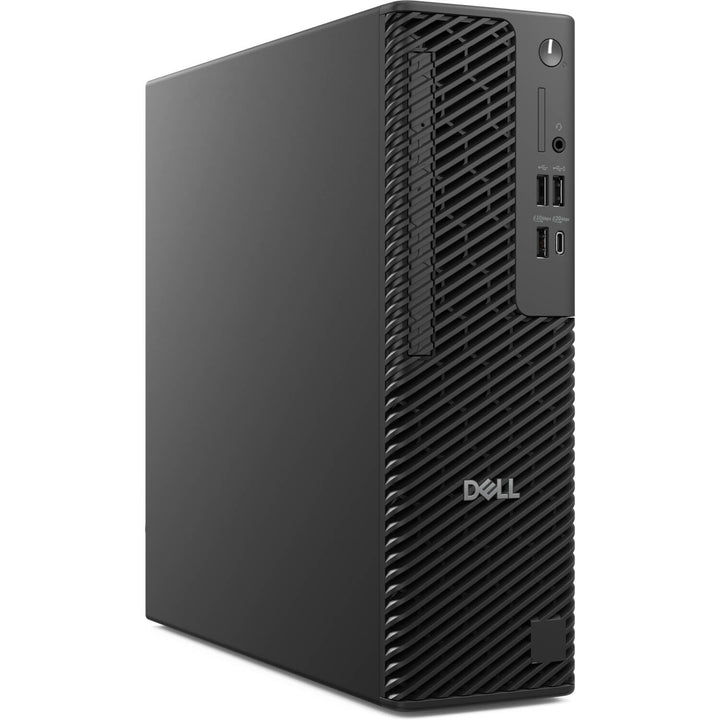


Dell Pro Max Slim FCS1250 Core Ultra 7 265 RTX A400 16GB 512GB + 2TB Workstation
PRODUCT DESCRIPTION
Dell Pro Max Slim Desktop Workstation FCS1250 Intel Core Ultra 7 265 / NVIDIA RTX A400 4GB / 16GB / 512GB SSD + 2TB HDD (DPMFCS1250C716G512+2TBD2) - 3 Years Local Warranty
Workstation Power in a Slim Chassis
The Dell Pro Max Slim FCS1250 runs a 65 W Intel Core Ultra 7 265 (20 cores, 8P + 12E, up to 5.3 GHz, 30 MB cache) on the Intel W880 chipset, with NVIDIA RTX A400 professional graphics (4 GB GDDR6) for CAD, design and multi-display work.
Fast SSD Plus Bulk Storage
This configuration pairs a 512GB NVMe SSD for the OS and applications with a 2TB 3.5-inch 7200 RPM SATA hard drive for project files, with 16GB DDR5 in four UDIMM slots that scale to 128 GB, ECC or non-ECC.
Room to Expand
Three M.2 SSD slots, a half-height PCIe Gen4 x16 slot plus Gen3 x4 and x1 slots, a 20Gbps USB-C port at the front and three DisplayPort 1.4a outputs on the rear keep the Slim ready for future upgrades.
Buying for a team or project? Email sales@sourceit.com.sg for volume pricing and delivery lead time.
Dell FCS1250 Datasheet — Technical Specifications
Configuration
| Product Name | Dell Pro Max Slim FCS1250 |
| Part Number | DPMFCS1250C716G512+2TBD2 |
| Processor | Intel Core Ultra 7 265 (65 W) |
| Graphics | NVIDIA RTX A400, 4 GB GDDR6 |
| Memory | 16GB DDR5 |
| Storage | 512GB M.2 PCIe NVMe SSD + 2TB 3.5-inch 7200 RPM SATA HDD |
| Local Warranty (Singapore) | 3 years, supplied by SourceIT with a GST invoice |
Processor & Graphics
| Processor | Intel Core Ultra 7 265: 20 cores (8P + 12E) / 20 threads, up to 5.3 GHz, 30 MB cache, with dedicated NPU |
| Chipset | Intel W880 |
| Integrated Graphics | Intel Graphics |
| Discrete Graphics | NVIDIA RTX A400, 4 GB GDDR6 |
Memory & Storage
| Memory Slots | 4 x DDR5 UDIMM, up to 128 GB, ECC or non-ECC |
| M.2 Slots | 3 x M.2 2230/2280 PCIe NVMe SSD, plus 1 x M.2 2230 for Wi-Fi/Bluetooth |
| Drive Bays | 1 x 3.5-inch SATA 3.0 hard-drive bay; 1 x slimline optical-drive bay |
Expansion
| PCIe Slots | 1 x half-height PCIe Gen4 x16; 1 x half-height PCIe Gen3 x4; 1 x half-height PCIe Gen3 x1 |
Front Ports
| USB-C | 1 x USB 3.2 Gen 2x2 (20 Gbps) Type-C |
| USB-A | 1 x USB 3.2 Gen 2 (10 Gbps); 2 x USB 2.0 (one with PowerShare) |
| Audio | 1 x global headset jack |
| Card Reader | Optional SD 4.0 card reader |
Rear Ports
| Video | 3 x DisplayPort 1.4a (HBR3) |
| USB | 1 x USB 3.2 Gen 2 (10 Gbps) Type-C; 3 x USB 3.2 Gen 1 (5 Gbps); 2 x USB 2.0 with SmartPower On |
| Network | 1 x RJ45 Ethernet (1 Gbps) |
| Optional | Optional port module (VGA, HDMI 2.1, DisplayPort 2.1, USB-C with DP Alt Mode, Thunderbolt 4 and more); optional serial port |
Power
| Power Supply | Internal 260 W (80 PLUS Bronze) or 360 W (80 PLUS Platinum), 90–264 VAC, 47–63 Hz |
Security
| TPM | TPM 2.0 |
| Physical | Chassis intrusion switch, Kensington security slot, padlock ring |
| Firmware & Data | Dell SafeBIOS, SafeID, Intel Secure Boot, self-encrypting Opal/FIPS drive options |
Physical & Environmental
| Dimensions (H x W x D) | 303.50 x 95.00 x 293.00 mm |
| Weight | 3.97–6.11 kg, depending on configuration |
| Certifications | ENERGY STAR; EPEAT Gold registered with Climate+; TCO Certified |
Compatibility & Software Support
Operating System
Dell offers Windows 11 Home, Pro and Enterprise and Ubuntu 24.04 LTS for the Dell Pro Max Slim.
Wireless (Optional)
Wi-Fi is not part of this configuration; Dell supports Intel Wi-Fi 7 BE200 or Qualcomm FastConnect 7800 cards with Bluetooth 5.4 in the dedicated M.2 slot.
Typical Use
CAD, BIM and design studios, engineering offices and trading desks that want professional graphics and multi-monitor output in a compact desktop.
Package Contents & Dell Pro Max Slim Ordering Information
In the Box
Dell Pro Max Slim FCS1250 workstation and power cord.
Dell Pro Max Slim Configurations at SourceIT
| Processor / Graphics | Memory / Storage |
| Core Ultra 7 265 / RTX A400 (this listing) | 16GB / 512GB SSD + 2TB HDD |
Datasheet & Downloads
| Dell spec sheet | Dell Pro Max Slim spec sheet (PDF) |
| Manuals & drivers | Dell Pro Max Slim FCS1250 manuals on Dell Support |
Need a PDF sent directly? Email sales@sourceit.com.sg quoting FCS1250.
Frequently Asked Questions — Dell FCS1250
How many monitors can it drive?
The motherboard has three DisplayPort 1.4a outputs; the RTX A400 card adds its own outputs, and an optional port module can add HDMI 2.1 or DisplayPort 2.1.
Can I add more memory?
Yes. There are four DDR5 UDIMM slots supporting up to 128 GB, with ECC or non-ECC modules.
Can I add more drives?
Yes. Three M.2 NVMe SSD slots are available, and there is a slimline optical-drive bay.
Does it have Wi-Fi?
Not in this configuration; it connects by Gigabit Ethernet. Dell's Wi-Fi 7 cards can be added in the dedicated M.2 slot.
What warranty do I get?
3 years, supplied locally by SourceIT with a GST invoice.


